182050 User manual.pdf - 第89页
semi automatic 0$&+,1 (352*5 $00,1 * 0(18 3$5$ 0(7 (56 Software Version 07SP02 User Manual 1.79 Print Mode This p arameter set s the mode of o peration of the machi ne. A vailable modes are: Print Deposi ts This pa…
semi automatic
0$&+,1(352*5$00,1*
0(183$5$0(7(56
1.78 User Manual Software Version 07SP02
Print Gap This parameter sets the gap required between the stencil and board to be
printed during the print stroke.
Under Side
Clearance
This parameter determines the clearance provided between the underside of
the board and the top of the machine tooling to allow for components on the
underside of the board.
Separation Speed This parameter sets the speed at which the rising table drives down the
separation distance.
Separation
Distance
This parameter sets the separation distance between board and stencil. The
parameter can help increase cycle time when a low separation speed is used
by decreasing the separation distance.
Board Count This function provides the facility for the print cycle to be halted automatically
on a board count basis.
If the board stop count is zero this function is not active. When a print run is
started, a count is made from the STOP CYCLE AFTER value to zero decre-
menting by one for each board printed.
When the counter reaches zero, the print cycle is finished and control returned
to the main display page, thus indicating that the machine requires operator
attention.
The operator has access to all of the machines options. Once the operator has
performed any required operations, the run button can be pressed to continue
the print cycle.
Separation Delay This parameter is the time in seconds that the table delays before lowering. This
delay occurs during stencil cleaning and after the flood. This parameter only
becomes available when Adhesive has been selected in the Print Mode param-
eter.
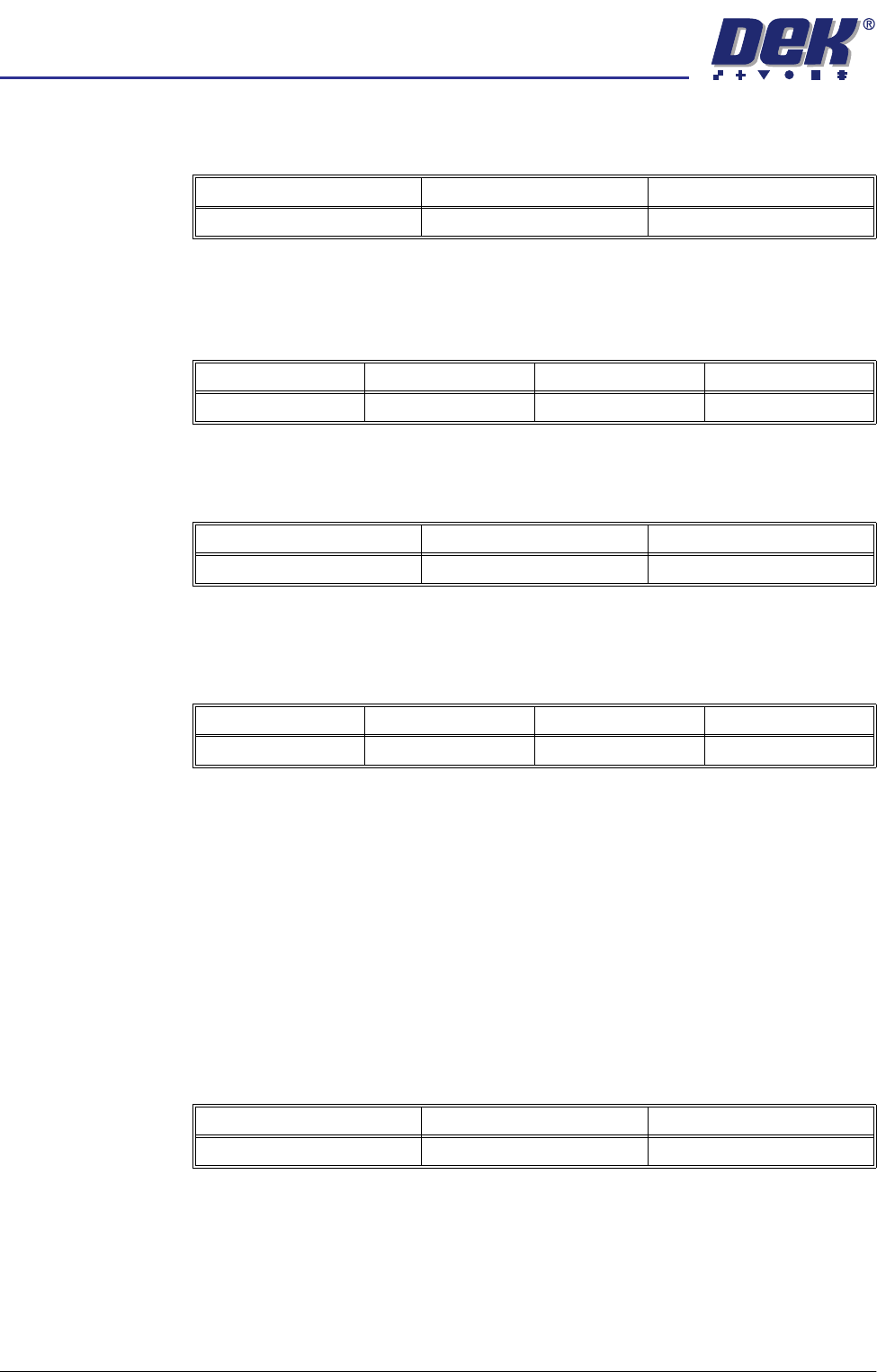
Minimum Maximum Increment
0.0mm 6.0mm 0.025mm
Minimum Maximum Increment Default
3.0mm 42.0mm 0.1mm 19.0mm
Minimum Maximum Increment
0.1mm/sec 20.0mm/sec 0.1mm/sec
Minimum Maximum Increment Default
0.0mm 3.0mm 0.1mm 3.0mm
Minimum Maximum Increment
0 Boards 500 Boards 1 Board
semi automatic
0$&+,1(352*5$00,1*
0(183$5$0(7(56
Software Version 07SP02 User Manual 1.79
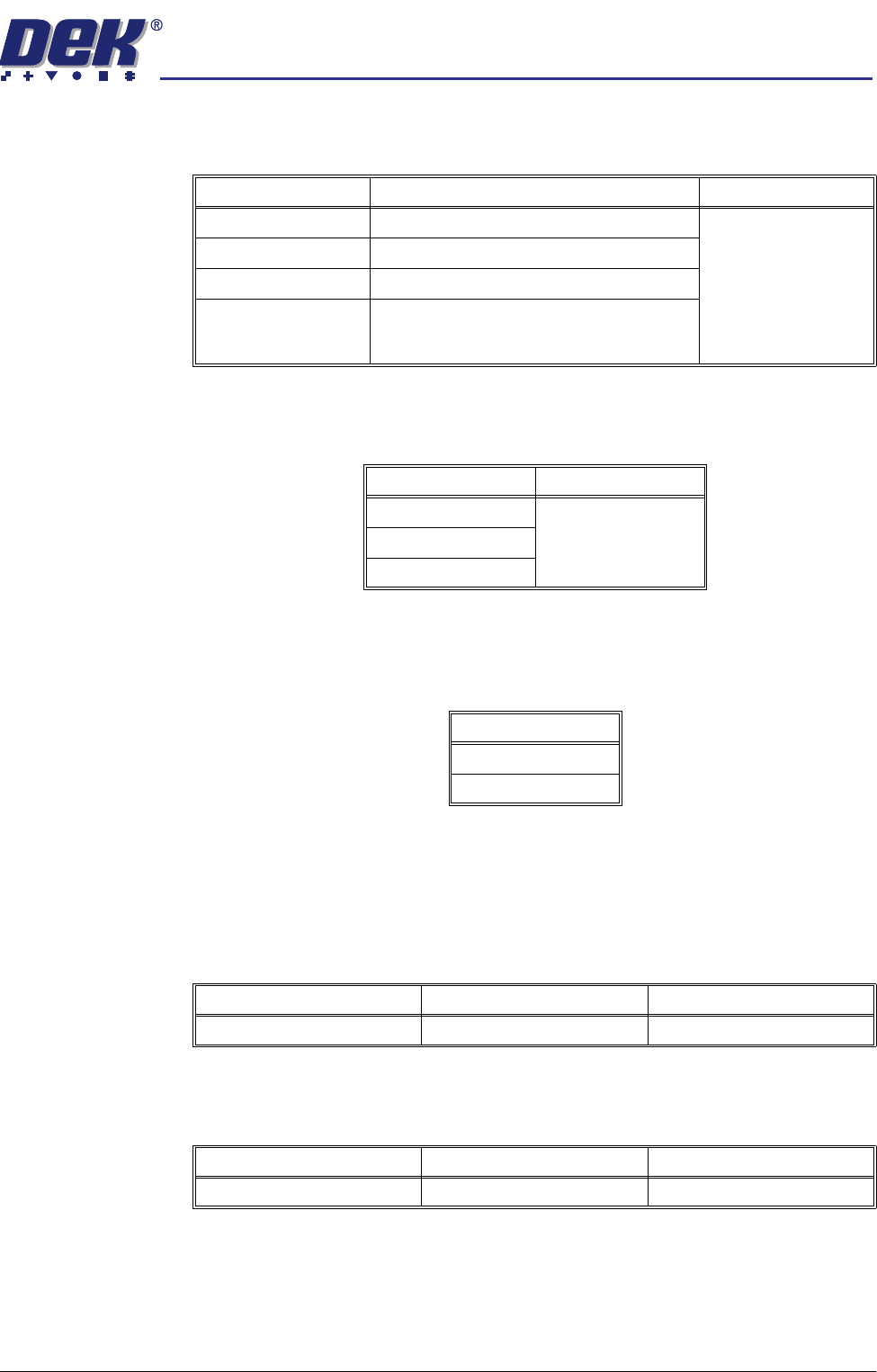
Print Mode This parameter sets the mode of operation of the machine. Available modes
are:
Print Deposits This parameter sets the number of consecutive print strokes carried out on one
substrate.
Print Vacuum
Mode
This parameter determines the state of the vacuum during the print and flood
stages of the cycle. The parameter is only available if Adhesive has been
selected in the Print Mode parameter.
Paste Dispense
Rate
With the Paste Dispenser fitted, this parameter sets the number of print cycles
which occur between cycling of the paste dispense system.
Without the Paste Dispenser fitted, this parameter sets the number of print
cycles which occur before stopping, allowing the operator to manually replenish
the paste.
Paste Dispense
Speed
This parameter sets the speed at which the paste dispenser moves across the
stencil thereby determining the amount of paste deposited on the stencil.
Modes Available Note Default
Print / Print Print / Print
Print / Flood
Flood / Print
Adhesive Selecting Adhesive from this parameter
opens the separation delay and print vacuum
mode
Select Default
11
2
3
Mode
ON
OFF
Minimum Maximum Increment
0 (Dispenser switched off) 100 1
Minimum Maximum Increment
10.0mm/sec 100.0mm/sec 1.0mm/sec
semi automatic
0$&+,1(352*5$00,1*
0(183$5$0(7(56
1.80 User Manual Software Version 07SP02
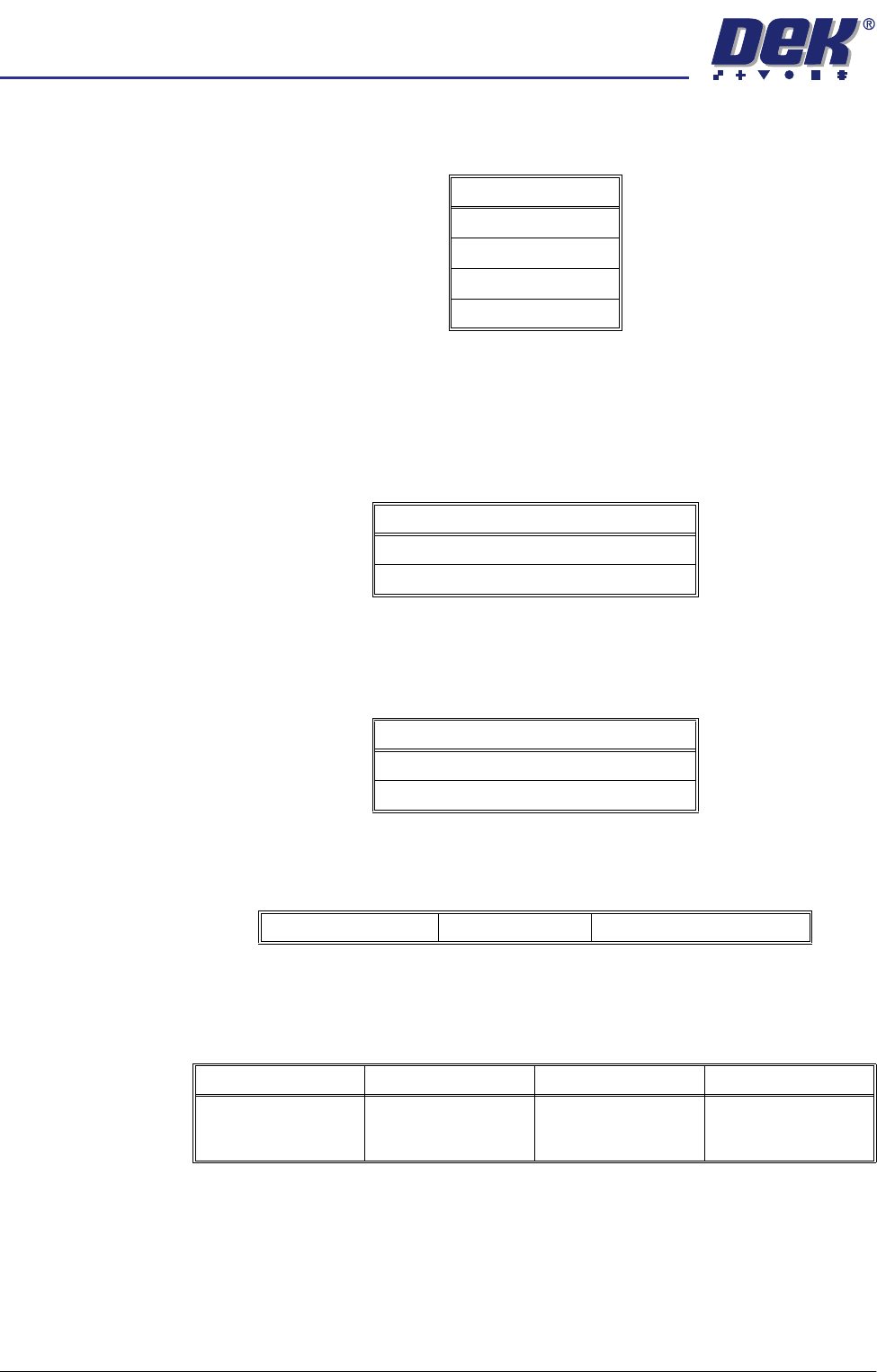
Paste While Clean This parameter enables the machine to carry out a paste dispense while
cleaning the screen. Available modes are:
Paste With Board This parameter gives the option to dispense paste with a board loaded and held
at print height. This prevents paste dropping through the image on the screen.
Options are:
NOTE
With enabled selected the parameter Paste While Clean is removed.
Alternate Disp This parameter gives the option to dispense at either ENDS or CENTRE. ENDS
dispenses at the outer 25% of the squeegees. CENTRE dispenses along an
area of 25% either side of the centre line.
Alternate Disp
Rate
This parameter enables the user to select the ratio of alternate dispenses to
standard dispenses.
Paste Recovery
Rate
This parameter sets the frequency, measured in print strokes completed in
either direction, at which paste roll recovery occurs in both directions, when
using squeegees.
Mode
Disabled
Mode 1
Mode 2
Both Modes
Options Available
Enabled
Disabled
Options Available
Ends
Centre
No Alternate Dispense Every Dispense Every Second Dispense etc.
Minimum Maximum Increment Default
0
(This disables paste
roll recovery)
500 1