182050 User manual.pdf - 第93页
semi automatic 0$&+,1 (352*5 $00,1 * 0(18 3$5$ 0(7 (56 Software Version 07SP02 User Manual 1.83 Clean Af ter The Automati c screen cl ean afte r downtime pr ocess chosen in the abo ve menu pa rameter is carried out…
semi automatic
0$&+,1(352*5$00,1*
0(183$5$0(7(56
1.82 User Manual Software Version 07SP02
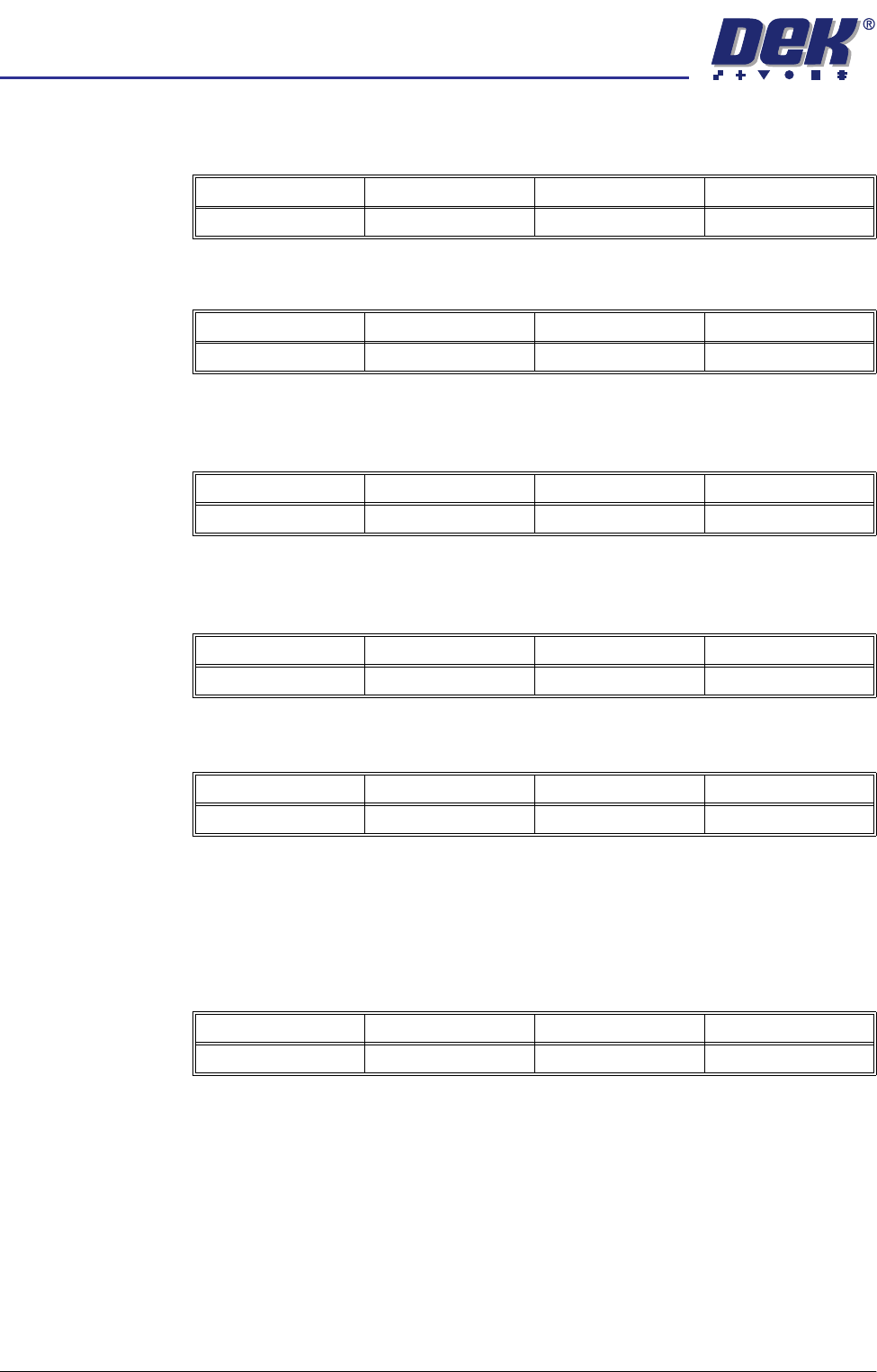
Vortex Solvent
Rate (Vortex USC)
This parameter sets the frequency (in cleaning cycles) at which solvent is
dispensed.
Vortex Vacuum
Start (Vortex USC)
The distance, in from the front edge of the board, where vacuum is applied.
Vortex Vacuum
Stop (Vortex USC)
The distance, in from the front edge of the board, where vacuum application is
stopped.
Vortex Vacuum
Rate (Vortex USC)
This parameter sets the frequency (in cleaning cycles) at which vacuum is
applied.
Vortex Vacuum
Period (Vortex
USC)
This parameter sets the period for which vacuum is applied.
Vacuum Clean
Start Time
This parameter sets the time in seconds the vacuum is applied for before the
screen clean stroke begins.
NOTE
This parameter is only displayed with a Blue USC fitted and the Under Screen
Cleaner parameter in Set Preferences set to Vacuum.
Minimum Maximum Increment Default
1.0 10.0 1.0 1.0
Minimum Maximum Increment Default
Vacuum Stop Board Width 1.0 0.0
Minimum Maximum Increment Default
-100.0mm Vacuum Stop 1.0mm 0.0mm
Minimum Maximum Increment Default
1.0 10.0 1.0 1.0
Minimum Maximum Increment Default
1.0 sec 10.0 secs 1.0 sec 5.0 secs
Minimum Maximum Increment Default
0.0 sec 5.0 secs 0.5 sec 1.0 secs
semi automatic
0$&+,1(352*5$00,1*
0(183$5$0(7(56
Software Version 07SP02 User Manual 1.83
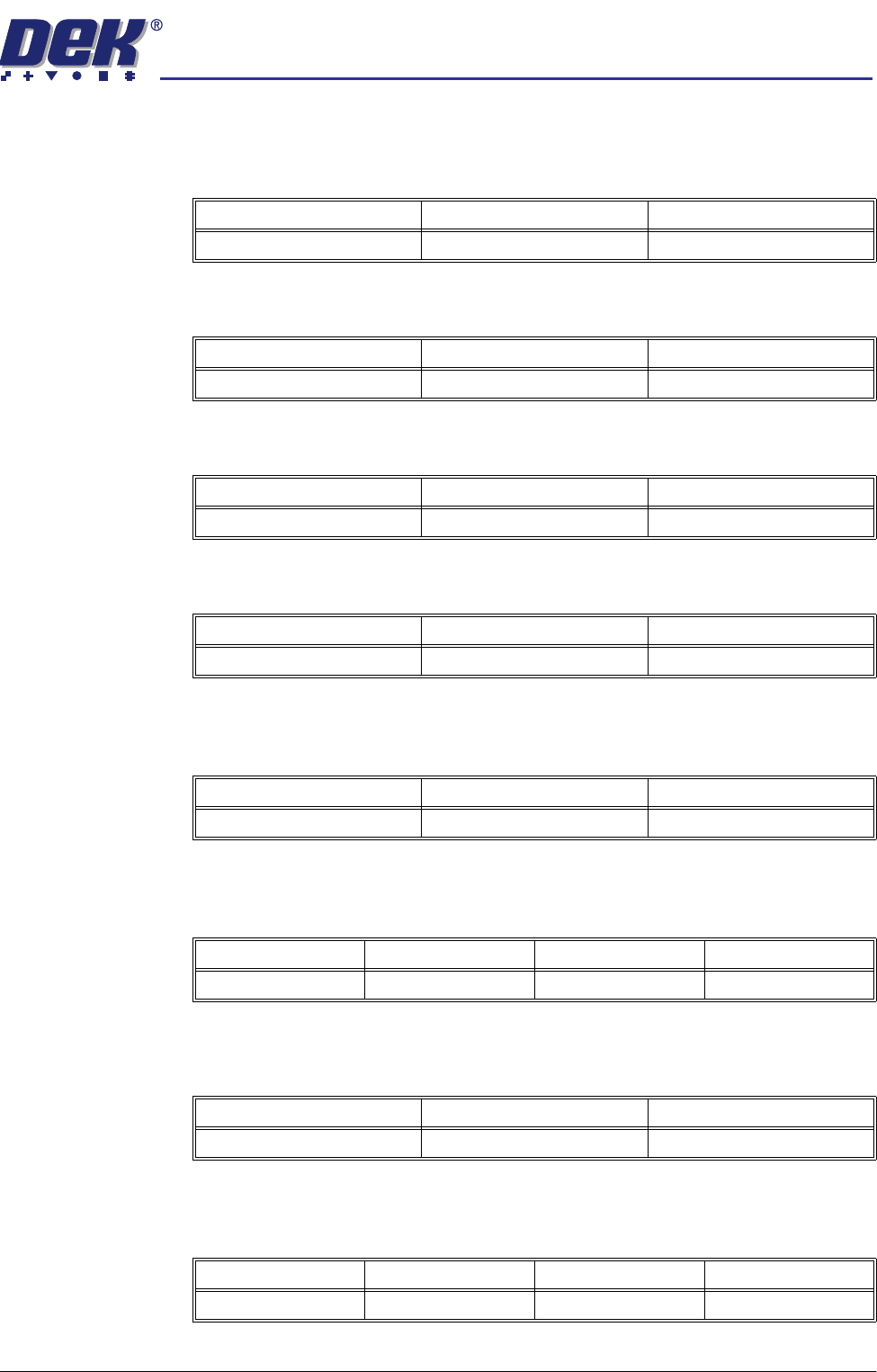
Clean After The Automatic screen clean after downtime process chosen in the above menu
parameter is carried out after a countdown of the number of minutes set in this
parameter.
Dry Clean Speed This parameter sets the speed of the screen clean dry wipe for optimization.
Wet Clean Speed This parameter sets the speed of the screen clean wet wipe for optimization.
Vac Clean Speed This parameter sets the speed of the screen clean vacuum for optimization.
Front Start Offset
(Blue USC)
This parameter determines the distance from the front edge of the board that
the cleaning stroke must start.
Front Start Offset
(Vortex USC)
This parameter determines the distance from the front edge of the board that
the cleaning stroke must finish.
Rear Start Offset
(Blue USC)
This parameter determines the distance from the rear edge of the board that
cleaning must complete.
Rear Start Offset
(Vortex USC)
This parameter determines the distance from the rear edge of the board that
cleaning must start.
Minimum Maximum Increment
5.0 mins 120.0 mins 1.0 min
Minimum Maximum Increment
10.0mm/sec 120.0mm/sec 1.0mm/sec steps
Minimum Maximum Increment
10.0mm/sec 100.0mm/sec 1.0mm/sec steps
Minimum Maximum Increment
10.0mm/sec 100.0mm/sec 1.0mm/sec steps
Minimum Maximum Increment
0.0mm 60.0mm 1.0mm
Minimum Maximum Increment Default
-60.0mm 60.0mm 1.0mm 30.0mm
Minimum Maximum Increment
0.0mm 60.0mm 1.0mm
Minimum Maximum Increment Default
-60.0mm 60.0mm 1.0mm 30.0mm
semi automatic
0$&+,1(352*5$00,1*
0(183$5$0(7(56
1.84 User Manual Software Version 07SP02
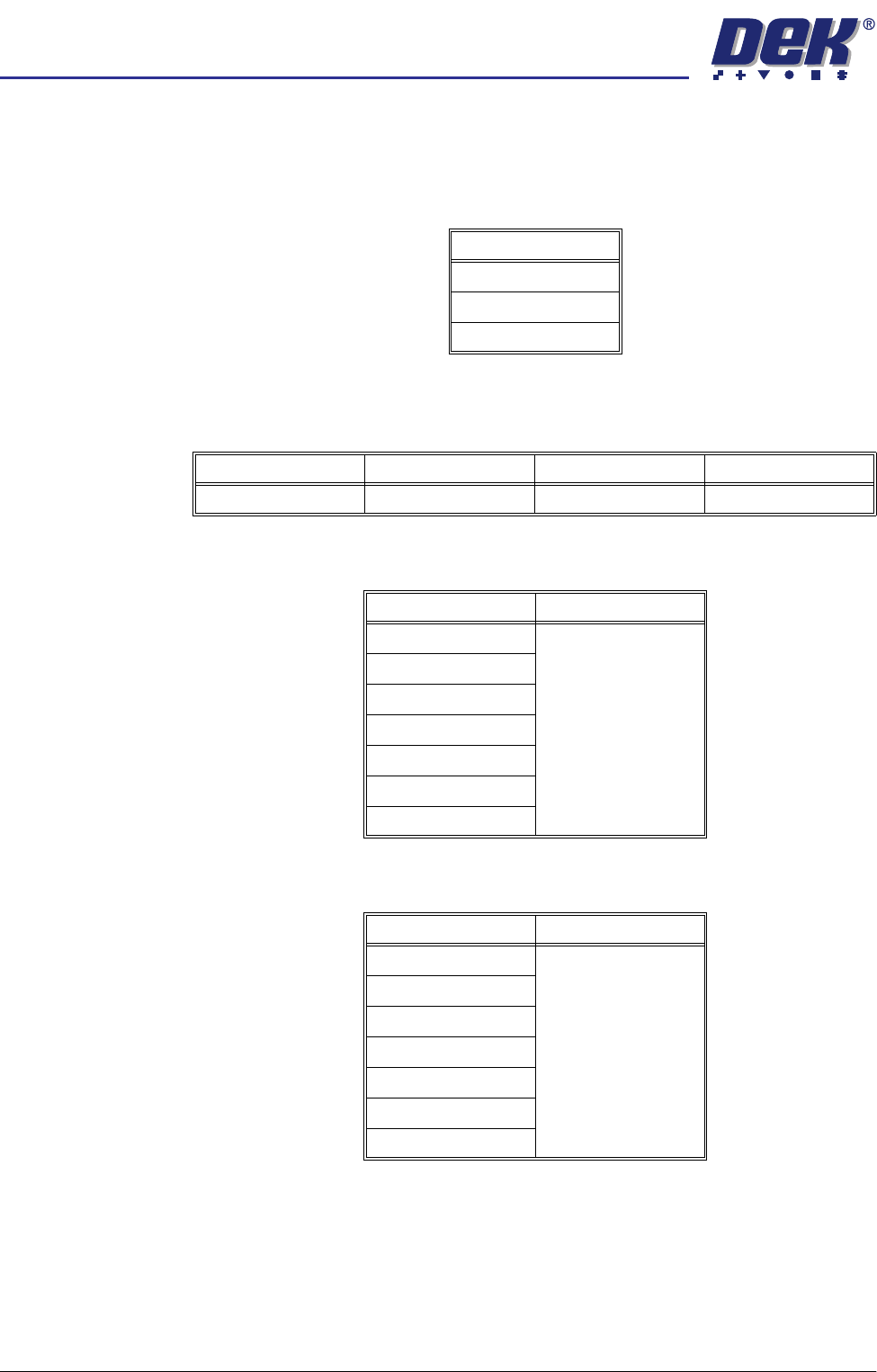
ProFlow Cassette This parameter sets the size of the transfer head used by the ProFlow unit. Size
may be one of the following:
NOTE
For 350mm and 450mm transfer heads, set to 400mm and 500mm respectively.
ProFlow System
Pressure
This is the amount of print pressure (downward force) applied onto the stencil
by the ProFlow unit.
Board 1 Fiducial
Type
This determines the type of model to be used for this fiducial. Options are:
Board 2 Fiducial
Type
This determines the type of model to be used for this fiducial. Options are:
Size
300.0mm
400.0mm
500.0mm
Minimum Maximum Increment Default
0.0Kg 20.0Kg 0.2Kg 0.0Kg
Model Option Note
Circle
See vision system
Rectangle
Diamond
Triangle
Double Square
Cross
Video Model
Model Option Note
Circle
See vision system
Rectangle
Diamond
Triangle
Double Square
Cross
Video Model