YSM20R_YSM20WR_Mainte_E.pdf - 第125页
3-64 3 Periodic maintenance items 5.4.2 FM head: Cleaning shaft tip 1 Remo ve nozzles from all heads. With nozzle station: 1. Open [Unit] - [Head] screen. 2. Select desired head unit from "T able Select". 3. Pr…
3-63
3
Periodic maintenance items
5
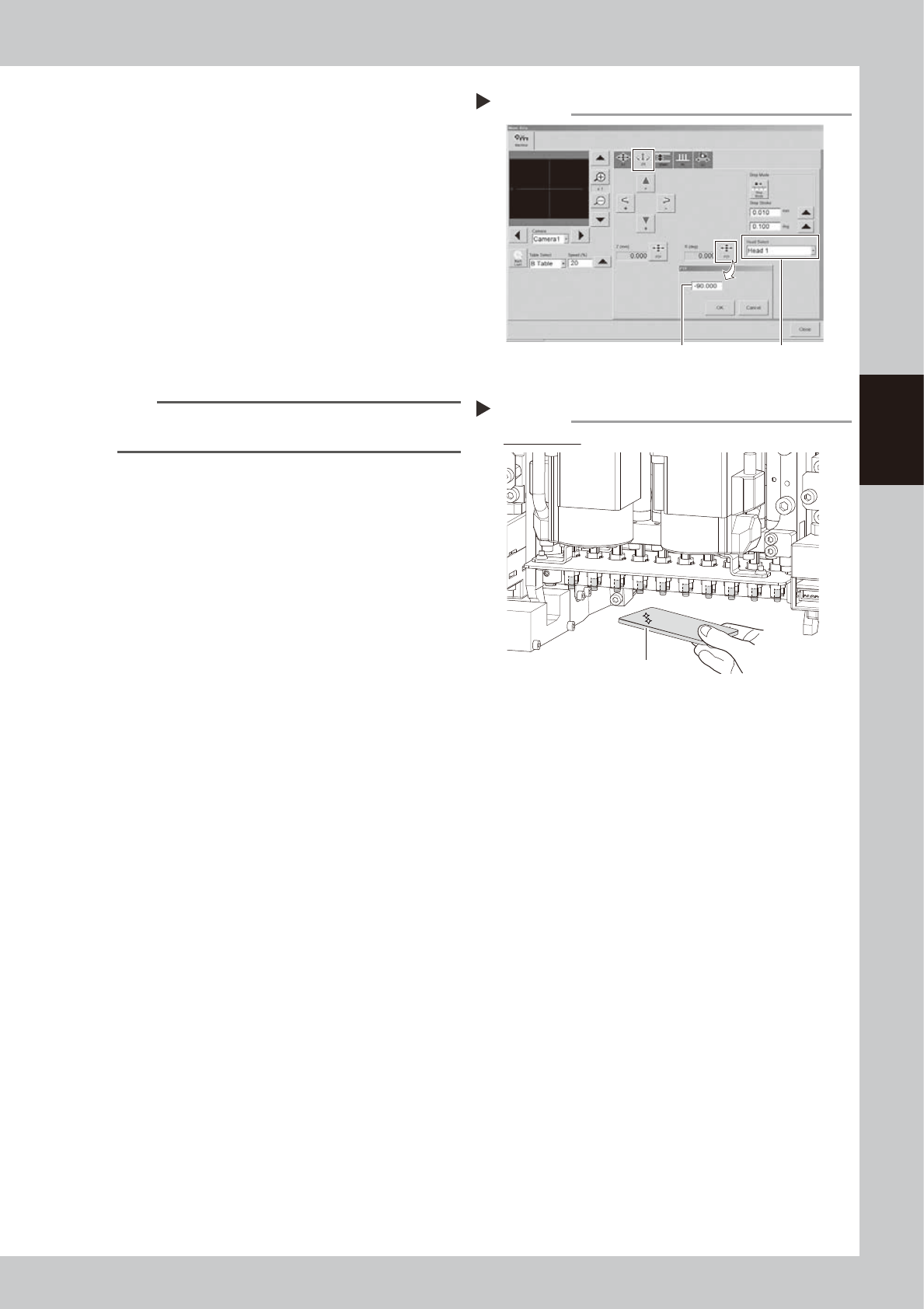
Rotate heads -90°.
1. Close the machine safety cover and
release the emergency stop. Attach the
carriage if the machine is the carriage
type.
2. Rotate heads -90° in the same manner as
Step 3.
e
3. Press the emergency stop button and
then open the machine safety cover.
4. If the machine is carriage type, detach
carriage to easily access to the head unit.
6
Clean the back of shaft tip.
Clean the back of shaft tip in the same
manner as Step 4.
TIP
Lower Z-axis joint block manually if difficult to clean
shaft tip.
7
Check that shaft tips are clean.
Check that no dirt remains on shaft tips with
hand mirror.
Checking that shaft tips are clean
Step 7
Check all heads
Hand mirror
533A0-KMK-00
Rotating heads
Step 5
Enter -90°. Select head.
54319-KMK-00
3-64
3
Periodic maintenance items
5.4.2 FM head: Cleaning shaft tip
1
Remove nozzles from all heads.
With nozzle station:
1. Open [Unit] - [Head] screen.
2. Select desired head unit from "Table
Select".
3. Press the [Nozzle Change] button.
4. Select "ALL" for Head Number and select
"Store nozzle" for Nozzle type on "Nozzle
Change" screen.
5. Pressing the [OK] button stores nozzles of
all heads to the nozzle station.
n
NOTE
If the nozzle station is not equipped with the machine,
open the machine safety cover and remove nozzles
manually.
2
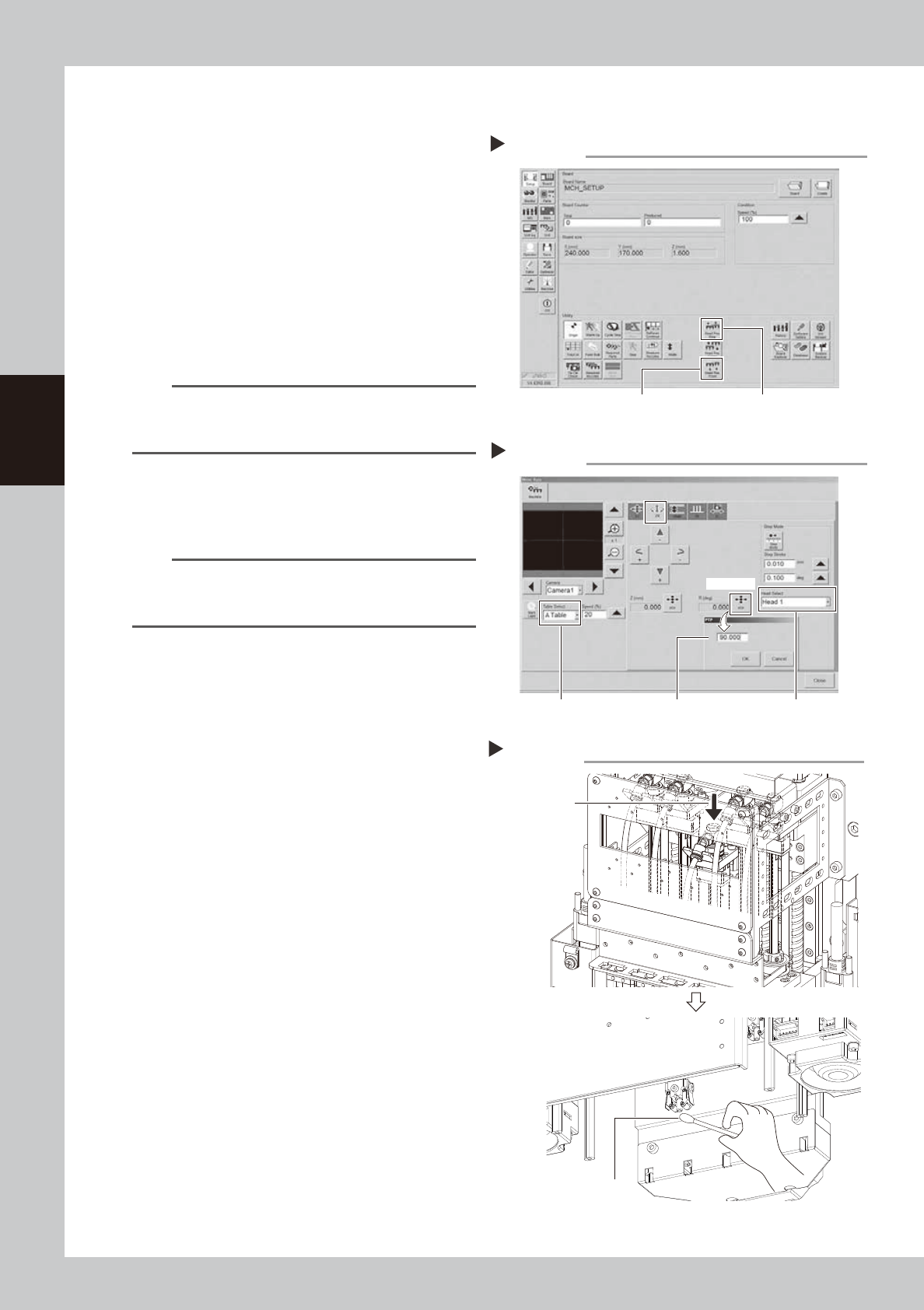
Move head unit to work position.
Press [Head Pos. Front] or [Head Pos. Rear]
button on "Setup" screen to move head unit
to convenient position for maintenance work.
TIP
When maintaining 2-beam head units, move the front
head unit to rear and move the rear head unit to front
to easily access to the head unit.
3
Rotate heads 90°.
1. Press [Axis] button on [Unit] - [Conveyor]
screen and select "ZR" tab.
2. Select desired head unit from "Table
Select".
3. Select "Head 1" from "Head Select".
4. Press [PTP] button for R (deg). Enter 90
and press [OK] button.
Select heads from No. 2 to 5 and enter
90 to rotate all heads 90°.
e
5. Press the emergency stop button and
then open the machine safety cover. If
the machine is carriage type, detach
carriage to easily access to the head unit.
4
Clean shaft tip.
1. Insert finger from opening of head unit
front cover to lower Z-axis joint block.
2. Apply ethanol to a cotton swab slightly
and clean shaft tip. Wipe the side of
shaft with twisted cotton swab.
Moving head unit
Step 2
[Head Pos. Front] button [Head Pos. Rear] button
54320-KMK-00
Rotating heads
Step 3
Enter 90°. Select head.
[PTP] button
Select table.
54321-KMK-00
Cleaning shaft tip
Step 4
Cotton swab
Lower here
with finger.
533A1-KMK-00
3-65
3
Periodic maintenance items
5
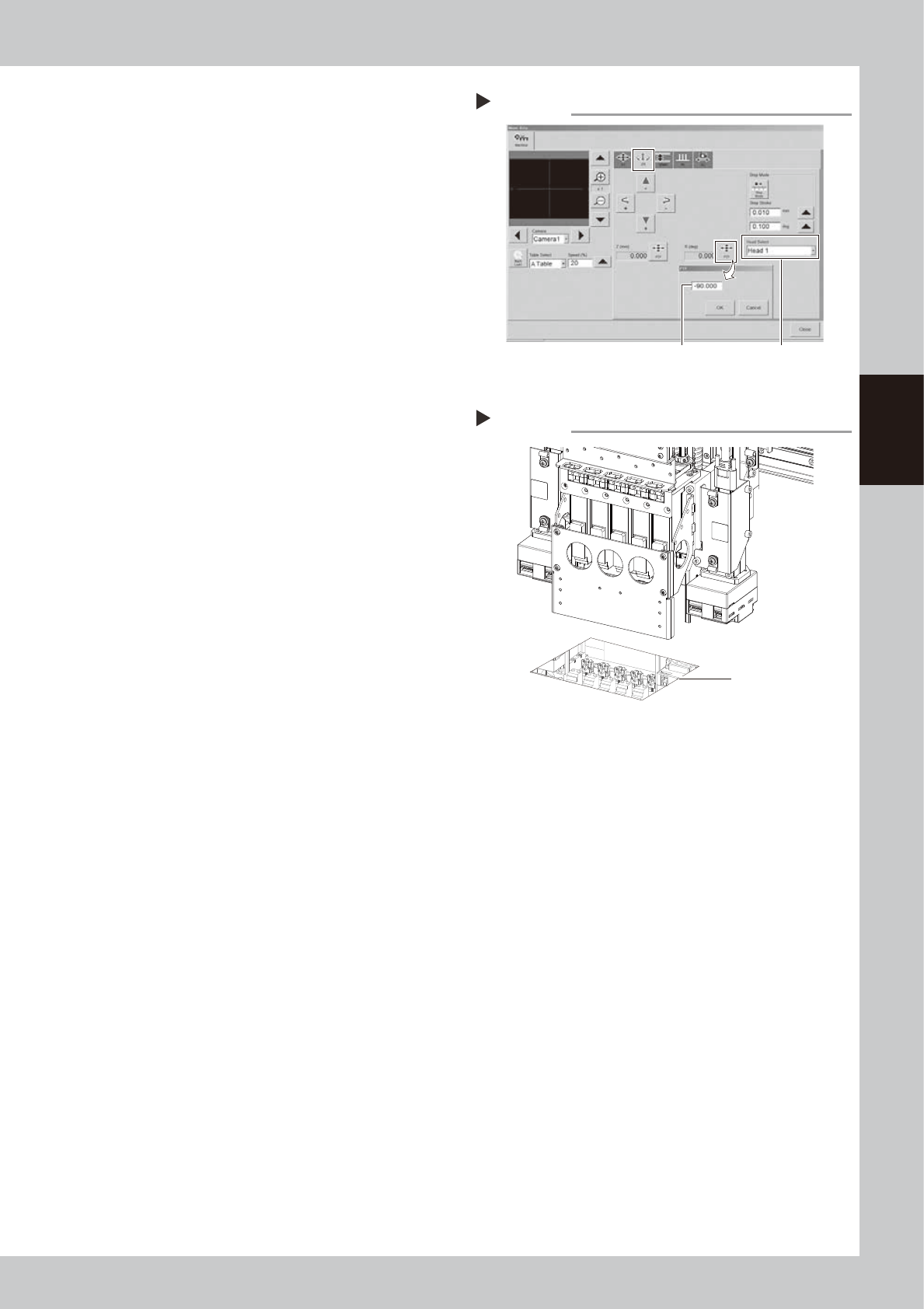
Rotate heads -90°.
1. Close the machine safety cover and
release the emergency stop. Attach the
carriage if the machine is the carriage
type.
2. Rotate heads -90° in the same manner as
Step 3.
e
3. Press the emergency stop button and
then open the machine safety cover.
4. If the machine is carriage type, detach
carriage to easily access to the head unit.
6
Clean the back of shaft tip.
Clean the back of shaft tip in the same
manner as Step 4.
7
Check that shaft tips are clean.
Check that no dirt remains on shaft tips with
hand mirror.
Checking that shaft tips are clean
Step 7
Check reflection
in mirror.
533A2-KMK-00
Rotating heads
Step 5
Enter -90°. Select head.
54322-KMK-00