YSM20R_YSM20WR_Mainte_E.pdf - 第131页
3-70 3 Periodic maintenance items 5 Mount side-vie w camera tempor arily . Mount side-view camera temporarily on the X-axis cable duct cover for easier maintenance work. 1. Pass the side-view camera assembly under the X-…
3-69
3
Periodic maintenance items
4
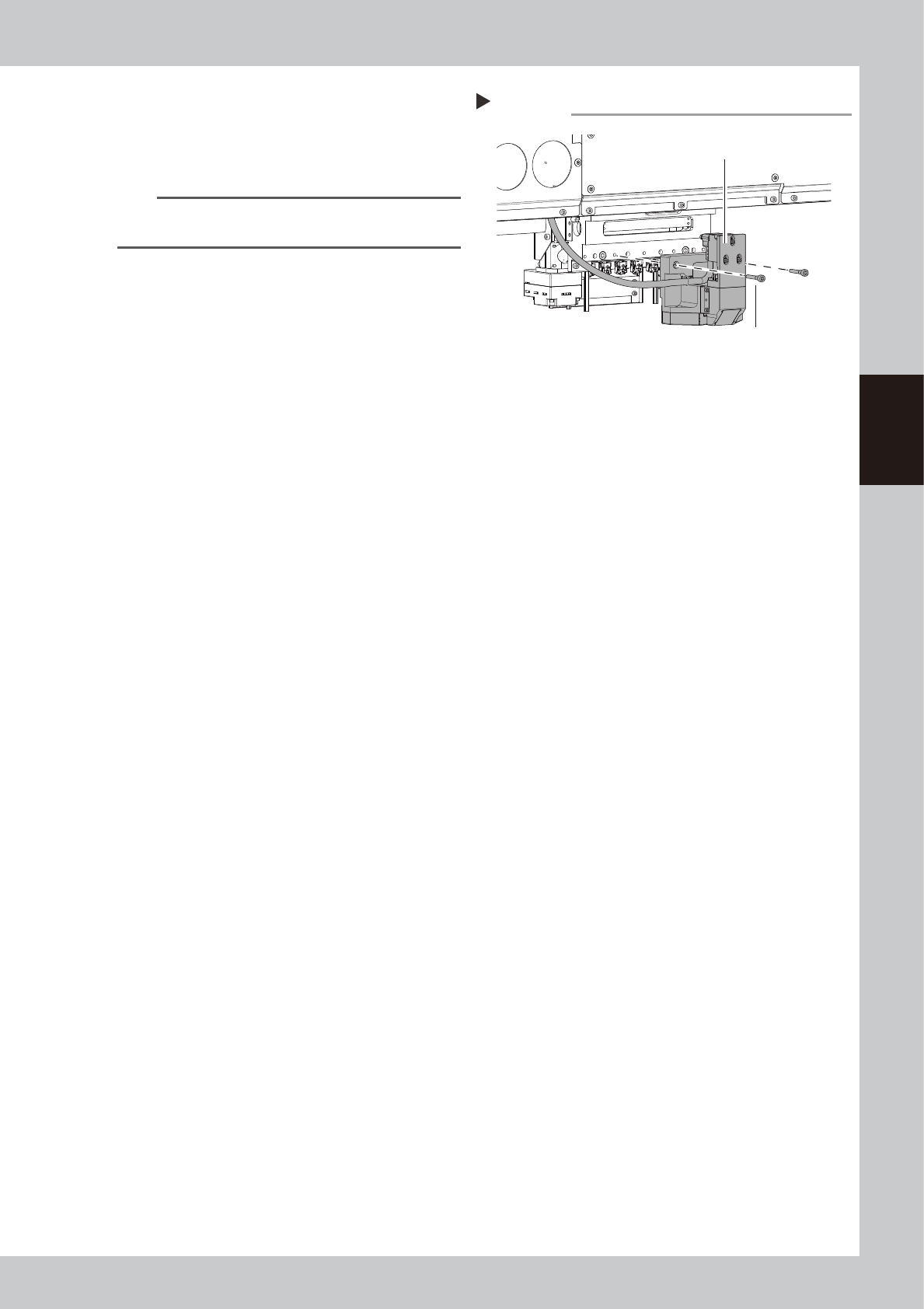
Detach side-view camera assembly.
1. Remove 2 mounting bolts of side-view
camera assembly with hex wrench (4).
2. Detach side-view camera assembly.
n
NOTE
The knock pin is installed to the side-view camera
assembly for positioning.
Detaching side-view camera assembly
Step 4
Side-view camera assembly
Mounting bolt
53387-KMK-00
3-70
3
Periodic maintenance items
5
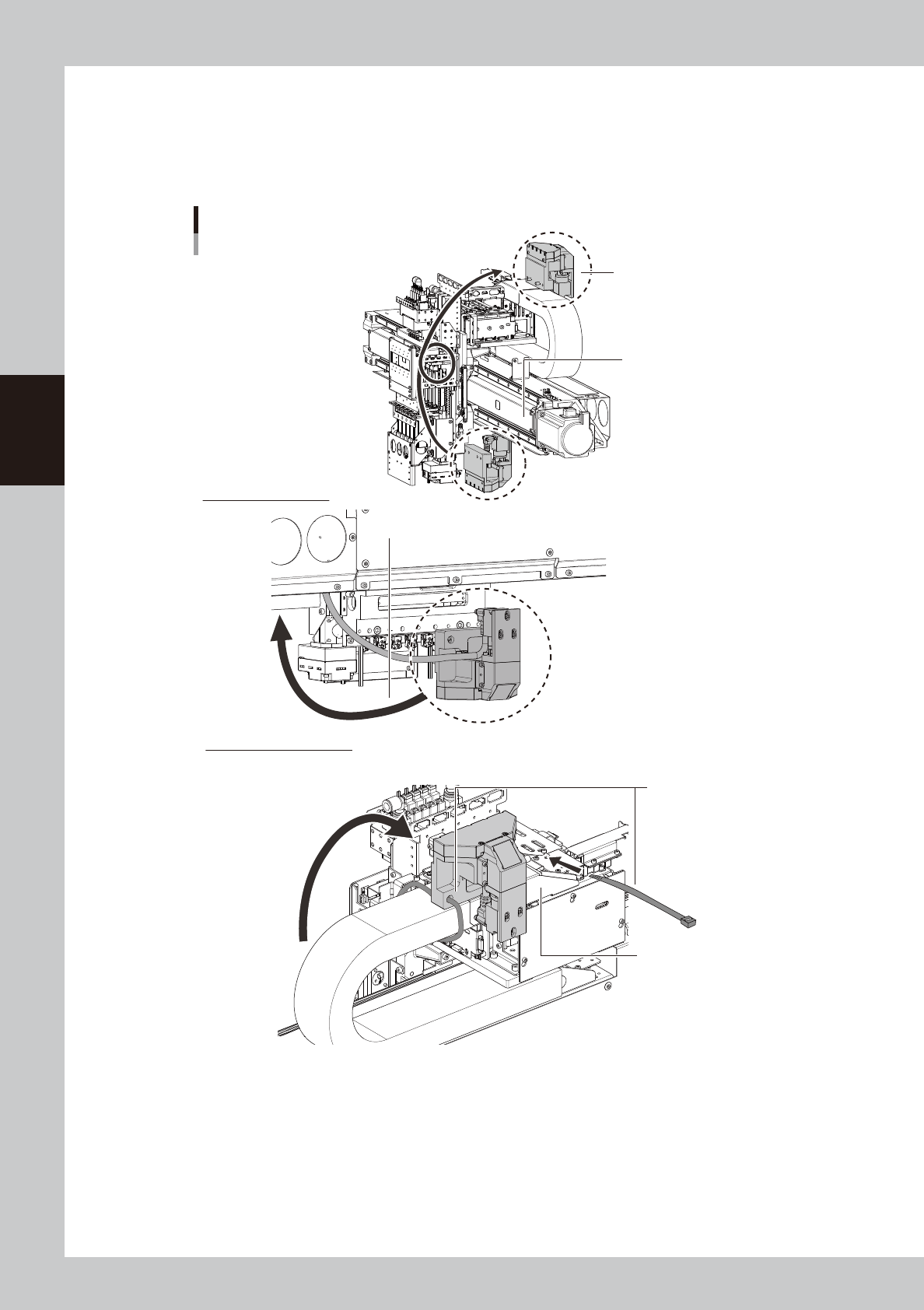
Mount side-view camera temporarily.
Mount side-view camera temporarily on the X-axis cable duct cover for easier maintenance work.
1. Pass the side-view camera assembly under the X-axis frame. Turn over the side-view camera and
mount it on the X-axis cable duct cover.
2. Mount the side-view camera assembly with cable ties (250 mm or longer) temporarily.
Mounting side-view camera temporarily
Mount with cable ties
temporarily.
Lower side of FM head
Pass under X-axis frame.
X-axis cable duct cover
X-axis frame
Side-view camera assembly
Upper side of X axis frame
53388-KMK-00
3-71
3
Periodic maintenance items
6
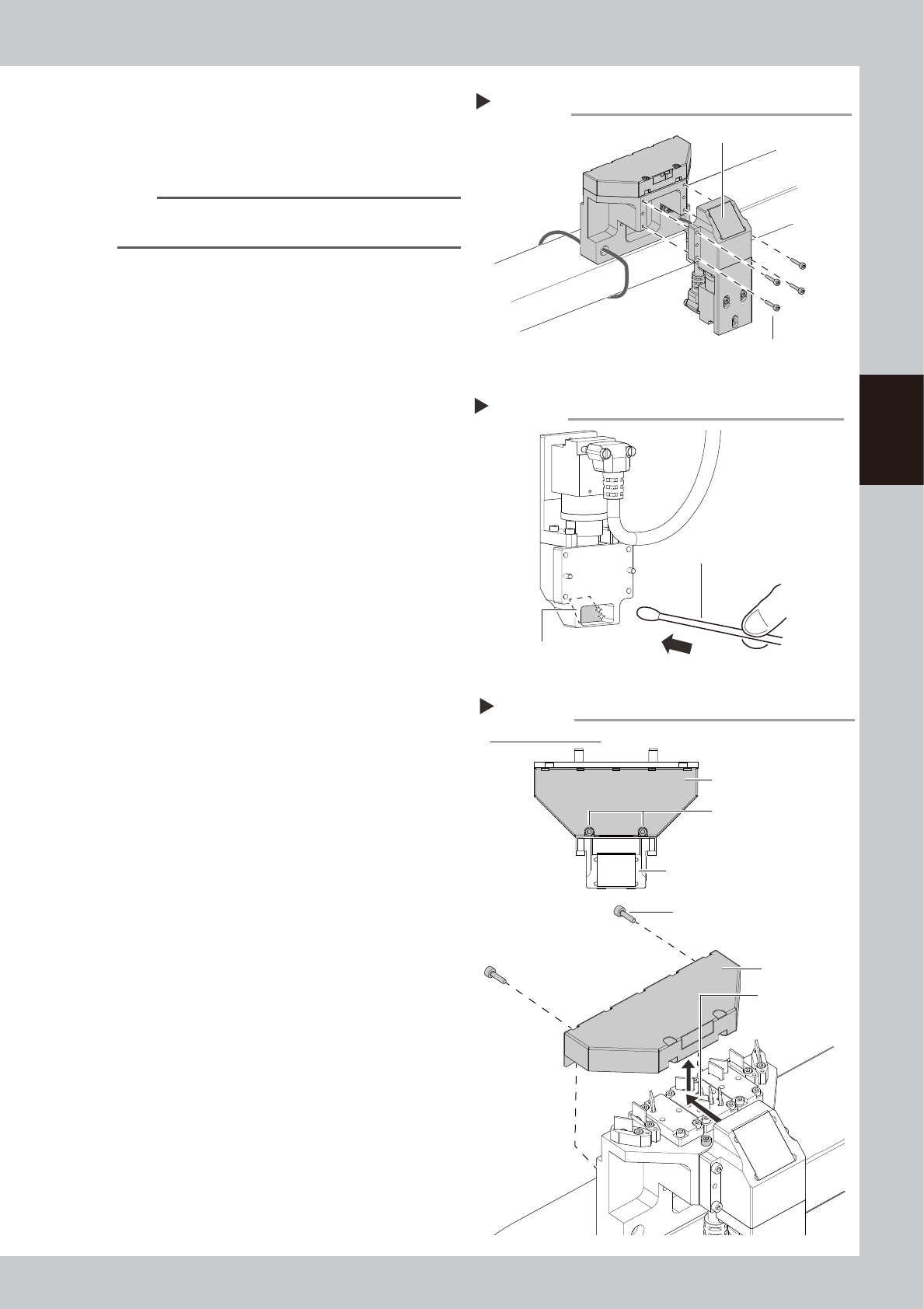
Detach camera holder.
1. Remove 4 mounting bolts of camera
holder with hex wrench (2.5).
2. Detach the camera holder.
n
NOTE
The knock pin is installed to the camera holder for
positioning.
7
Clean reflector plate in camera
holder.
1. Apply absolute ethanol to a cotton swab
slightly and clean the reflector plate in
camera holder.
2. Wipe the reflector plate with a dry cotton
swab without absolute ethanol.
3. Check that no solvent remains on the
reflector plate.
8
Return the camera holder to
original position.
9
Detach cover of side-view camera.
1. Loosen 2 mounting bolts of camera cover
for camera holder with hex wrench (2.5).
The bolts do not need to be removed.
2. Remove the rest of 2 mounting bolts of
cover.
3. Slide the camera cover backward and
raise to detach it.
Detaching camera holder
Step 6
Camera holder
Mounting bolt
53389-KMK-00
Cleaning reflector plate
Step 7
Reflector plate
Cotton swab with absolute ethanol
53390-KMK-00
Detaching camera cover
Step 9
Loosen 2 mounting bolts.
Figure viewed from top
Camera holder
Mounting bolt
Camera cover
Slide camera
cover.
Camera cover
53391-KMK-00