00197498-03_UM_SiplaceCA-Serie_EN.pdf - 第75页
User Manual SIPLACE CA-Series 2 Operational Safety From software version SC.708.0 Edition 12/20 14 EN -DRAFT 2.6 Safety Instructions for Operating the Placement Machine 75 2.6.6 Safety Instructions for Docking and Undo c…
2 Operational Safety User Manual SIPLACE CA-Series
2.6 Safety Instructions for Operating the Placement Machine From software version SC.708.0 Edition 12/2014 EN -DRAFT
74
2.6.5 Safety Instructions for the Component Cameras of the TwinStar During
Placement Head Change
WARNING
Placement head change
When changing the placement head from the TwinStar to the Collect&Place head, dis-
mantle the component cameras (stationary P&P, type 33, 55 x 45, and type 25, 16 x 16)
of the TwinStar, to prevent the Collect&Place head from colliding with the camera hous-
ings.
User Manual SIPLACE CA-Series 2 Operational Safety
From software version SC.708.0 Edition 12/2014 EN -DRAFT 2.6 Safety Instructions for Operating the Placement Machine
75
2.6.6 Safety Instructions for Docking and Undocking Component Trolleys
2
2
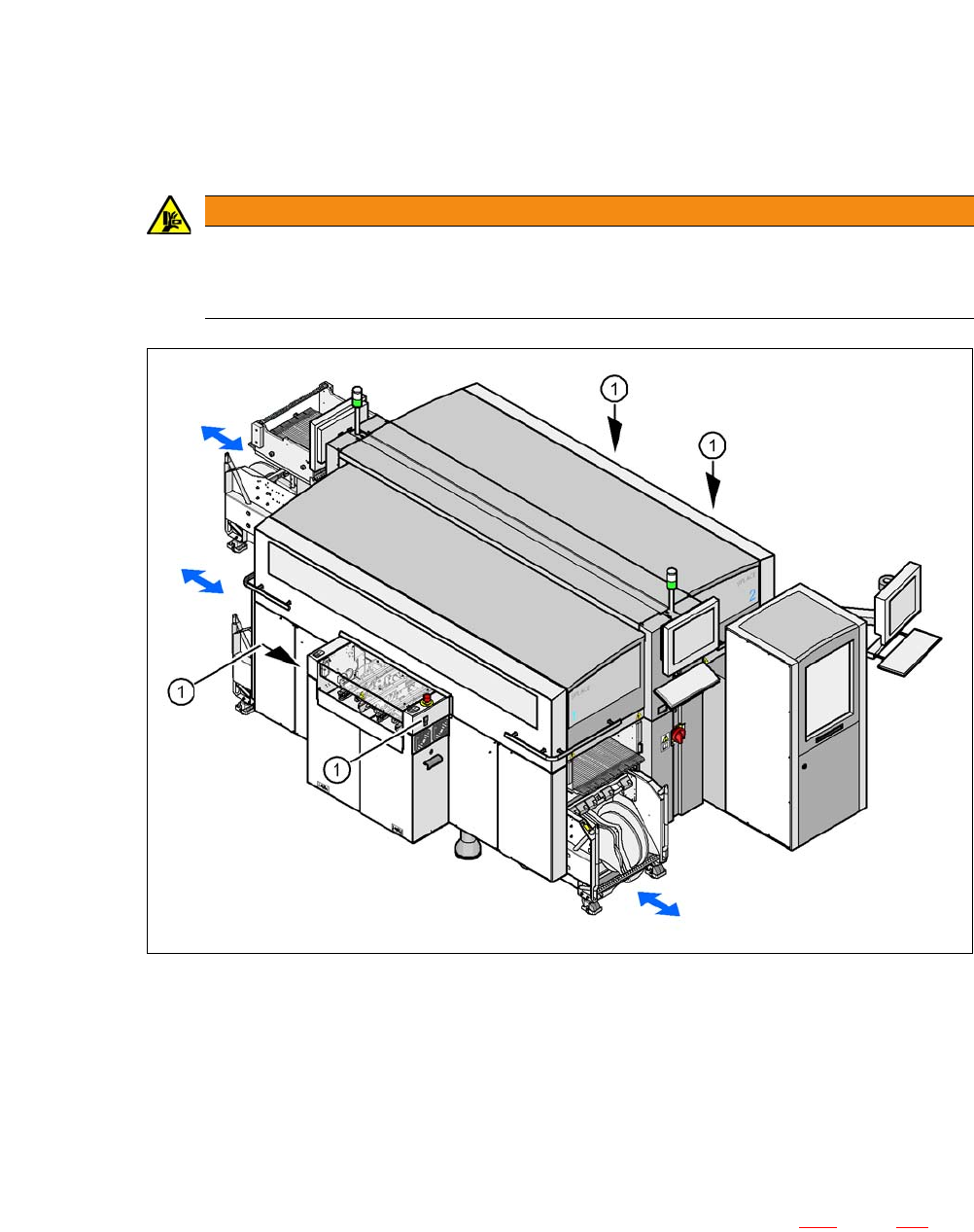
Fig. 2.6 - 3 Safety instructions for docking the component trolley in or out
2
(1) Button on the input and output side
2
The safety concept for the component trolley change requires the operator to press a button (item
1) on the input or output side of the machine in order to dock the component trolley in or out. This
ensures that the operator is always standing to the side of the placement machine. In addition, the
component trolley can only be docked in if the protective covers are closed.
The docking and undocking of the component trolley is described in section 6.14
, page 387. Fol-
low the instructions exactly as described in this section.
WARNING
DANGER OF CRUSHING!
Risk of crushing limbs when docking and undocking the component trolley.
Always dock/undock the component trolley alone.
2 Operational Safety User Manual SIPLACE CA-Series
2.6 Safety Instructions for Operating the Placement Machine From software version SC.708.0 Edition 12/2014 EN -DRAFT
76
2.6.7 Safety Instructions for Moving the Component Trolley
2
Always hold the handles with both hands when you want to move the component trolley.
Remember that a component trolley with the full complement of feeder modules can tip over
sideways or forward on gradients of 20° or more.
Make sure that the surface on which the trolley is moved has a significantly smaller gradient.
Be careful not to collide with obstacles. The trolley could tip forward if it is traveling fast
enough.
2.6.8 Safety instructions for emptying the waste tape container
2
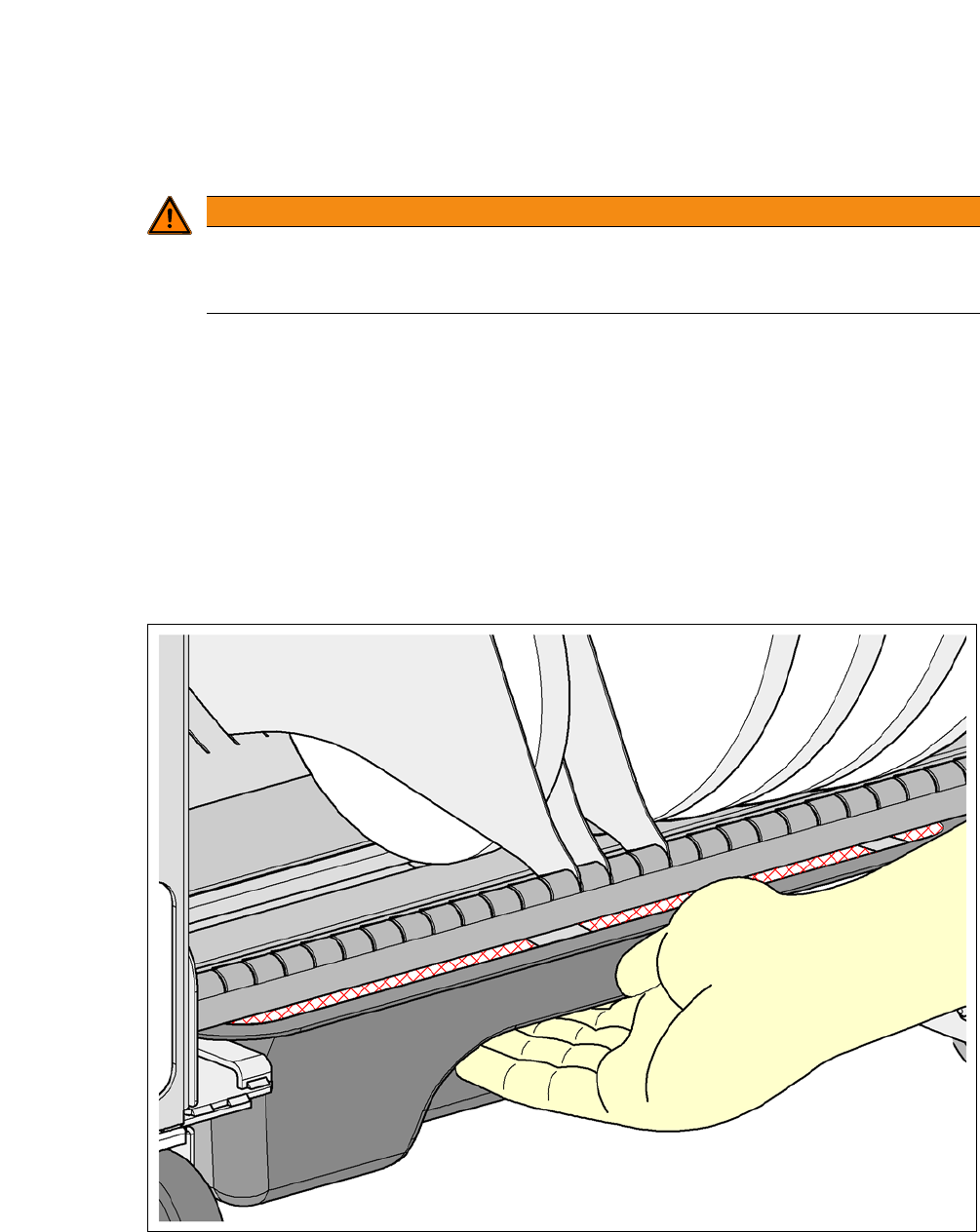
Fig. 2.6 - 4 Safety instructions for emptying the waste tape container
The waste tape container must be pulled out of the component trolley for emptying. There is a risk
of catching your thumbs as you do so.
WARNING
Preventing accidents!
To prevent accidents, ALWAYS follow the rules listed below when you move the compo-
nent trolley.