00197498-03_UM_SiplaceCA-Serie_EN.pdf - 第76页
2 Operational Safety User Manual SIPLACE CA- Series 2.6 Safety Instructions for Operating the Placement Mach ine From software version SC.708.0 Edition 12/2014 EN -DRAFT 76 2.6.7 Safety Instructions for Moving the Compon…
User Manual SIPLACE CA-Series 2 Operational Safety
From software version SC.708.0 Edition 12/2014 EN -DRAFT 2.6 Safety Instructions for Operating the Placement Machine
75
2.6.6 Safety Instructions for Docking and Undocking Component Trolleys
2
2
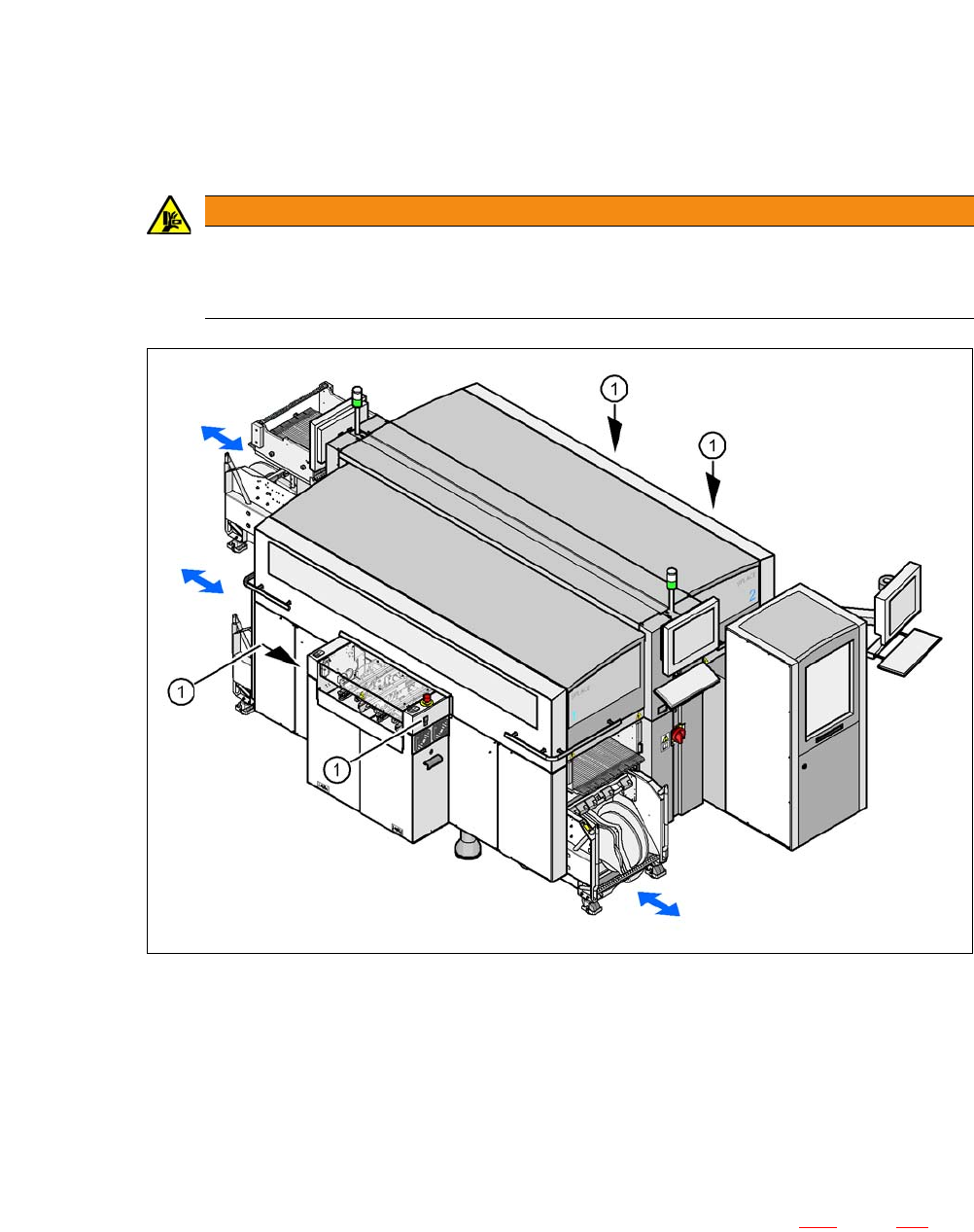
Fig. 2.6 - 3 Safety instructions for docking the component trolley in or out
2
(1) Button on the input and output side
2
The safety concept for the component trolley change requires the operator to press a button (item
1) on the input or output side of the machine in order to dock the component trolley in or out. This
ensures that the operator is always standing to the side of the placement machine. In addition, the
component trolley can only be docked in if the protective covers are closed.
The docking and undocking of the component trolley is described in section 6.14
, page 387. Fol-
low the instructions exactly as described in this section.
WARNING
DANGER OF CRUSHING!
Risk of crushing limbs when docking and undocking the component trolley.
Always dock/undock the component trolley alone.
2 Operational Safety User Manual SIPLACE CA-Series
2.6 Safety Instructions for Operating the Placement Machine From software version SC.708.0 Edition 12/2014 EN -DRAFT
76
2.6.7 Safety Instructions for Moving the Component Trolley
2
Always hold the handles with both hands when you want to move the component trolley.
Remember that a component trolley with the full complement of feeder modules can tip over
sideways or forward on gradients of 20° or more.
Make sure that the surface on which the trolley is moved has a significantly smaller gradient.
Be careful not to collide with obstacles. The trolley could tip forward if it is traveling fast
enough.
2.6.8 Safety instructions for emptying the waste tape container
2
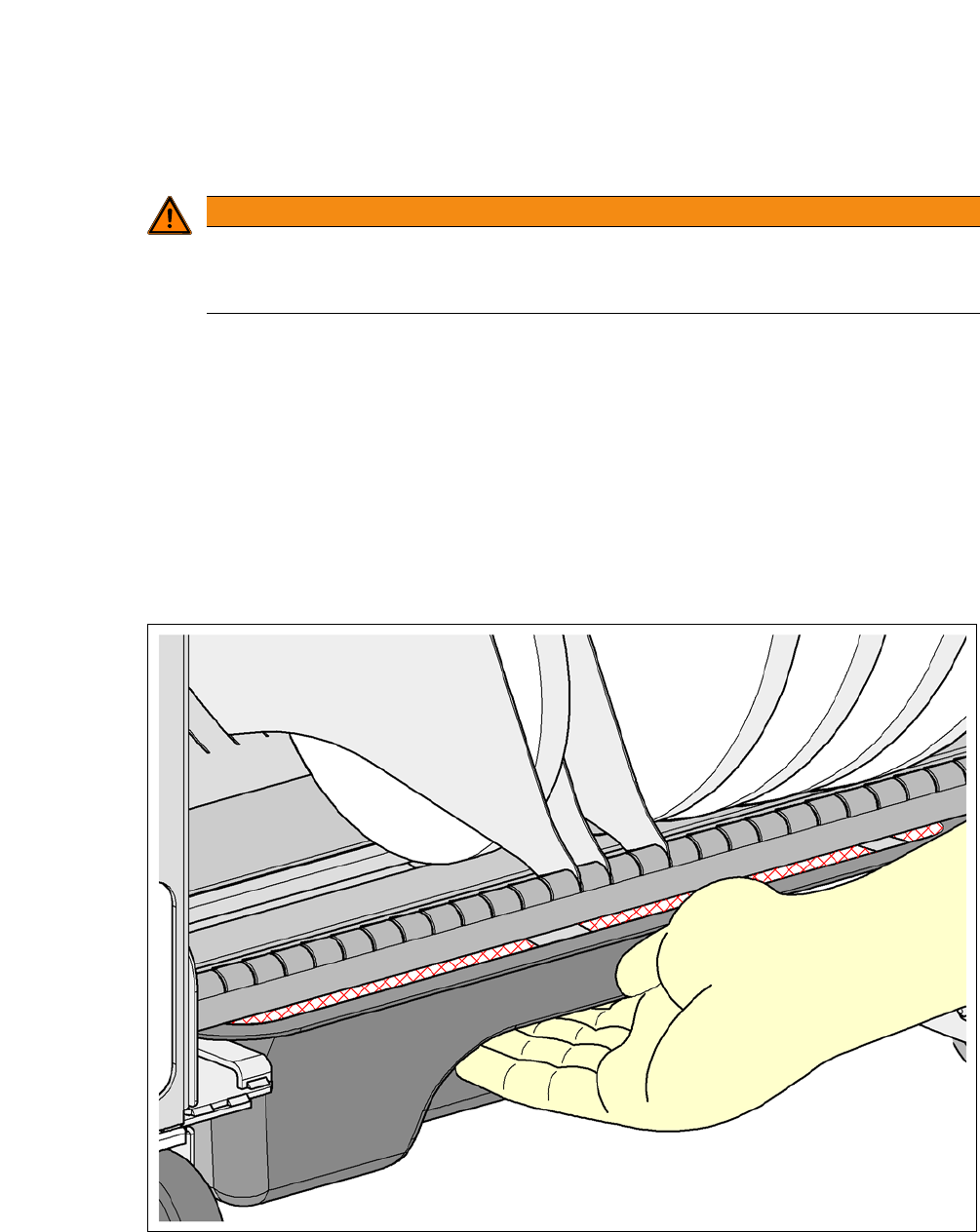
Fig. 2.6 - 4 Safety instructions for emptying the waste tape container
The waste tape container must be pulled out of the component trolley for emptying. There is a risk
of catching your thumbs as you do so.
WARNING
Preventing accidents!
To prevent accidents, ALWAYS follow the rules listed below when you move the compo-
nent trolley.
User Manual SIPLACE CA-Series 2 Operational Safety
From software version SC.708.0 Edition 12/2014 EN -DRAFT 2.6 Safety Instructions for Operating the Placement Machine
77
To avoid this risk, take hold of the underside of the grab recess on the waste tape container
with your fingers and place your thumbs on top of the grab recess.
Do NOT put your thumbs in the gap between the tape container and waste tape container as
you could trap your thumbs if you do.
2.6.9 Risk of Waste Bin Colliding with Component Sensor for SIPLACE C&P20 M
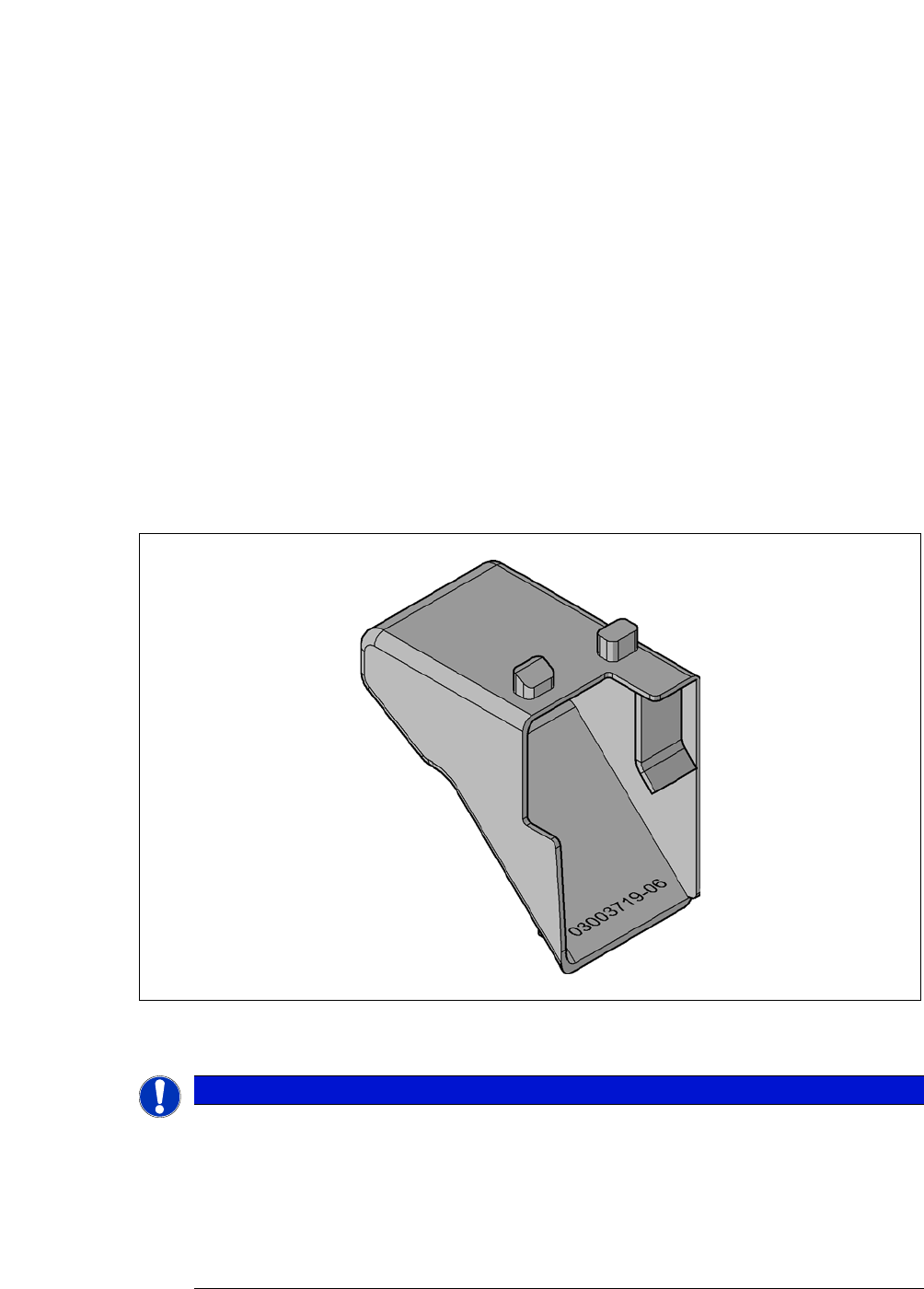
If the component or nozzle reject bin is not inserted correctly, it could collide with the component
sensor of the SIPLACE 20 M. To avoid this risk, the reject bin has been redesigned so that it reli-
ably slides into position when inserted at locations without the SWS. The height of the reject bin
was also reduced so as to prevent the risk of collision as far as possible when the bin is not in-
serted correctly.
To differentiate it, the new reject bin has item number 03003719-06. It can be ordered under this
item number with immediate effect.
2
Fig. 2.6 - 5 New reject bin
2
PLEASE NOTE
Replace all reject bins previously used in CA-Series machines with this new reject
bin.
Until this is done, make sure that the existing reject bins are inserted carefully.
CA-Series machines may only use the new reject bin [03003719-06].
The old reject bins can be used, for example, in HF machines, as these do not have
SIPLACE C&P20 M heads .