00197498-03_UM_SiplaceCA-Serie_EN.pdf - 第90页
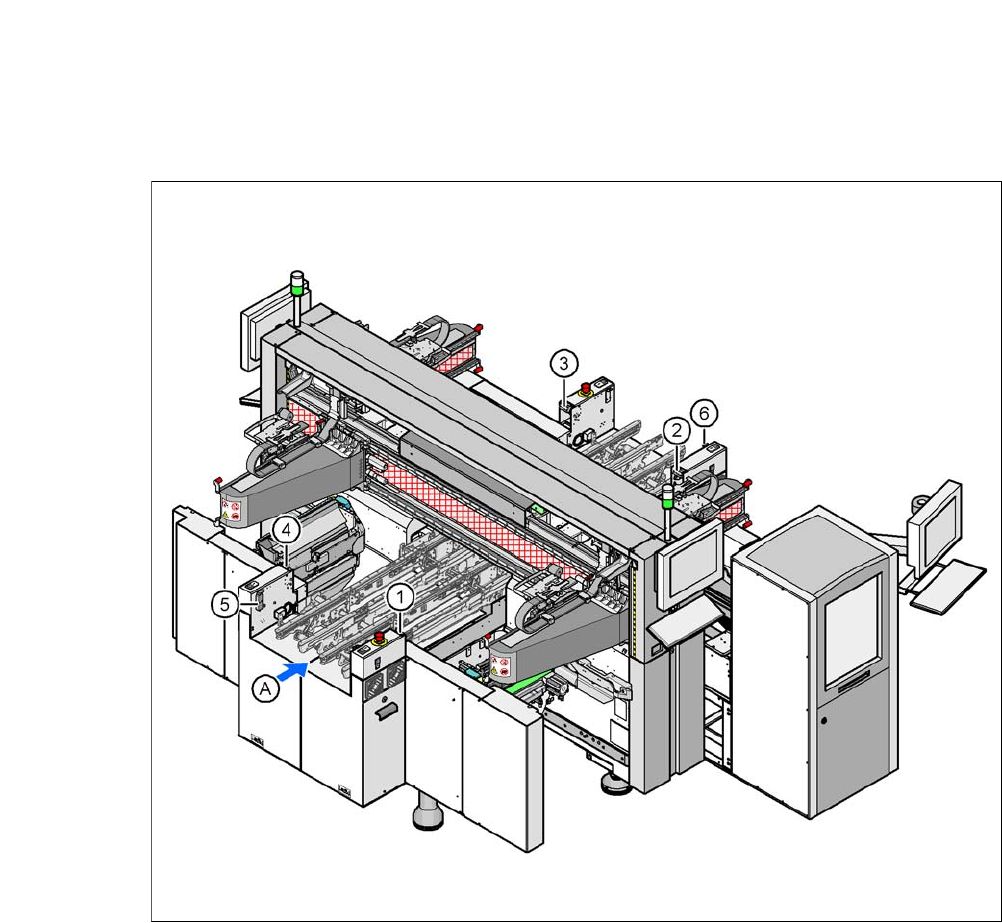
2 Operational Safety User Manual SIPLACE CA- Series 2.8 Safety Features From software version SC.708.0 Edition 12/2014 EN -DR AFT 90 2.8.2.4 Position of Protective Switches on the Machine 2 Fig. 2.8 - 5 Position of prote…

User Manual SIPLACE CA-Series 2 Operational Safety
From software version SC.708.0 Edition 12/2014 EN -DRAFT 2.8 Safety Features
89
Main power switch in OFF position 2
2
Main switch in ON position 2
After you switch on using the main switch, the SWS computer will boot.
DANGER
Lethal voltages!
Incorrect handling of the machine can therefore result in death or severe injury or consid-
erable damage to equipment.
Some parts of the SWS carry potentially lethal voltages, even when it is switched off at the
main power switch:
Always follow the applicable accident prevention and DIN regulations (particularly EN
60204, part 1 or IEC 60204, part 1) and the applicable regulations in your own coun-
try.
The safety door to the power supply must ONLY be opened by appropriately qualified
and trained personnel.
2 Operational Safety User Manual SIPLACE CA-Series
2.8 Safety Features From software version SC.708.0 Edition 12/2014 EN -DRAFT
90
2.8.2.4 Position of Protective Switches on the Machine
2
Fig. 2.8 - 5 Position of protective switches on the machine
2
(1) Protective cover switch, location 1
(2) Protective cover switch, location 2
(3) Protective cover switch, location 3
(4) Protective cover switch, location 4
(5) Protective switch for the cover flap on the PCB conveyor input side
(6) Protective switch for the cover flap on the PCB conveyor output side
(A) PCB transport direction
User Manual SIPLACE CA-Series 2 Operational Safety
From software version SC.708.0 Edition 12/2014 EN -DRAFT 2.8 Safety Features
91
2.8.3 Position of Protective Contactor Combination and Service Socket
2
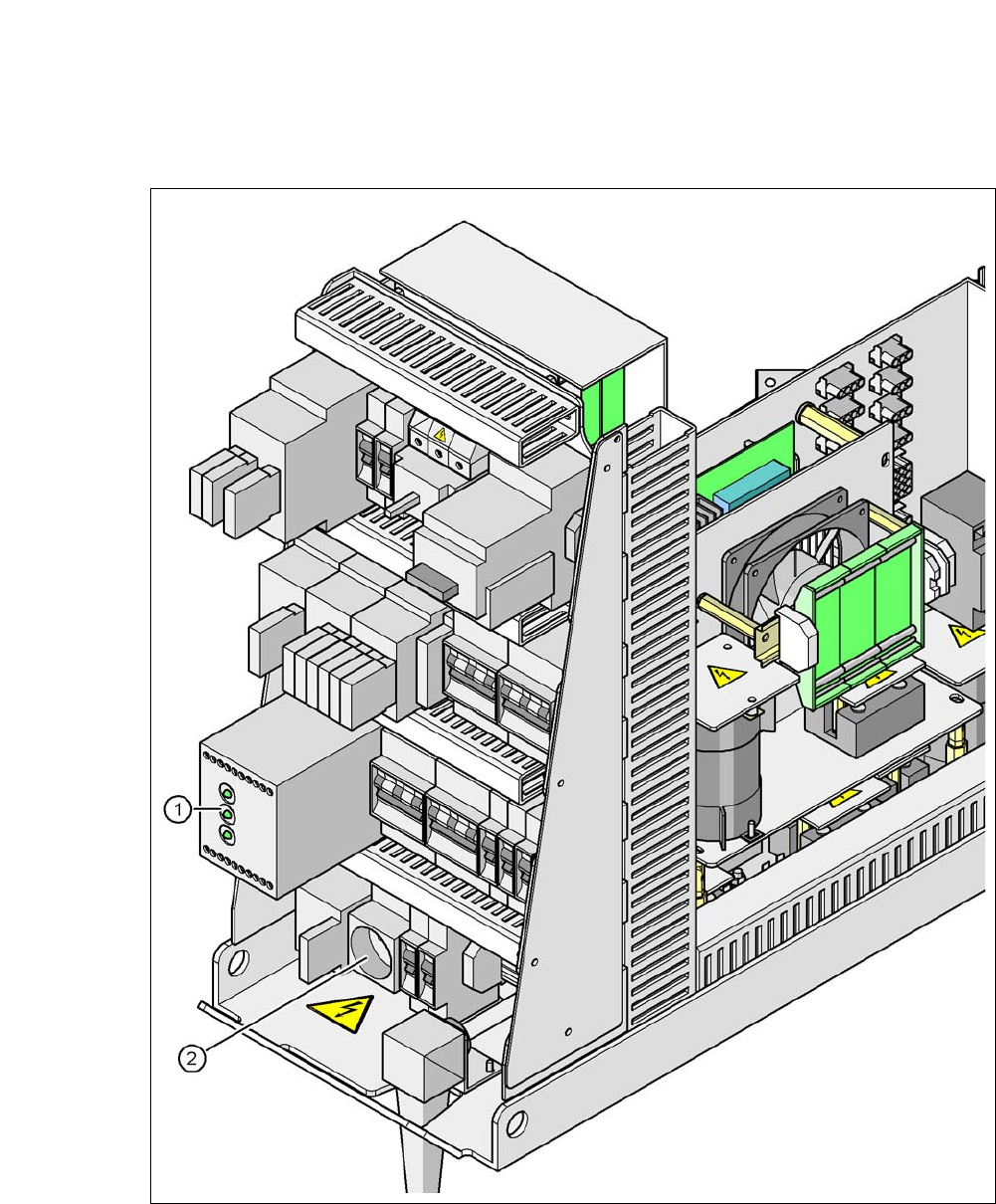
Fig. 2.8 - 6 Position of protective contactor combination and service socket
2
(1) Protective contactor combination
(2) Service socket