TS577R-UserGuide - 第19页
19 5.7 Over Current Protection This controller is equipped with the over current protection for motor. If the motor current is over 400 mA, the “Over Current Detected” message will apprear on the screen and the unit will…
18
Note: If the sequence mode is set to activate memory cell 1 – 3, and the
delay time is set at 5000 ms, the controller will activate memory 1 to 3
continuously with 5000 ms delay between each activation.
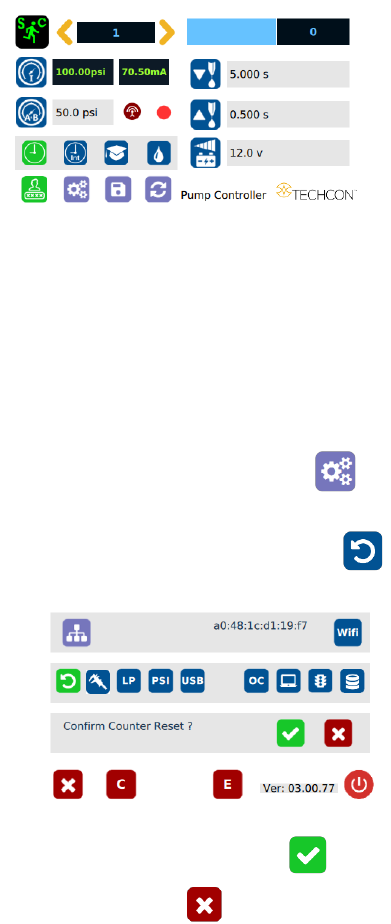
5.6 Cycle Counter
The cycle counter records the numbers of automatic dispense cycle being
activated. Up to 999,999 cycles can be recorded. To reset the counter, follow
steps below:
1. Touch the Setup icon to enter setup screen
2. Touch the Counter Reset icon to reset counter
3. Touch the Check Mark icon to confirm
4. Touch the X icon to exit
19
5.7 Over Current Protection
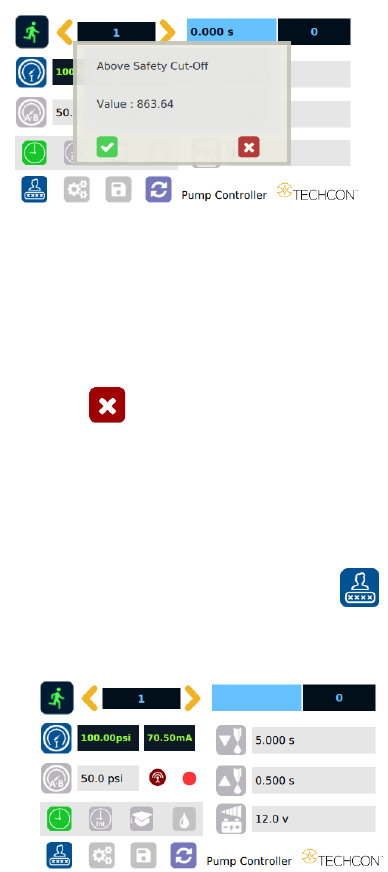
This controller is equipped with the over current protection for motor. If the
motor current is over 400 mA, the “Over Current Detected” message will apprear
on the screen and the unit will be disabled.
When this issue happened, check the valve to for clogging. Clean the valve
thoroughtly if necessary.
If after the valve has been cleaned and the over current is still occurred, then it is
time to replace the motor.
Touch the X icon to clear the over current message and reset the unit.
5.8 To Change Password
Note: The default password is “0000”. To change password, follow the
instructions below.
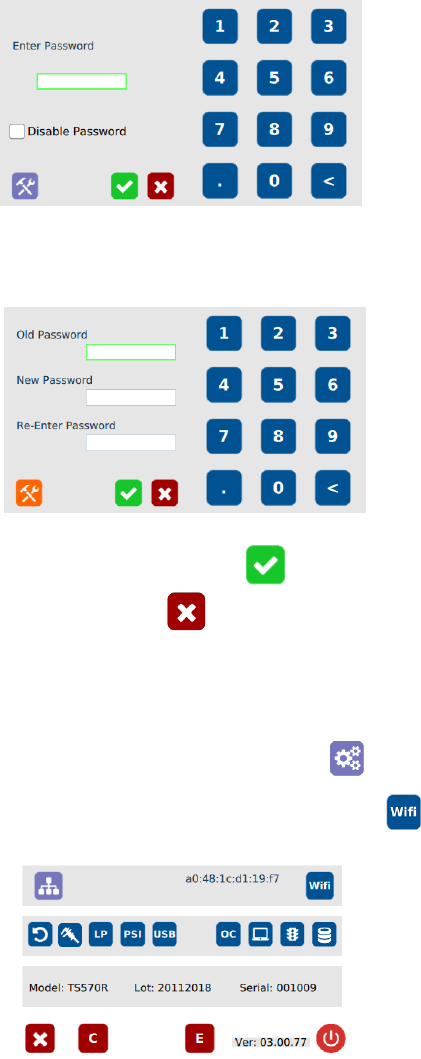
1. Touch the Login icon to enter the login screen
2. Touch the change “Password” icon
20
3. Enter the old password, then enter the new password
4. Touch the Check Mark icon to save
5. Touch the X icon to exit
5.9 To Connect to Wi-Fi network.
1. Connect the antenna to the Wi-Fi connector located in the back of the unit
2. Touch the Setup icon to enter the setup screen
3. Touch the Wi-Fi icon to enter the network setup screen