TS577R-UserGuide - 第24页
24 6. Double click on runhost.bat 7. Open internet b rowser (Internet explorer, Chrome, etc…), type in localhost:8090 then press enter
23
6.1 Setup Web-based Application Sofware Locally
A. Install Web-based Application software
1. Go to Techcon Website:
http://www.techconsystems.com/en/resources/software-
download/smart-valve-controller-iot-software
and download the “OKI_IoTLAN” to your computer
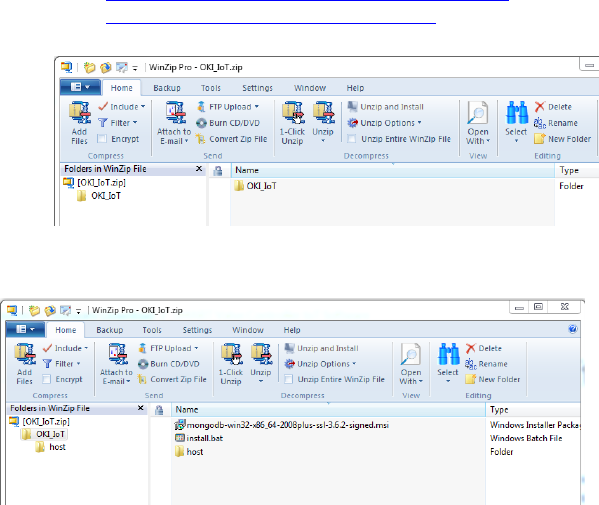
2. Open OKI_IoT folder
3. Double click on “install.bat” to install MongoDB
4. Make sure to select complete and uncheck Compass during the
installation.
Note: If you miss this step, you just install stuff on the machine that you
don’t need and of course it will take a few minutes longer to complete the
installation.
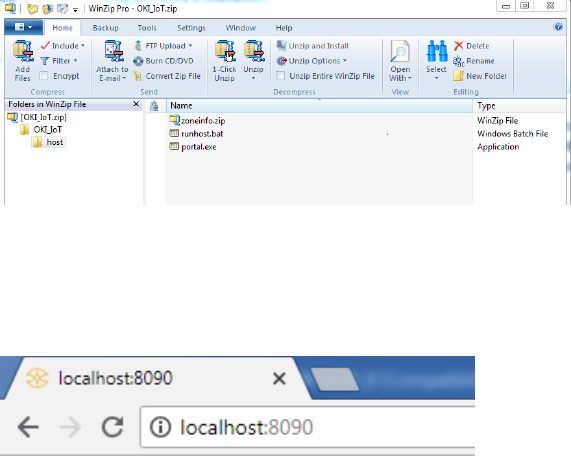
5. Open “host” folder
24
6. Double click on runhost.bat
7. Open internet browser (Internet explorer, Chrome, etc…), type in
localhost:8090 then press enter
25
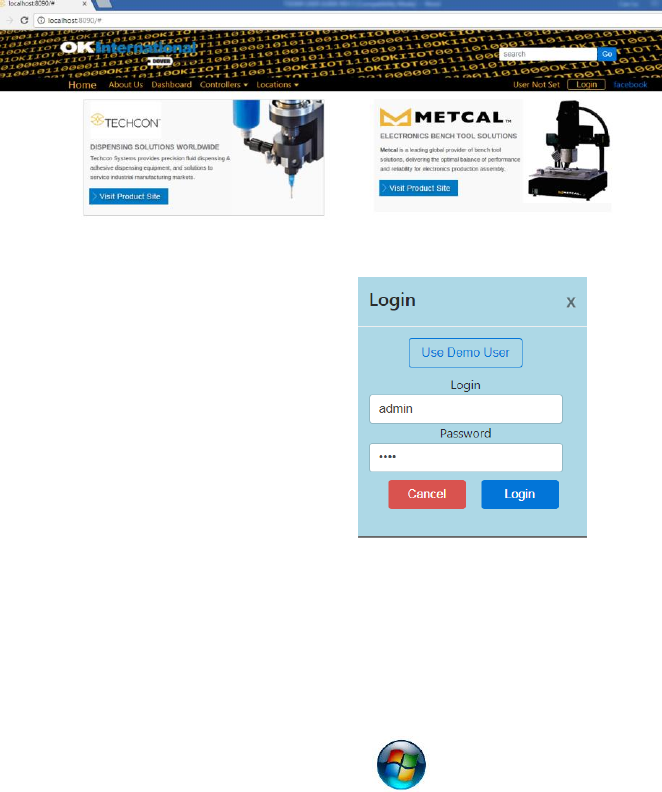
The web-based application is now ready for use. The below screen will
be displayed:
8. Click the “Login” button
9. Enter “admin” in the Login box
10. Enter “1001” in the Password
box
B. Register the Controller to the Web-based Application Software
To register a controller on the web-based application , the IP address
of the computer that run the applicatoin must be set in the controller.
To obtain IP address
11. Click on the Window start icon
12. Type “cmd” in the box then press enter