TS577R-UserGuide - 第25页
25 The web-based applicat ion is now rea dy for use. The bel ow screen will be displayed: 8. Click the “Login” button 9. Enter “admin” in the Login b ox 10. En ter “1001” in the Password box B. Register the Controller to…
24
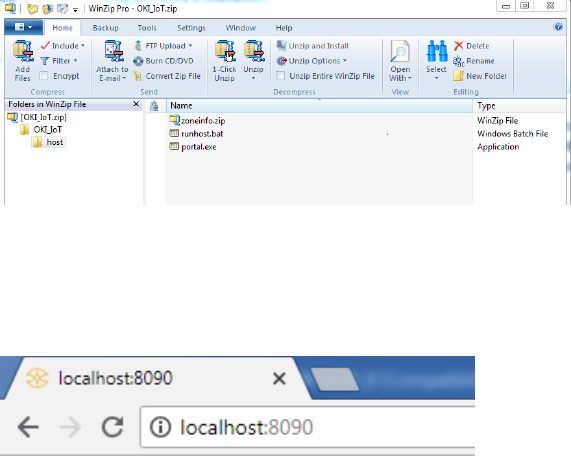
6. Double click on runhost.bat
7. Open internet browser (Internet explorer, Chrome, etc…), type in
localhost:8090 then press enter
25
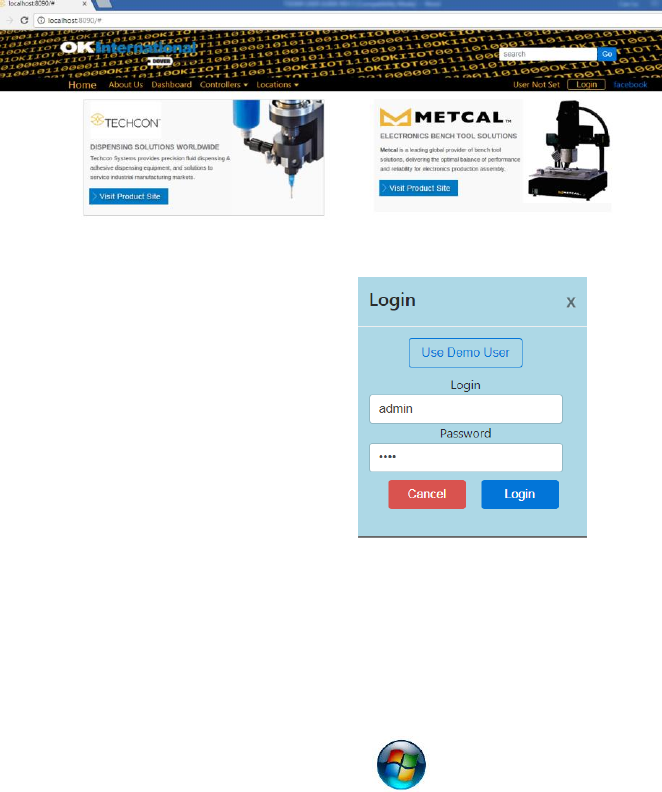
The web-based application is now ready for use. The below screen will
be displayed:
8. Click the “Login” button
9. Enter “admin” in the Login box
10. Enter “1001” in the Password
box
B. Register the Controller to the Web-based Application Software
To register a controller on the web-based application , the IP address
of the computer that run the applicatoin must be set in the controller.
To obtain IP address
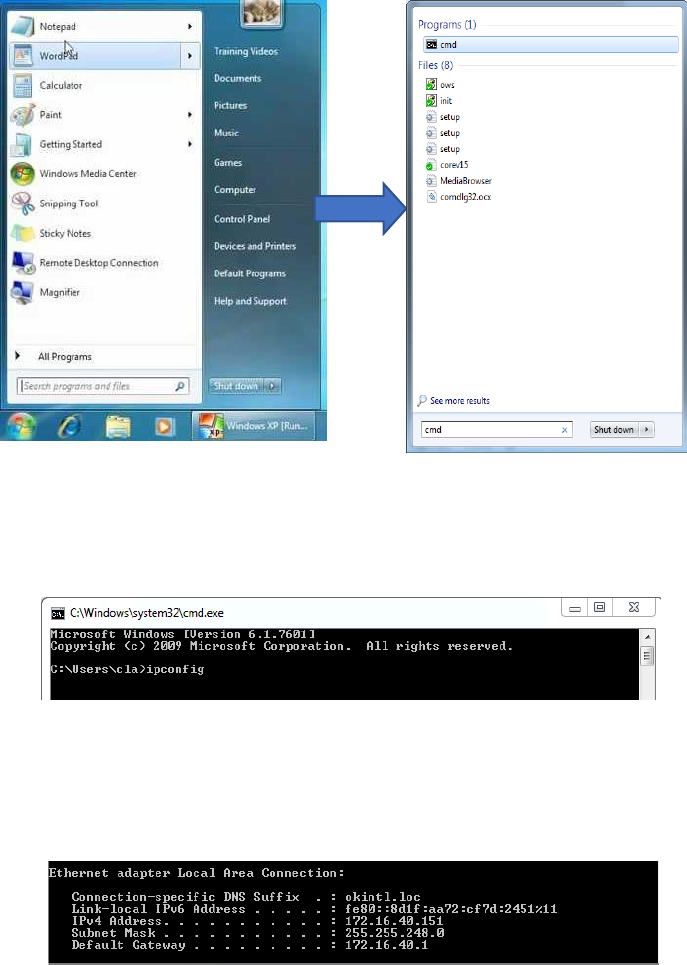
11. Click on the Window start icon
12. Type “cmd” in the box then press enter
26
13. Type “ipconfig” then press enter
14. Record the IPv4 address shown in the “IPv4 Address” line on the above
screen; For this example, the Server IP address is: 172.16.40.151
This IP address will be entered in the controller screen