HS50_advance_level 1_20200522_221201 (1).pdf - 第123页
Studen t Guide HS-50 A dvanced I 06/200 2 Edition 5 DLM1 C&P Head 31 5.3. 6 Pick u p and p lacement cy cle for the ne xt componen ts... – After all the components of the first head cycle are placed ont o the board,th…
06/2002 Edition Student Guide HS-50 Advanced I
5 DLM1 C&P Head
30
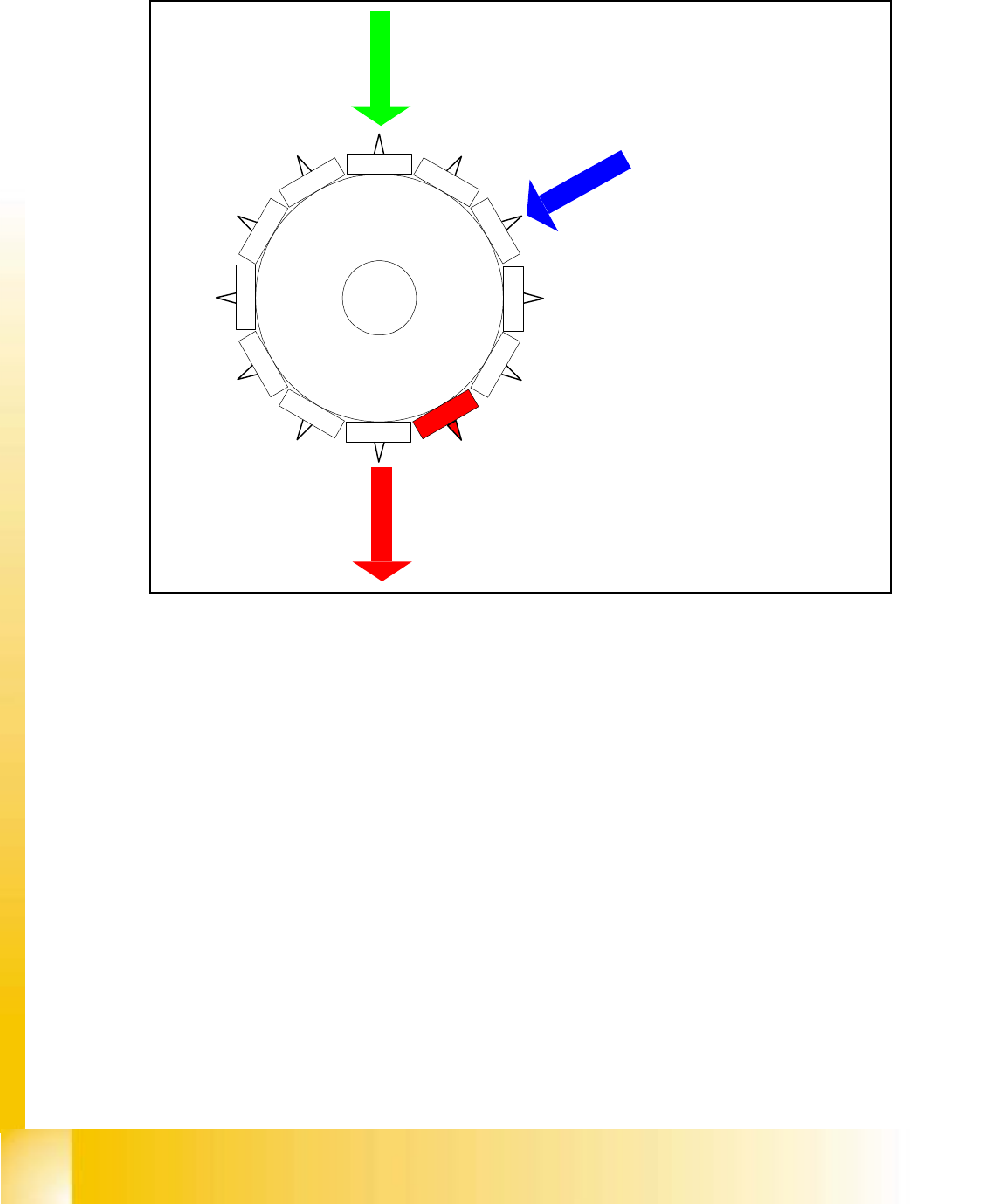
5.3.5 Placing 12th Component
Fig. 5.3 - 4 Placing 12th component
– Vision system:
optically centering of the 6th component on the other gantry
– Dp-station:
turn 4th component to the pick up angle
– pick up / placement station:
place 12th component
– synchronization:
after placing the 12th component of this gantry placement enable signal is returned to MC.
Star position
Digit: 132.000
Angle: 330 °
12
1
1
1
0
9
8
7
6
5
1
2
3
4

Student Guide HS-50 Advanced I 06/2002 Edition
5 DLM1 C&P Head
31
5.3.6 Pick up and placement cycle for the next components...
– After all the components of the first head cycle are placed onto the board,the gantry axes move
the placement head to the pick up position of the next feeder.
– The next pick up cycle for components 7 to 12 is executed.
– And so on and so on.....
– If necessary the machine executes repair cycles.
5.3.7 Segment with a „defective component“
If the optical centering of a component fails (Ident.error) or the vacuum check before placement
fails (Vacuum error) the component is not placed and remain on the nozzle;
– the turning station turn now this nozzle to the pick up angle of the new component when this
segment is in turning position.
If this segment is in pick up position:
– the reject procedure is activated and
– the star-axis moves on for two segments
– X-/Y-axes move to their reject position
– the component is rejected by an air kiss
– the star-axis turns two segments back and
– the new component is picked
This rejected component is placed after all placement cycles by a „repair cycle“.
5.3.8 PCB placement finished
– All components are placed at the corrected placement positions at the programmed board po-
sitions.
– After placing the last component with the pickt & Place head the gantry axes move the place-
ment heads to the waiting position.
– The SIPLACE placement station activates the transport system and moves the board to the
output conveyor.
– Finally the SIPLACE placement station sends the number of consumed components (placed
and rejected ones) to the line computer.
– With MADAMAS the line computer calculates the placement statistics referring to the pro-
grammed station setup, the programmed cluster or the last reset time.
– Meaningful data help to optimize the production process.
– The machine is ready for the next board.
06/2002 Edition Student Guide HS-50 Advanced I
5 DLM1 C&P Head
32
5.4 C&P Head dis- and reassembly
5.4.1 Points to note before starting servicing work ...
➠ End all placement operations on the placement system.
➠ Switch the placement system off at the main switch.
➠ Wait, until the operating system has shut down and the UPS has switched off.
➠ Disconnect the placement system from the power supply.
➠ Disconnect the placement system from the compressed air supply.
➠ Switch off the motor contactor in the power supply unit and secure the operating lever with a
padlock.
5
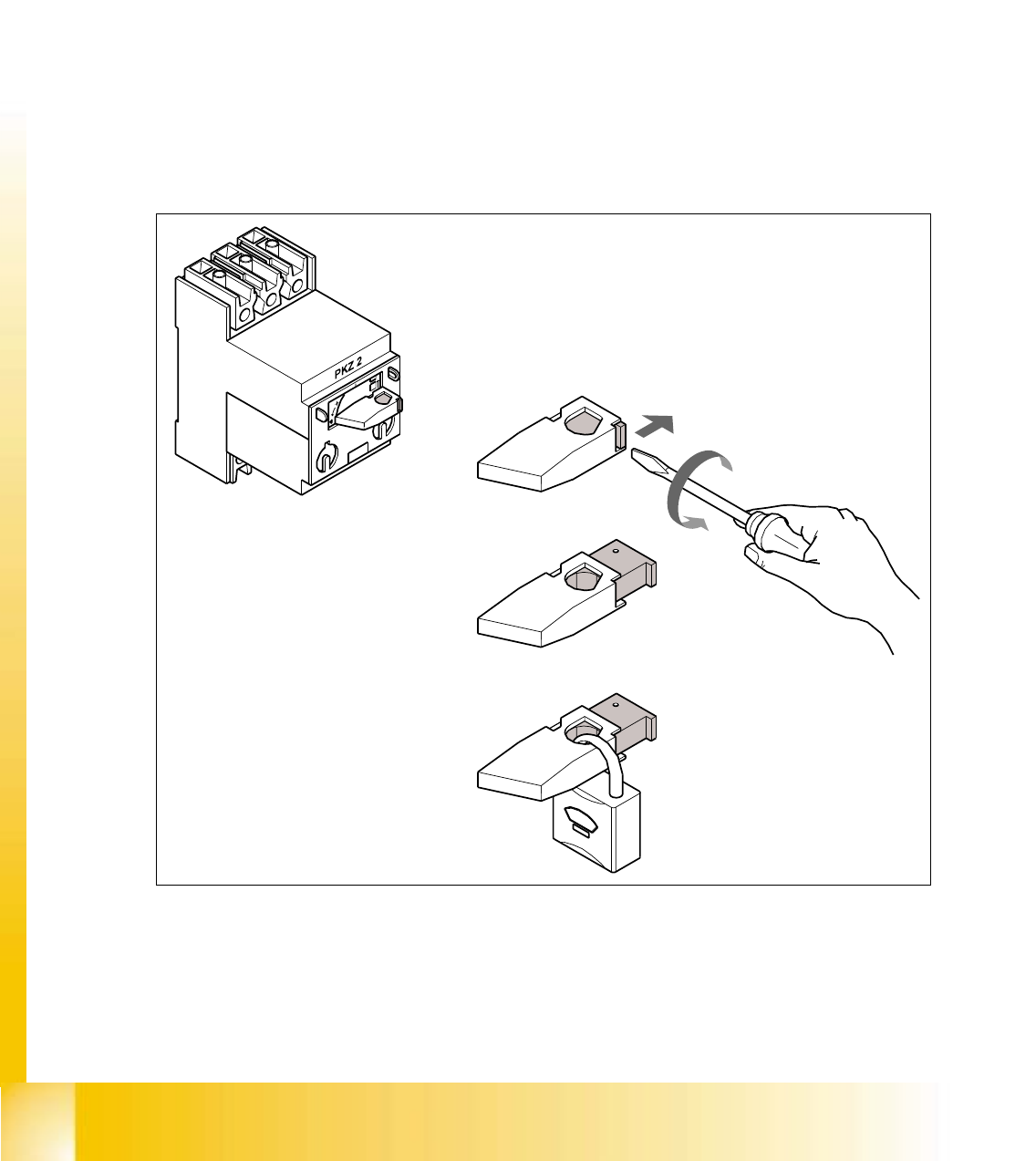
Fig. 5.4 - 1 Locking the motor contactor
(1) Turn the operating lever (1) counter-clockwise.
(2) Use the screwdriver to push the locking lug (2) out of the operating lever (1).
(3) Secure the operating lever with a padlock (3).