HS50_advance_level 1_20200522_221201 (1).pdf - 第188页
06/2002 E dition Studen t Guide H S-50 Advance d I 6 Operati ng the S IT ES T Softwa r e 4 NOTE If newly dete r mine d o r edited machine data have not been saved yet, an appropriate mes- sage will be d isplayed before e…

Student Guide HS-50 Advanced I 06/2002 Edition
6 Operating the SITEST Software
3
6.2 Starting/Terminating the Test Program
6.2.1 Starting
➠ On the user interface for the station, click on the icon (see User’s Manual SIPLACE HS-
50).
The test program is started.
The main view of the user interface of the test program will appear on the screen shortly after-
wards.
➠ Select the desired language .
6.2.2 Terminating
There are three ways of properly terminating the test program, i.e. either
– from the main view via the Mode menu, by selecting the menu command Exit ,
– using the key ESC
– or by proceeding as described in the following.
NOTE
Only the key ESC permits the test program to be terminated from any view.
➠ In the main view, click on the icon.
06/2002 Edition Student Guide HS-50 Advanced I
6 Operating the SITEST Software
4
NOTE
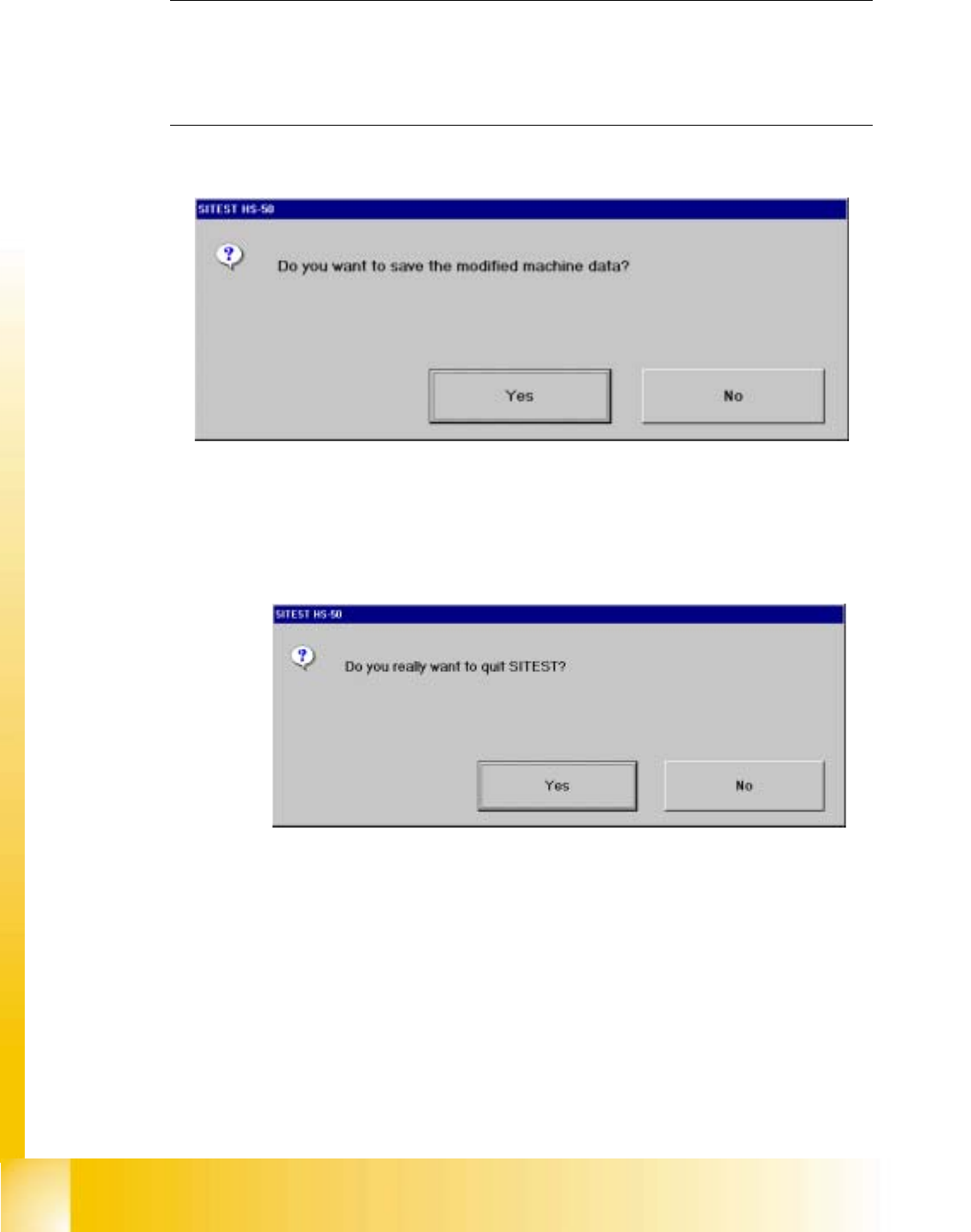
If newly determined or edited machine data have not been saved yet, an appropriate mes-
sage will be displayed before exiting the program prompting you to save the data (see exam-
ple below). 6
➠ Click on the Yes button in the dialog box if you wish to save the data on terminating the test
program, or click on No if you do not wish to save the data.
The following dialog box opens.
● Click on the Yes button. The test program is terminated.
Student Guide HS-50 Advanced I 06/2002 Edition
6 Operating the SITEST Software
5
6.3 Components of the User Interface
After starting the SITEST test program, the main view of the user interface will be displayed. The
operator can control the basic functions of the program from this view. He can return to the main
view from all the other displays.
6.3.1 Main View- Dialog Boxes and Buttons
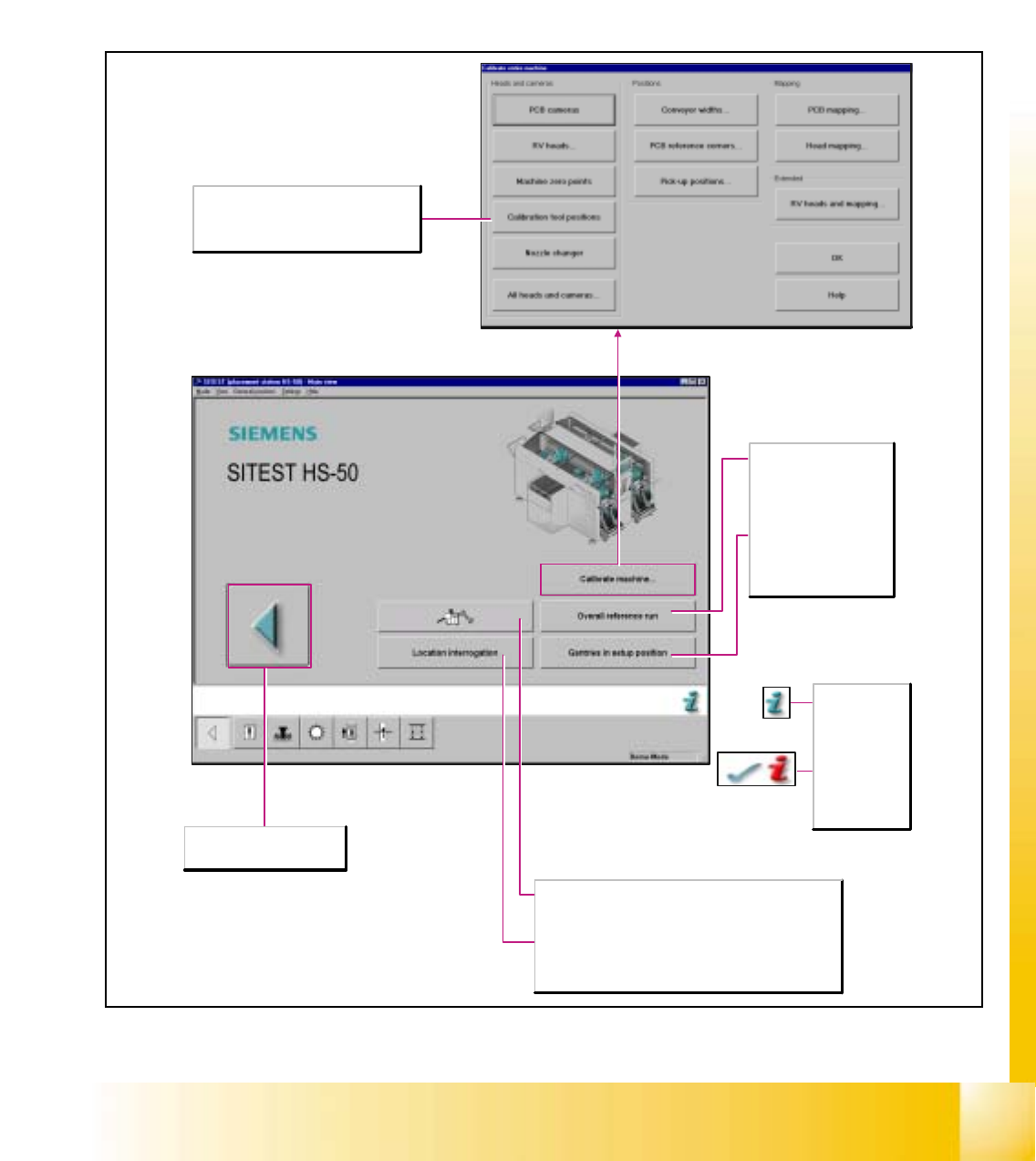
Aborts the processing and the
SITEST test program is exited.
The online help
for the current
screen opens.
After the
successful
completion of
troubleshooting
activities, the
current error is
deleted.
Overall reference run
Starts the reference run
for all head and gantry
axes of the machine and
initializes the conveyor.
Gantries in setup position
The gantries are moved to
a position that permits the
component feeder tables
to be exchanged.
Location interrogation
Existing locations are interrogated for component feeder tables
and MTCs. (MTC only for SIPLACE S-25HM/S-25HM2)
Diagnostics
Starts the diagnostic system with the objective to detect - in an
interactive dialog with the operator - the cause of the current
error and to eliminate it.
Calibrate machine...
Opens the Calibrate entire machine dialog box
containing a display of all functions required
for the calibration of the entire machine.