HS50_advance_level 1_20200522_221201 (1).pdf - 第200页
06/2002 E dition Studen t Guide H S-50 Advance d I 6 Operati ng the S IT ES T Softwa r e 16 6.4. 2 Gantry Axis F uncti ons Call- up of th e gantry fun cti ons. Call- up of th e display of the gantry axis fu nctions. Call…
Student Guide HS-50 Advanced I 06/2002 Edition
6 Operating the SITEST Software
15
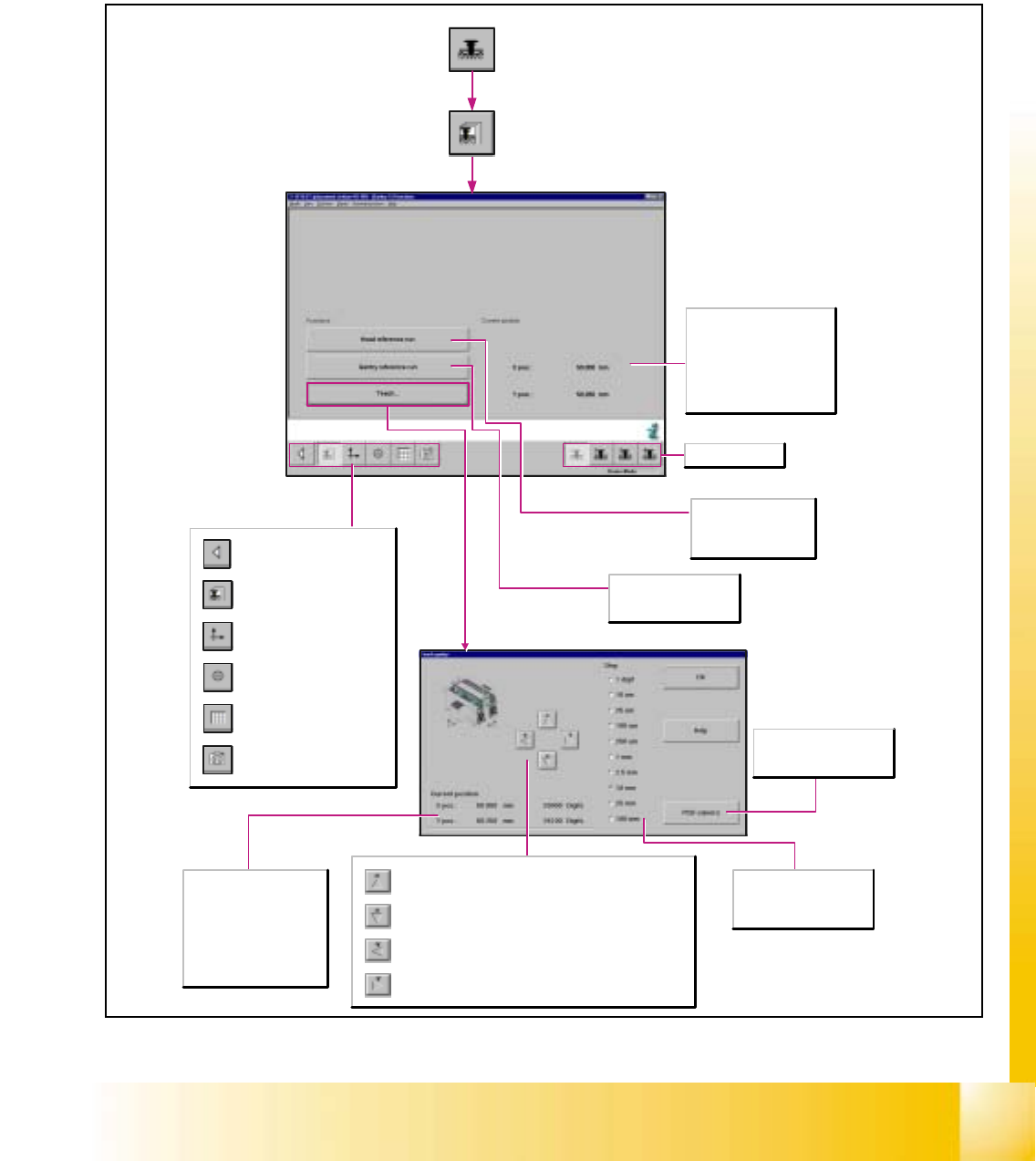
6.4 Gantries
6.4.1 Gantry Functions
6
Call-up of the gantry functions.
Call-up of the display of the
gantry axis functions.
Call-up of the display of the
gantry's calibration functions.
Call-up of the display of the
gantry's PCB mapping
functions.
Call-up of the display of the
gantry's PCB camera
functions.
Return to the main view.
Current position
X-pos.
Indicates the current x-position
of the applicable gantry.
Y-pos.
Indicates the current y-position
of the applicable gantry.
PCB camera
Switches the screen display to
the PCB camera.
Step
The desired step size for
traversing the gantry can be
activated in a given resolution.
Upon each actuation of the button, the active gantry is advanced by
one increment of the selected step size in negative y-direction.
Upon each actuation of the button, the active gantry is advanced by
one increment of the selected step size in positive y-direction.
Upon each actuation of the button, the active gantry is advanced by
one increment of the selected step size in negative x-direction.
Upon each actuation of the button, the active gantry is advanced by
one increment of the selected step size in positive x-direction.
Selects gantry 1-4.
Head reference run
Carries out the reference
run on all axes of the
revolver head.
Gantry reference run
Carries out the reference
run of the gantry axes.
X-pos.
Indicates the applicable
gantry's x-position
approached during teaching.
Y-pos.
Indicates the applicable
gantry's y-position
approached during teaching.
06/2002 Edition Student Guide HS-50 Advanced I
6 Operating the SITEST Software
16
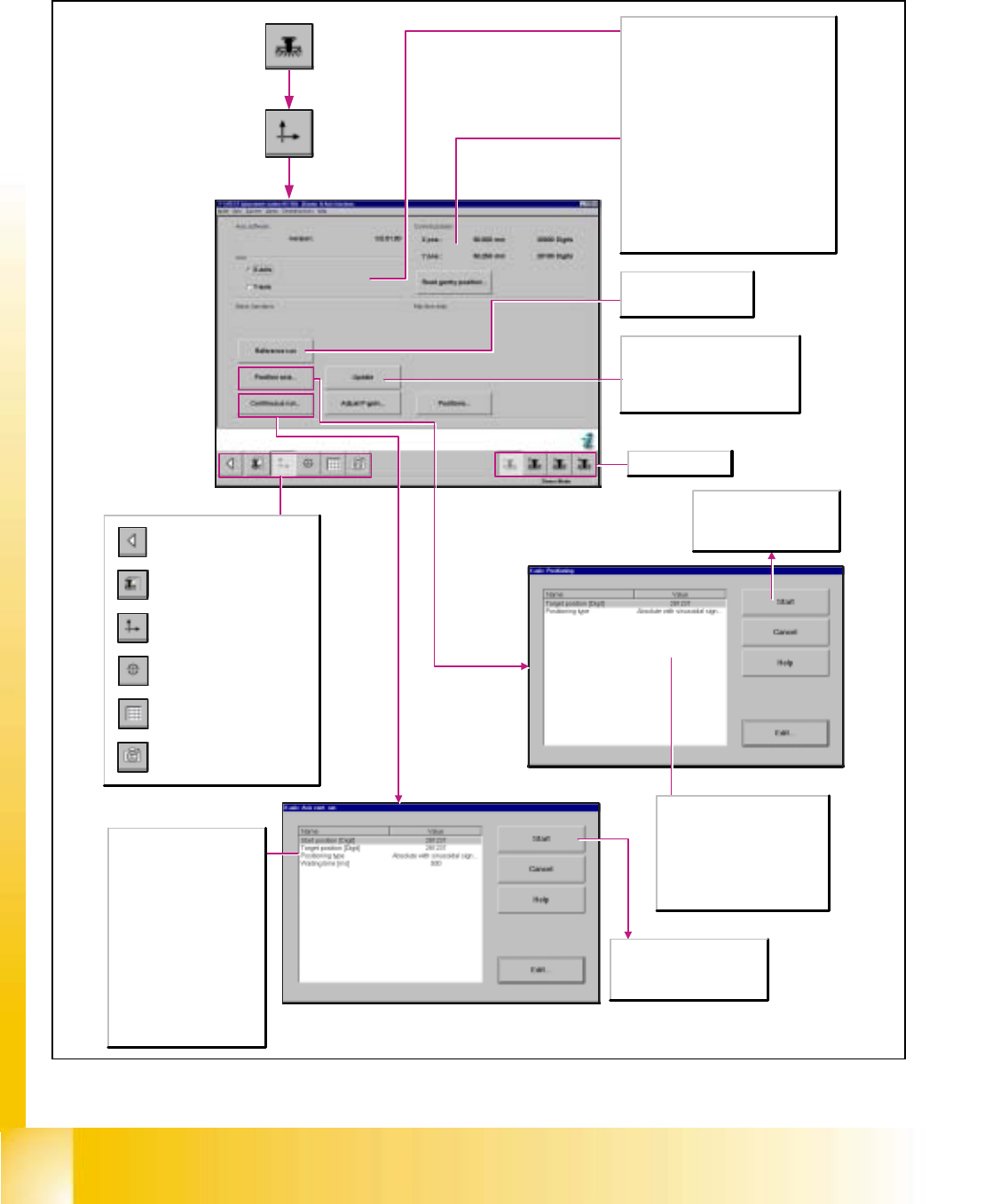
6.4.2 Gantry Axis Functions
Call-up of the gantry functions.
Call-up of the display of the
gantry axis functions.
Call-up of the display of the
gantry's calibration functions.
Call-up of the display of the
gantry's PCB mapping
functions.
Call-up of the display of the
gantry's PCB camera
functions.
Return to the main view.
Axis
X-axis
Activates the functions for adjusting the X-
axis.
Y-axis
Activates the functions for adjusting the Y-
axis.
Current position (of the activated axis)
X-pos.
Indicates the current x-position of the axis.
Y-pos.
Indicates the current y-position of the axis.
Read gantry position
The current gantry position is displayed
continuously.
Update
Updates the actual position of the
selected axis and displays the x- and
y-positions of the axis in the Current
position work area.
Start
The axis starts the continuous
run with the specified target
position and positioning type.
Target position [digits]
Enter the desired target position
for the selected axis.
Positioning type
Defines the method to be used
for positioning the axis.
Reference run
Carries out a reference
run of the activated axis.
Selects gantry 1-4.
Start
The axis travels in a continuous
run between the start and target
positions entered.
Start position [digits]
Enter the desired start position
for the selected axis.
Target position [digits]
Enter the desired target
position for the selected axis.
Positioning type
Defines the method to be used
for positioning the axis.
Waiting time [msec]
Indicates the length of time the
axis is to remain in the start
and/or target position during
the continuous run.
Student Guide HS-50 Advanced I 06/2002 Edition
6 Operating the SITEST Software
17
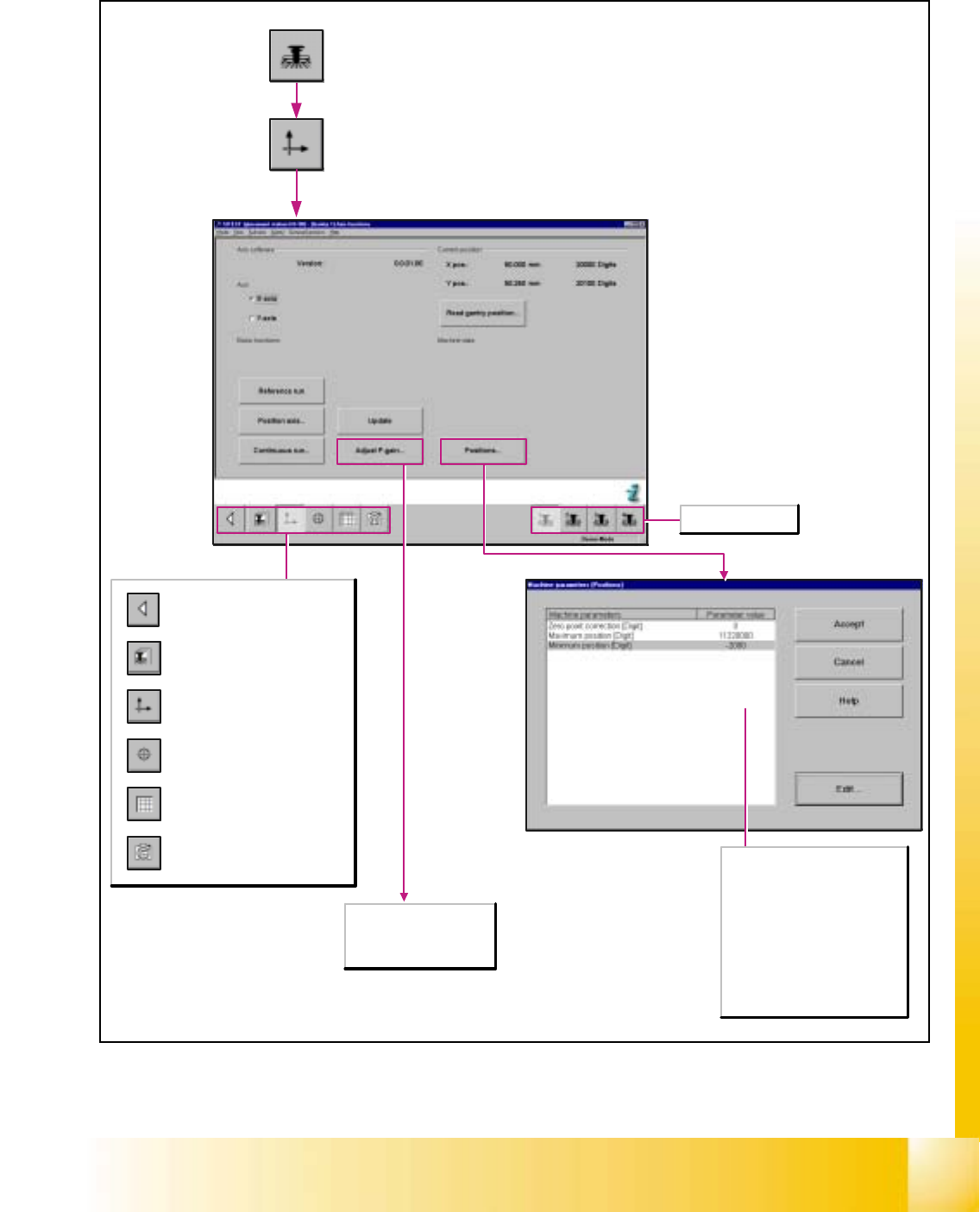
Call-up of the gantry functions.
Call-up of the display of the
gantry axis functions.
Call-up of the display of the
gantry's calibration functions.
Call-up of the display of the
gantry's PCB mapping
functions.
Call-up of the display of the
gantry's PCB camera
functions.
Return to the main view.
Zero point corrections [digit]
Corrects the reference point by
the preset value.
Maximum position [digit]
Indicates the maximum
attainable position of the axis.
Minimum position [digit]
Indicates the minimum
attainable position of the axis.
Selects gantry 1-4.
Any tacho adjustment for
the x- and y-axes of the
SIPLACE HS-50 / HS-55
is not possible.