HS50_advance_level 1_20200522_221201 (1).pdf - 第204页
06/2002 E dition Studen t Guide H S-50 Advance d I 6 Operati ng the S IT ES T Softwa r e 20 6. 4.4 Ga ntry‘s PC B M app ing Func t ion s Call -up of the ga ntry func t ions . Cal l-up of t he d ispla y of the gant ry ax …
Student Guide HS-50 Advanced I 06/2002 Edition
6 Operating the SITEST Software
19
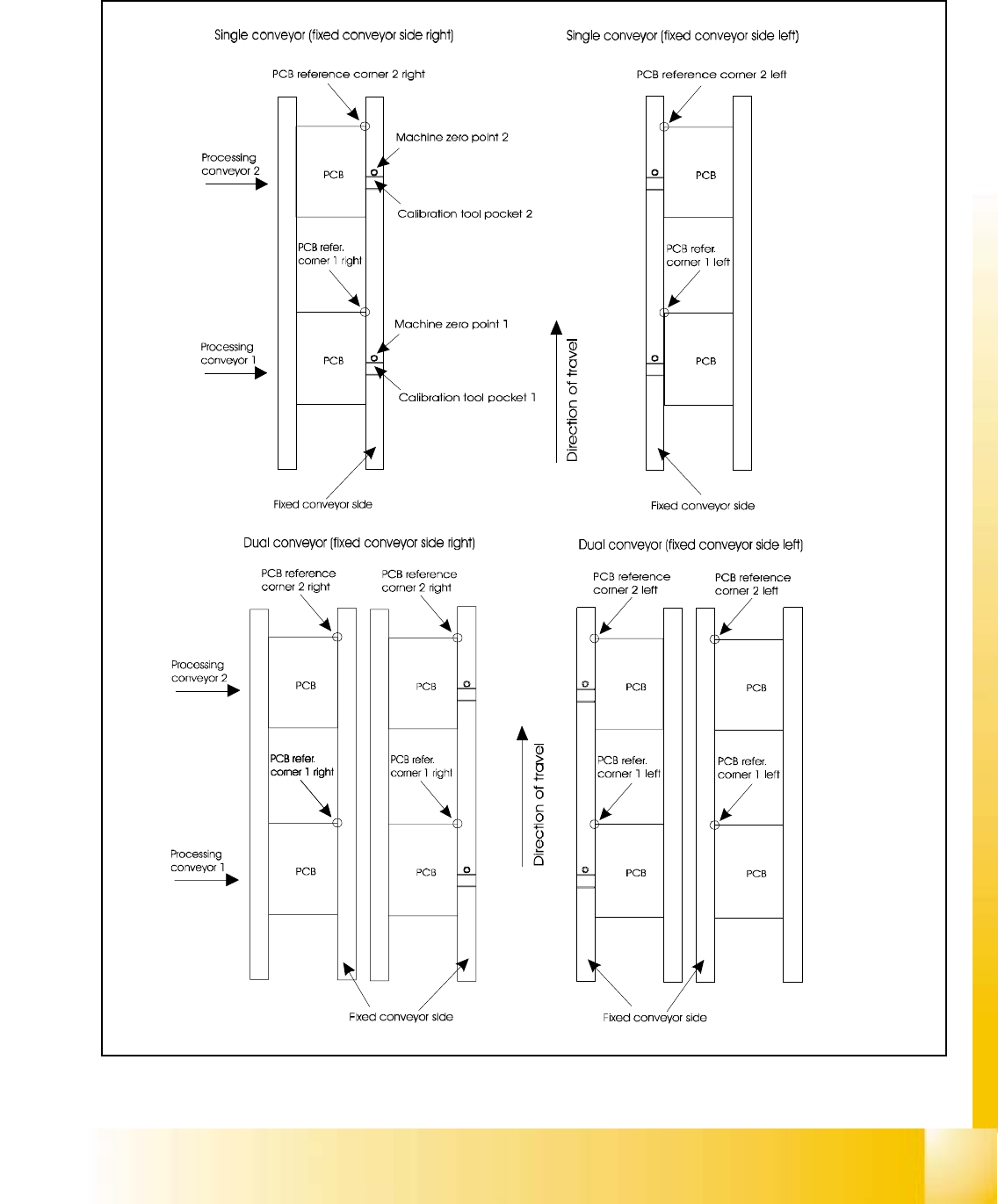
6.4.3.1 Positions oft the PCB Reference Corner
06/2002 Edition Student Guide HS-50 Advanced I
6 Operating the SITEST Software
20
6.4.4 Gantry‘s PCB Mapping Functions
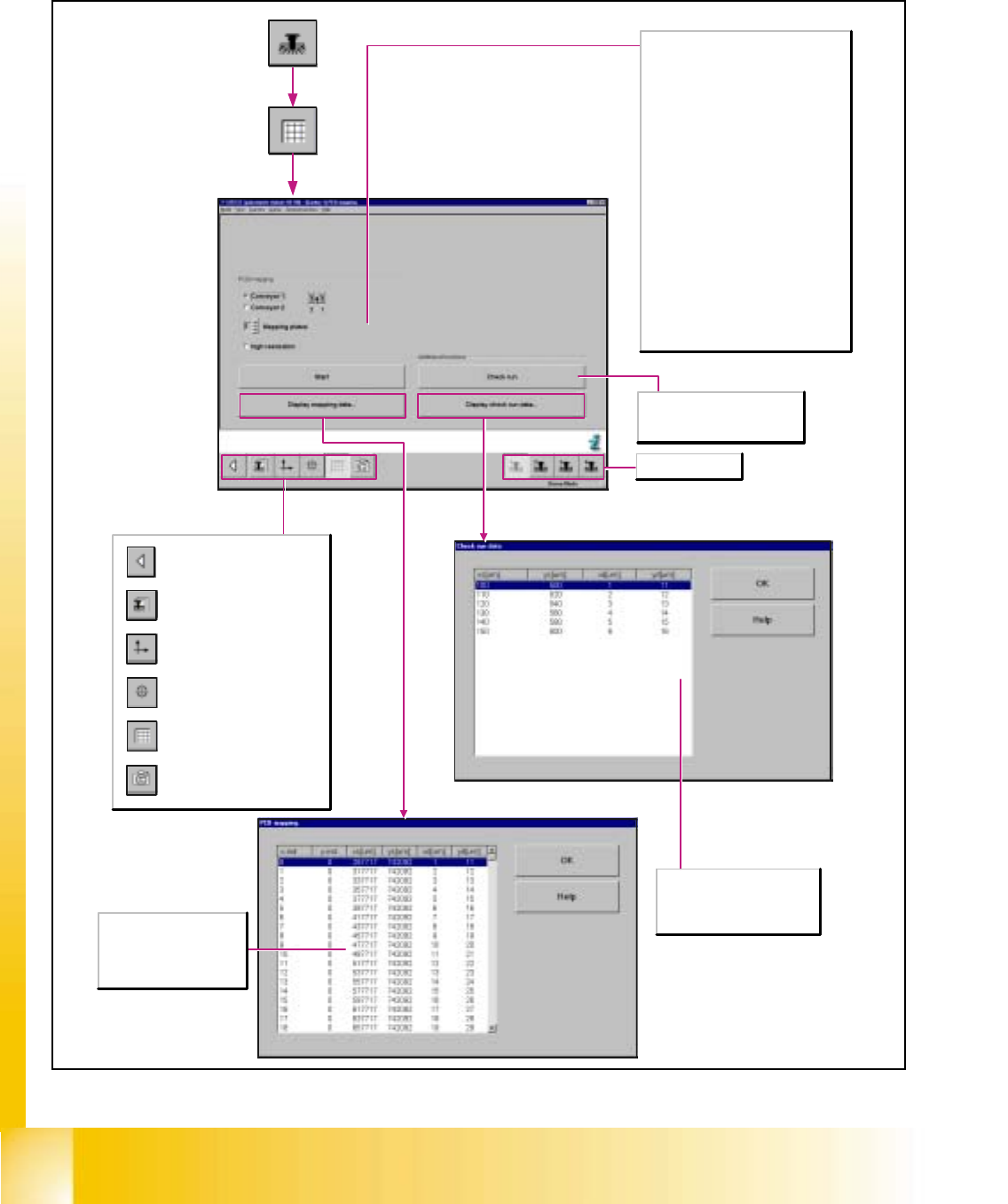
Call-up of the gantry functions.
Call-up of the display of the
gantry axis functions.
Call-up of the display of the
gantry's calibration functions.
Call-up of the display of the
gantry's PCB mapping
functions.
Call-up of the display of the
gantry's PCB camera
functions.
Return to the main view.
PCB Mapping
Conveyor 1/2
Activates conveyor track 1/2 of the dual
conveyor .
No. of mapping plate (at the bottom of the
mapping plate)
Display and input of the current number of
the mapping plate which can be found at
the bottom of the mapping plate.
High resolution
Changes the resolution used for
determining the data during the mapping
run. When making your selection please
take into account whether the machine
was configured in the single conveyor or
dual conveyor mode.
Start
The active gantry starts the mapping run
on the selected conveyor track and
automatically saves the data determined
after the mapping run has been
completed successfully.
The values x-ind, y-ind,
xs[µm], ys[µm], xd[µm] and
yd[µm] describe the offset
of the mapping plate after
the mapping run.
Selects gantry 1-4.
Check run
Approaches the mapping
positions for checking purposes.
The values xs[µm], ys[µm],
xd[µm] and yd[µm] describe the
setpoint positions calculated
during the mapping check.
Student Guide HS-50 Advanced I 06/2002 Edition
6 Operating the SITEST Software
21
6.4.5 Gantry‘s PCB Camera Functions
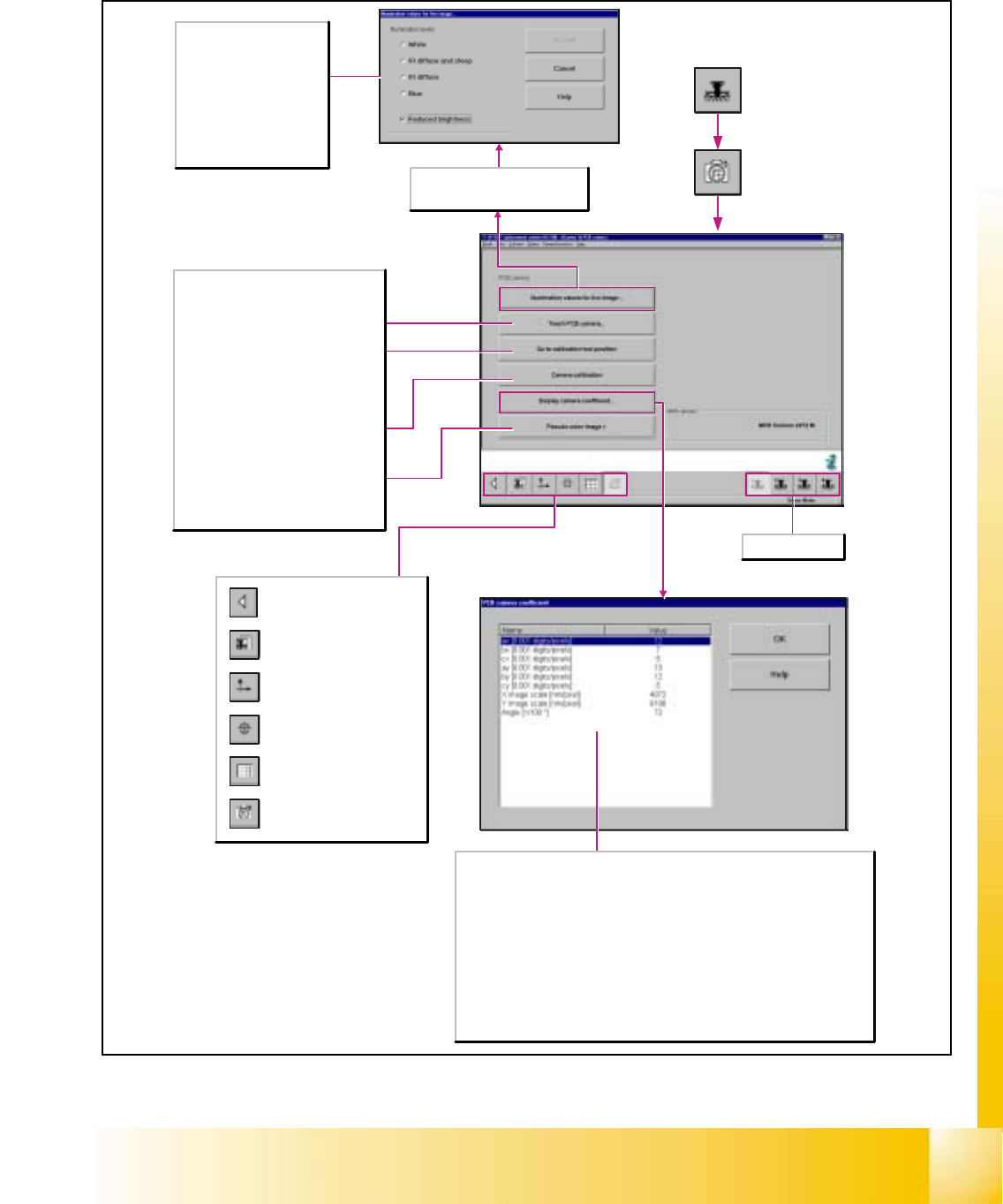
Call-up of the gantry functions.
Call-up of the display of the
gantry axis functions.
Call-up of the display of the
gantry's calibration functions.
Call-up of the display of the
gantry's PCB mapping
functions.
Call-up of the display of the
gantry's PCB camera
functions.
Return to the main view.
This function can only be selected if
the multicolor camera was selected in
the machine configuration.
Teach PCB camera...
Opens the Teach PCB camera dialog box
and displays the current position of the
gantry that was approached last.
Go to calibration tool position
Moves the active gantry with the PCB
camera mounted to it over the calibration
tool position and switches the screen
display to the PCB camera.
Calibrate camera
Determines the sensor scale (nm/pixel)
and the camera angle.
Pseudo-color image >
Switches the screen display to the PCB
camera to view the result of any
illumination changes that may have been
made.
Here, a functional check of the
camera and the illumination
unit is carried out due to the
fact that the IR illumination
levels involve infrared rays that
are invisible to the human eye.
Reduced brightness
Activate this function in the
case of excessive brightness of
the camera image.
Selects gantry 1-4.
The values ax, bx, cx, ay, by and cy describe a homogenous transformation matrix.
This matrix is the transformation from the machine coordinate system [digits] to the
camera [pixels].
X image scale [nm/pixel]
Indicates the calculation of the xµ values. These denote the dimensions of the pixels [nm]
with respect to the machine axis.
Y image scale [nm/pixel]
Indicates the calculation of the xµ values. These denote the dimensions of the pixels [nm]
with respect to the machine axis.
Angle [1/100*]
Indicates the angular position of the camera with respect to the machine coordinate
system.