HS50_advance_level 1_20200522_221201 (1).pdf - 第209页
Studen t Guide HS-50 A dvanced I 06/200 2 Edition 6 Operat ing the S ITE ST S o ftware 25 6.5. 4 Funct ions o f the DP -Axis Th e p os iti on ing pa th i s i nc rea se d o r decr eas ed, dep endent on t he sele c te d pa…
06/2002 Edition Student Guide HS-50 Advanced I
6 Operating the SITEST Software
24
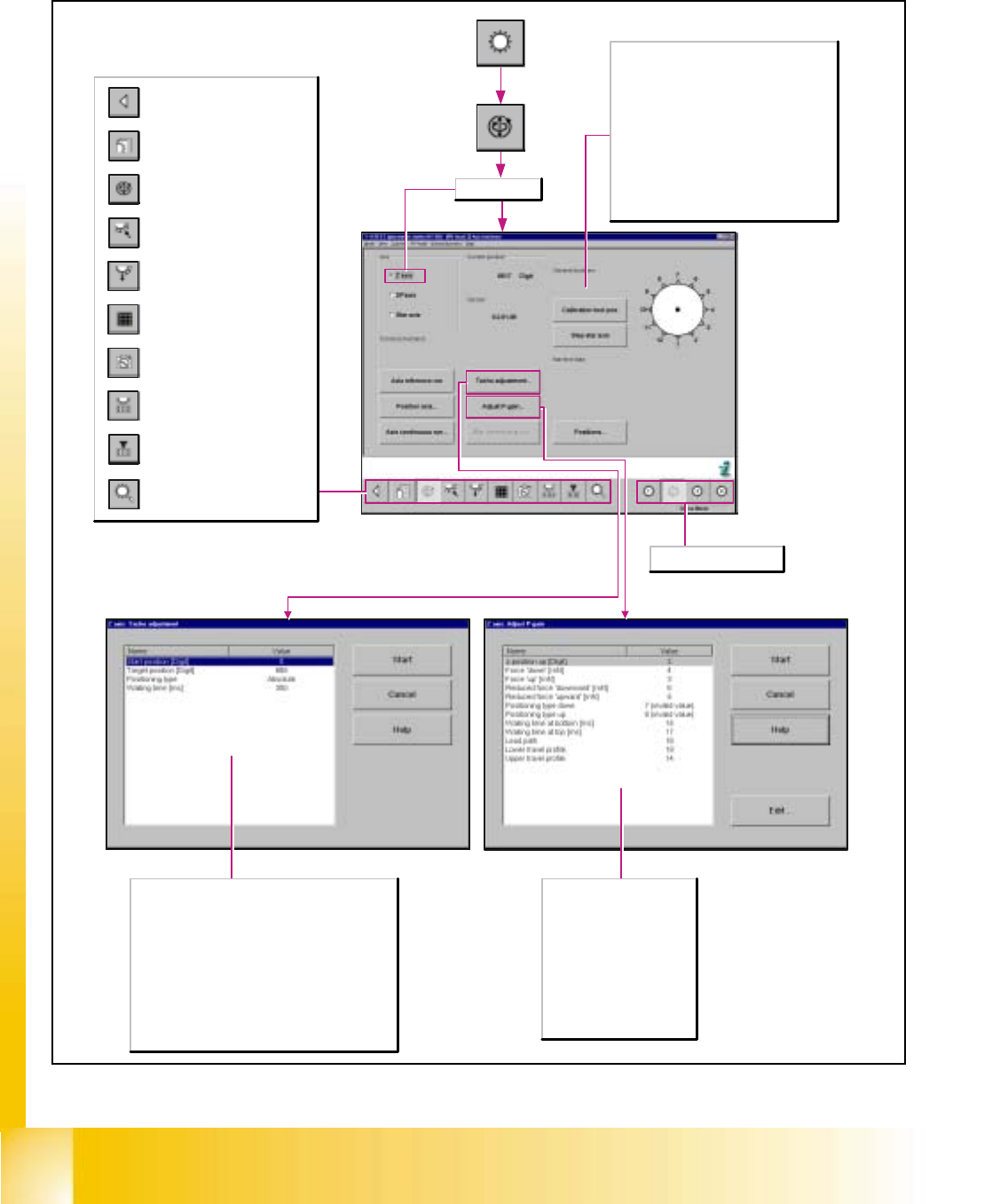
6.5.3 Functions of the Z-Axis
General functions
Calibration tool pos.
During the adjustment of the P-gain of the z-
axis, the active gantry approaches the
calibration tool position, and then moves the z-
axis to the calibration tool pocket in the
continuous run mode.
Step star axis
This function is used to index the star. Clicking
on the button causes the star to be advanced
by one segment. The positions of the individual
segments are represented graphically on the
screen.
Opening the screen for the
magazin functions of the
revolver head nozzle changer
Return to the main
view.
Call-up the view for the functions
of the revolver head component
sensor.
Opening the screen for the head
functions of the revolver head
nozzle changer
Call-up of the display of the RV
camera functions.
Call-up of the display of the
mapping functions of the
revolver head.
Call-up of the display of the
functions of the revolver head in
the placement and pick-up
circuit.
Call-up of the display of the
functions of the revolver head in
the holding and reject circuit.
Call-up of the display of the axis
functions of the revolver head.
Call-up of the display of the
functions of the revolver head.
Selects revolver head 1-4.
Edit the following parameters
z-position up [digits]
Force down
Force up
Positioning type down
Positioning type up
Waiting time at bottom [msec]
Waiting time at top [msec]
Lead path
Lower travel profile
Upper travel profile
Start position [digits]
Positions the selected axis at the preset start position.
Target position [digits]
Positions the selected axis at the preset target
position.
Positioning type
Defines the method to be used for positioning the axis.
Waiting time [msec]
Indicates the length of time the axis is to remain in the
start and/or target position during the continuous run.
Z-Axis selected
Student Guide HS-50 Advanced I 06/2002 Edition
6 Operating the SITEST Software
25
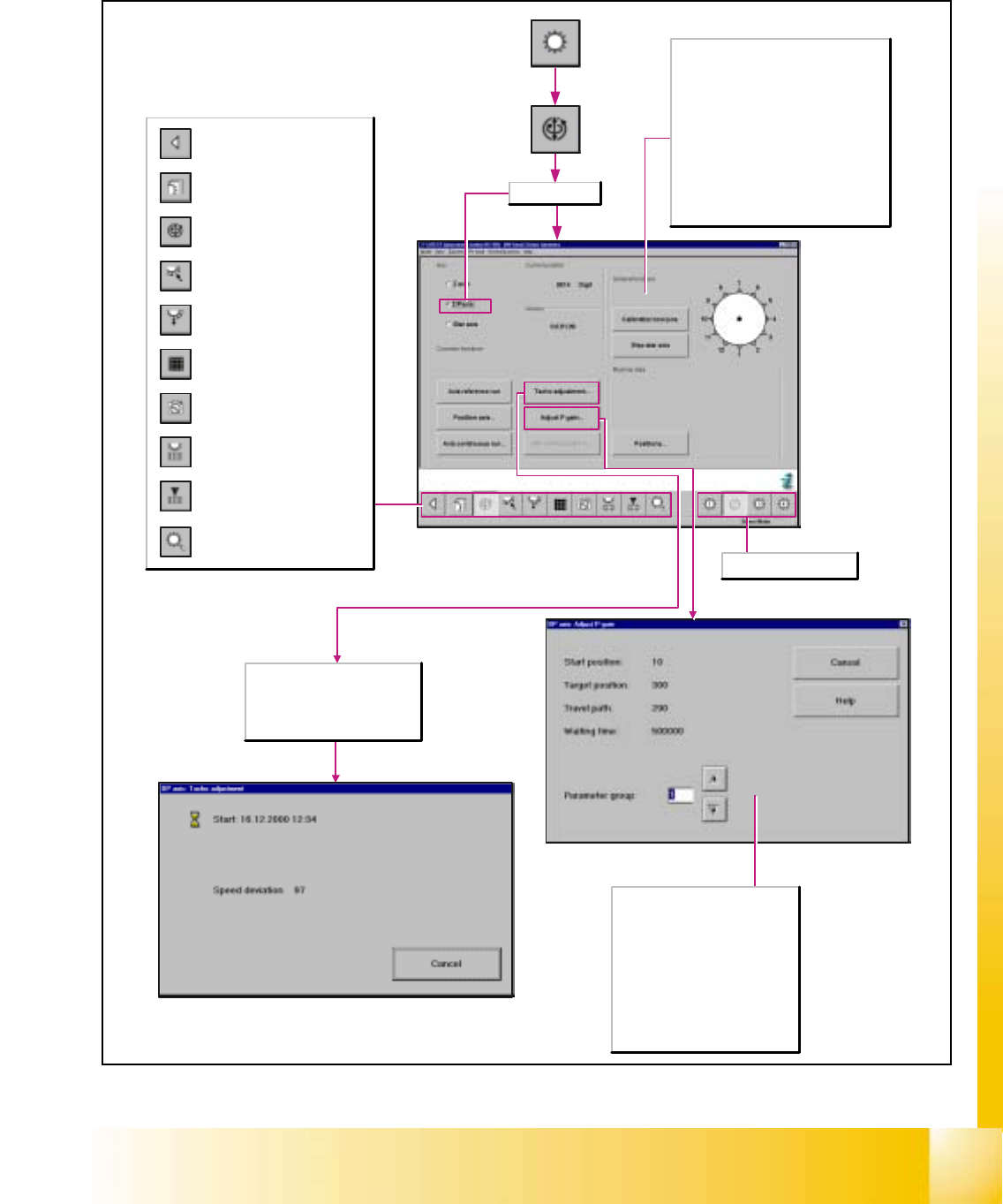
6.5.4 Functions of the DP-Axis
The positioning path is increased or
decreased, dependent on the
selected parameter group.
Selects the desired parameter group
from 1 to 10 and displays the values
determined for
- Start position
- Target position
-Travel path
- Waiting time
Starts the continuous run for
adjusting the speed of the DP-axis
and opens the Tacho adjustment
dialog box for the display of the
values determined.
General functions
Calibration tool position
During the adjustment of the P-gain of the
z-axis, the active gantry approaches the
calibration tool position, and then moves
the z-axis to the calibration tool pocket in
the continuous run mode.
Step star axis
This function is used to index the star.
Clicking on the button causes the star to be
advanced by one segment. The positions of
the individual segments are represented
graphically on the screen.
Opening the screen for the
magazin functions of the
revolver head nozzle changer
Return to the main
view.
Call-up the view for the functions
of the revolver head component
sensor.
Opening the screen for the head
functions of the revolver head
nozzle changer
Call-up of the display of the RV
camera functions.
Call-up of the display of the
mapping functions of the
revolver head.
Call-up of the display of the
functions of the revolver head in
the placement and pick-up
circuit.
Call-up of the display of the
functions of the revolver head in
the holding and reject circuit.
Call-up of the display of the axis
functions of the revolver head.
Call-up of the display of the
functions of the revolver head.
DP-axis selected
Selects revolver head 1-4.
06/2002 Edition Student Guide HS-50 Advanced I
6 Operating the SITEST Software
26
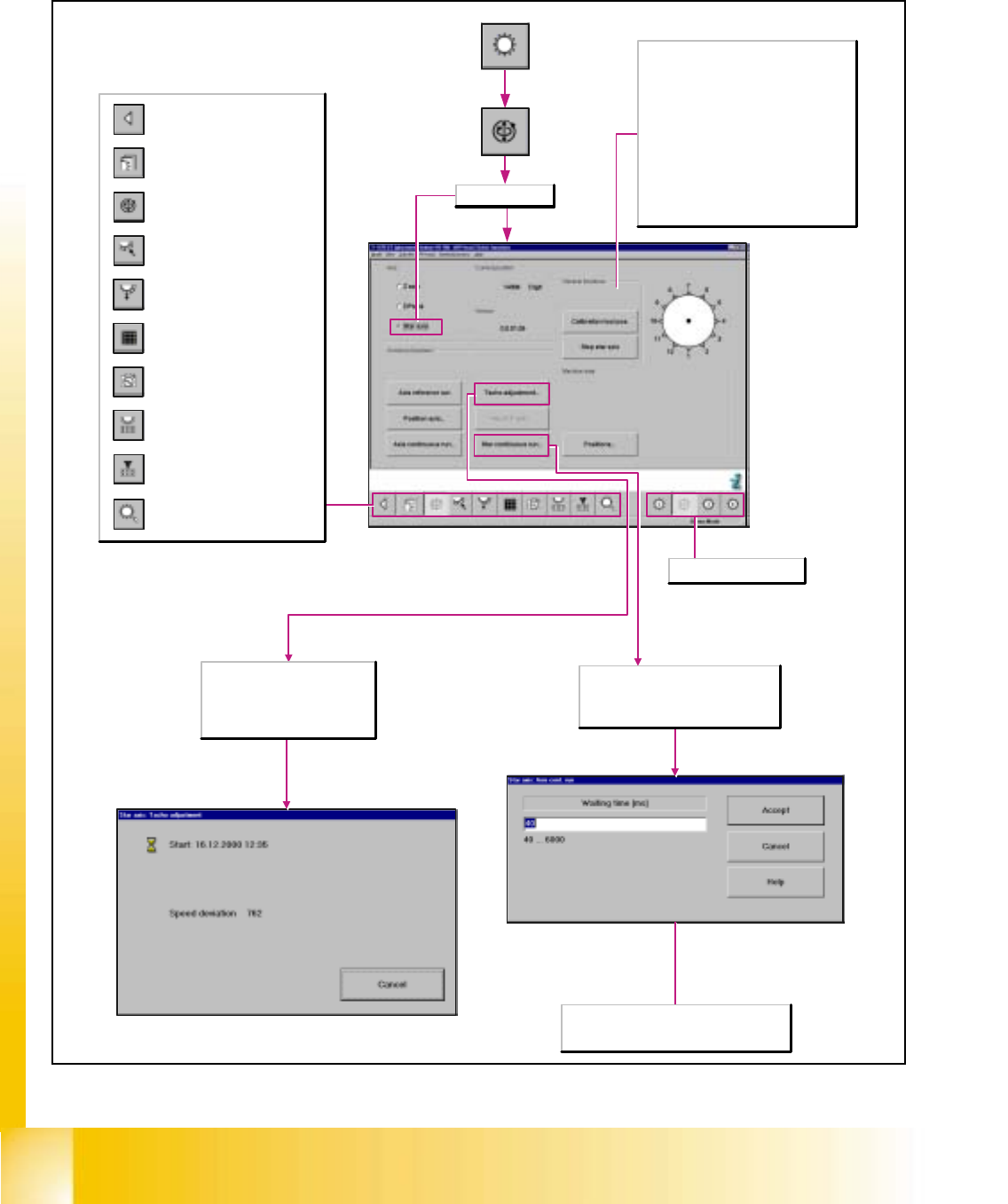
6.5.5 Functions of the Star Axis
General functions
Calibration tool position
During the adjustment of the P-gain of the
z-axis, the active gantry approaches the
calibration tool position, and then moves
the z-axis to the calibration tool pocket in
the continuous run mode.
Step star axis
This function is used to index the star.
Clicking on the button causes the star to be
advanced by one segment. The positions of
the individual segments are represented
graphically on the screen.
Starts the continuous run for
adjusting the speed of the Star
axis and opens the Tacho
adjustment dialog box for the
display of the values determined.
Waiting time [msec]
In the data entry field enter the desired value
that must lie within the specified value range.
Opening the screen for the
magazin functions of the
revolver head nozzle changer
Return to the main
view.
Call-up the view for the functions
of the revolver head component
sensor.
Opening the screen for the head
functions of the revolver head
nozzle changer
Call-up of the display of the RV
camera functions.
Call-up of the display of the
mapping functions of the
revolver head.
Call-up of the display of the
functions of the revolver head in
the placement and pick-up
circuit.
Call-up of the display of the
functions of the revolver head in
the holding and reject circuit.
Call-up of the display of the axis
functions of the revolver head.
Call-up of the display of the
functions of the revolver head.
Star axis selected
Selects revolver head 1-4.
Opens the Axis continuous run dialog
box for presetting the waiting time of the
axis continuous run and for indexing the
star axis in the continuous run.