HS50_advance_level 1_20200522_221201 (1).pdf - 第27页
Studen t Guide HS-50 A dvanced I 06/200 2 Edition 1 Safet y Consider ation 11 Alwa y s place the modules on a conductive surface (table with a n E SD coating, conductive ESD foam, ESD ba g or container). 1 Do not bring m…

06/2002 Edition Student Guide HS-50 Advanced I
1 Safety Consideration
10
1.2 ESD guidelines
1.2.1 What does ESD mean?
Almost all of the modules in use today are equipped with highly integrated MOS blocks and com-
ponents. The manufacturing techniques used mean that these electronic components are ex-
tremely sensitive to overvoltage and thus to electrostatic discharge. 1
The abbreviation for such modules is 'ESD' (Electrostatic Sensitive Device). This is used interna-
tionally, although the German abbreviation 'EGB' may also be seen. 1
The following symbol on cabinet rating plates, racks or packaging indicates that components
which are sensitive to electrostatic discharge have been used and thus that the modules con-
cerned are also touch-sensitive. 1
ESDs can be destroyed by voltages and power levels that are far below the level
that can be perceived by humans. Such voltages occur if a person touches a com-
ponent or module without grounding themselves. Components that are exposed
to such overvolt-ages do not generally appear to be defective immediately - incor-
rect behavior starts after the component or module has been in operation for some time. 1
1.2.2 Important measures to protect against static charging
➠ Most plastics can easily become charged and must therefore be kept away from at-risk com-
ponents.
➠ Always ensure that people, the workplace and packaging are safely grounded when handling
electrostatic sensitive components.
1.2.3 Handling ESD modules
Do not touch electronic modules unless it is absolutely essential to do so in order to carry out other
work. If it is necessary, make sure that you do not touch the pins or printed conductors when you
pick up flat modules. 1
Do not touch components unless 1
➠ you are constantly grounded by an ESD wrist strap or
➠ you are wearing ESD shoes or ESD shoe grounding strips on an ESD floor.
1
Always discharge yourself before you touch an electronic module. To do this, simply touch a con-
ductive and grounded object immediately before you touch the module (such as unpainted parts
of a switch cabinet, a water pipe, etc.). 1
Do not allow modules with chargeable and highly insulating materials to touch one another, e.g.
plastic films, insulating table surfaces or items of clothing made from synthetic fibers. 1

Student Guide HS-50 Advanced I 06/2002 Edition
1 Safety Consideration
11
Always place the modules on a conductive surface (table with an ESD coating, conductive ESD
foam, ESD bag or container). 1
Do not bring modules near visual display units, monitors or televisions. Keep them at least 10 cm
away from the screen. 1
1.2.4 Measurements and modifications to ESD modules
Do not take measurements on such modules unless
➠ the measuring device is grounded (e.g. via PE conductors) or
➠ you discharge the measuring head just before taking measurements with a potential-free mea-
suring device (e.g. by touching an unpainted metal part of the controller casing).
➠ Always use an grounded soldering iron if you carry out any soldering work.
1.2.5 Shipping ESD modules
➠ Always store modules and components in conductive packaging (e.g. metallized plastic bags
or metal sleeves) and ship them in conductive packaging.
If the packaging is not conductive, place the modules in a conductive envelope before pack-
aging. (Use ESD bags, domestic aluminum foil or paper, for example. NEVER use plastic bags
or film). 1
➠ If the module has integral batteries, ensure that the conductive packaging does not touch or
short-circuit the battery terminals and, if necessary, first cover the terminals with insulating tape
or material.
1
1
06/2002 Edition Student Guide HS-50 Advanced I
1 Safety Consideration
12
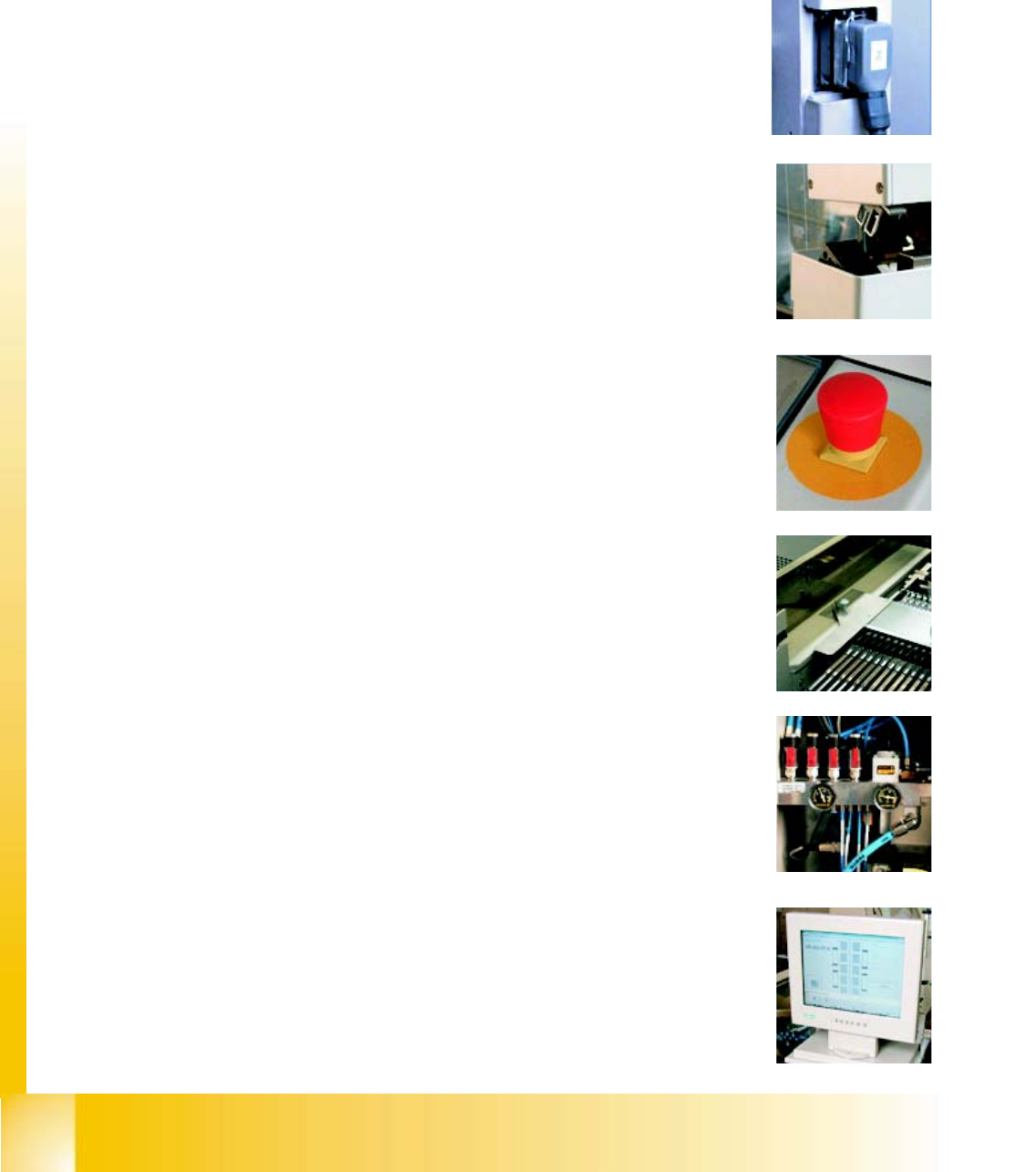
1.3 Safety Circuit HS-50
The following conditions must be fullfilled before starting or operating the HS-50
– All four component change over tables must be docked and connected.
– All six protective hoods must be closed
– Both Emergency Stop buttons must be unlocked
– All four component protective flaps covering the buttons
for raising and lowering the component changeover table
must be closed.
– The minimum operating pressure 5,5 bar must be reached
– The software must be released