HS50_advance_level 1_20200522_221201 (1).pdf - 第325页
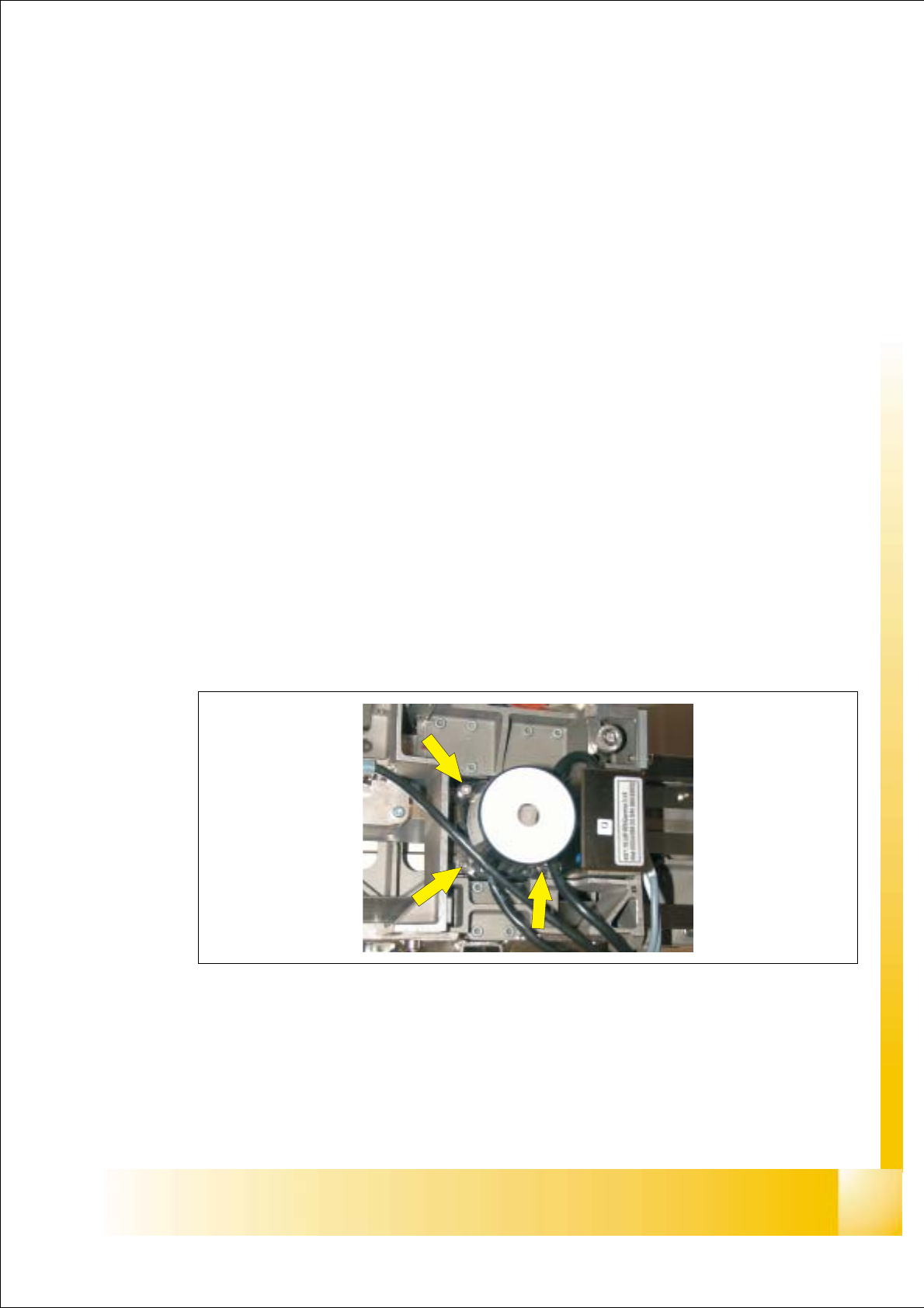
06/2002 E dition Studen t Guide H S-50 Advance d I 8 Gant ry 2 8.1.4 Fittin g the PCB Camer a Module ➠ Place the Camera Module i n to the machine and fix the cameara with the 3 A llen screws (see Fig: F ig. 8 .1 - 1). ➠ …
Student Guide HS-50 Advanced I 06/2002 Edition
8 Gantry
1
8Gantry
8.1 PCB Camera
8.1.1 Tools and equipment
– Set of DIN 911 Allen keys
– SITEST program
8.1.2 Parts
PCB Optical Module KST Item-No: 00344065-02 8
8.1.3 Removal of the PCB Camera
➠ Disconnect the Cable Camera Signal (see Fig: fig 8.3 - 1 Pos: 2) and cable illumination control
(see Fig: fig 8.3 - 1 Pos: 3) from the Head board HS-50.
➠ Remove the cable fixing straps.
➠ Loose the 3 Allen screws (see Fig: Fig. 8.1 - 1) and take the Camrea module out of the
machine.
Fig. 8.1 - 1 PCB Camera Module: Screws

06/2002 Edition Student Guide HS-50 Advanced I
8 Gantry
2
8.1.4 Fitting the PCB Camera Module
➠ Place the Camera Module into the machine and fix the cameara with the 3 Allen screws
(see Fig: Fig. 8.1 - 1).
➠ Fit the cables properly into the machine and fix the cables with with straps.
➠ Connect the Cable Camera Signal (see Fig: fig 8.3 - 1 Pos: 2) and cable illumination control
(see Fig: fig 8.3 - 1 Pos: 3) to the Head board HS-50.
8.1.5 Settings
➠ Start the placement system.
➠ Use the SITEST program to calibrate the PCB camera.
Student Guide HS-50 Advanced I 06/2002 Edition
8 Gantry
3
8.2 Proximity Switch X- / Y- Axis
NOTE
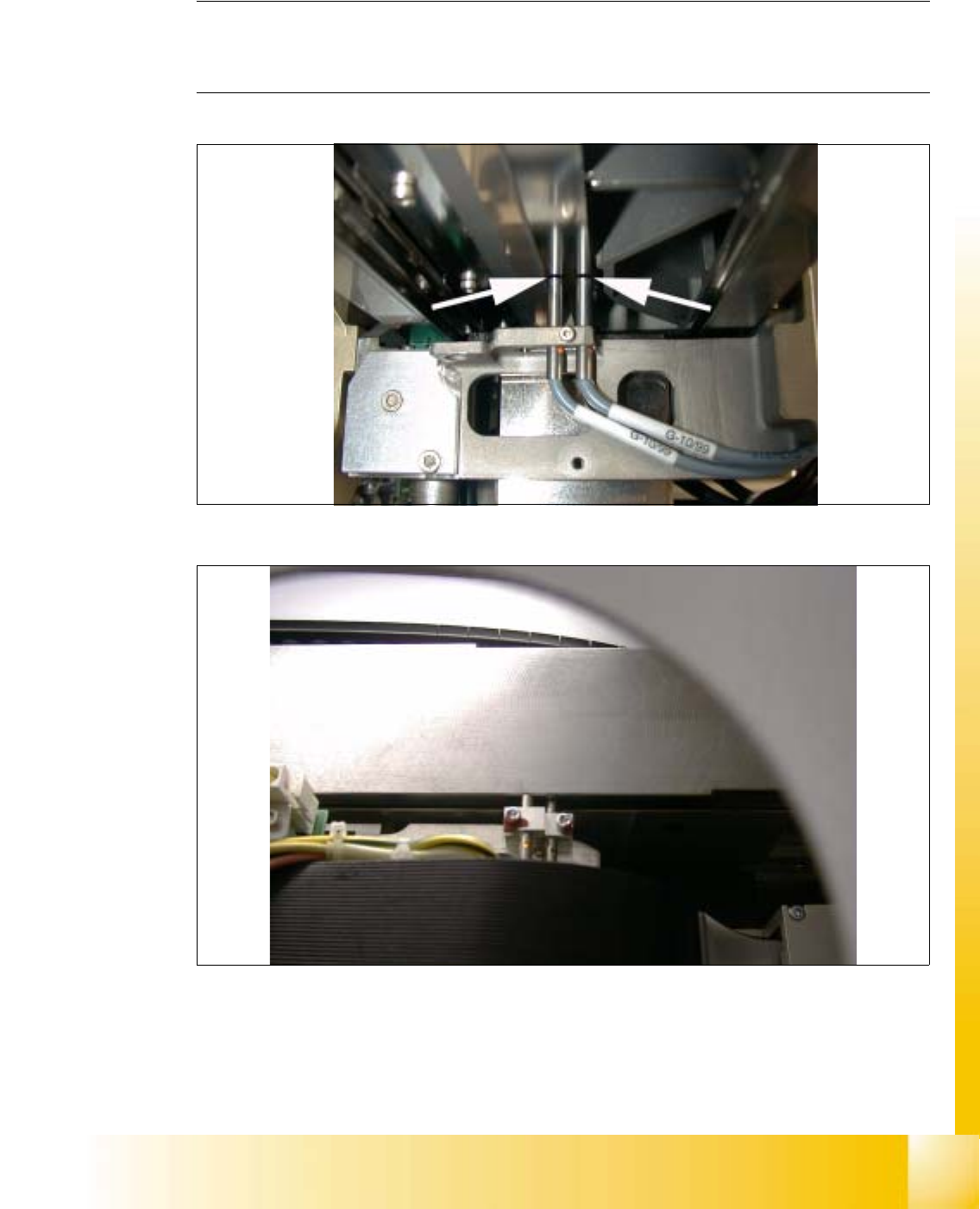
The distance between both proximity switches of the x- and y- axis, is set to 0.2 mm.
(Measured from the operational plane). 8
8
fig 8.2 - 1 Proximity switch, travel range x-axis
8
fig 8.2 - 2 Proximity switch, travel range y-axis, foto made without cover