HS50_advance_level 1_20200522_221201 (1).pdf - 第336页
Studen t Guide HS-50 A dvanced I 06/200 2 Edition 8 Gantry 13 8. 4.6. 1 Pre pa rati on ➠ Perform a reference run. 8.4 .6.2 T est o f the P roxi mity S wit ches on the Gan try ➠ Press the EMERG ENCY STOP button. ➠ Discon …

06/2002 Edition Student Guide HS-50 Advanced I
8 Gantry
12
➠ Press the START button.
– The axis will stop at the obstacle. The distance sensor has triggered.
➠ Press the EMERGENCY STOP button and remove the obstacle.
➠ Press RESET on the anti - crash board.
➠ Release the EMERGENCY STOP button and press the START button.
➠ Perform a gantry reference run.
➠ Perform the same test with placement area II.
NOTE
For placement area I, select "gantry 3". Edit and accept a target position of 600,000 dgts. 8
8.4.6 Functions Control of the Anti - Crash Board
NOTE
This test is identical for all gantry groups.
DANGER
You must press the EMERGENCY STOP button BEFORE you activate RESET on the anti - crash
board.
If you do not press the EMERGENCY STOP button, the axis will continue traversing immediately
after RESET. 8

Student Guide HS-50 Advanced I 06/2002 Edition
8 Gantry
13
8.4.6.1 Preparation
➠ Perform a reference run.
8.4.6.2 Test of the Proximity Switches on the Gantry
➠ Press the EMERGENCY STOP button.
➠ Disconnect the appropriate plug of the proximity switch. (See table 8.4 - 1 ).
➠ Release the EMERGENCY STOP button.
➠ Press the START button.
➠ Select the x- / y- axis, depending on the disconnected proximity switch.
SITEST: 8
➠ Select "Gantry" ==> "Select gantry" ==> "Axis functions" ==>
"Select appropriate axis" ==> "Adjust P-gain" ==> "Set a travel range of 9 (200,000 dgts)".
➠ Press the START button.
➠ Select "Adjust P -gain" ==> "Use cursor to increase distance to travel range 9".
– The anti - crash board responds.
– The selected axis will reduce its speed in the relating direction.
– Due to the response of the anti - crash board, the error message: "Distance of gantry too short,
protective switch responded" coercively will appear.
➠ Press the EMERGENCY STOP button.
➠ Reconnect the appropriate proximity switch. (See table 8.4 - 1 ).
➠ Press RESET on the anti - crash board.
➠ Release the EMERGENCY STOP button.
➠ Select "Abort" and press the START button.
– The axis is back in its normal mode.
06/2002 Edition Student Guide HS-50 Advanced I
8 Gantry
14
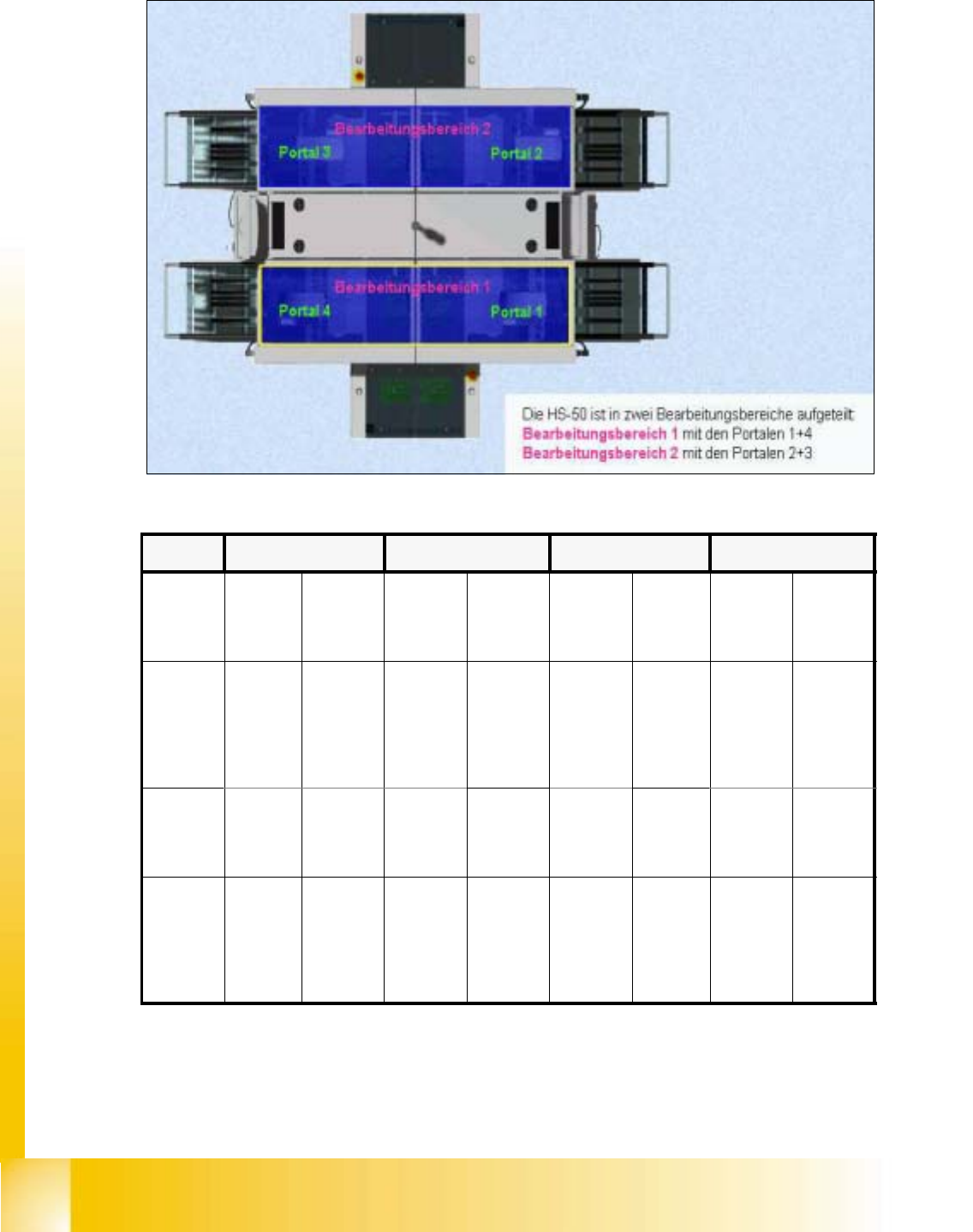
fig 8.4 - 2 Counting directions
table 8.4 - 1
G I G II G III G IV
connec-
tor on
board
C 0050
X16 X17 X16 X17 X16 X17 X16 X17
speed of
x-axis is
reduced
in count-
ing
direction
positive negative negative positive negative positive positive negative
connec-
tor on
board
C 0050
X7 X8 X7 X8 X7 X8 X7 X8
speed of
y-axis is
reduced
in count-
ing
direction
positive negative positive negative negative positive negative positive