HS50_advance_level 1_20200522_221201 (1).pdf - 第354页
Studen t Guide HS-50 A dvanced I 06/200 2 Edition 9 Con veyor System 13 9.4 Limit Switch a nd Proximity Sw i tch W idth A d ju st - ment 9 f ig 9.4 - 1 D is tance of pr oxim it y sw it ch 9 ➠ Position gantry 2 abo ve the…
06/2002 Edition Student Guide HS-50 Advanced I
9 Conveyor System
12
9.3 Adjustment of the Proximity Switches PCB Stop-
per
9
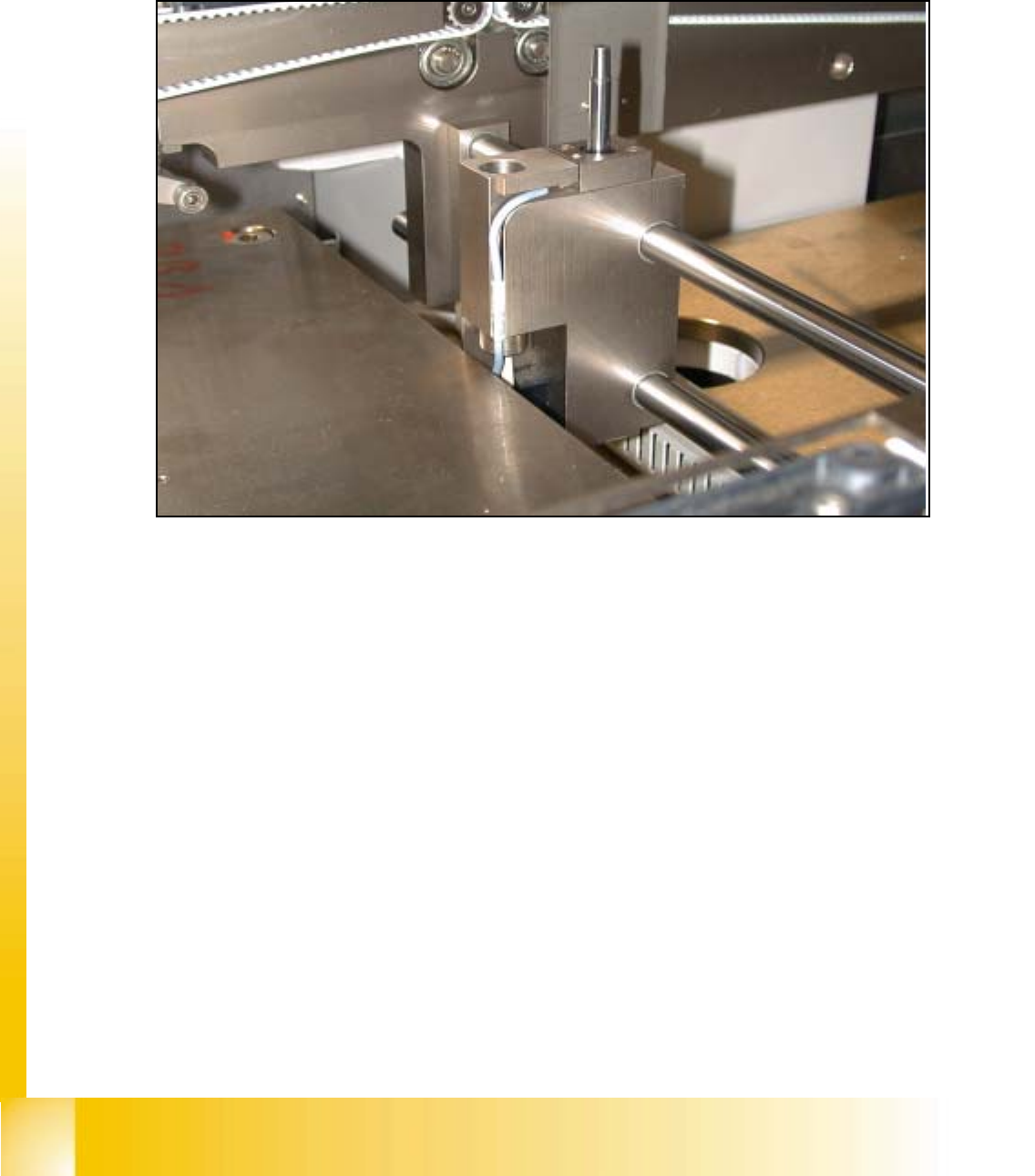
fig 9.3 - 1 Proximity switch stopper
➠ Utilize the menu for the extraction of the PCB stopper.
SITEST: 9
➠ Select "Transport functions" ==> "PCB conveyor 1 or 2" ==> "Stopper 1 (2)
retract / extract".
➠ Carefully, move the proximity switch until contact is reached.
➠ Pull back the proximity switch until a small gap of approximately 0.2 mm is reached, while the
contact must not get interrupted.
Student Guide HS-50 Advanced I 06/2002 Edition
9 Conveyor System
13
9.4 Limit Switch and Proximity Switch
Width Adjust-
ment
9
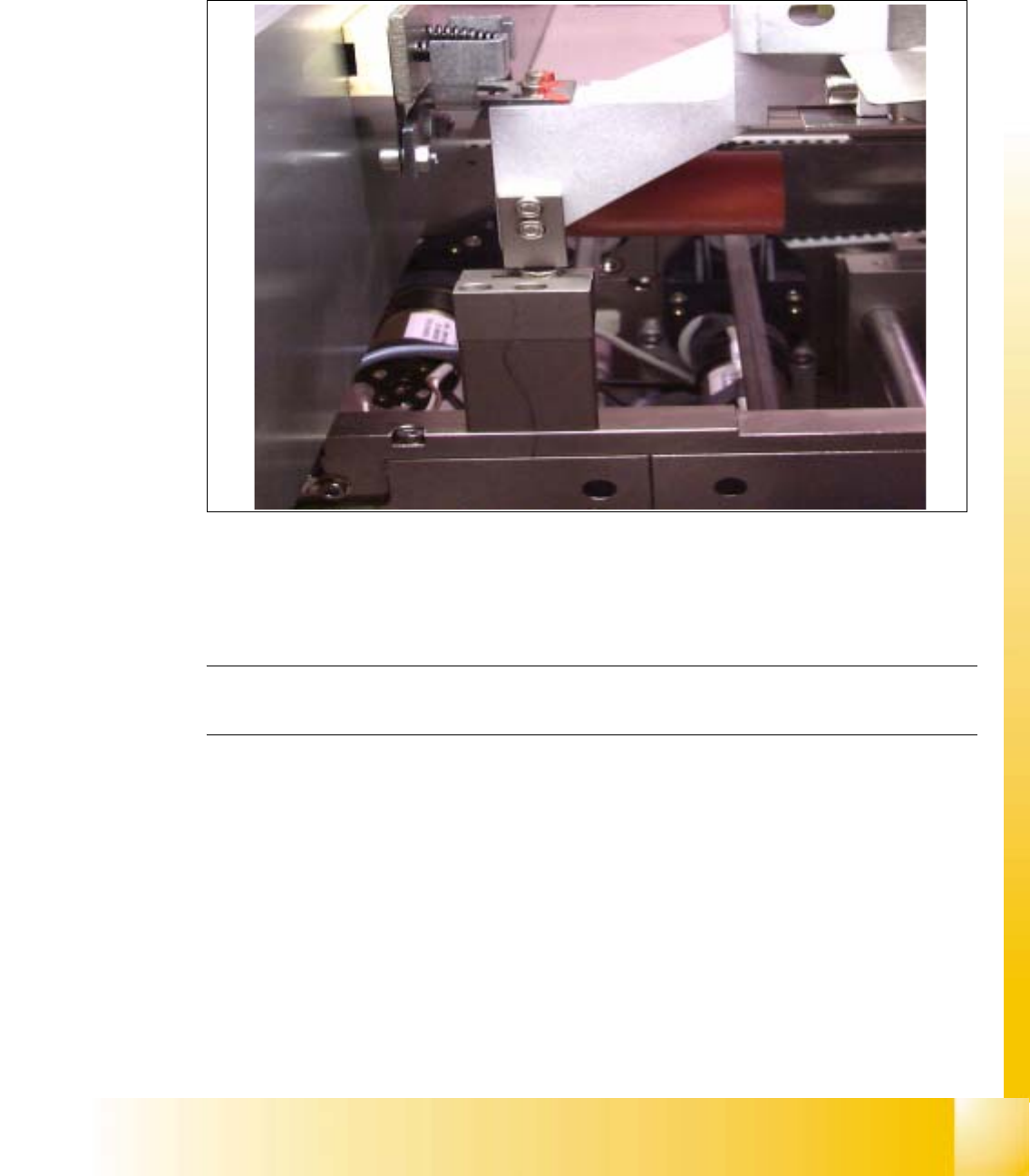
fig 9.4 - 1 Distance of proximity switch
9
➠ Position gantry 2 above the proximity switch.
➠ Set a distance of 0.4 mm.
NOTE
Adjust the second conveyor the same way. 9
06/2002 Edition Student Guide HS-50 Advanced I
9 Conveyor System
14
9
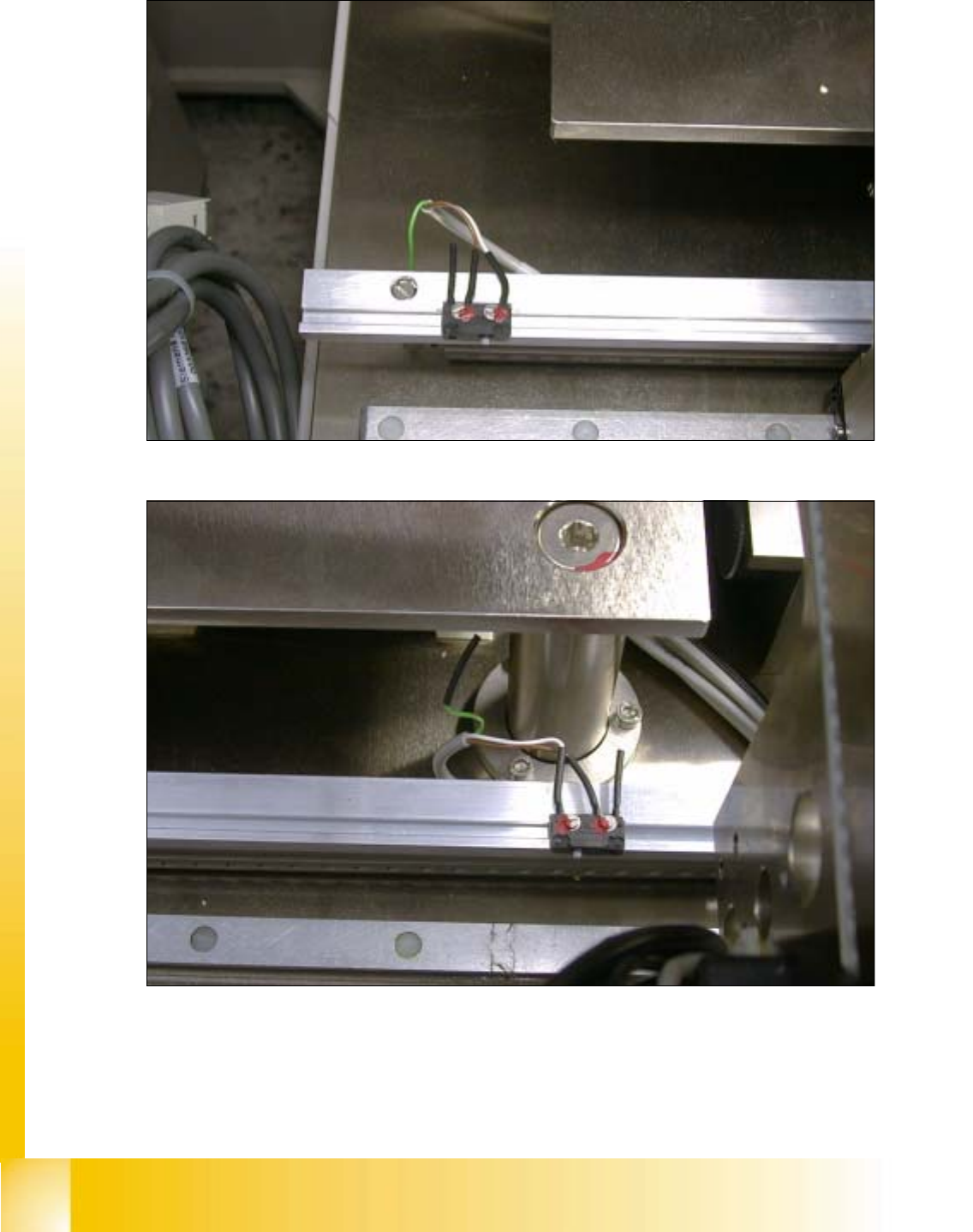
fig 9.4 - 2 Limit switch conveyor width adjustment, maximum widht
9
fig 9.4 - 3 Limit switch conveyor width adjustment, minimum widht