HS50_advance_level 1_20200522_221201 (1).pdf - 第357页
06/2002 E dition Studen t Guide H S-50 Advance d I 9 Co nveyor Syst em 16 9. 5. 2 Li ftin g tab le DAN G E R Comply wi th the saf ety inst r uct io ns . 9 CA UTION The cus tomer must not loosen s crews secured with…
Student Guide HS-50 Advanced I 06/2002 Edition
9 Conveyor System
15
9.5 Lifting table and motor
9.5.1 Functionality of the clamping system
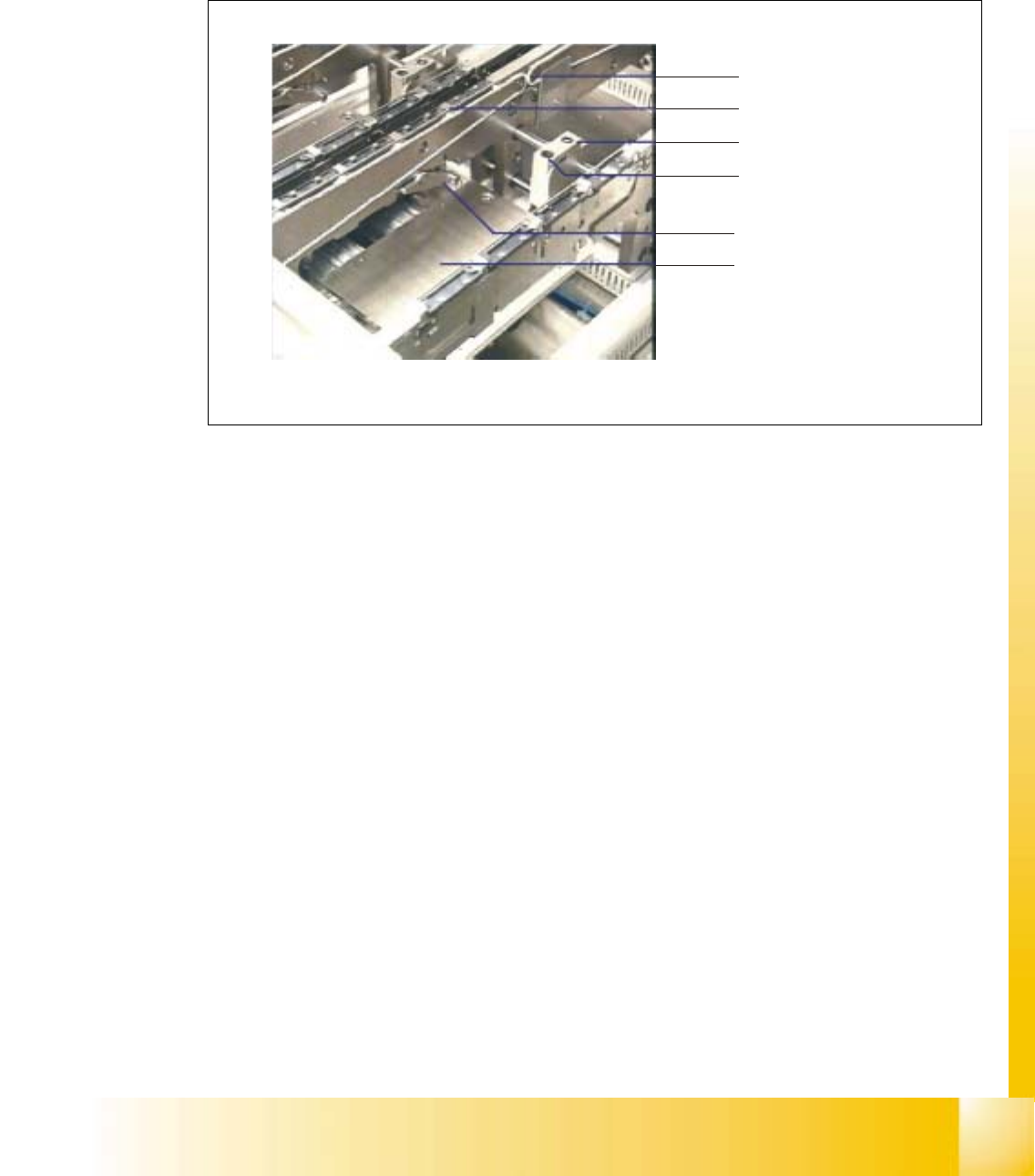
Fig. 9.5 - 1 Clamping system
The PCBs lie on conveyor belts, which are driven by DC motors. The transport process is moni-
tored by means of ultrasonic sensors (proximity switches).
A lifting table is raised by cams and the left- and right-hand clamping combs are applied by means
of a rocking lever.
Conveyor belt
PCB clamp
Stopper
Proximity switc
h
Rocking lever
Lifting table

06/2002 Edition Student Guide HS-50 Advanced I
9 Conveyor System
16
9.5.2 Lifting table
DANGER
Comply with the safety instructions. 9
CAUTION
The customer must not loosen screws secured with loctite (e.g., on the screws fastening the guide
pillars of the lifting table). 9
NOTE
The lifting table plate must be removed, for example, in order to exchange hold-down device and
compression spring or to work in the area under the lifting table plate. For the layout of the lifting
table and the lifting table motors 9
➠ Removing the Lifting Table
➠ Move the conveyor to maximum width.
➠ Move the Y-gantries into the area outside the PCB conveyor.
➠ Turn off the machine at the main switch and disconnect the machine from the mains.
➠ Conscientiously secure the machine against reactivation during servicing work.
➠ In the pertinent conveyor area, on the fixed and the movable conveyor side, slightly loosen the
M3 set screw on the ball bearing of each rocking lever.
➠ Being careful not to lose the set screw, remove the two ball bearings.
WARNING
During the subsequent lifting of the lifting table plate there is a risk of body members being
pinched, crushed or cut off, e.g., between the outer edges of the lifting table plate and the con-
veyor assemblies. 9
➠ Holding the lifting table plate with both hands, lift it up vertically.
➠ Make certain the lifting table is not tilted while being lifted, otherwise the guide pillars could be
bent in the process.
CAUTION
Do not place the lifting table plate on its side and do not support it on the guide pillars. 9
➠ Place the lifting table plate upside down on a clean, flat surface.

Student Guide HS-50 Advanced I 06/2002 Edition
9 Conveyor System
17
➠ Carry out the steps in the area under the lifting table plate (e.g., exchange the proximity switch
for the motor or the lifting table or the limit switch for min./max. conveyor width as described in
the pertinent section below.
9.5.2.1 Installing the Lifting Table
WARNING
During the subsequent installation of the lifting table plate there is a risk of body members being
pinched, crushed or cut off, e.g., between the outer edges of the lifting table plate and the conveyor
assemblies. 9
➠ Make certain that the transmission lever on the pertinent lifting table motor is folded down on
the lifting curve.
➠ Holding the lifting table with both hands, place it into the guiding tubes with the guide pillars
vertical.
➠ Let the lifting table plate slowly side down.
➠ Check whether the lifting table plate is completely seated on the lifting curve.
➠ Install the pertinent ball bearing on the rocking levers.