HS50_advance_level 1_20200522_221201 (1).pdf - 第362页
Studen t Guide HS-50 A dvanced I 06/200 2 Edition 9 Con veyor System 21 9.6 PCB handling 9.6. 1 Conveyo r s ystem wit h out a b oar d F ig. 9.6 - 1 C on veyo r s y stem wi tho ut a board senso r se nsor T rans port dire …

06/2002 Edition Student Guide HS-50 Advanced I
9 Conveyor System
20
CAUTION
When several lifting table motors are being removed/installed at the same time, check that the
plug-and-socket connections in the cable duct are allocated correctly (see the circuit diagram
:Power supply for lifting table motors 1 - 4"). The strain on the plug-and-socket connections must
be relieved after the cable ties are attached. 9
➠ Remove all tools, etc., form the working area of the machine.
➠ Fold the transmission lever on the lifting table motor down .
➠ Install the lifting table plate as described in .
➠ Carry out the pertinent "Final steps including the function check".
Student Guide HS-50 Advanced I 06/2002 Edition
9 Conveyor System
21
9.6 PCB handling
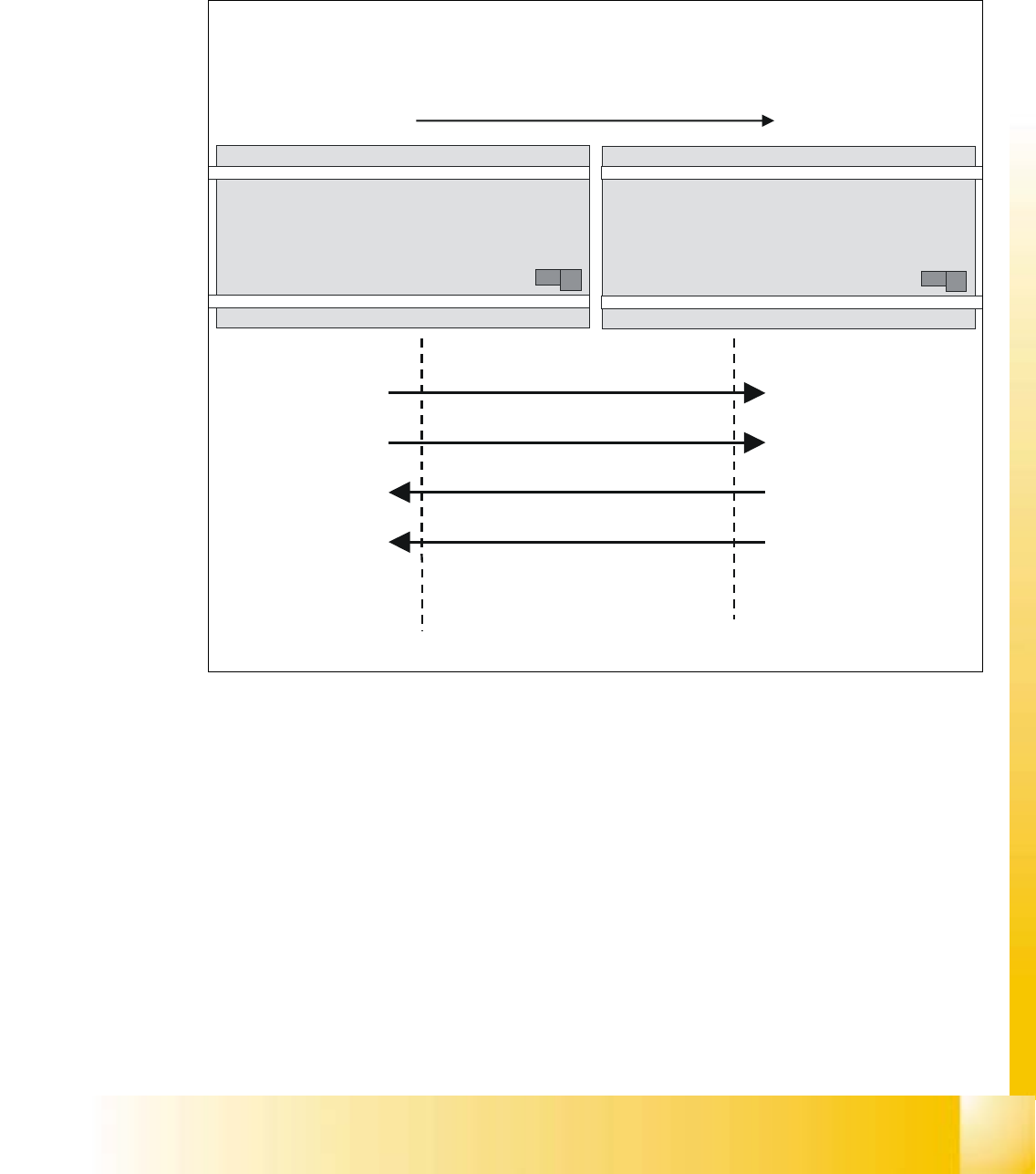
9.6.1 Conveyor system without a board
Fig. 9.6 - 1 Conveyor system without a board
sensor sensor
Transport direction
output conveyor
previous station
input conveyor
next station
Station 1 Station 2
0
Request
Passed
Permission
Arrived
Request
Passed
Permission
Arrived
0
0
0
06/2002 Edition Student Guide HS-50 Advanced I
9 Conveyor System
22
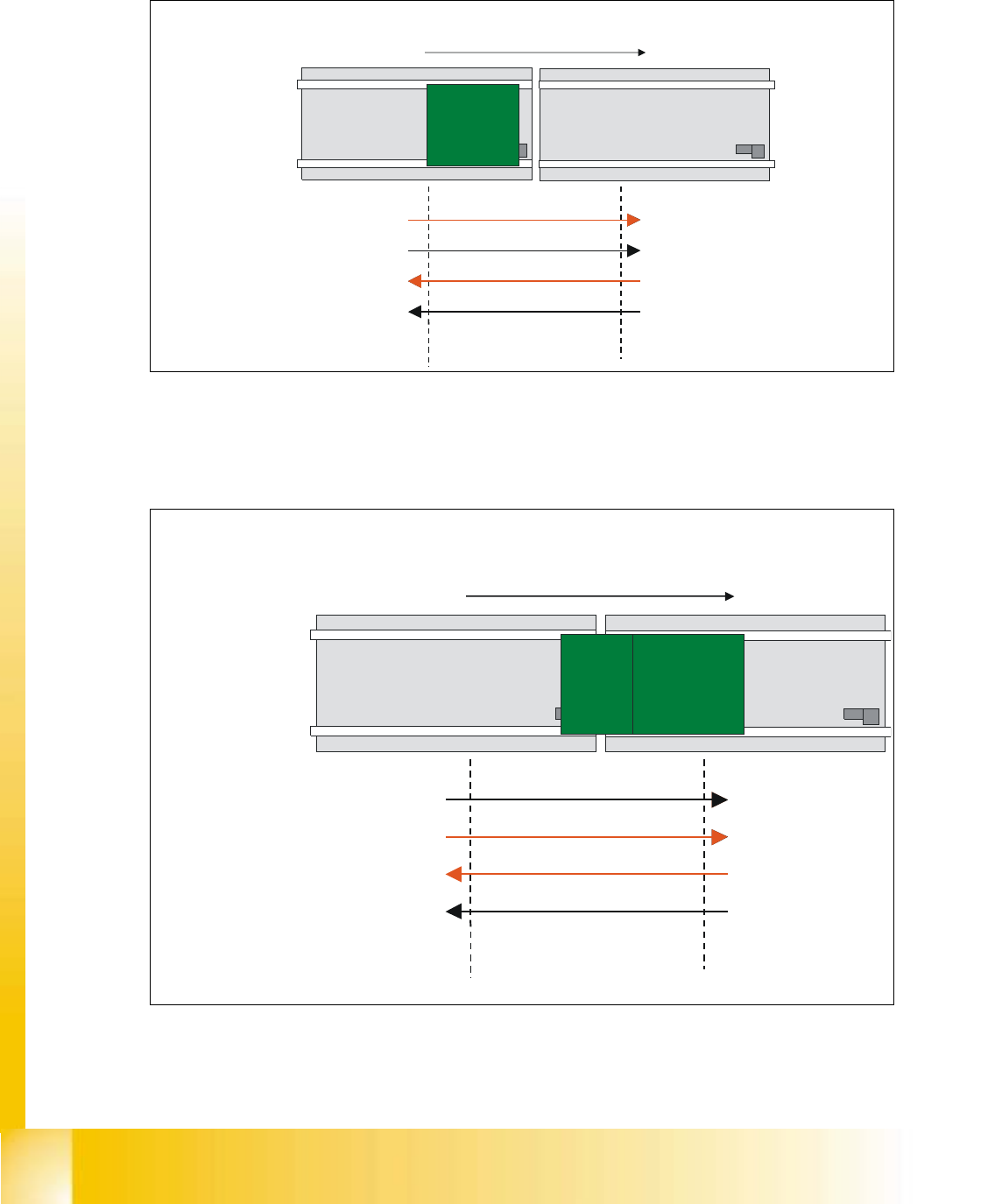
9.6.2 Conveyor system with a board transported from station 1 to station 2
Fig. 9.6 - 2 Conveyor system with a board transported from station 1 to station 2
9.6.3 Conveyor system with a board transported from station 1 to station 2
Fig. 9.6 - 3 Conveyor system with a board transported from station 1 to station 2
sensor sensor
Transport direction
output conveyor
previous station
input conveyor
next station
Station 1 Station 2
0
Request
Passed
Permission
Arrived
Request
Passed
Permission
Arrived
0
0
0
PCB
Having finished placement
station1 moves the board
into the output conveyor
2. With the PCB activating
the sonar bero in the
output conveyor, station
1 sets the „Request“
output, indicating board
ready to be transfered.
1
1
1. Without a board in the
input conveyor of station 2
the output „Permission“ is
set. Indicating to be ready
to receive the next board.
sensor sensor
input conveyor
next station
Station 2
Permission
1
1
Transport direction
output conveyor
previous station
Station 1
Request
Passed
Permission
Arrived
Request
Passed
Arrived
0
0
0
3. With the „Permission“
already given, the
board moves on.
4. While the board moves off
the sonar bero in station 1,
the „Request“ signal is
pulled back and the
„Passed“ signal set.
PCB PCB
1
5. With the board delivered
the conveyor in station 1
stops working.