HS50_advance_level 1_20200522_221201 (1).pdf - 第495页
06/2002 E dition S tudent Guide HS-50 Advance d I 12 Preve ntive Maintenance 62 12.10 Annua l mainten ance work 12

Student Guide HS-50 Advanced I 06/2002 Edition
12 Preventive Maintenance
61
Silencer
: Turn the silencer counterclockwise to remove.
a Clean the holes leading to the venturi nozzles using a cottonwool bud lightly moistened with
ethyl alcohol.
: Check the silencer for dirt.
If the silencer is discolored, replace it with a new one, and reverse the order described above
to fit.
12
Be careful not to damage the O-ring.
: Check the plastic mount for the silencer to ensure that it is not broken (10,000 head).
Assembling the vacuum generator
: Assemble the block and venturi nozzles and carefully tighten the screws.
s Reattach the compressed air hoses.
Use the pliers provided in the service box for the DLM 1 and DLM 1-6 heads.
Make sure that the right hose is attached to the right connection.
12
The hoses must latch firmly into the couplings.
12
: Refit the head cover (if necessary).
: Use the “Single Functions” menu to pick up the nozzles once more.
Trial placement run
Separating the front and back parts of the head can change the distance between the component
camera and the PCB camera.
: Carry out a trial component placement run to test whether the placement accuracy is still the
same.
: If the placement accuracy cannot be guaranteed, remeasure the placement head.
06/2002 Edition Student Guide HS-50 Advanced I
12 Preventive Maintenance
62
12.10 Annual maintenance work
12

Student Guide HS-50 Advanced I 06/2002 Edition
12 Preventive Maintenance
63
You will need the following tools, consumables and spare parts for the annual maintenance:
– Grease cartridge (item no. 02101696-01)
– SIPLACE cleaning cloth (item no. 00315253-01)
– ISOFLEX TOPAS NCA52 (Item no. 00328369-01can 1kg, 8-pack: 00366831-01)
– Damping tube protective cover (item no. 00334359-01).
: Select "Disable interface" on the station computer. The placement system will continue until
the last PCB is complete and has left the PCB conveyor.
: Open the two protective covers on one side of the machine (gantries 1+4 or 2+3).
: Move the gantry over the feeder modules. This will leave your working area clear.
12
Take hold of the handle and carefully move the gantry. Do not use too much force.
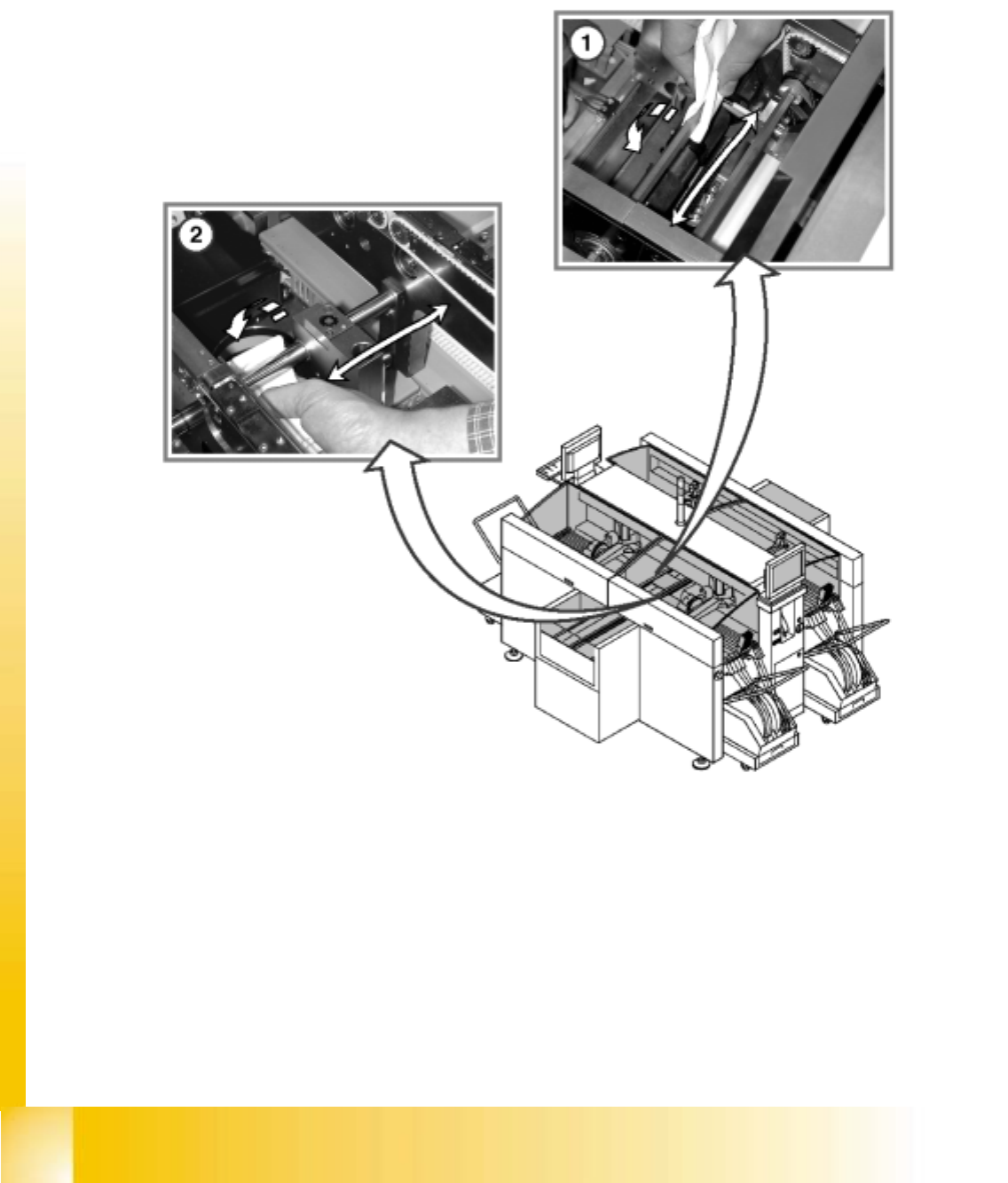
Clean and protect the PCB conveyor
a Clean and protect the recirculating ball screw by wiping a SIPLACE cleaning cloth over the
threads of the recirculating ball screw.
s Clean and grease the sliding surfaces of the guide rails with a SIPLACE cleaning cloth.
: Clean and protect the hexagonal shafts with a SIPLACE cleaning cloth.
: Clean and protect the guide shafts of the PCB stopper with a SIPLACE cleaning cloth.