HS50_advance_level 1_20200522_221201 (1).pdf - 第539页
06/2002 Edition S tudent Gui de HS- 50 Advanced I 20 App endix 12 20.4 Asse ssment o f machine st atus 20.4.1 Chec k list to star t machine t rouble sh ooting The fo llowi n g list is designed to offer a logical method o…
Student Guide HS-50 Advanced I 06/2002 Edition
20 Appendix
11
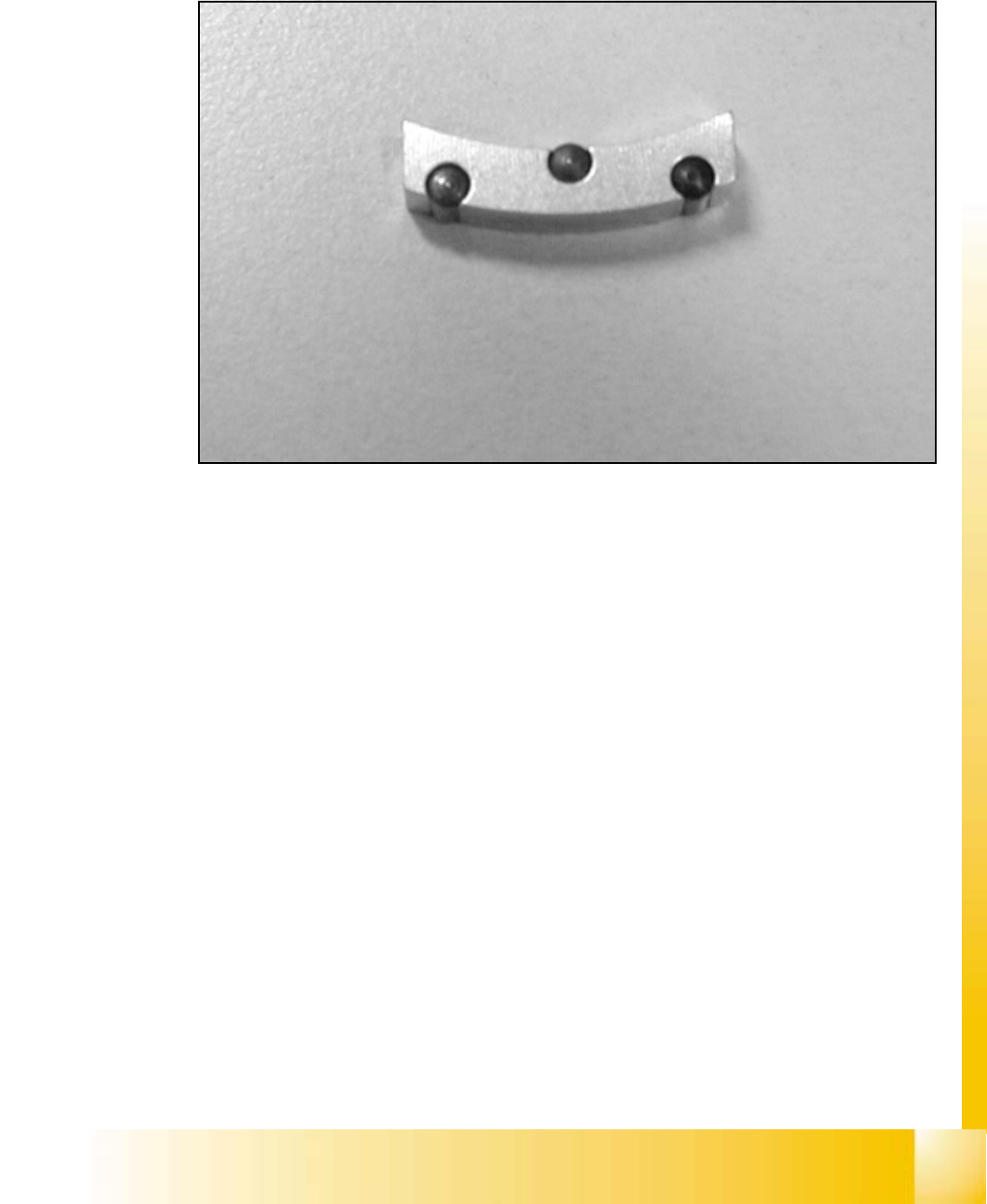
20.3.8 Gauge for Z-Axis
20
fig 20.3 - 10 Gauge for star 00331308-01
Application: 20
The gauge is used for the adjustment of the z-axis stop on the top. 20

06/2002 Edition Student Guide HS-50 Advanced I
20 Appendix
12
20.4 Assessment of machine status
20.4.1 Check list to start machine trouble shooting
The following list is designed to offer a logical method of assessing the condition of a machine to
enable troubleshooting to begin. The idea is to follow a set pattern to avoid missing basic problems
with the machine before more in depth troubleshooting begins.
1. Visual inspection of the machine.
– Check the head and gantry for freedom of movement. Take care that the Z-axes of the C&P
head are not in the down position before moving the gantry manually.
– Make sure the feeders are set correctly on the feeder tables. The feeders should be seated
firmly without sitting on any components. All feeder flaps should be properly closed.
– Inspect all Feeder tables for proper cable connections.
– Make sure the Dummy plug is properly installed.
– Ensure that no tools or materials are obstructing the path of the gantry that may cause a
head crash.
2. Turn on the machine.
– Ensure the line computer is booted up properly.
– Switch on the station.
3. Begin the preliminary walk-around of the machine.
– Check the LED’s on the ICOS vision card.
– Check the LED’s on machine controller for any fault indications.
– Check the LED’s on the power supply, (for S23 and new generation machines.)
– Check the LED’s on the axes boards for any fault indications.
– Check the LED’s on servo cage for any fault indications.
– Check the LED’s on machine head for proper communication signaling.
– Make sure the incoming Air pressure gauge indicates the proper operational pressure
range.
4. Check the Graphical User Interface (GUI) for proper operation.
– Check for the completion of the software booting sequence.
– Monitor the screen for any errors.
– Press the Start key to initiate the reference run when prompted to.

Student Guide HS-50 Advanced I 06/2002 Edition
20 Appendix
13
5. Observe the machine while it completes its reference run.
– The X- and Y- axes find their respective zero pulses.
– The C&P Heads perform successful reference runs.
– The C&P Heads perform successfull vacuum checks.
– The Revolver and IC heads perform successful height checks.
– The lifting table cycles.
6. Quick check of the machine functions using the Sitest.
– Go to Sitest functions.
– Check the transport functions. This includes the 5 conveyor sections, lifting table, and stop-
per.
– Operate the flap of the revolver head nozzle changer. Make sure it opens and closes nor-
mally.
– Check that the left and right cutter units are working.
– Check that hte C&P Head can return and pick nozzles smoothly.
– Return to main station menu.
7. Communications with line computer.
– Perform a successful transfer of a placement program from the line computer to the station.
– Observe the star head for the proper reconfiguration of nozzles from the nozzle garage if
the program requires it.
– Perform a manual configuration of nozzles if required.
– Observe the machine perform another reference run.
8. Monitor the machine during the placement of components.
– Ensure the PCB conveyor is adjusted to the correct width. Not too tight or loose for the PCB.
– Ensure the PCB stoppers are positioned approximately in the middle of the conveyor width.
– Do a placement with a reliable board and proper CAD data.
– Observe for proper pick up of components during the pick-up cycle.
– Observe that feeders are functioning properly and component reels are moving easily.
– Observe any trends in rejects due to pick-up or ID error.
– Check for PCB placement accuracy of all gantries.