HS50_advance_level 1_20200522_221201 (1).pdf - 第550页
Studen t Guide HS-50 A dvanced I 06/200 2 Edition 20 App endix 23 20.4 .4 C ommo n Pr ogram Rel ated Prob lems 20.4.4 .1 T esting and monit oring the s tatus of the he ad boa rd functi ons On eac h ga ntry mounted above …
06/2002 Edition Student Guide HS-50 Advanced I
20 Appendix
22
Nozzle error messages and
possible problems.
"2277 RV: intervals open-closed vacuum values too low".
The nozzle is deformed or has some material inside.
The plunger or segment is filled up with material.
Wrong nozzle on segment.
Vacuum sensor problem.
"2452 Leak in RV-head segment after placement Seg:"
The plunger is worn out.
"2454 Nozzle contaminated or worn out"
This message is caused by the camera. The nozzle is too dirty.
Too much dust or solderpaste on the nozzle.
Reject problems: nozzle-re-
lated, GF-related, feeder-re-
lated, segment-related.
The best thing is to use MaDaMaS and the error messages at
the station. Here the operator can obtain a lot of information to
solve the problem and maintain a high machine performance.
The operator has to find out whether the errors are nozzle-re-
lated, GF-related, feeder-related or segment-related before
starting on the problem.
Pick-up errors due to vacuum check:
Pick-up position is bad, feeder is not seated correctly on the ta-
ble, components between feeder table and feeder, nozzle is
deformed at the tip-the component cannot close the nozzle ad-
equately, o-ring on segment is defective, feeder does not sup-
ply the component correctly, feeder is not correctly
programmed, movable finger on the feeder does not uncover
the component in time, wrong nozzle, wrong setting for cubic
on/off in the GF-file, segment has too much friction-the prob-
lem especially shows up with very small components, support
under the tape for 0402 is not correctly seated or missing, etc.
GF-errors:
Wrong programming of the GF, such as toler
0402-subjects. Feeder: use the support between tape and feeder correctly.
Nozzles: check and maintain these nozzles more frequently
and replace them if necessary.
Segments: check friction of the segment (spring mecha-
nism!!!)
GF-data: use the correct values
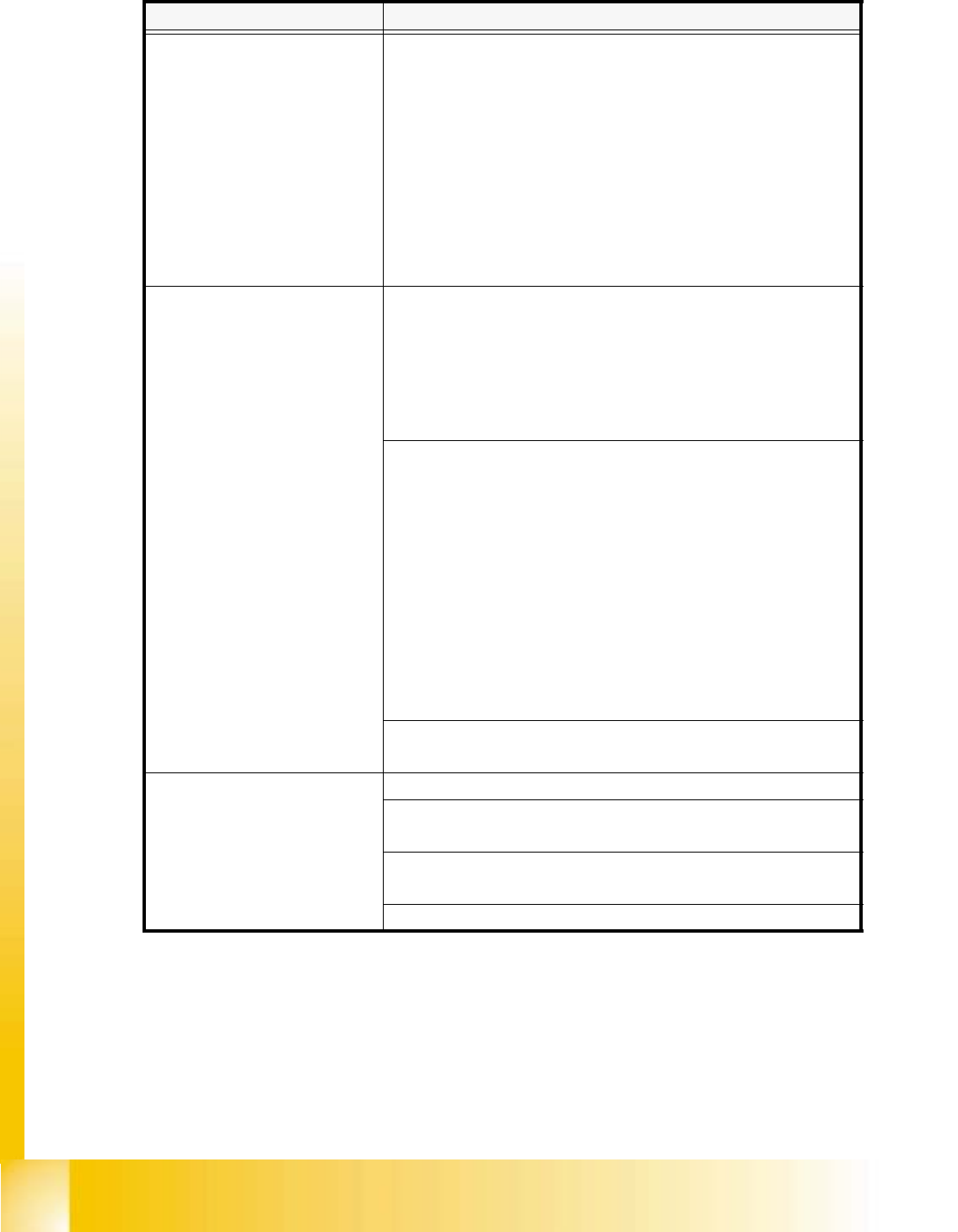
Error Message: Recovery:

Student Guide HS-50 Advanced I 06/2002 Edition
20 Appendix
23
20.4.4 Common Program Related Problems
20.4.4.1 Testing and monitoring the status of the head board functions
On each gantry mounted above the revolver head is the interconnection board which is also
known as the head board 550. This PCB is used to transmit signals associated with the revolver
head, down through the ribbon cables to the various control elements.
Some of these functions are transmitted via the CANBUS system and it is possible to monitor the
status some of these elements using the LEDs fitted to the PCB. The next pages describe what
each of the LED’s indicate and how using the Sitest program it is possible to test the functions that
the LEDs monitor.
Also transmitted via the CANBUS are the signals from the vacuum measurement PCB. This func-
tion can also be tested in Sitest as well as the normal Single Functions menu in the operational
software. A description on how to perform these tests and how to interperate the result is given in
the following pages.
Error Message: Recovery:
The placement offsets are the
same for all positions.
The programmed x/y-values of the fiducials are incorrect.
Compare with CAD-data! Fiducial has not been centered cor-
rectly during the fiducial teaching. Test the fiducial in the func-
tion fiducial teaching! If a multiple board is only measured by 2
or 3 fiducials the problem can be wrong offsets of the single
boards. Check CAD-Data or program fiducial measurement
for every single board! If the line or subline is only composed
of one 80S or 80F-machine, the problem is possibly the offset
between RV-camera and PCB-camera of gantry 1. Calibrate
machine!! The screen printing process of solder paste is inac-
curate.
Offsets are constant at a sta-
tion but vary from one PCB to
the next. The offsets for one
PCB are even different from
station to station.
Fiducial recognition problems. The individual stations detect
the fiducial centers at different locations. Test the fiducial in the
function fiducial teaching again!
Component related prob-
lems:
Wrong nozzle.GF-data needs modification. For instance, illu-
mination, contrast, measurement modes, nozzle, camera
type, special handling, dimensions. Wrong placement posi-
tion; check with original cad data at first!
06/2002 Edition Student Guide HS-50 Advanced I
20 Appendix
24
20.4.4.2 Testing the Head Board Functions
The functions of the head board are used to test the respective placement head. Normally, the test
is performed with the aid of the "Head continuous run" function (see display "RV head functions").
20.4.4.3 Functions of the RV Head in the Placement and Pick-Up Circuits
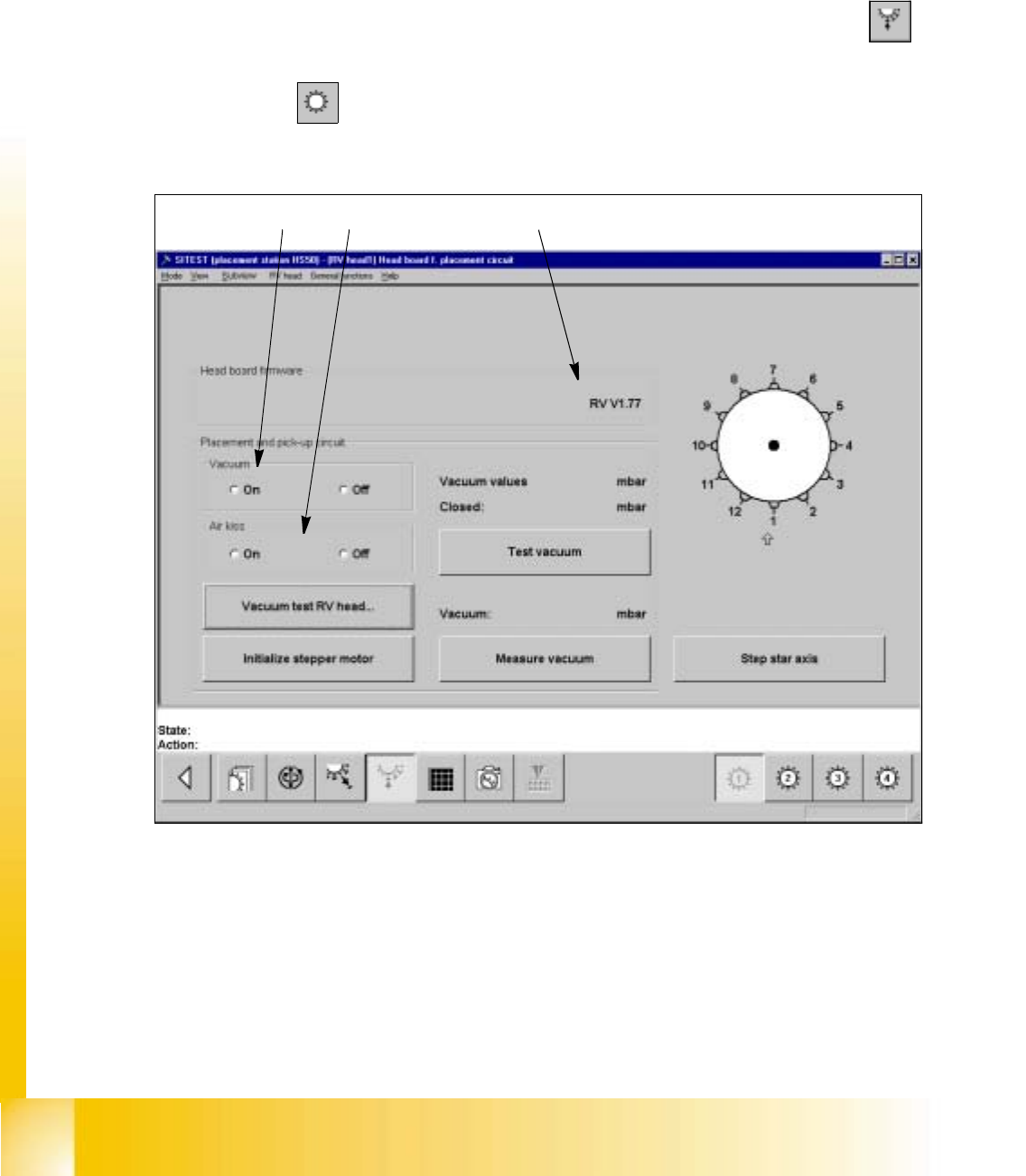
– If you wish to test the head functions in the placement and pick-up circuits, click on the
icon in
the "RV head" display to switch to the "Head board RV head, placement and pick-up cir-
cuit".
Fig. 20.4 - 1 "Head board RV head, placement and pick-up circuit" Display
Key:
a to switch the vacuum on/off
s to switch the air-kiss function at the placement station on/off
d version number of the firmware
12
3