3OM-1751-002w_G5S.pdf - 第126页
3OM-1751 1-72 1303-001 6.1 "INP / OUT" Window This window enables you to check the INP/OUT status of each section. [1] [2] [3] F3A49 [1] SELECT BLOCK Buttons Each block in the graphic image of the machine is pr…
3OM-1751
1-711303-001
6. "DVC Check" Submenu
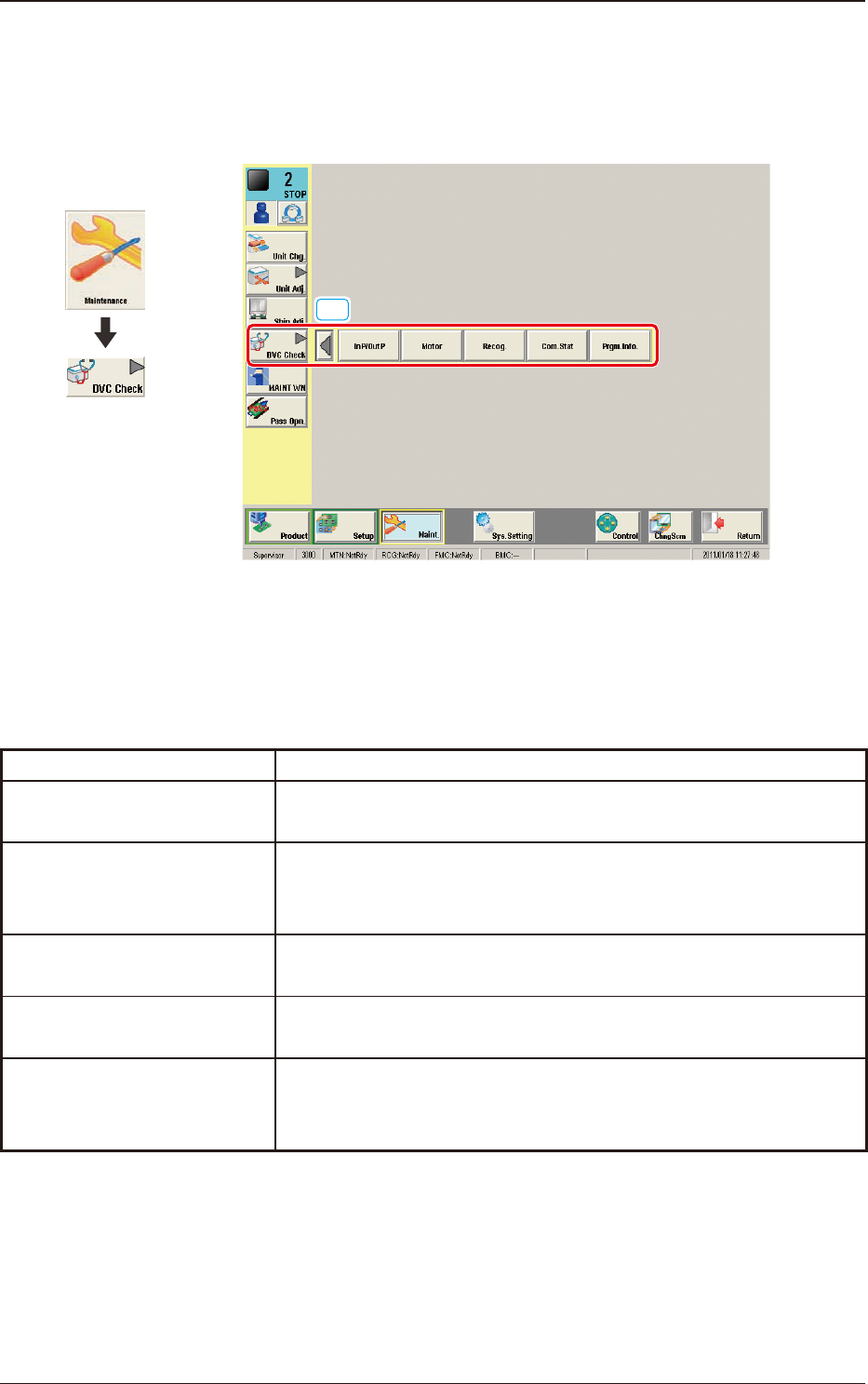
The corresponding window enables you to check the I/O signals and view the
status of each section.
[1]
F3A48
[1] "DVC Check" Submenu
The following buttons are arranged to display the operation windows for
executing each function for the device check.
Function Selection Buttons Description
In P/Out P
When pressed, the "INP / OUT" window opens, enabling you to
check the I/O status of each section.
Motor
When pressed, the "MOTOR" window opens, enabling you to
perform a manual operation (inching) of each unit and view the
current system information.
Recog.
When pressed, the "RECOG" window opens, enabling you to check
the I/O signals for the component and PEC recognition operations.
Com.Stat
When pressed, the "COM.STAT" window opens, enabling you to
check the communication status of each section.
Prgm.Info.
When pressed, the "PRGM.INFO." window opens, enabling you to
view the current program information and setup logs used for the
machine.
T3A5
Graphic
Development
6. "DVC Check" Submenu
3OM-1751
1-721303-001
6.1 "INP / OUT" Window
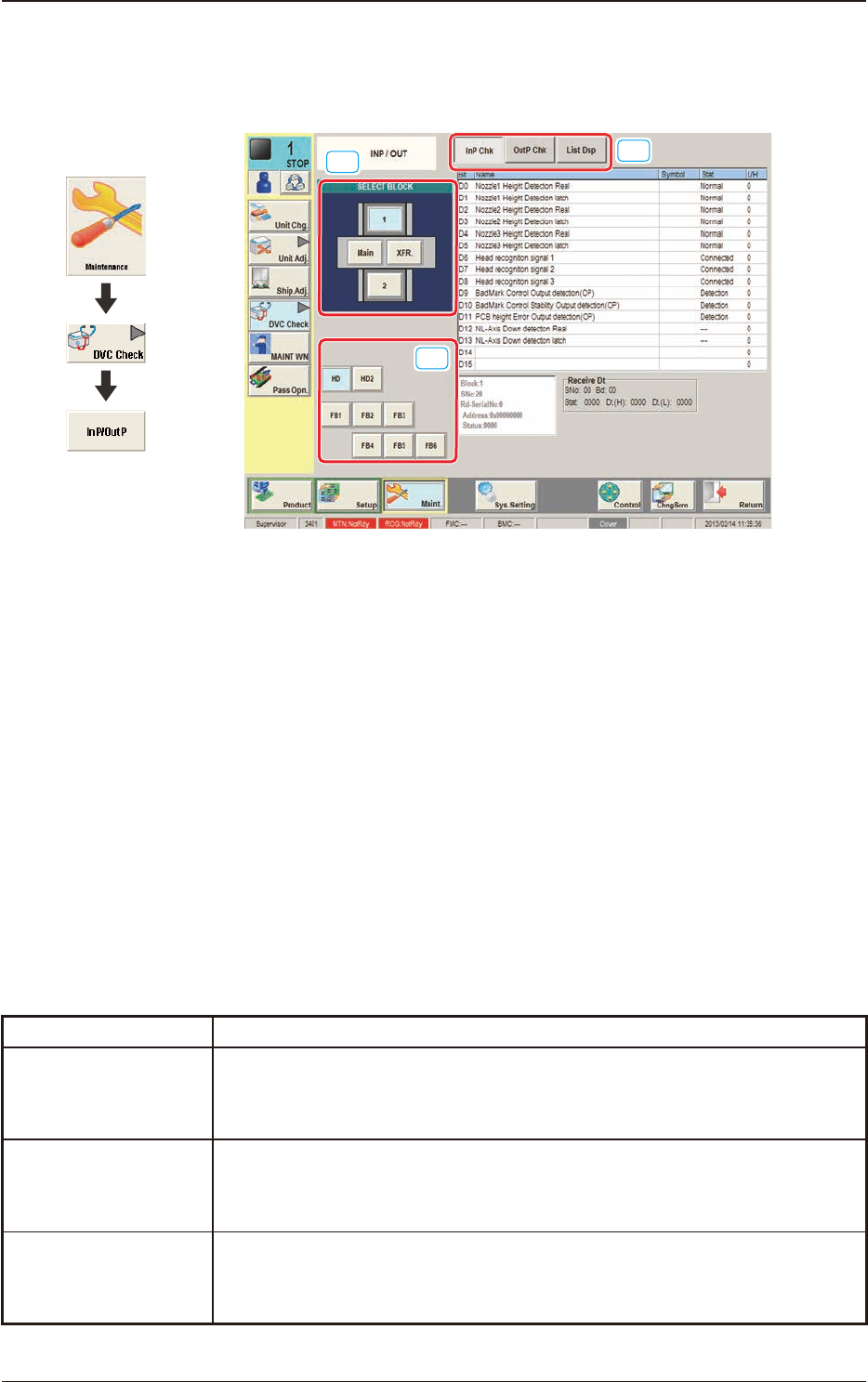
This window enables you to check the INP/OUT status of each section.
[1]
[2]
[3]
F3A49
[1] SELECT BLOCK Buttons
Each block in the graphic image of the machine is provided with a button
function. When a button is pressed, the corresponding block is selected as an
object one for I/O status checking.
[2] Unit Selection Buttons
Arranged are the unit buttons for the block selected with a block selection
button.
Select the unit whose input/output status should be checked.
[3] Display Change Buttons
Pressing any of these buttons, displays the corresponding window.
The description of each window is as follows.
Buttons Description
InP Chk
When this button is selected, the corresponding window appears, enabling
you to view the input status for the unit selected with block and unit selection
buttons (located on the left side of the window).
OutP Chk
When this button is selected, the corresponding window appears, enabling
you to view the output status for the unit selected with block and unit
selection buttons (located on the left side of the window).
List Dsp
When this button is selected, the corresponding window appears, enabling
you to view the I/O status of each unit.
T3A6
Graphic
Development
6.1 "INP / OUT" Window
3OM-1751
1-731303-001
6.1.1 "InP Chk" Window
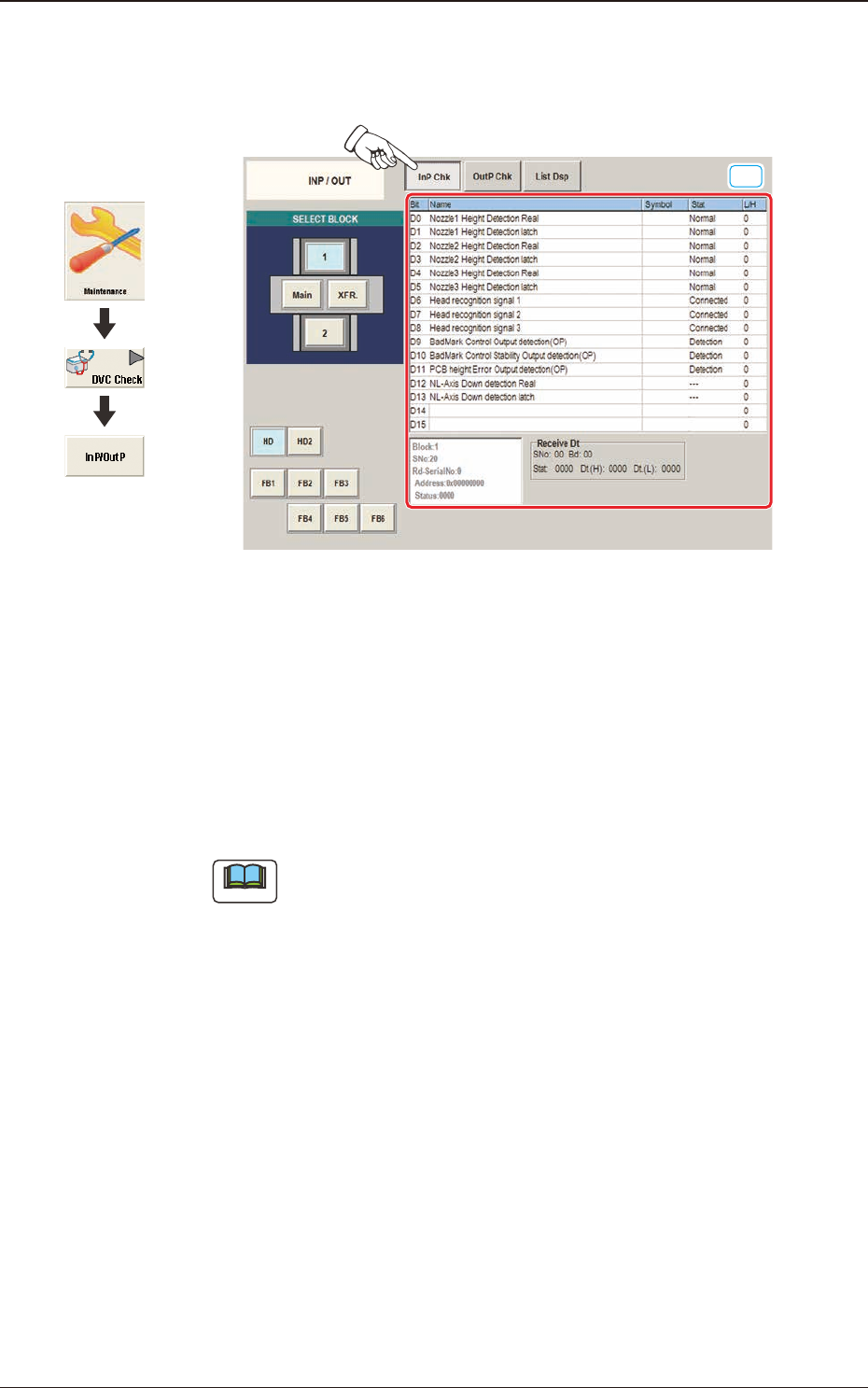
Displayed is the input status of each sensor.
[1]
F3A50
[1] Status Indicator
Displayed is the status of each section.
Bit
: Displayed are the satellite Nos.
Name
: Displayed are the satellite names.
Symbol
: Displayed are the satellite symbols.
Stat
: Displayed are the satellite statuses.
L/H
: Displayed are the satellite logics.
Note
The unused optional functions are not to be displayed.
6.1 "INP / OUT" Window
Graphic
Development