3OM-1751-002w_G5S.pdf - 第134页
3OM-1751 1-80 1303-001 [2] Status Indicator Displayed is the status of each section. (1) System #1, #2, #3, and #4 The "System #1" window appears as an initial one of the "System Info" window. F3A58 (…
3OM-1751
1-791303-001
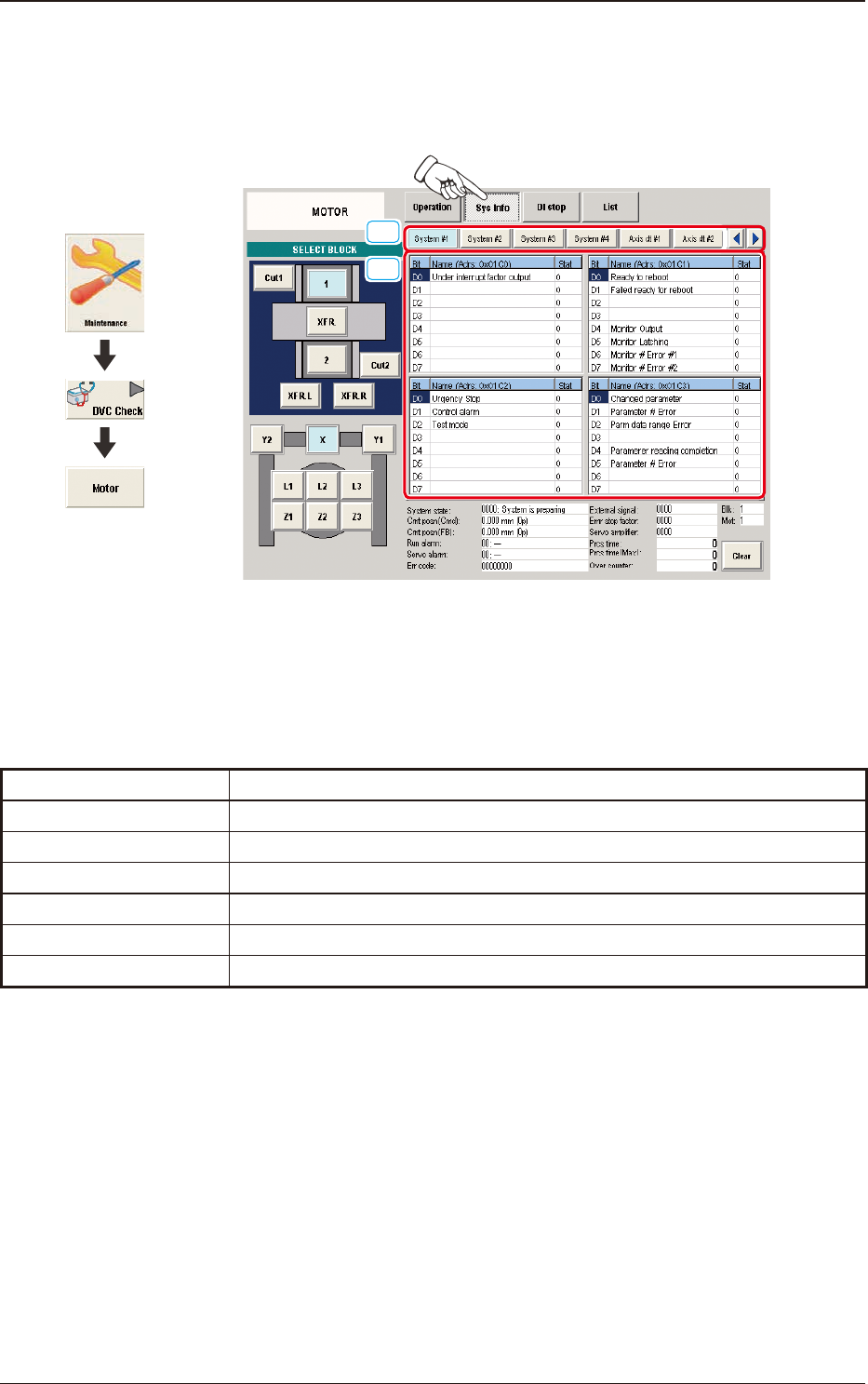
6.2.2 "Sys Info" Window
This enables you to view the current system information of the machine.
Pressing any of the buttons, displays the corresponding window.
[1]
[2]
F3A57
[1] Display Change Buttons
The "Sys Info" windows are provided with the following item. When each
button is pressed, the corresponding window appears.
Buttons Description
System #1 through #4
Displayed is the status of System #1 through #4.
Axis dt #1 through #4
Displayed is the status of Axis dt #1 through #4.
Servo amp
Displayed is the status of the servo amplier.
Alarm
Displayed is the status of the alarm.
Monitor
Displayed is the status of the monitor.
Parameter
Displayed is the status of the parameter.
T3A7
6.2 "MOTOR" Window
Graphic
Development
3OM-1751
1-801303-001
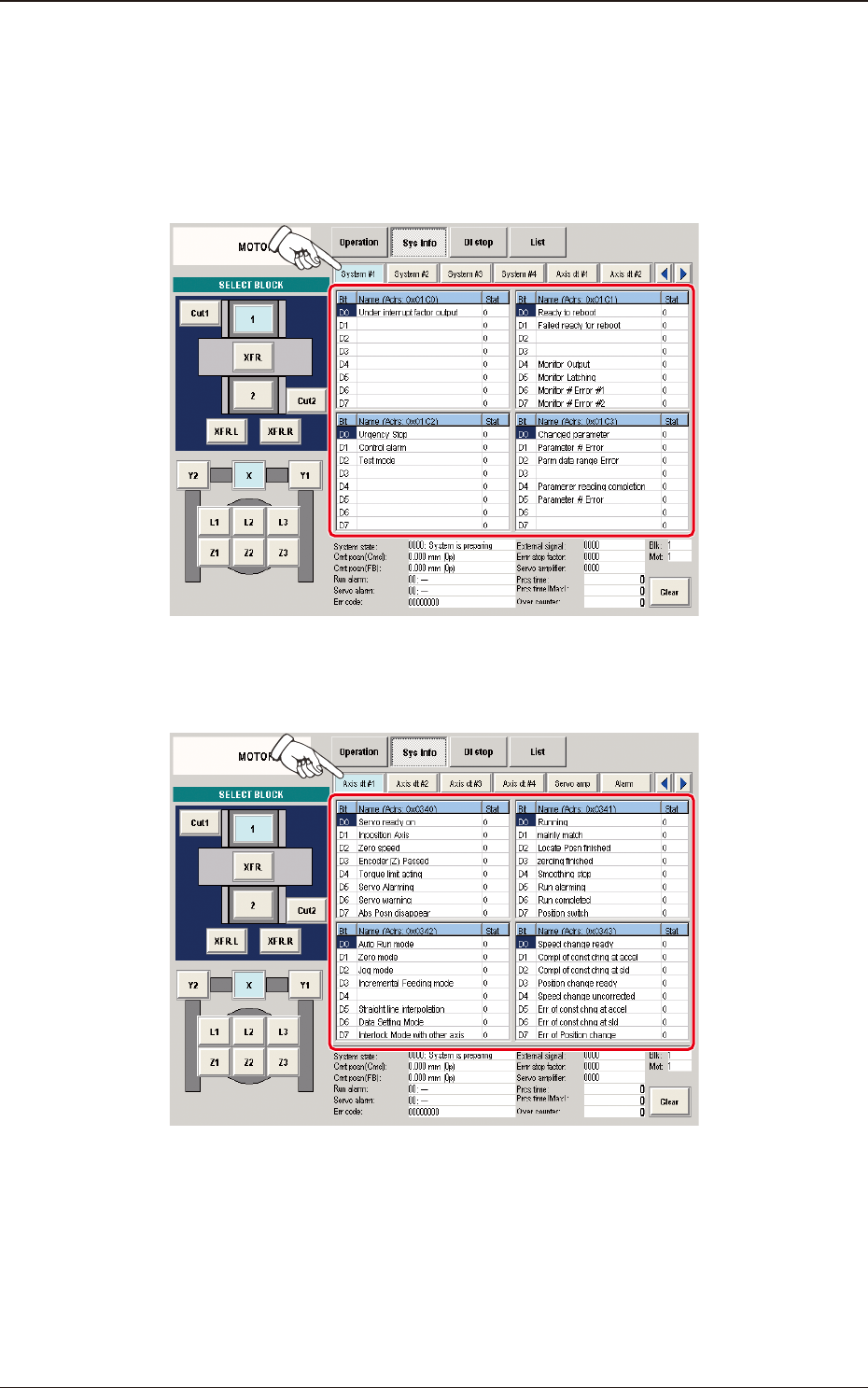
[2] Status Indicator
Displayed is the status of each section.
(1) System #1, #2, #3, and #4
The "System #1" window appears as an initial one of the "System Info"
window.
F3A58
(2) Axis dt #1, #2, #3, and #4
F3A59
6.2 "MOTOR" Window
3OM-1751
1-811303-001
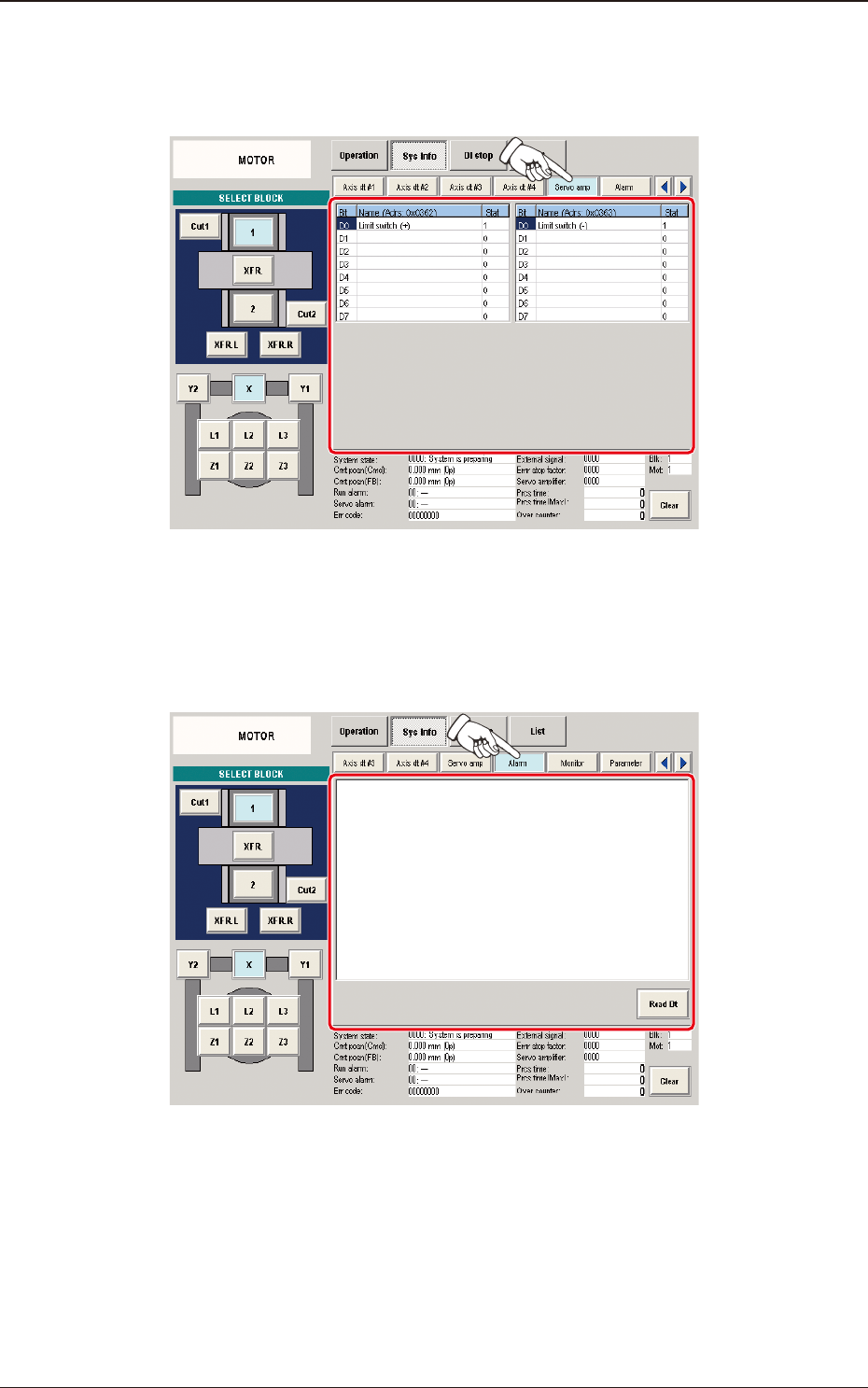
(3) Servo amp
When the [Servo amp] button is pressed in the "Sys Info" window, the
"Servo amp" window appears.
F3A60
(4) Alarm
When the [Alarm] button is pressed in the "Sys Info" window, the
"Alarm" window appears.
F3A61
6.2 "MOTOR" Window