3OM-1751-002w_G5S.pdf - 第153页
3OM-1751 1-99 1303-001 6.4 "COM.ST A T" Window The corresponding window enables you to check the communication status of each section. [1] [2] [3] [4] F3A81 [1] STELLITE CH Each block in the graphic image of th…
3OM-1751
1-98
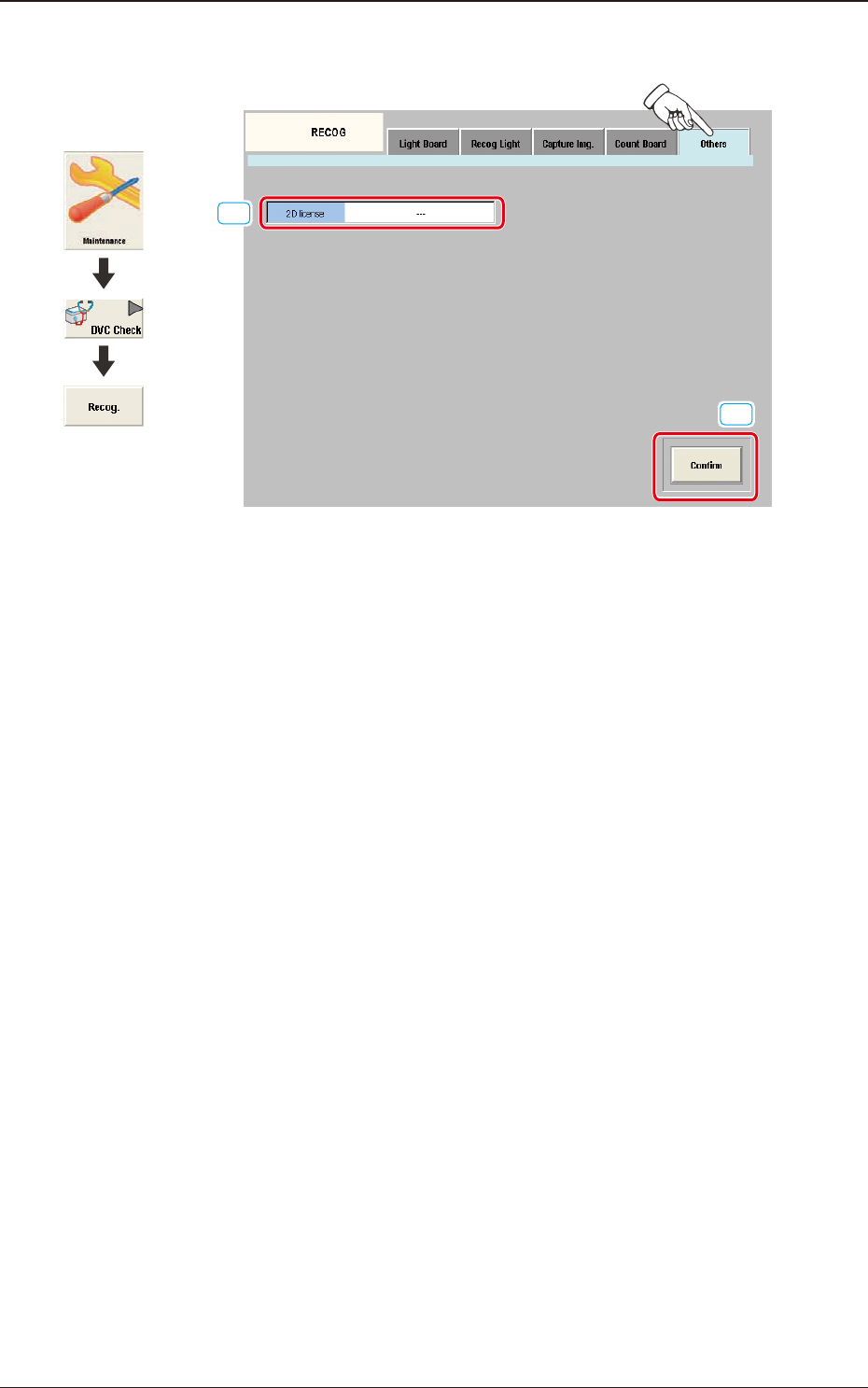
6.3.5 "Others" Tab
[1]
[2]
F3A80
[1] 2D license
In this data box the valid or invalid of the optional 2-D bar code read license
(GS-DL100) is displayed.
[2] [Conrm] Button
Using this button the valid or invalid of the optional 2-D bar code read
license (GS-DL100) is conrmed.
1303-001
6.3 "RECOG" Window
Graphic
Development
3OM-1751
1-991303-001
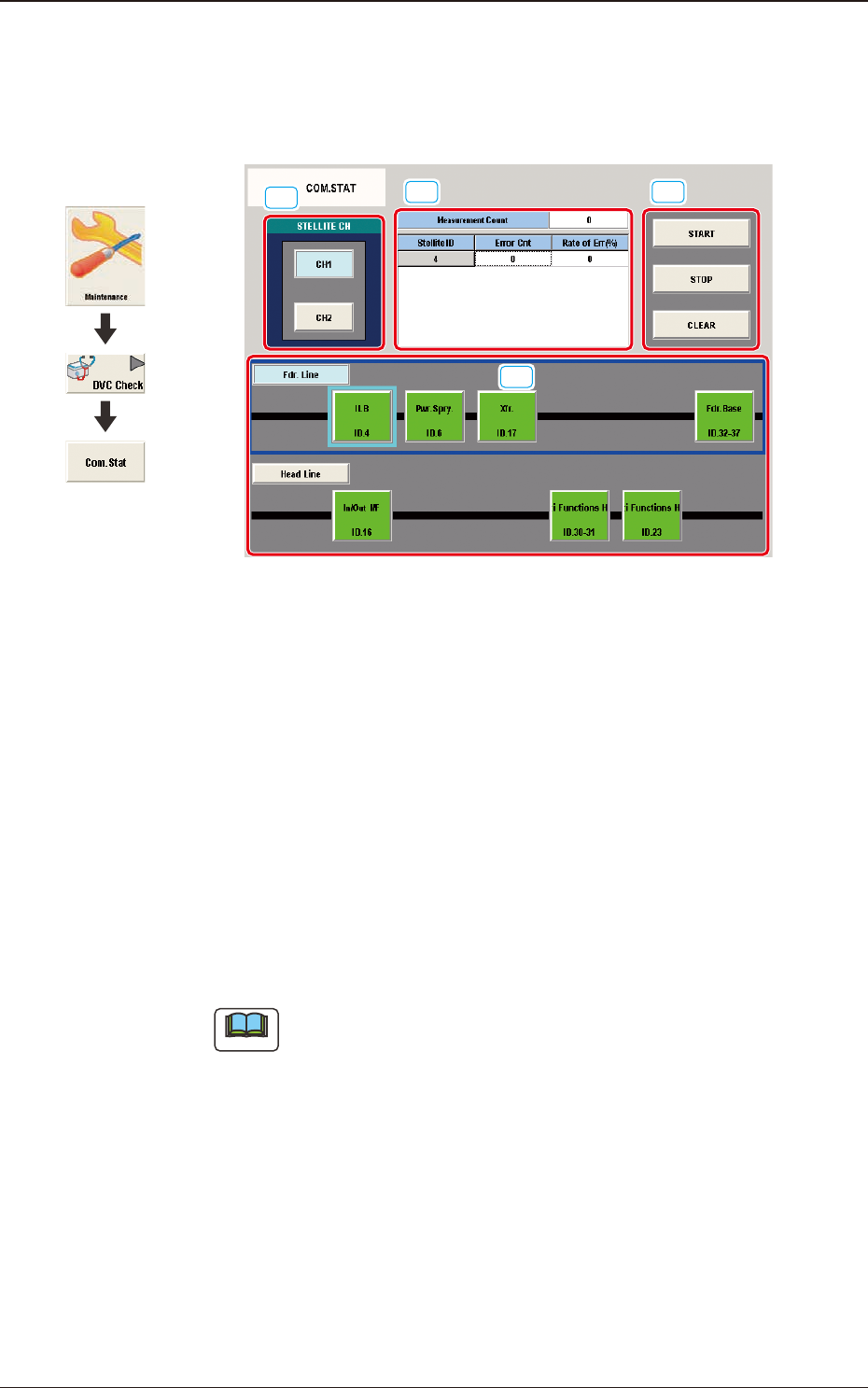
6.4 "COM.STAT" Window
The corresponding window enables you to check the communication status of
each section.
[1]
[2]
[3] [4]
F3A81
[1] STELLITE CH
Each block in the graphic image of the machine is provided with a button
function.
When a button is pressed, the corresponding block is selected.
[2] [Fdr. Line] and [Head Line] buttons
Each satellite button
When the [Fdr. Line] button is pressed, each satellite button in the feeder line
becomes active. Pressing the [Head Line] button makes active each satellite
button in the head line.
Press the [Fdr. Line] or the [Head Line] button and select the desired
satellite.
Note
Different satellites are displayed in response to the block selected in [1].
6.4 "COM.STAT" Window
Graphic
Development

3OM-1751
1-1001303-001
[3] "Measurement Count" Field
The status of the satellite selected in [2] is displayed.
[4] [START], [STOP], and [CLEAR] Buttons
[START] Button
When pressed, this button checks for errors every 10 msec.
[STOP] Button
When pressed, this button stops the checking operation.
[CLEAR] Button
When pressed, this button clears the values to "0" (zero) in the "Measurement
Count" and "Error Cnt" text boxes.
6.4 "COM.STAT" Window