3OM-1751-002w_G5S.pdf - 第154页
3OM-1751 1-100 1303-001 [3] "Measurement Count" Field The status of the satellite selected in [2] is displayed. [4] [ST ART], [ST OP], and [CLEAR] Buttons [ST ART] Button When pressed, this button checks for er…
3OM-1751
1-991303-001
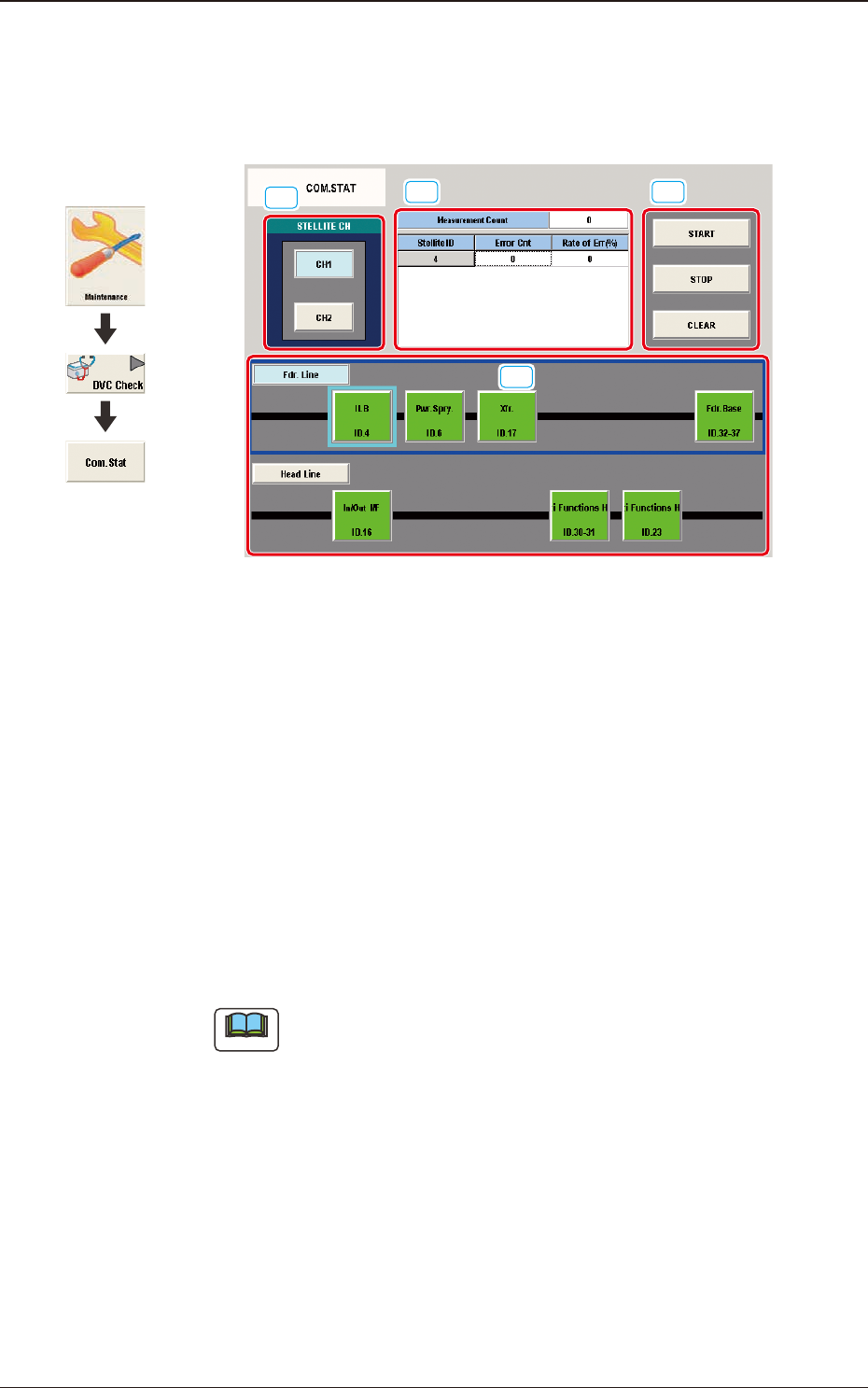
6.4 "COM.STAT" Window
The corresponding window enables you to check the communication status of
each section.
[1]
[2]
[3] [4]
F3A81
[1] STELLITE CH
Each block in the graphic image of the machine is provided with a button
function.
When a button is pressed, the corresponding block is selected.
[2] [Fdr. Line] and [Head Line] buttons
Each satellite button
When the [Fdr. Line] button is pressed, each satellite button in the feeder line
becomes active. Pressing the [Head Line] button makes active each satellite
button in the head line.
Press the [Fdr. Line] or the [Head Line] button and select the desired
satellite.
Note
Different satellites are displayed in response to the block selected in [1].
6.4 "COM.STAT" Window
Graphic
Development

3OM-1751
1-1001303-001
[3] "Measurement Count" Field
The status of the satellite selected in [2] is displayed.
[4] [START], [STOP], and [CLEAR] Buttons
[START] Button
When pressed, this button checks for errors every 10 msec.
[STOP] Button
When pressed, this button stops the checking operation.
[CLEAR] Button
When pressed, this button clears the values to "0" (zero) in the "Measurement
Count" and "Error Cnt" text boxes.
6.4 "COM.STAT" Window
3OM-1751
1-1011303-001
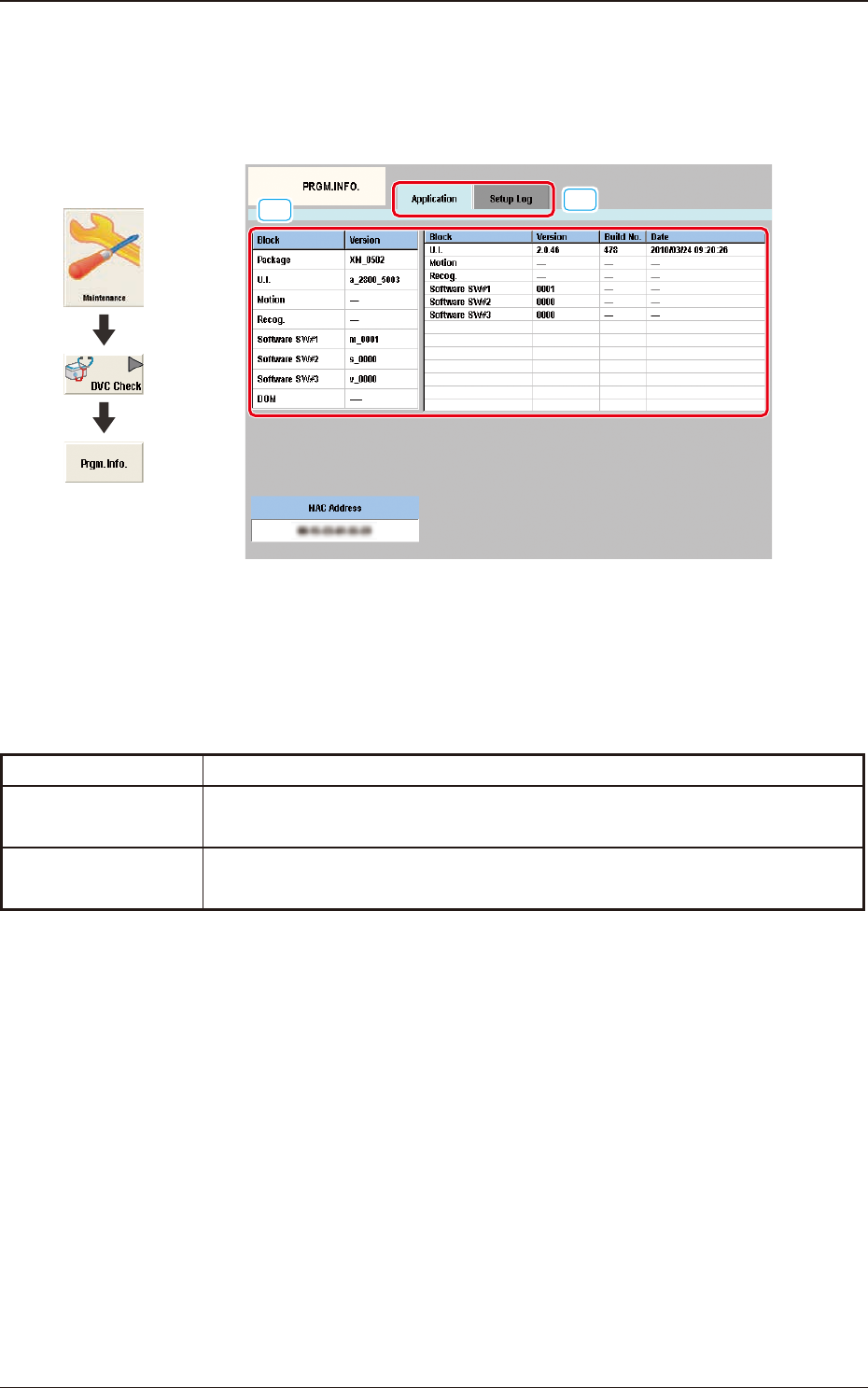
6.5 "PRGM.INFO." Window
This window displays the current program information and setup logs used for the
machine.
[1]
[2]
F3A82
[1] Tabs
The "PRGM.INFO." window is provided with the following two tabs.
When each tab is pressed, the corresponding tab sheet appears.
Tabs Description
Application
When this button is pressed, the "Application" window appears.
Setup Log
When this button is pressed, the "Setup Log" window appears.
T3A14
[2] "PRGM.INFO." Window
This window displays some information corresponding to the button
selection.
Graphic
Development
6.5 "PRGM.INFO." Window