3OM-1751-002w_G5S.pdf - 第164页
3OM-1751 1-1 10 1303-001 7.4 "Design" T ab Sheet When the [Design] tab is pressed in the "MaintWM" window, the following tab sheet appears. "Design" window F3A89 The corresponding tab sheet …
3OM-1751
1-1091303-001
[5] Total Comp
The total quantity of components actually picked up in the machine before
the practice date is displayed in these data boxes.
When the value of the total quantity of components reaches the value set in [7],
the background color turns to pink.
When the setting is performed using the NT-100 system software, the display
of "Total Comp" parameter is updated to "0".
[6] End Day
The end day is displayed as the date with the shortest period from the point
when the practice date is set referring to the current operation dates in these
data boxes.
[7] Term, Days, Total
For the "Upkeep", unlike the oiling check with specied maintenance
timing, maintenance with timing that depends on machine use condition is
performed.
As for conditions for issuing the maintenance warning message, the
parameters for the operation days and quantity of picked up components are
displayed.
When the value reaches either of the parameters for the above two set
conditions, the warning message is issued.
Note
The operation time period in "Days" data box is displayed as "1 day (24
hours)", "7 days (7
×
24 hours)", "1 month (30
×
24 hours)".
7.3 "Upkeep" Tab Sheet
3OM-1751
1-1101303-001
7.4 "Design" Tab Sheet
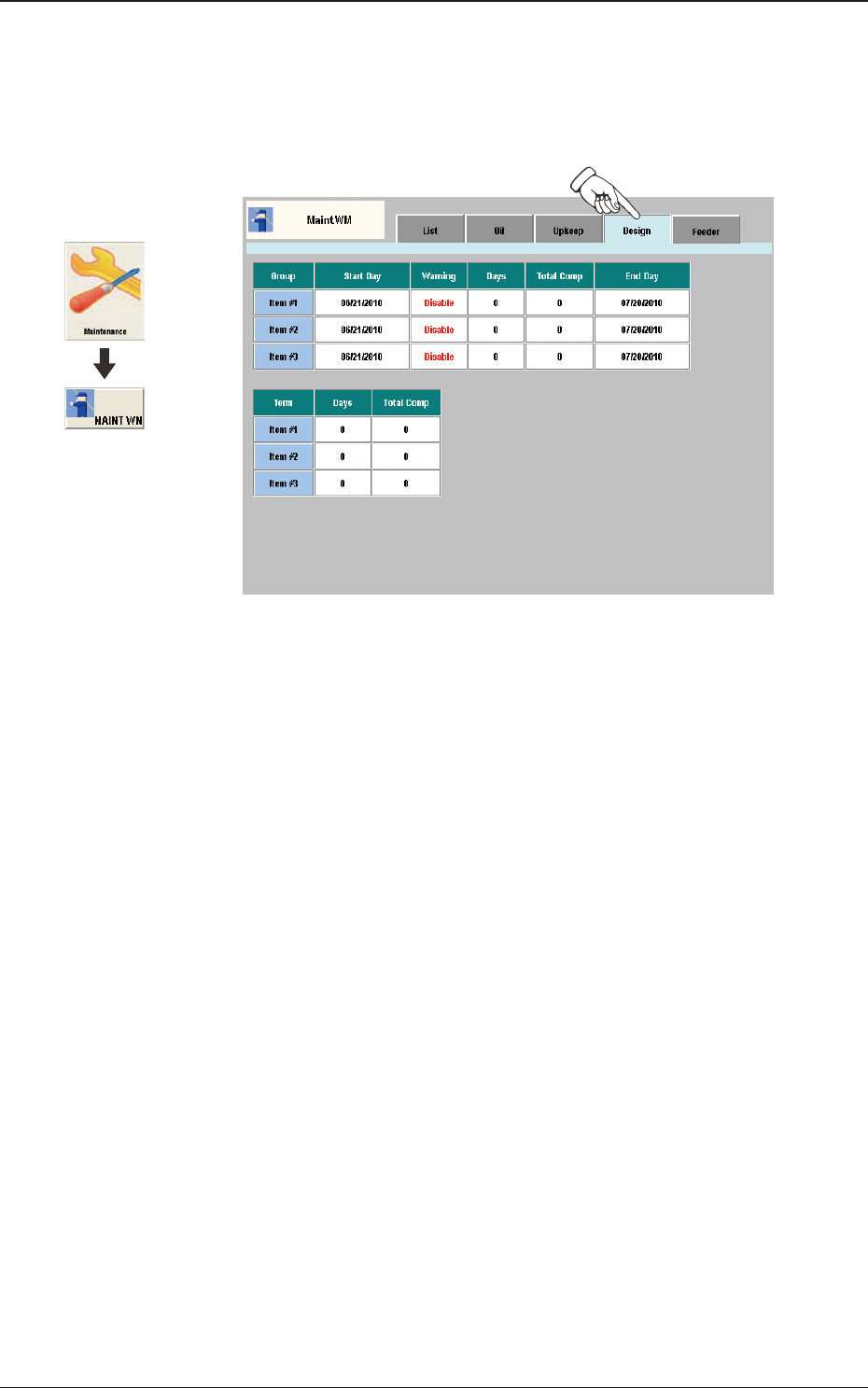
When the [Design] tab is pressed in the "MaintWM" window, the following tab
sheet appears.
"Design" window F3A89
The corresponding tab sheet enables the operator to display the setting status and
present status for the additionally set maintenance check-up items (Maintenance 1,
Maintenance 2 or Maintenance 3 for maintenance announcements.)
7.4 "Design" Tab Sheet
Graphic
Development
3OM-1751
1-1111303-001
7.5 "Feeder" Tab Sheet
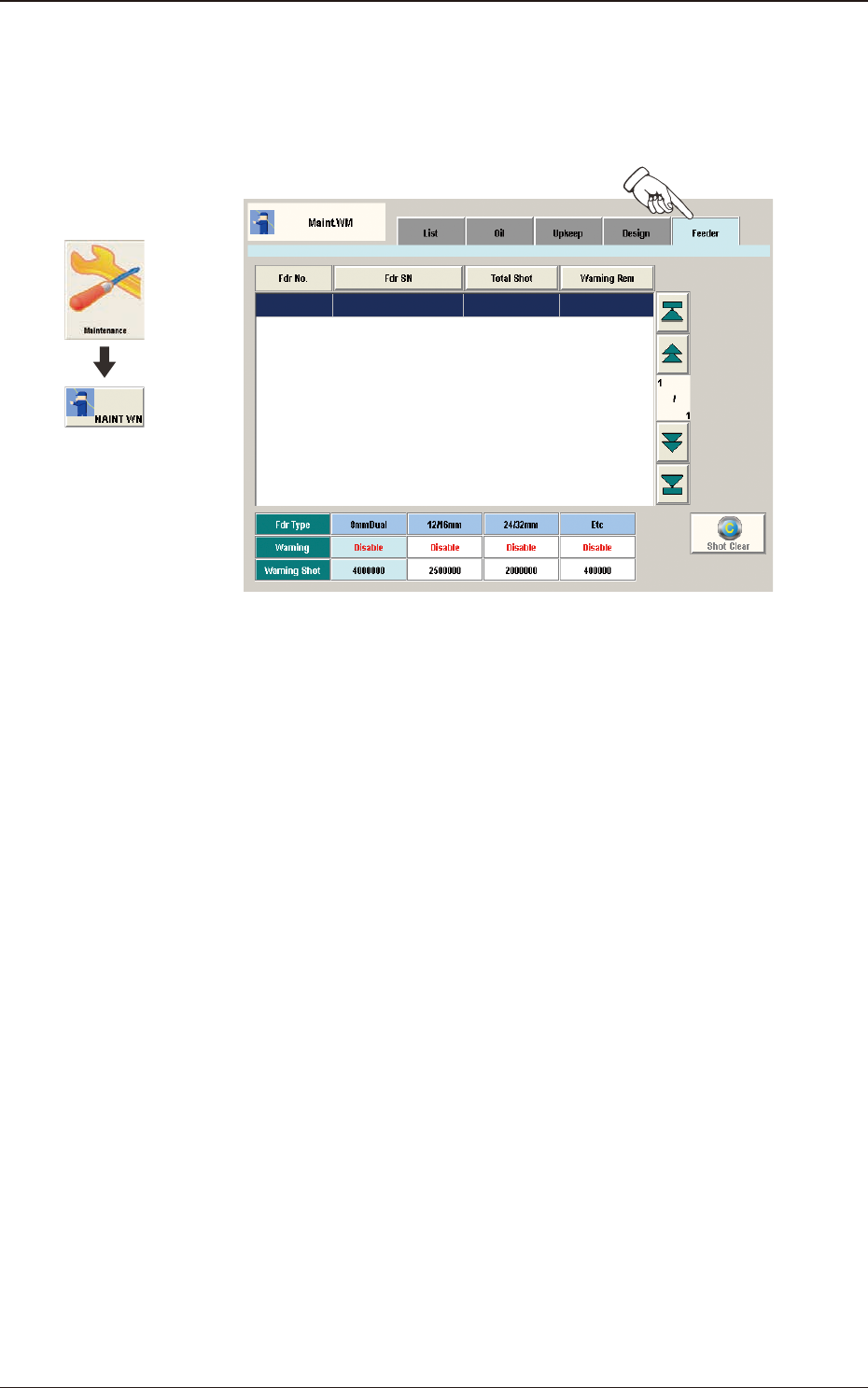
When the [Feeder] tab is pressed in the "MaintWM" window, the following tab
sheet appears.
"Feeder" window F3A90
[1] Present Status Display Section
Fdr No.
The feeder No. is displayed in this section.
Fdr SN
The feeder serial No. is displayed in this section.
Total Shot
The current No. of shots is displayed in this section.
Warning Rem
The No. of remaining shots until the announcement is issued, which has been
set using the NT-100 system software, is displayed in this section.
[2] Setting Status Display Section
The values set using the NT-100 system software, are displayed in this
section.
[3] [Shot Clear] Button
Using this button, the current No. of shots is cleared.
After performing maintenance, press this button.
7.5 "Feeder" Tab Sheet
Graphic
Development