3OM-1751-002w_G5S.pdf - 第199页
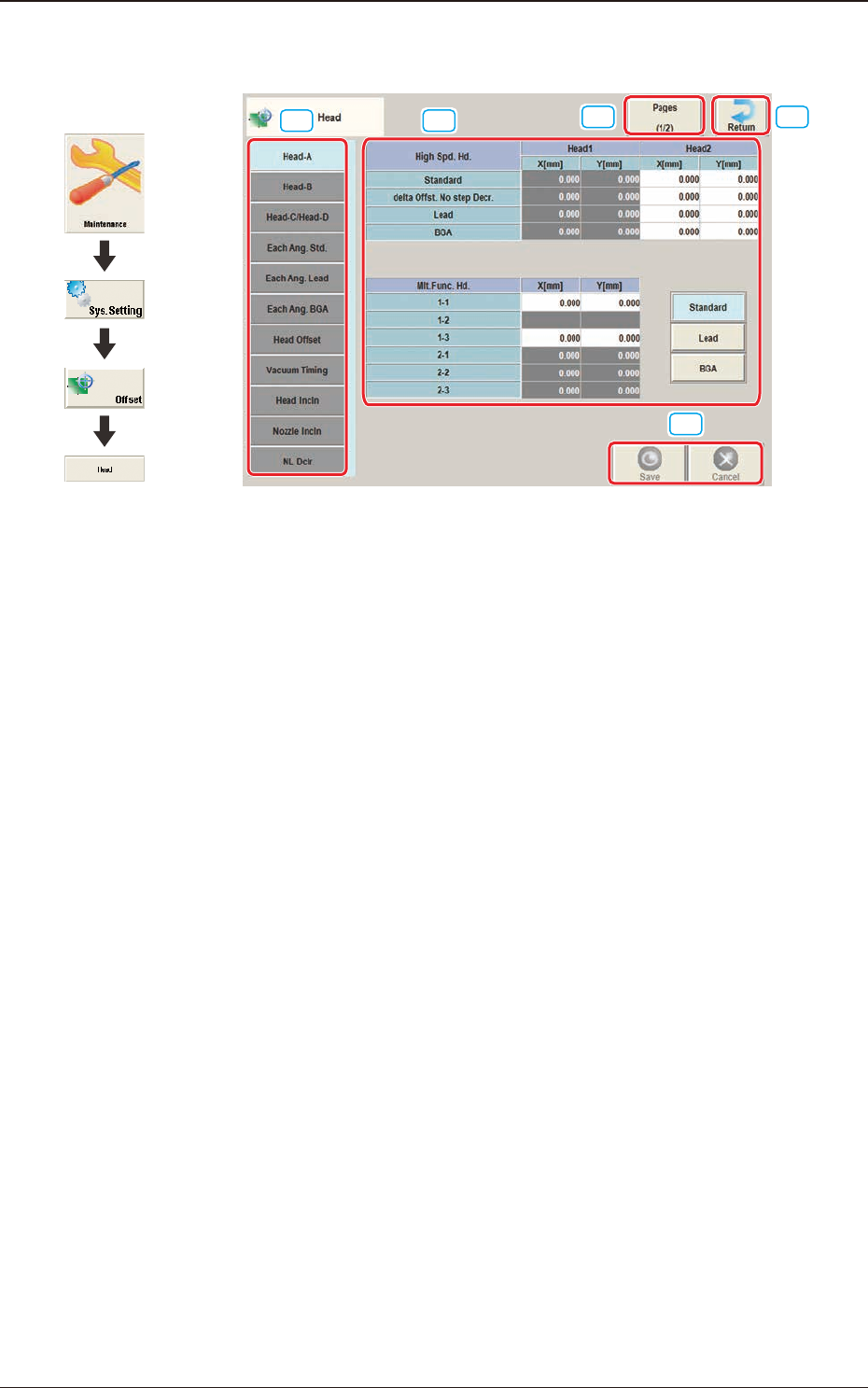
3OM-1751 2-31 1303-001 2.5.1 "Head-A" T ab Sheet [1] [2] [3] F3B31 [1] High Spd. Hd., Head 1 and Head 2 X [mm], Y [mm] Standard The set parameters are used to adjust the deviations of the head rotational center…
3OM-1751
2-301303-001
2.5 "Head" Window
[1] [2]
[3]
[4]
[4]
F3B30
[1] Offset button
When this button is pressed, the offset data for the selected tab is displayed.
[2] Offset Data Display Section
In this section, the offset data selected in step [1] is displayed.
[3] Page Change Button
Using this button, the offset editing page is changed.
[4] [Return] button
When this button is pressed, the "Offset Data" window is returned.
[5] [Save] button
When this button is pressed, the input data is saved.
[Cancel] button
When this button is pressed, the input data is cancelled and the save data is
returned.
Graphic
Development
2.5 "Head" Window
3OM-1751
2-311303-001
2.5.1 "Head-A" Tab Sheet
[1]
[2]
[3]
F3B31
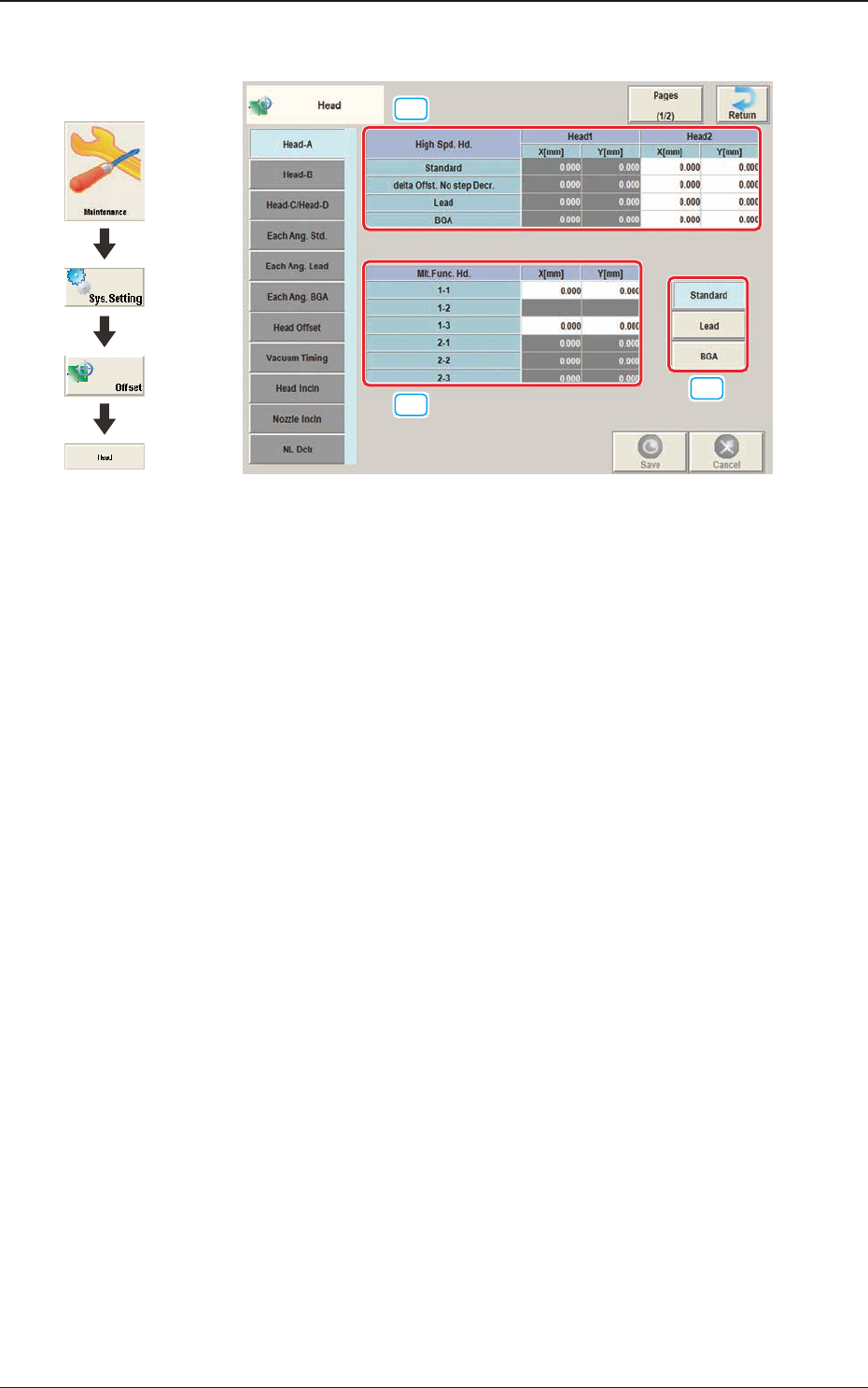
[1] High Spd. Hd., Head 1 and Head 2
X [mm], Y [mm]
Standard
The set parameters are used to adjust the deviations of the head rotational
centers caused due to the movement of the head U/D axes.
delta Offst. No step Decr.
When no speed deceleration for component placement is specied in the
library data and the position for the placement is calculated, the proper
deceleration rate is converted and added.
Lead
When the library data set at the component placement is for the leaded
components, the value is converted or added in the placement target position
calculation using this button.
BGA
When the library data set at the component placement is for the BGA
components, the value is converted and added in the placement target
position calculation using this button.
2.5 "Head" Window
Graphic
Development

3OM-1751
2-321303-001
[2] Mlt.Func. Hd.
X [mm], Y [mm]
The set parameters are used to adjust the deviations of the head rotational
centers caused due to the movement of the head U/D axes.
[3] [Standard] Button
When the applicable component is a standard one, conversion and addition
are made while the target position for placement is being computed.
[Lead] Button
When the applicable component is a leaded one, conversion and addition are
made while the target position for placement is being computed.
[BGA] Button
When the applicable component is a BGA/CSP one, conversion and addition
are made while the target position for placement is being computed.
2.5 "Head" Window