3OM-1751-002w_G5S.pdf - 第234页
3OM-1751 2-66 1303-001 2.9.2 "Comp. Recog Light" T ab Sheet [1] [2] F3B65 [1] Back Light Set the light level for Comp. Recog Light. [2] Front 1 (Up), (Cn), (Dn) Front 2 Front 3 (Up), (Dn) Set the light level fo…
3OM-1751
2-651303-001
[4] Contrast and Brightness
The brightness of the image captured by the component recognition camera
can be adjusted.
•
Default
Contrast
: 102
Brightness
: 128
Note
(a) The larger the value for "Contrast" is, the stronger the chromaticness
becomes.
(b) The larger the value for "Brightness" is, the brighter the whole view
becomes.
2.9 "Comp. Recog" Window
3OM-1751
2-661303-001
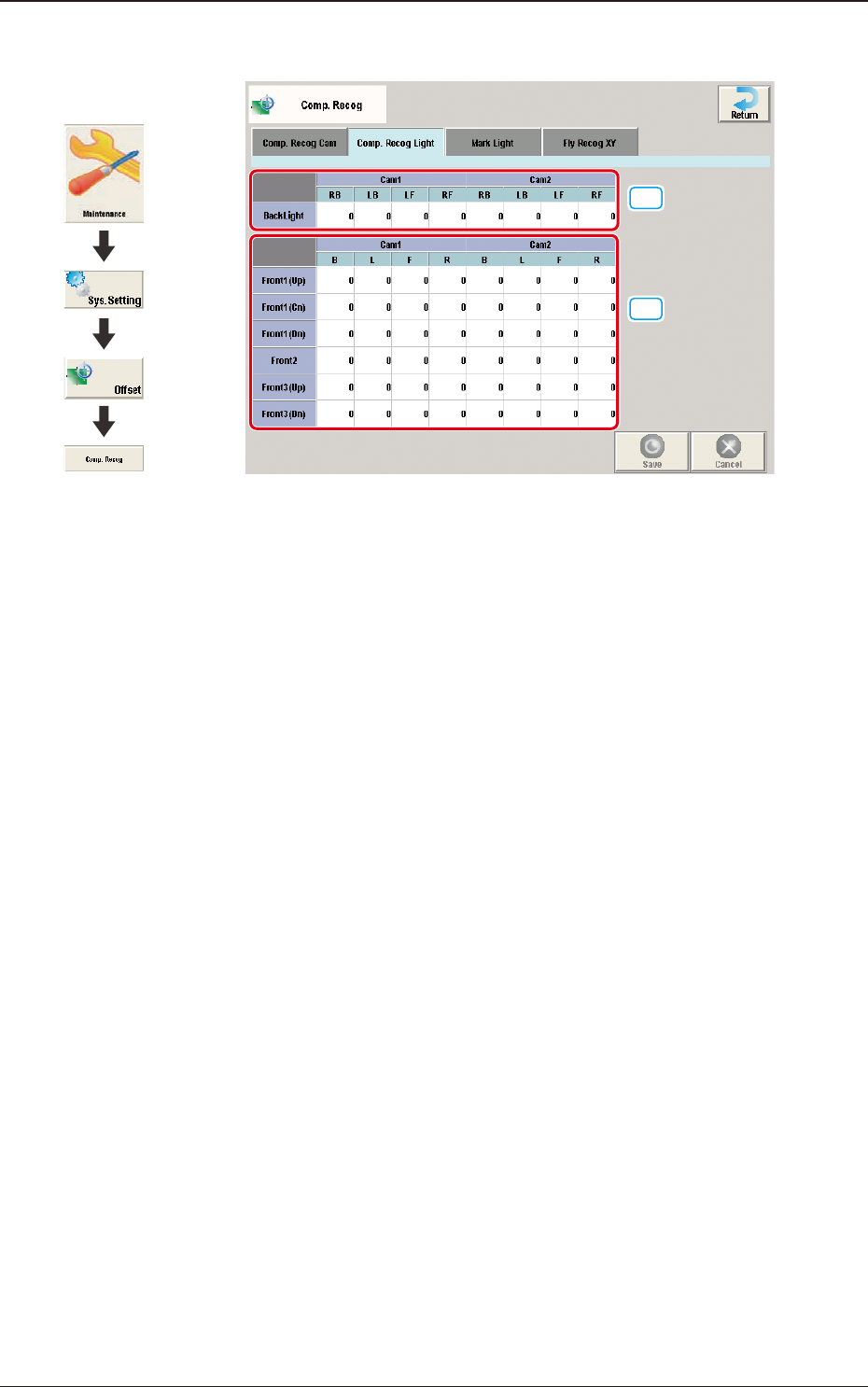
2.9.2 "Comp. Recog Light" Tab Sheet
[1]
[2]
F3B65
[1] Back Light
Set the light level for Comp. Recog Light.
[2] Front 1 (Up), (Cn), (Dn)
Front 2
Front 3 (Up), (Dn)
Set the light level for Comp. Recog Light.
2.9 "Comp. Recog" Window
Graphic
Development
3OM-1751
2-671303-001
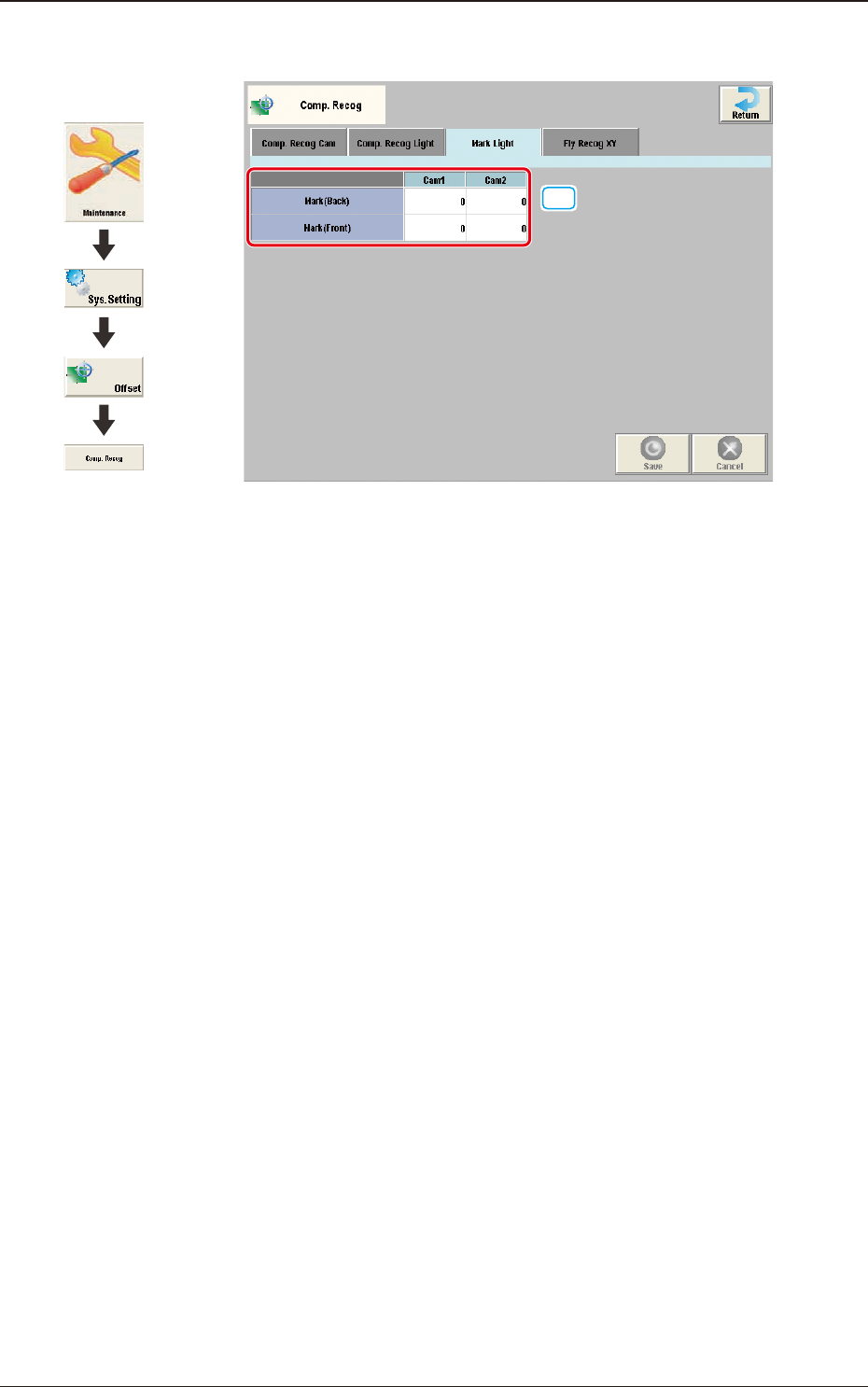
2.9.3 "Mark Light" Tab Sheet
[1]
F3B66
[1] Mark (Back) and Mark (Front)
Cam1 and Cam2
The brightness level for the reference mark lighting is set in these text boxes.
2.9 "Comp. Recog" Window
Graphic
Development