3OM-1751-002w_G5S.pdf - 第261页
3OM-1751 2-93 1303-001 4.4 "Data & T ime" T ab Sheet The system clock (year, month, day, hours, minutes, and seconds) can be adjusted and a time zone can be selected. [1] [2] [3] [4] F3B85 [1] Edit Buttons …
3OM-1751
2-921303-001
[6] [▲], [▼] Button
Pressing these buttons scroll the data item.
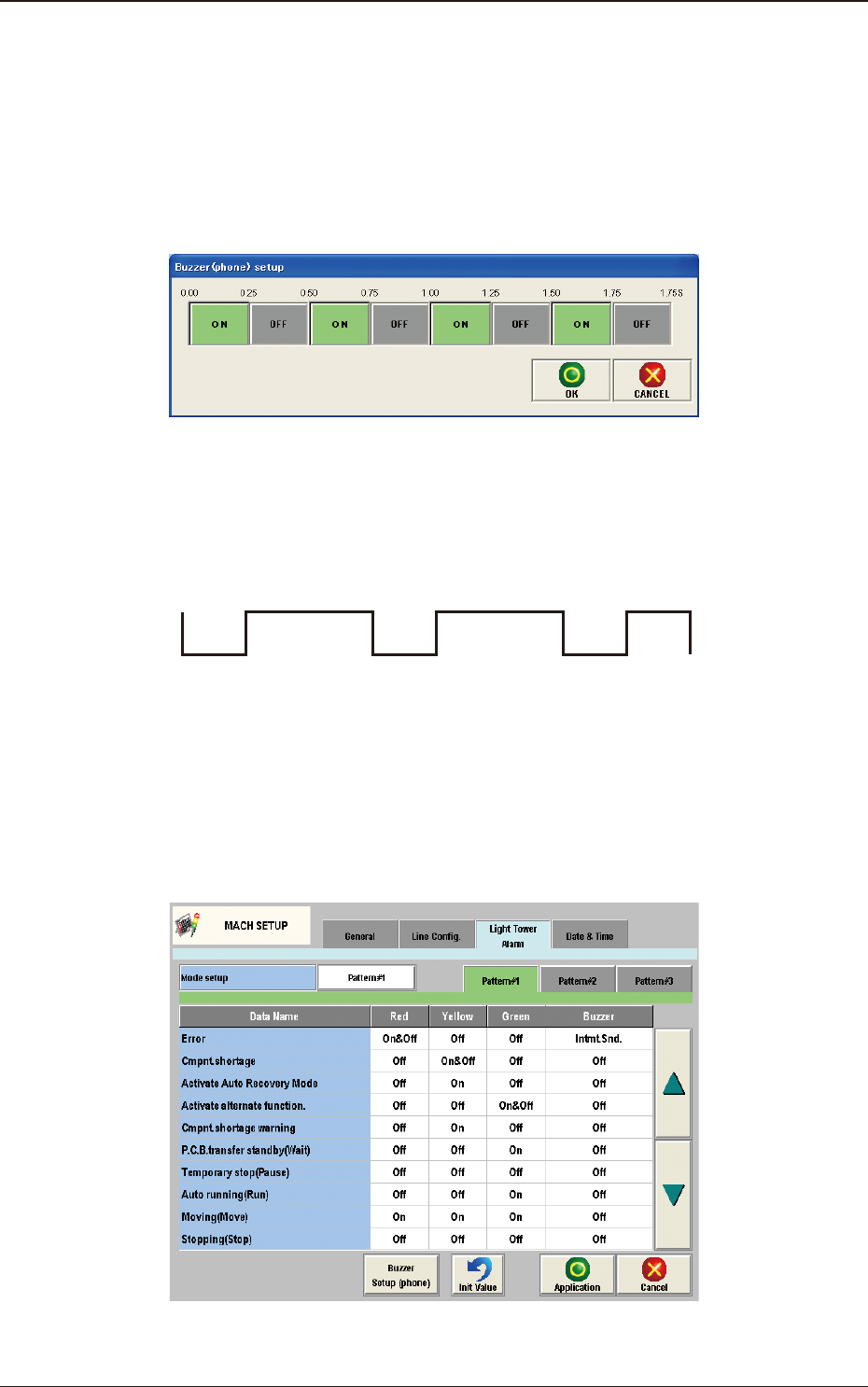
[7] Buzzer Setup (phone)
The corresponding tab sheet enables the operator to specify a pattern of the
buzzer sounds when "Optl. phone" is selected in a buzzer text box of the
"Light Tower Setup" tab sheet.
F3B82
An optional alarm sounds in a cycle of two seconds. The two seconds is
divided into 8 intervals and each interval is assigned as "ON" or "OFF" to
make a sound of your own.
OFF OFF
ON ON ON ON ON
OFF
F3B83
[8] Init Value
Return the parameters for the Light Tower and Alarm Sound to the initial
values.
The initial values are as follows.
F3B84
4.3 "Light Tower Alarm" Tab Sheet
3OM-1751
2-931303-001
4.4 "Data & Time" Tab Sheet
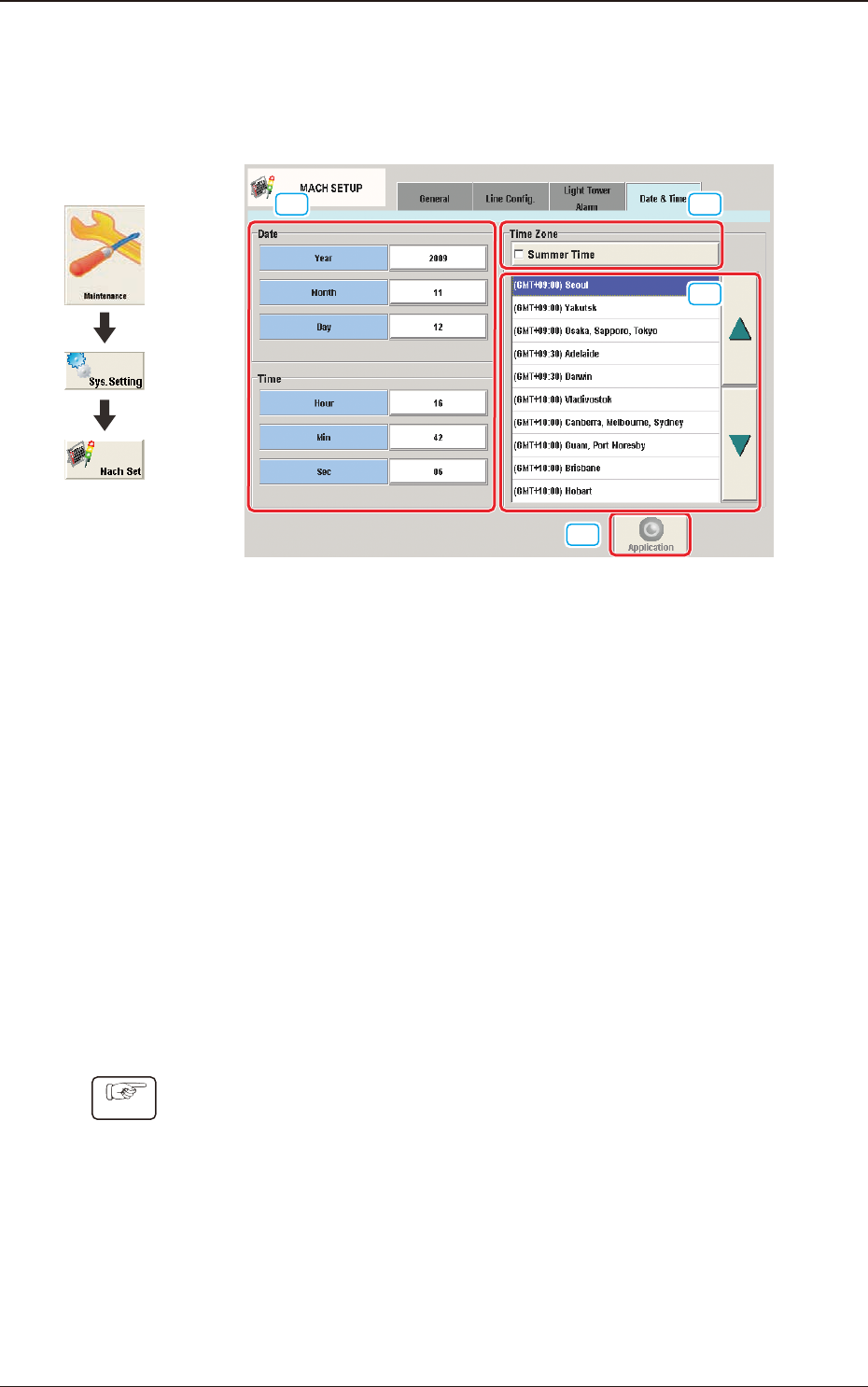
The system clock (year, month, day, hours, minutes, and seconds) can be adjusted
and a time zone can be selected.
[1]
[2]
[3]
[4]
F3B85
[1] Edit Buttons
When one of these buttons is pressed, the corresponding edit window opens.
[2] "Summer Time" Check Box
Tick this button to specify the summer time. A check mark appears inside
the box, indicating that the summer time is selected.
[3] "Time Zone" List
Select the proper time zone from this list.
[4] [Application] button
The data adjusted with the edit buttons is conrmed and set in the machine
by means of this button.
·
How to specify the date and time
Procedure
(1) When the [Year] button is pressed, the "Year" edit window opens.
(2) Enter a year in the entry eld of the "Year" edit window and press the [Set]
button.
The entered year appears in the corresponding text box.
(3) Follow the same procedure to specify a month, a day, hours, minutes, and
seconds.
4.4 "Data & Time" Tab Sheet
Graphic
Development

3OM-1751
2-94
(4) Select the proper time zone from the "Time Zone" list pane.
(5) When the [Application] button is pressed, the settings are determined.
1303-001
4.4 "Data & Time" Tab Sheet