3OM-1751-002w_G5S.pdf - 第58页
3OM-1751 1-4 1303-001 2. "MAINTENANCE" Menu The [Maintenance] main menu buttons are arranged to display the operation windows where each function in the Machine Maintenance (SPECIAL SEL) is executed. [Unit Chg.…
3OM-1751
1-31303-001
2. "MAINTENANCE" Menu
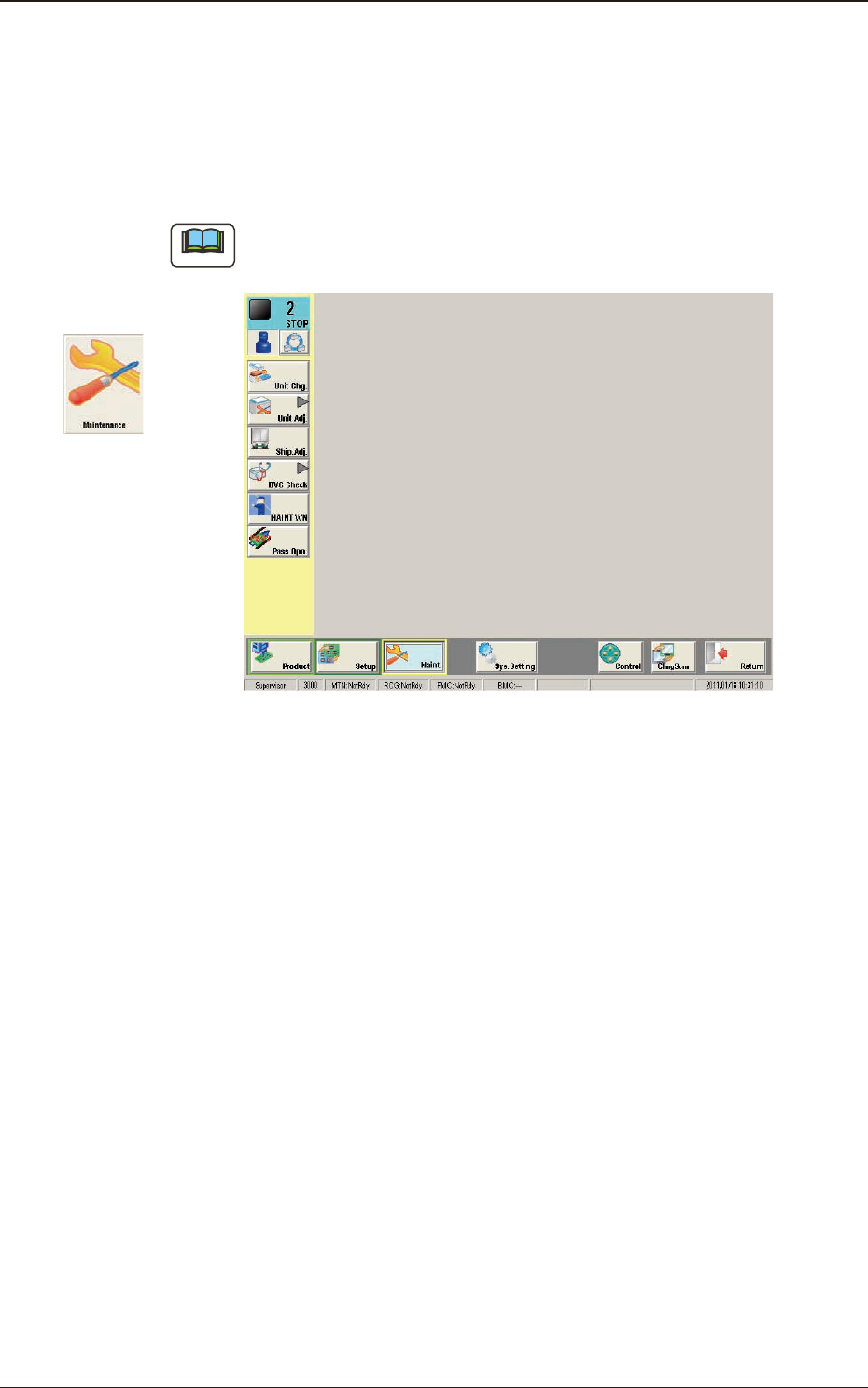
This window enables you to adjust the machine, check the performance, and
perform various teaching operations.
When the [Maint.] button in the "TOP" page is pressed and the logging-in
operation is performed, the "Maintenance" window appears.
Note
Depending on the user's access authorization the indication in the window
varies.
F3A3
Graphic
Development
2. "MAINTENANCE" Menu
3OM-1751
1-41303-001
2. "MAINTENANCE" Menu
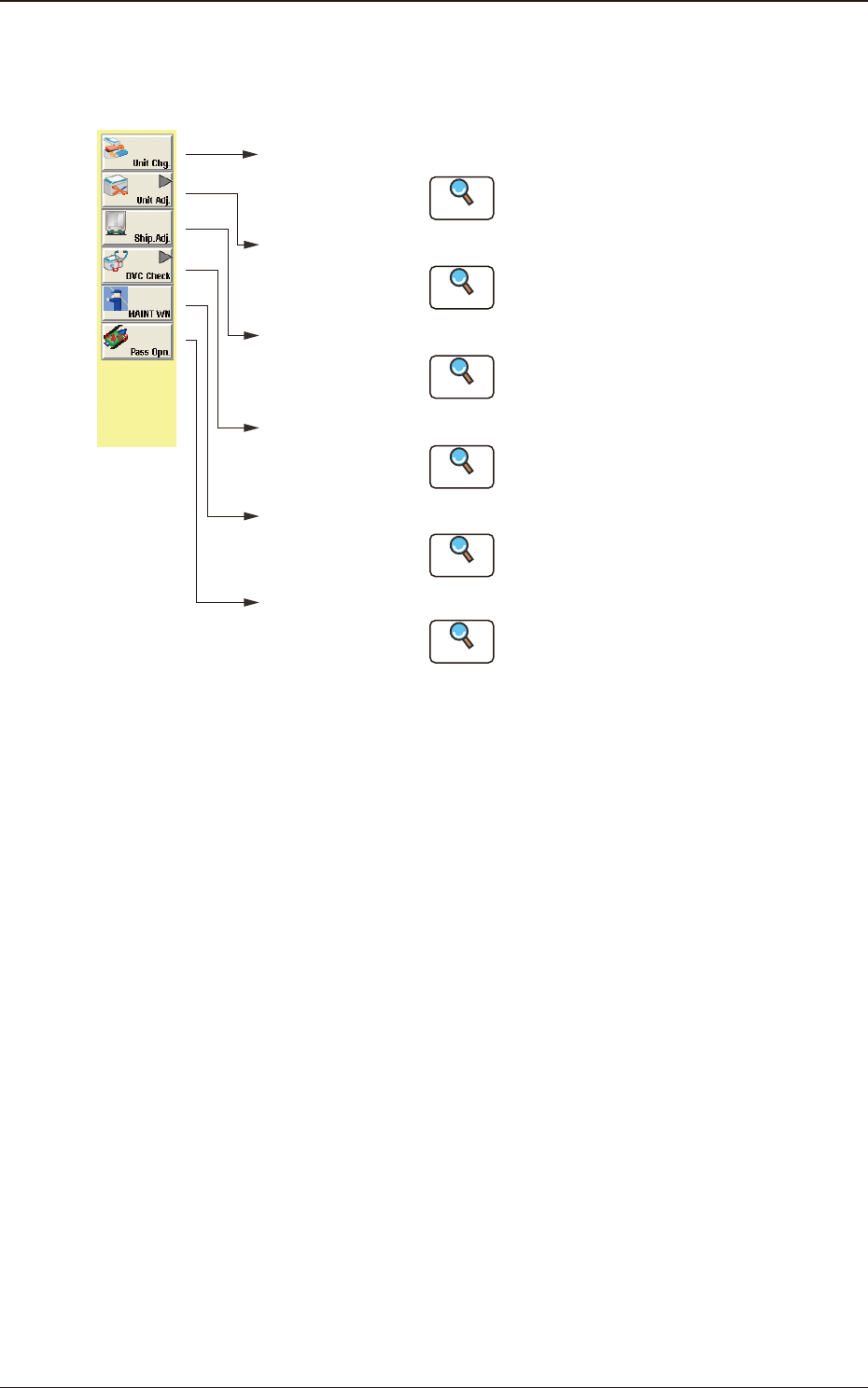
The [Maintenance] main menu buttons are arranged to display the operation
windows where each function in the Machine Maintenance (SPECIAL SEL) is
executed.
[Unit Chg.]
Button
Open the "Unit Change" window.
Open the "Unit Adj." submenu.
Open the "Shipment Adj." window.
Open the "DVC Check" submenu.
[Unit Adj.]
Button
[Ship. Adj.]
Button
[DVC Check]
Button
:
:
:
:
Reference
Reference
Reference
Reference
Open the "MAINTWM" window.[MAINT WN]
Button
:
Reference
Open the "Pass Opn." window.[Pass Opn.]
Button
:
Reference
Refer to "3. Unit Change" window in Chapter 1
for details.
Refer to "4. Unit Adj." submenu in Chapter 1
for details.
Refer to "5. Shipment Adj." window in Chapter
1 for details.
Refer to "6. DVC Check" submenu in Chapter
1 for details.
Refer to "7. MAINTWM" window in Chapter 1
for details.
Refer to "8. Pass Opn." window in Chapter 1
for details.
F3A4
3OM-1751
1-51303-001
3. "Unit Change" Window
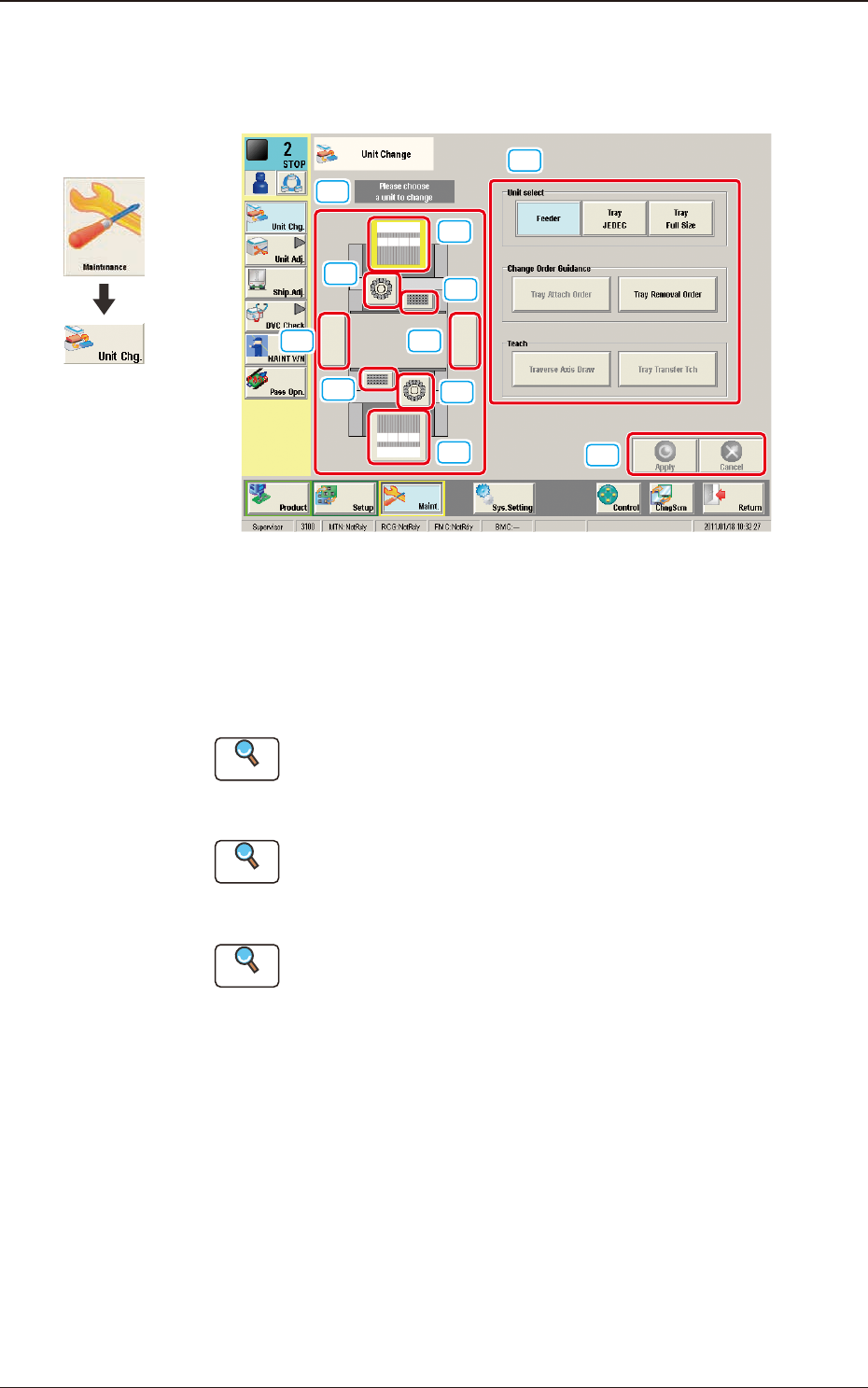
This window enables the operator to perform the unit change in the system.
[1]
[2]
[3]
[3]
[2]
[4]
[4]
[5][5]
[6]
[7]
F3A5
[1] Unit Image Button
Shown are the image buttons for each unit and when the button for the unit
to be changed is pressed, the "Unit Operation Button" is changed.
[2] Head Unit Button
Reference
Refer to "3.1 Head Unit" in Chapter 1 for the details.
[3] Nozzle Stocker Button
Reference
Refer to "3.2 Nozzle Stocker" in Chapter 1 for the details.
[4] Feeder Unit Button
Reference
Refer to "3.3 Feeder Unit" in Chapter 1 for the details.
[5] Conveyor Button
This button is optional.
[6] Unit Operation Button
The operation button for the unit selected using the unit image button, is
displayed.
The indication is changed depending on the selected unit.
Graphic
Development
3. "Unit Change" Window