3OM-1751-002w_G5S.pdf - 第60页
3OM-1751 1-6 1303-001 3. "Unit Change" Window [7] [Apply] Button and [Cancel] Button [Apply] Button : When pressed, this button applies the changed unit to the production line conguration. [Cancel] Button : Wh…
3OM-1751
1-51303-001
3. "Unit Change" Window
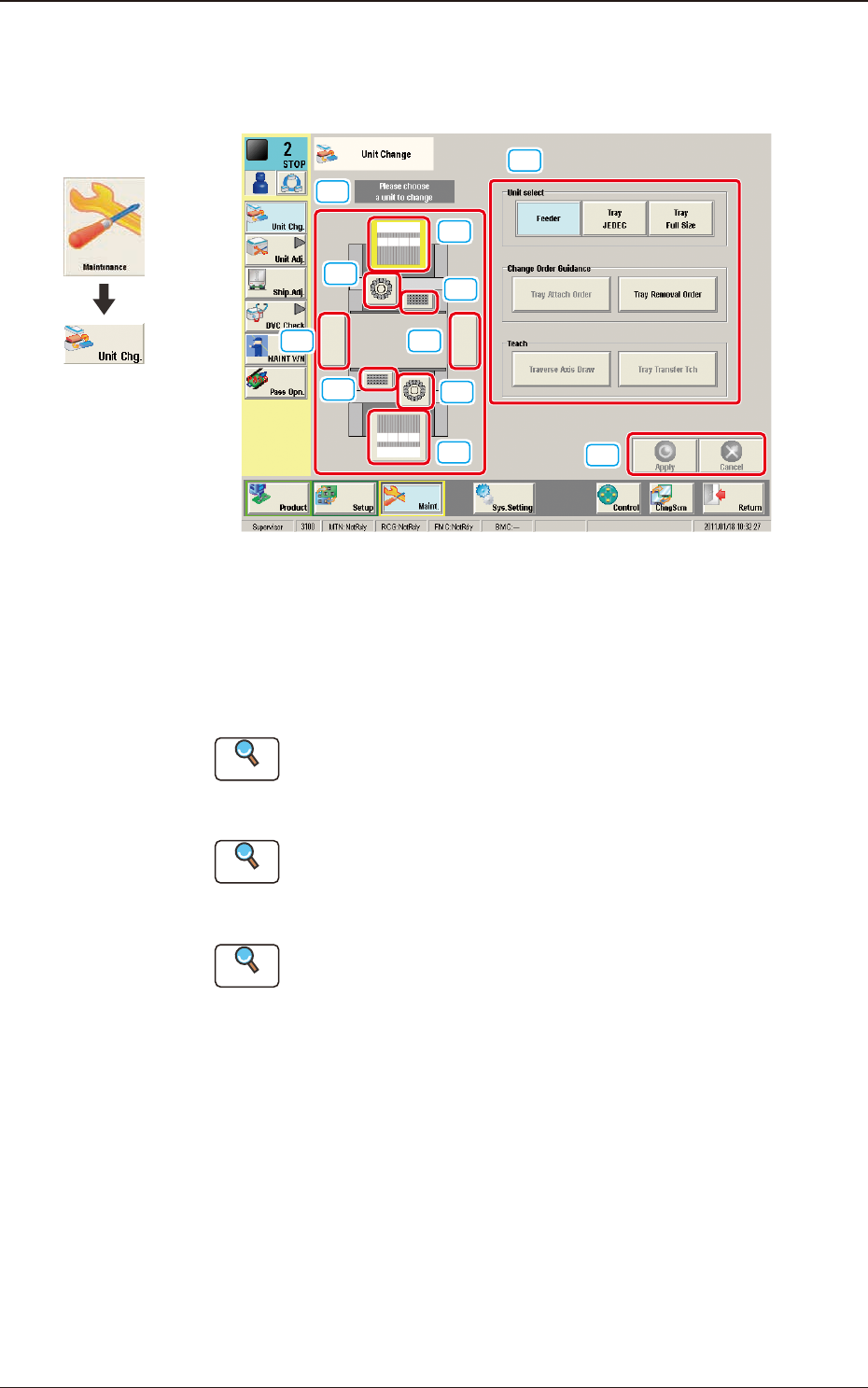
This window enables the operator to perform the unit change in the system.
[1]
[2]
[3]
[3]
[2]
[4]
[4]
[5][5]
[6]
[7]
F3A5
[1] Unit Image Button
Shown are the image buttons for each unit and when the button for the unit
to be changed is pressed, the "Unit Operation Button" is changed.
[2] Head Unit Button
Reference
Refer to "3.1 Head Unit" in Chapter 1 for the details.
[3] Nozzle Stocker Button
Reference
Refer to "3.2 Nozzle Stocker" in Chapter 1 for the details.
[4] Feeder Unit Button
Reference
Refer to "3.3 Feeder Unit" in Chapter 1 for the details.
[5] Conveyor Button
This button is optional.
[6] Unit Operation Button
The operation button for the unit selected using the unit image button, is
displayed.
The indication is changed depending on the selected unit.
Graphic
Development
3. "Unit Change" Window

3OM-1751
1-61303-001
3. "Unit Change" Window
[7] [Apply] Button and [Cancel] Button
[Apply] Button
: When pressed, this button applies the changed unit to
the production line conguration.
[Cancel] Button
: When pressed, this button cancels the changed unit and
returns it to the unit before change.
3OM-1751
1-71303-001
3.1 Head Unit
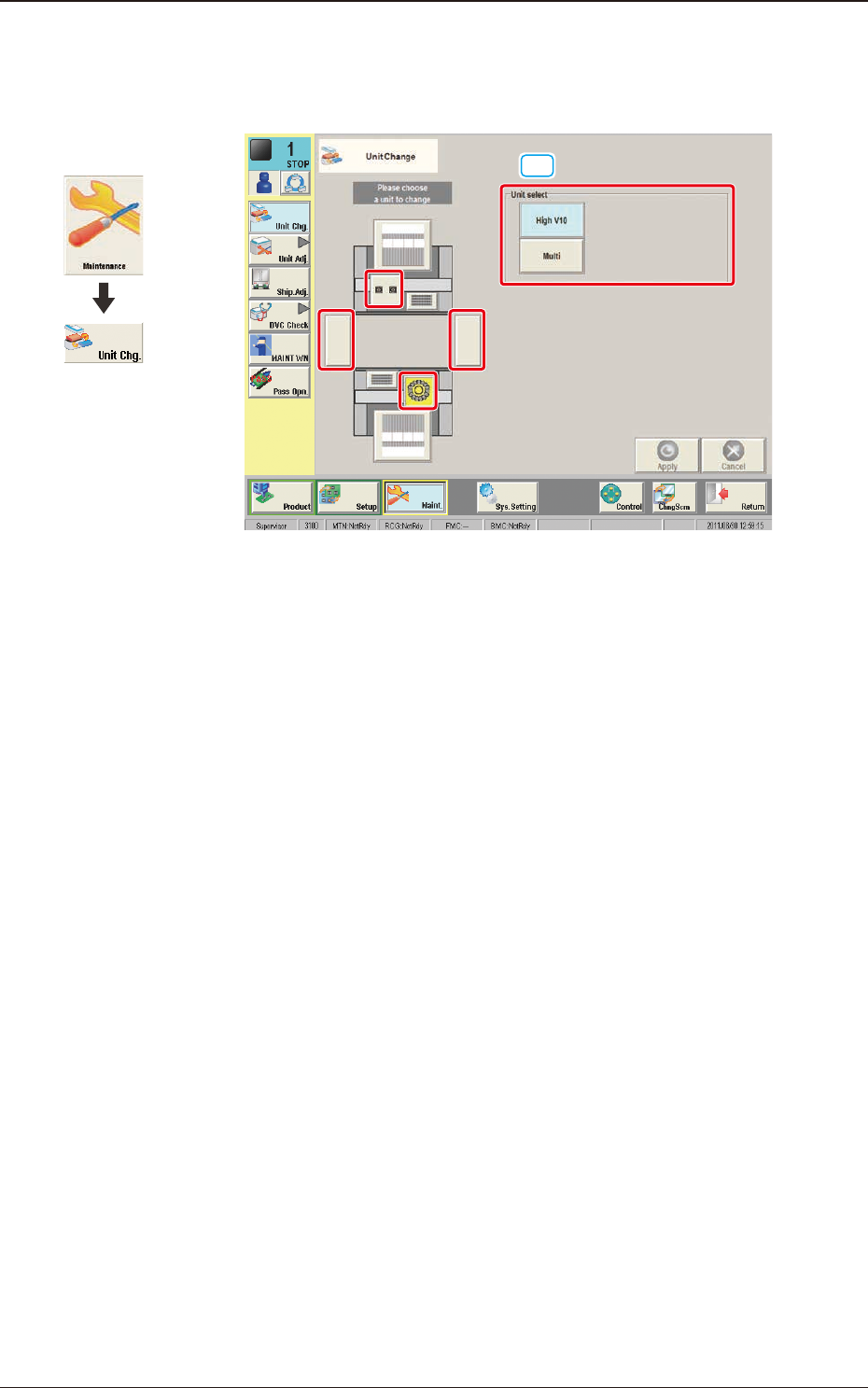
When the head unit button is pressed, the following window appears.
[1]
F3A6
[1] Unit select
[High V10] Button
: When pressed, the high-speed head is selected.
[Multi] Button
: When pressed, the multi-functional head is selected.
Graphic
Development
3.1 Head Unit