3OM-1751-002w_G5S.pdf - 第79页
3OM-1751 1-25 1303-001 4.3 "CONVEYOR" Window This button is used for the adjustment operation for the conveyor width overall setup or manual setup. [1] "CONVEYOR" Window F3A19 [1] T abs The "CONV…
3OM-1751
1-241303-001
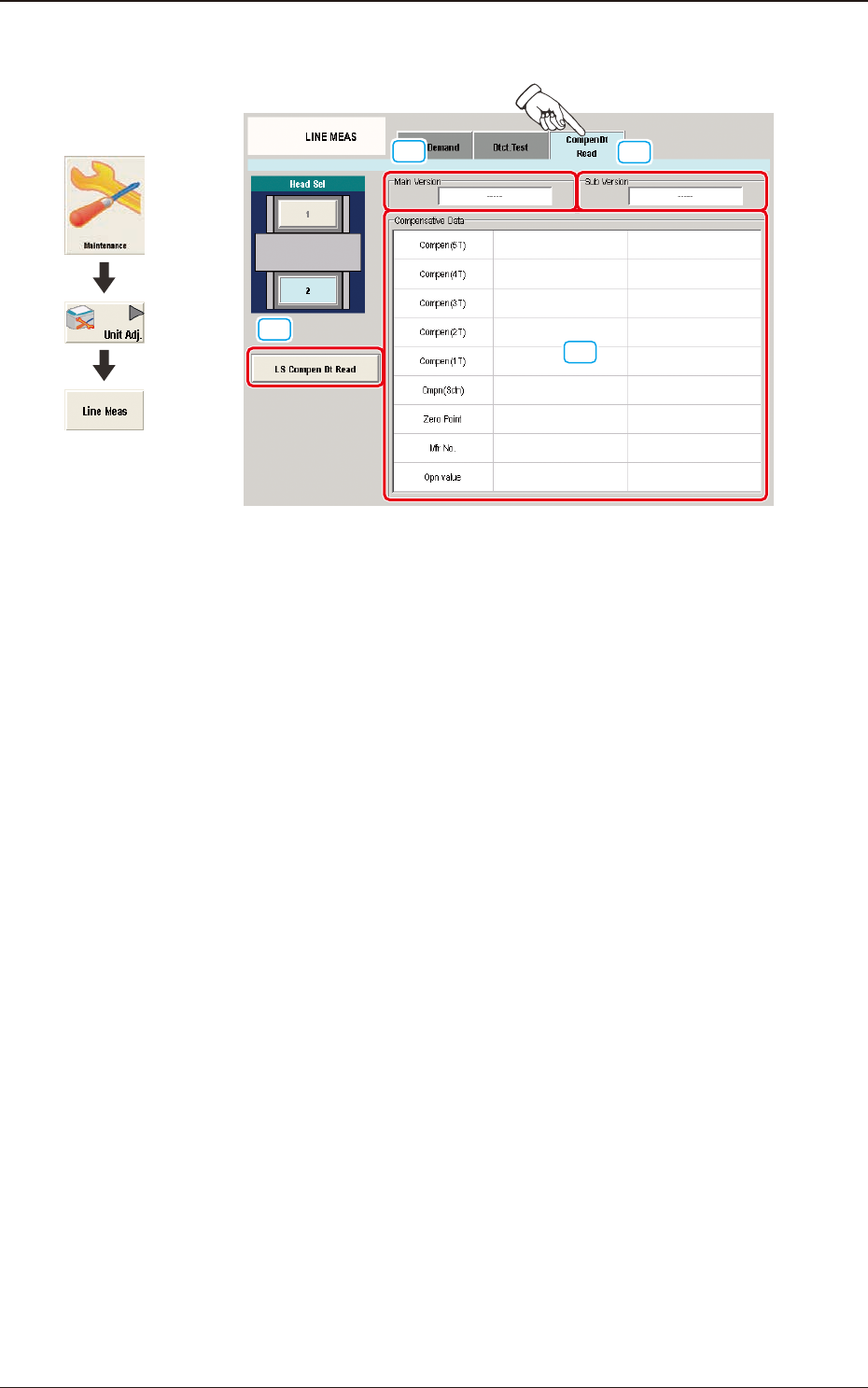
4.2.3 "CompenDt Read" Tab Sheet
[1]
[2]
[3]
[4]
F3A18
[1] [LS Compen Dt Read] Button
When pressed, this button reads the compensative data of the linear measure
sensor for the specied head from the linear measure sensor amplier.
[2] "Main Version" Group Box
Displayed in this group box is the main version of the data which was read
with the [LS Compen Dt Read] button.
[3] "Sub Version" Group Box
Displayed in this group box is the sub version of the data which was read
with the [LS Compen Dt Read] button.
[4] "Compensative Data" Group Box
Displayed in this group box are the contents of the data which was read with
the [LS Compen Dt Read] button.
Graphic
Development
4.2 "LINE MEAS" Window
3OM-1751
1-251303-001
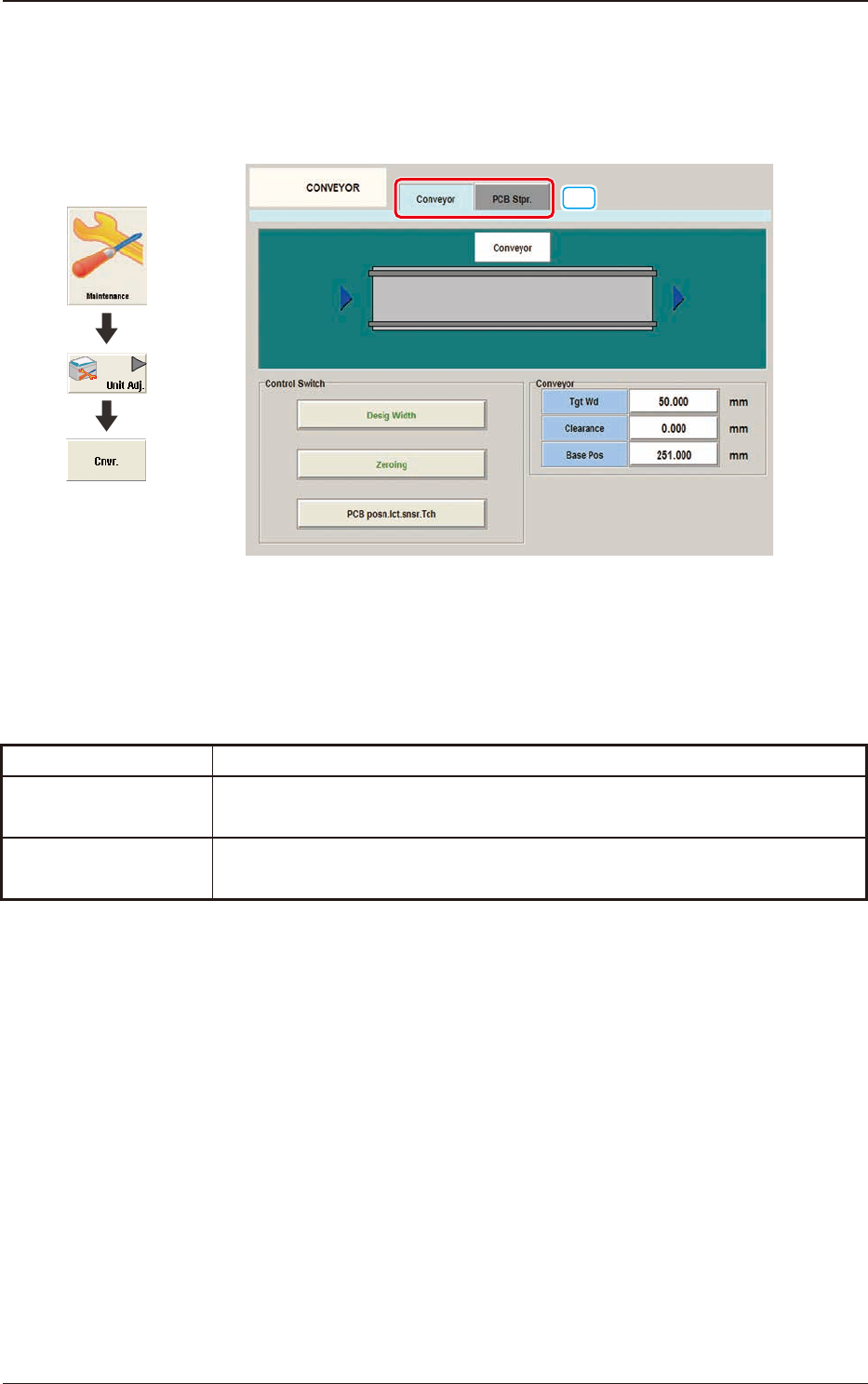
4.3 "CONVEYOR" Window
This button is used for the adjustment operation for the conveyor width overall
setup or manual setup.
[1]
"CONVEYOR" Window F3A19
[1] Tabs
The "CONVEYOR" Window is provided with the following two tabs.
When each tab is pressed, the corresponding tab sheet appears.
Tabs Description
Conveyor
When this tab is selected the tab sheet for the conveyor operation is displayed.
PCB Stpr.
When this tab is selected the tab sheet for the PCB stopper operation is
displayed.
T3A3
Graphic
Development
4.3 "CONVEYOR" Window
3OM-1751
1-26
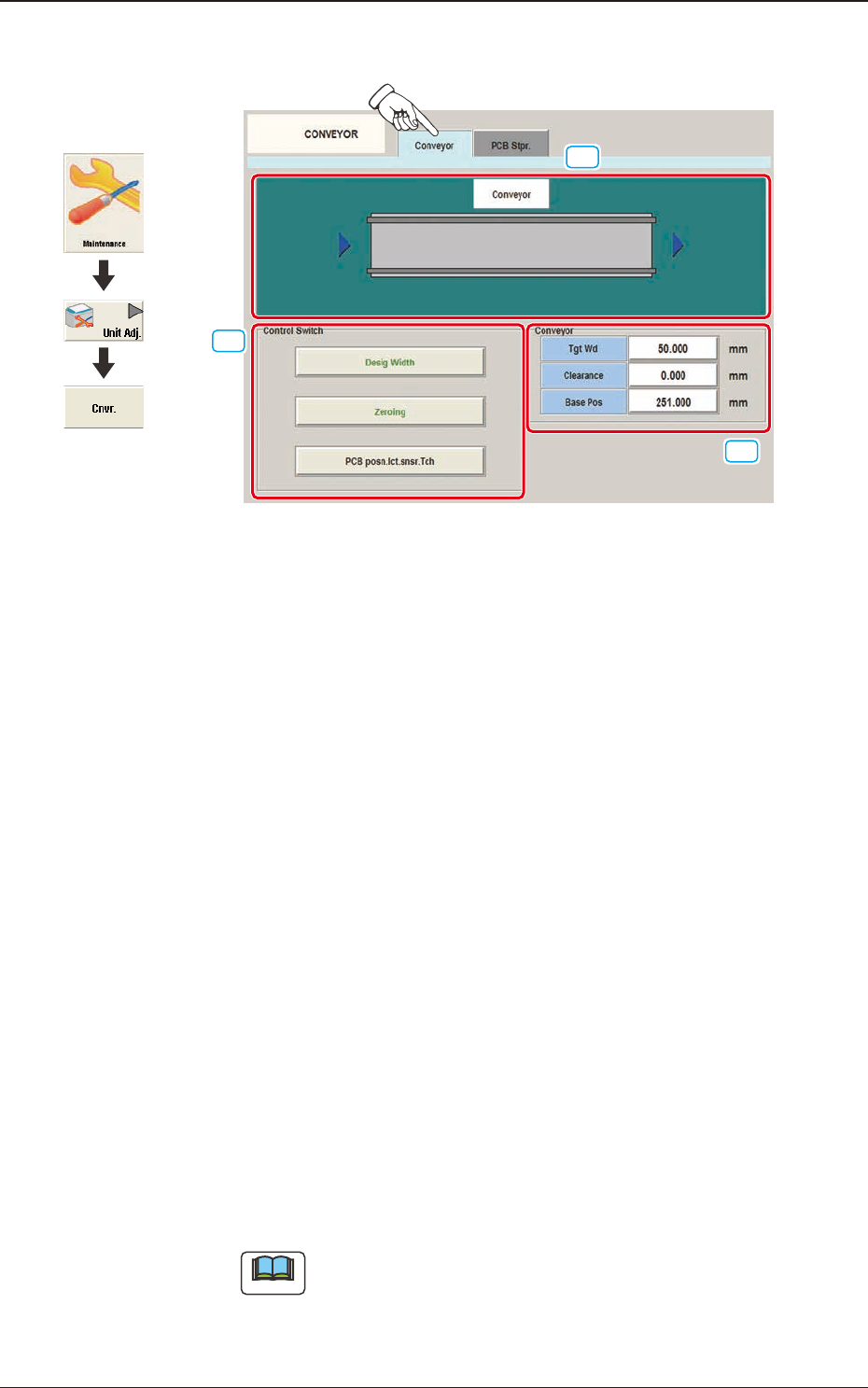
4.3.1 "Conveyor" Tab Sheet
[1]
[2]
[3]
"Conveyor" Tab Sheet F3A20
[1] Conveyor Display Section
The conveyor image is displayed in this section.
[2] Control Switch
These buttons are arranged to perform the following setup operations. When
any button is selected the background color of the selected button turns
green.
[Desig Width] Button
When each value for "Tgt Wd", "Clearance" and "Base Pos" are set and
the [START] button on the operation panel is pressed within 10 minutes
after pressing this button, the target position movement is performed.
[Zeroing] Button
When the [START] button on the operation panel is pressed, within 10
seconds after pressing this button, the conveyor zeroing operation is
performed.
[PCB posn.lct.snsr.Tch] Button
When this button is pressed, the teaching operation for the PCB
positioning detection sensor is performed based on the current conveyor
width.
Note
When there is a PCB on the conveyor, accurate teaching is not
available. Make sure that there is no PCB on the conveyor and press
this button to perform the teaching operation.
1303-001
Graphic
Development
4.3 "CONVEYOR" Window