3OM-1751-002w_G5S.pdf - 第98页
3OM-1751 1-44 1303-001 5.7 "Cmp Recog Mag" Window The corresponding window enables you to perform a teaching operation on the magnication of the Component recognition camera. [1] [2] F3A33 [1] T eaching Data D…
3OM-1751
1-431303-001
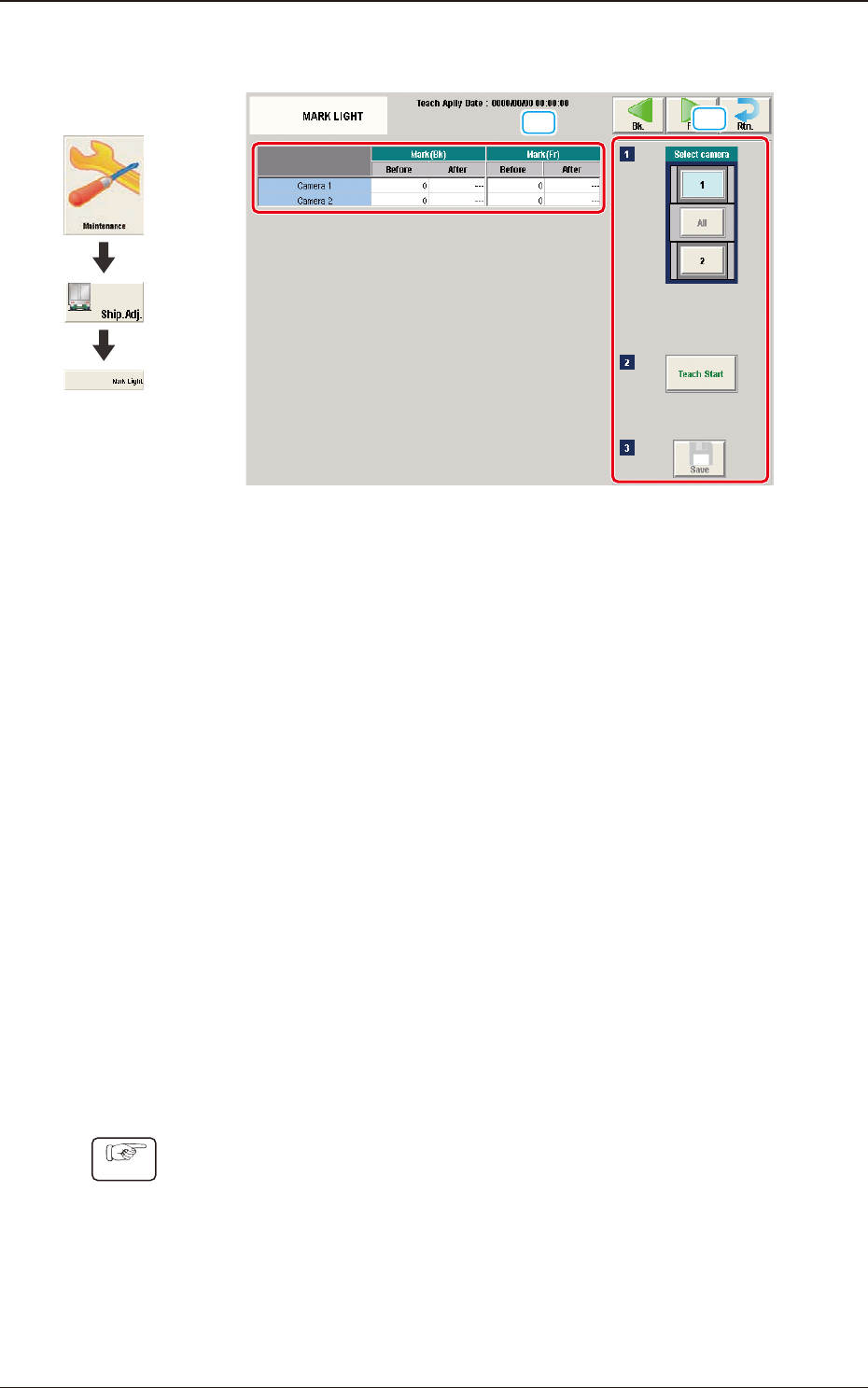
5.6 "MARK LIGHT" Window
[1]
[2]
F3A32
[1] Teaching Data Display Section
Displayed are the offset data items for each reference mark for the designated
camera.
[2] Teaching Procedure Display Area
Displayed are the buttons to be used for the teaching operations.
Select camera
Each PEC recognition camera in the graphic image of the machine is
provided with a button function. Select the camera in the block for which the
teaching operation is performed.
[Teach Start] button
When pressed, this button executes the teaching operation.
[Save] button
When this button is pressed, the teaching results are saved.
·
Teaching Procedure
Procedure
(1) Select the component recognition camera for which the teaching is
performed, in the "Select Camera" section.
(2) Press the [Teach Start] button.
(In a single teaching operation, the marks in the rear and front of the
designated component recognition camera are taught one by one).
(3) Press the [Save] button.
Graphic
Development
5.6 "MARK LIGHT" Window
3OM-1751
1-441303-001
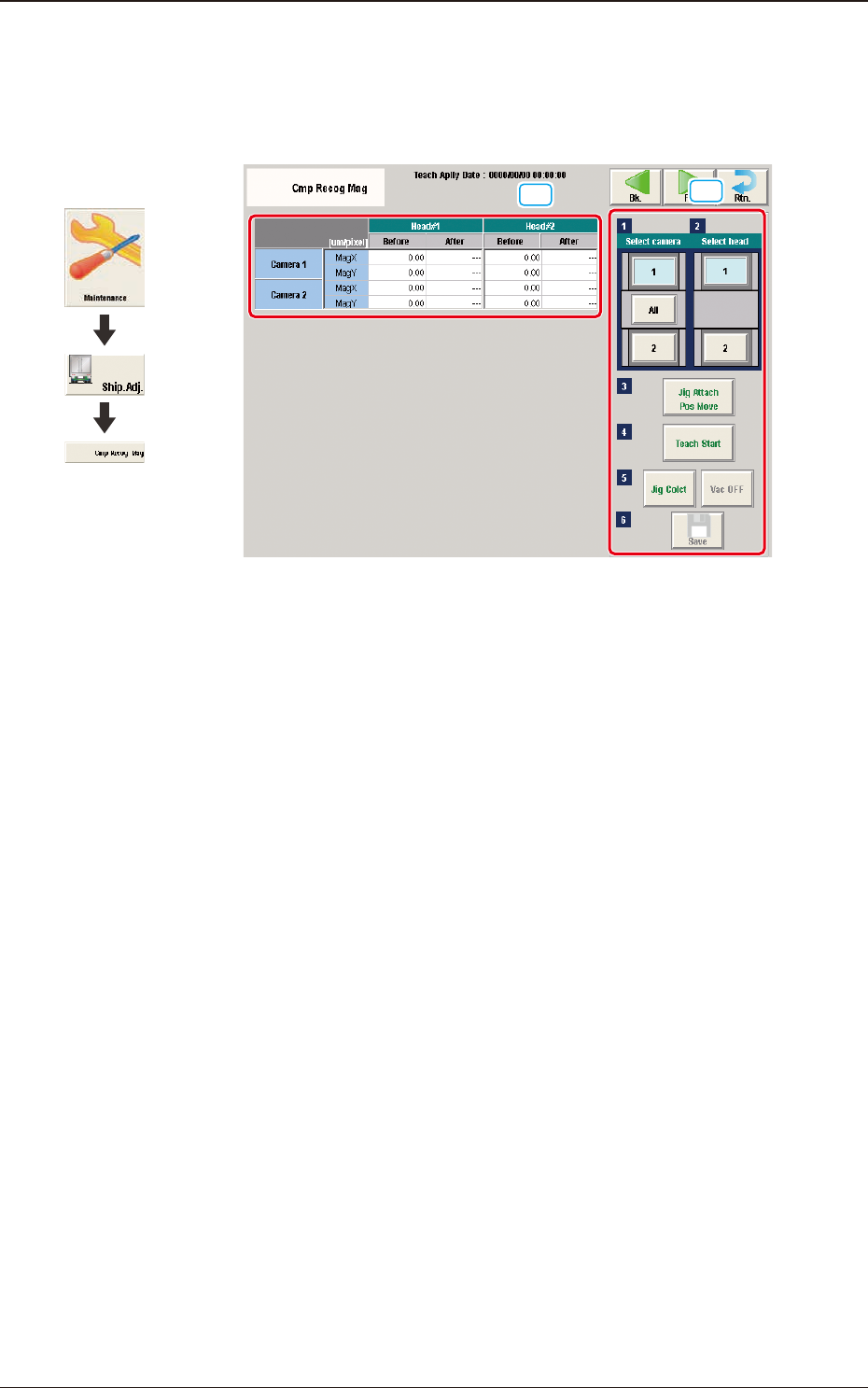
5.7 "Cmp Recog Mag" Window
The corresponding window enables you to perform a teaching operation on the
magnication of the Component recognition camera.
[1]
[2]
F3A33
[1] Teaching Data Display Section
Displayed are the magnications for the designated camera and head.
[2] Teaching Procedure Display Area
Displayed are the buttons to be used for the teaching operations.
Select camera
Each component recognition camera in the graphic image of the machine is
provided with a button function. When a button is pressed, the corresponding
component recognition camera is selected as an object one for the teaching
operation.
Select head
In this section, the buttons showing the component recognition cameras
corresponding to each head are displayed as images.
Select the component recognition camera for which the teaching is
performed.
[Jig Attach Pos Move] button
Using this function, the head is moved to the position where the
magnication teaching glass jig is easily attached.
Graphic
Development
5.7 "Cmp Recog Mag" Window
3OM-1751
1-451303-001
[Teach Start] button
When pressed, this button executes the teaching operation.
Based on the captured image, the magnication offset for the component
recognition camera is calculated.
[Jig Colct] button and [Vac OFF] button
Using this function, the head is moved to the position where the
magnication teaching glass jig is easily removed.
[Save] button
When this button is pressed, the teaching results are saved.
•
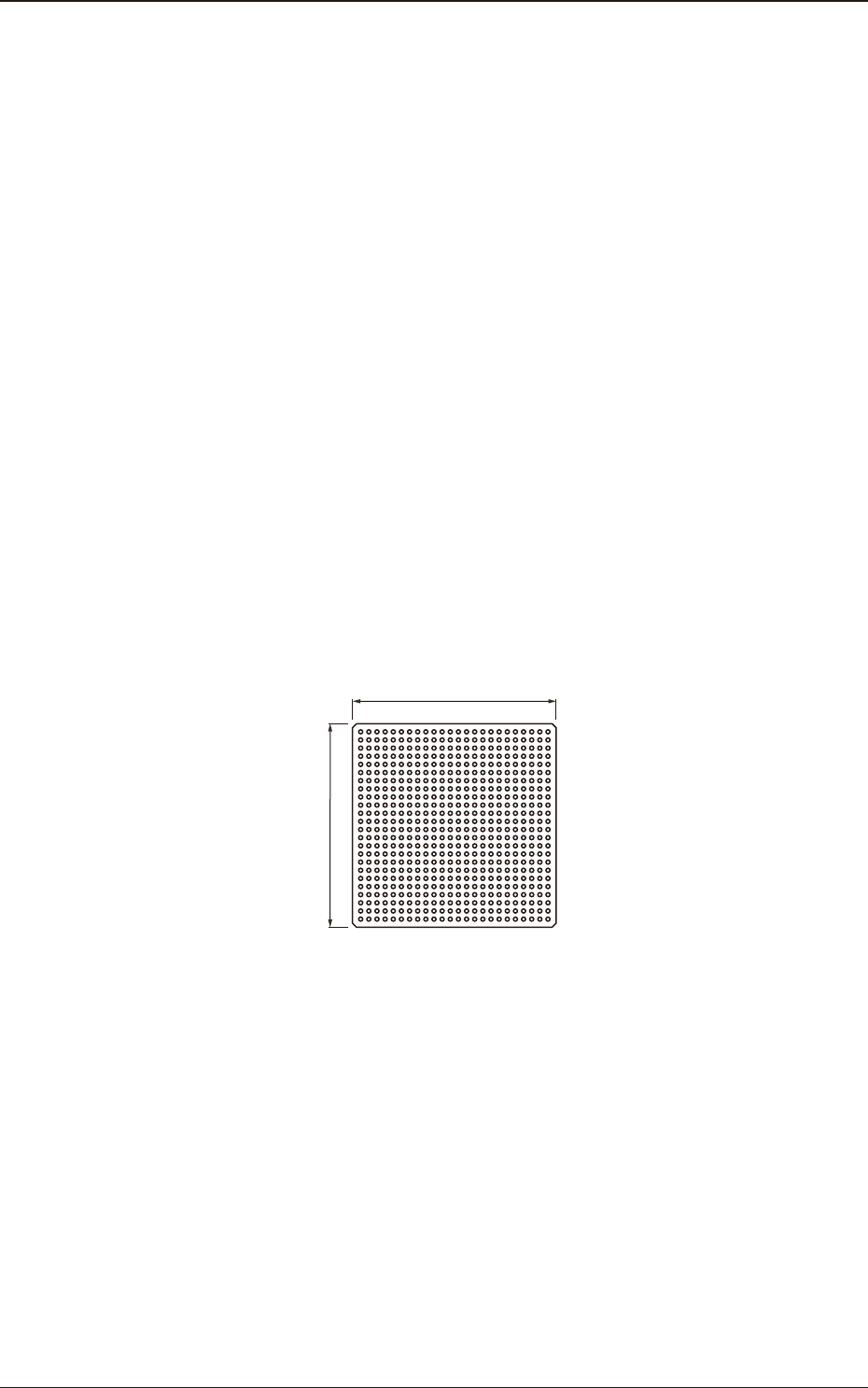
Component Recognition Camera Magnication Teaching Jig
For the component recognition camera magnication teaching, the following
jig component is used.
Magnication Teaching Glass Jig JG-0084
(KYF-M8673-00, Component Recognition Calibration Jig)
On the bottom surface of the jig component, 576 black circles with
f
1.00 [mm]
are vapor-deposited at 2.00 [mm] pitch.
50 mm
50 mm
Magnication Teaching Glass Jig F3A34
Jig Pick-up Nozzle
For the pick-up of the magnication teaching glass jig, the nozzle VF02 for
middle-size odd shaped nozzle is used.
5.7 "Cmp Recog Mag" Window