TR7100_Repair-Station_Manual(V8.5_Ch) - 第86页
單 元 二、 R e p a i r S t a t i o n 使 用說明 AO I R e p a i r S t a t i on 使 用 手冊 82 Ø 在 [ K i nd] 為 [ C o m p o n e n t T y p e] 或 [ C o m p o n e n t] 時指 定元 件 的 缺 件 會 標 示 為 紫 色 。 10 . 6 . 7 .2 O u t p u t A l l I m a g e Ø 要…
單元二、Repair Station 使用說明
AOI Repair Station 使用手冊
81
10.6.7 Defect Warning
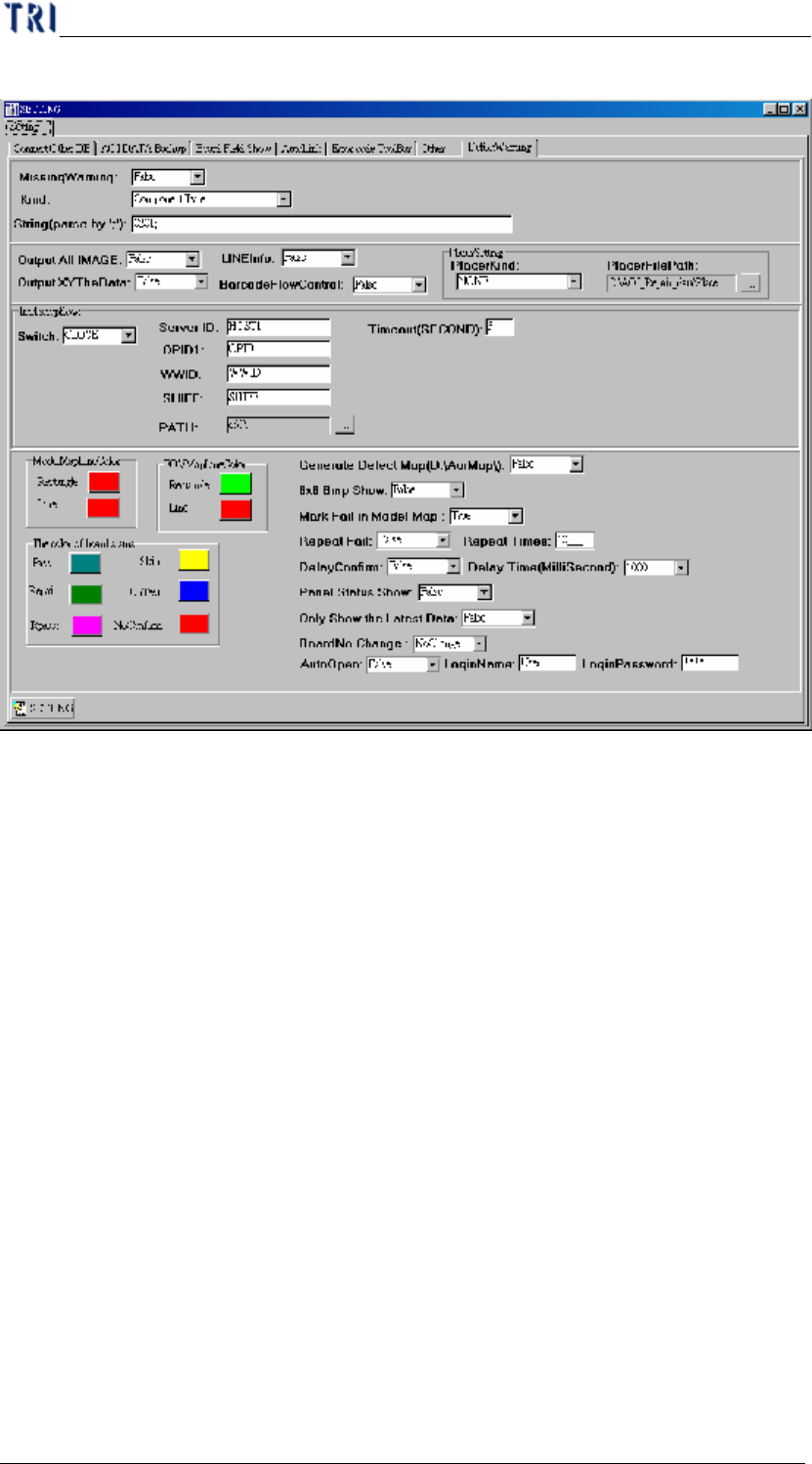
10.6.7.1 Missing Warning、Kind、String(parse by ';')
Ø 對缺件類型的錯誤以不同顏色強調。
Ø 若是要設定針對所有元件的缺件以不同顏色標示出來,請在
[MissingWarning]設為[True],[Kind]設為[All]。
Ø 若是要設定針對部份元件的缺件以不同顏色標示出來,請在
[MissingWarning]設為[True],[Kind]設為[Component],
[String(parse by ';')]欄位中鍵入元件名稱,元件與元件之間請用
分號(;)做區隔,例如[R1_1;C2_2;U2_1;]。
Ø 若是要設定針對元件 Type 的缺件以不同顏色標示出來,請在
[MissingWarning]設為[True],[Kind]設為[Component Type],
[String(parse by ';')]鍵入元件 Type,Type 名稱之間請用分號(;)做
區隔,例如[0201;0402;]。
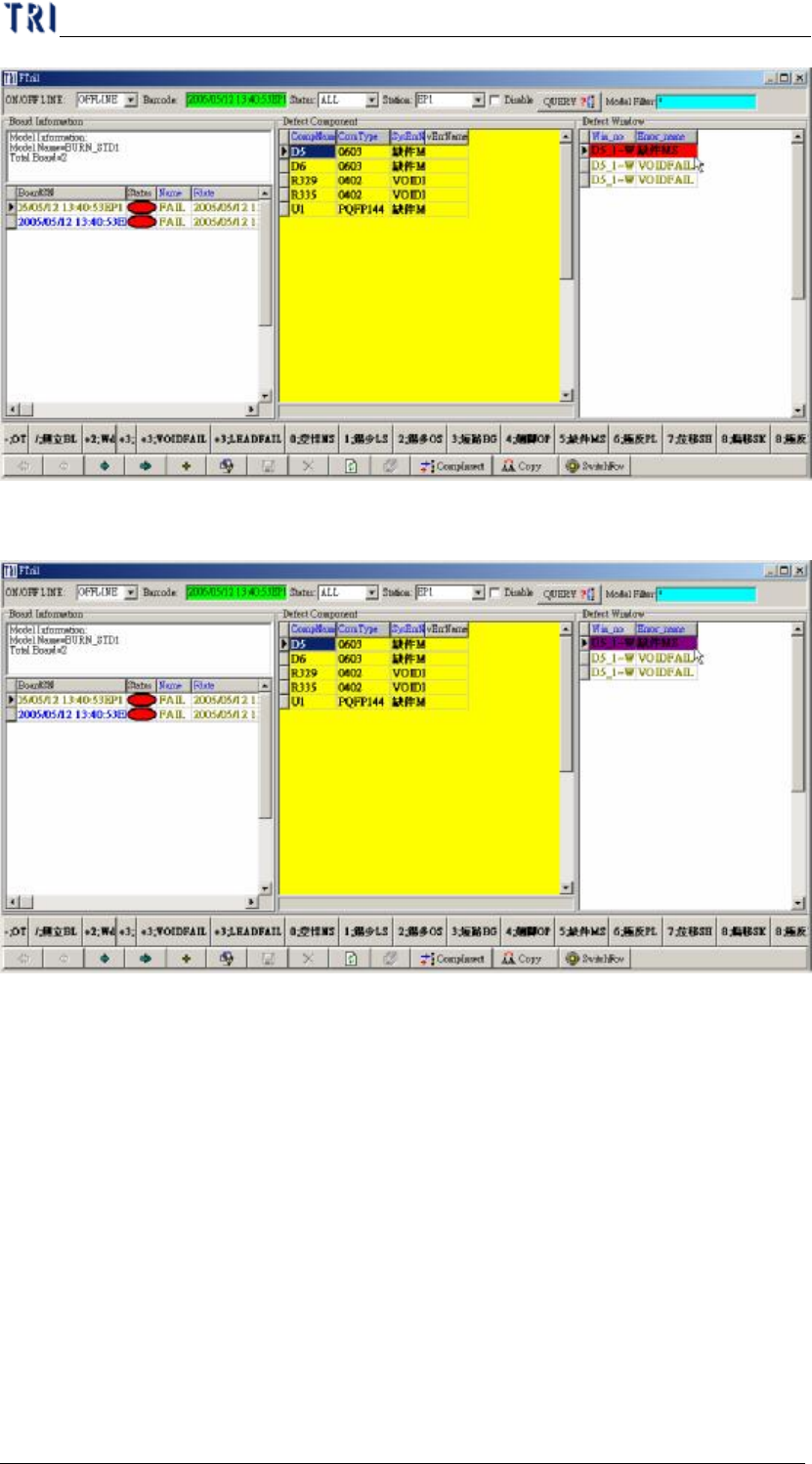
Ø 在[Kind]為[All]時缺件標示為紅色
單元二、Repair Station 使用說明
AOI Repair Station 使用手冊
82
Ø 在[Kind]為[Component Type]或[Component]時指定元件的缺件
會標示為紫色。
10.6.7.2 Output All Image
Ø 要使用 YMS 的 Defect Image 功能時要設定為[True]。
10.6.7.3 LineInfo
Ø 配合 YMS 使用時要設定為[True]。
10.6.7.4 Output 7100XY
Ø 要使用[X-barR chart]或 YMS 的偏移量 X、Y、Theta 資訊時,
需設定為[True]。
單元二、Repair Station 使用說明
AOI Repair Station 使用手冊
83
10.6.7.5 Barcode Flow Control
Ø YMS Barcode Check 專用。
10.6.7.6 Placer Kind
Ø PANA:此為連結 Panasonic Placer,相關設定請參見 YMS 使用
手冊中的 Placer Link 的說明。
Ø YAMA:此為連結 YAMAHA Placer。
Ø SIEM_Mode1:此為第一種連結 Siemens Placer 的模式。維修站
系統接收由 AOI 所傳過來的 Placer 檔案,[Placer File Path]須配
合設定為[C:\AOI_Repair_data\Placer]。AOI 部分須在 Placement
欄位中輸入標準格式為[$MMachine$GGantry$FFeeder]。
Ø SIEM_Mode2:此為第二種連結 Siemens Placer 方式,採用 NC
檔的模式
10.6.7.7 Placer File Path
Ø 打件機資訊存放的位置。
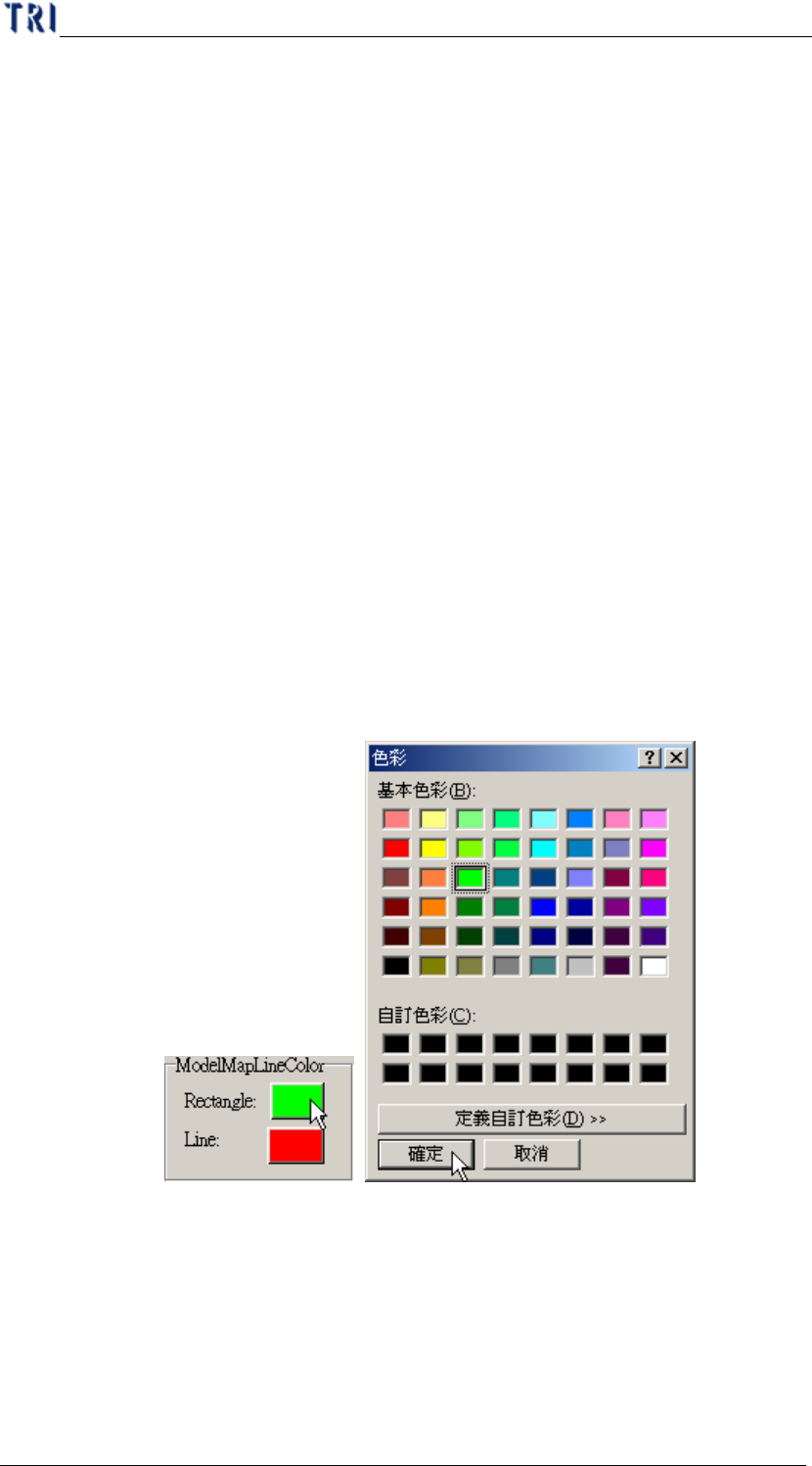
10.6.7.8 Model Map Line Color
Ø 可以自行定義在大圖影像上的定位方框及定位線的顏色