00197973-10_SM_MaterialTower.pdf - 第102页
Z Axis 001 97973 - 10 / 02 , 20 16 6- 20 © ASM SIPLACE Mat. Tower St ora ge Ser vice Manu al Machine operating cond ition : • Shut d o wn Main electrical power: • Equipment disconnected f rom power supply s ystem. The Ma…
00197973-10 / 02 , 2016 Z Axis
SIPLACE Mat. Tower Storage Service Manual © ASM 6-19
6.3.2 Tools, Material and Scheduling
For an effective and efficient maintenance, the following resources have to be provided:
Required Tools / Auxiliary Material / Spare parts
Tools: Allen key nr. 3 and 2.5
Screwdriver 00
Open-end wrench 7
Side cutter
A good source of light is recommended
Auxiliary Material: Cable ties
Sticky tape or labels
Pen
Spare parts:
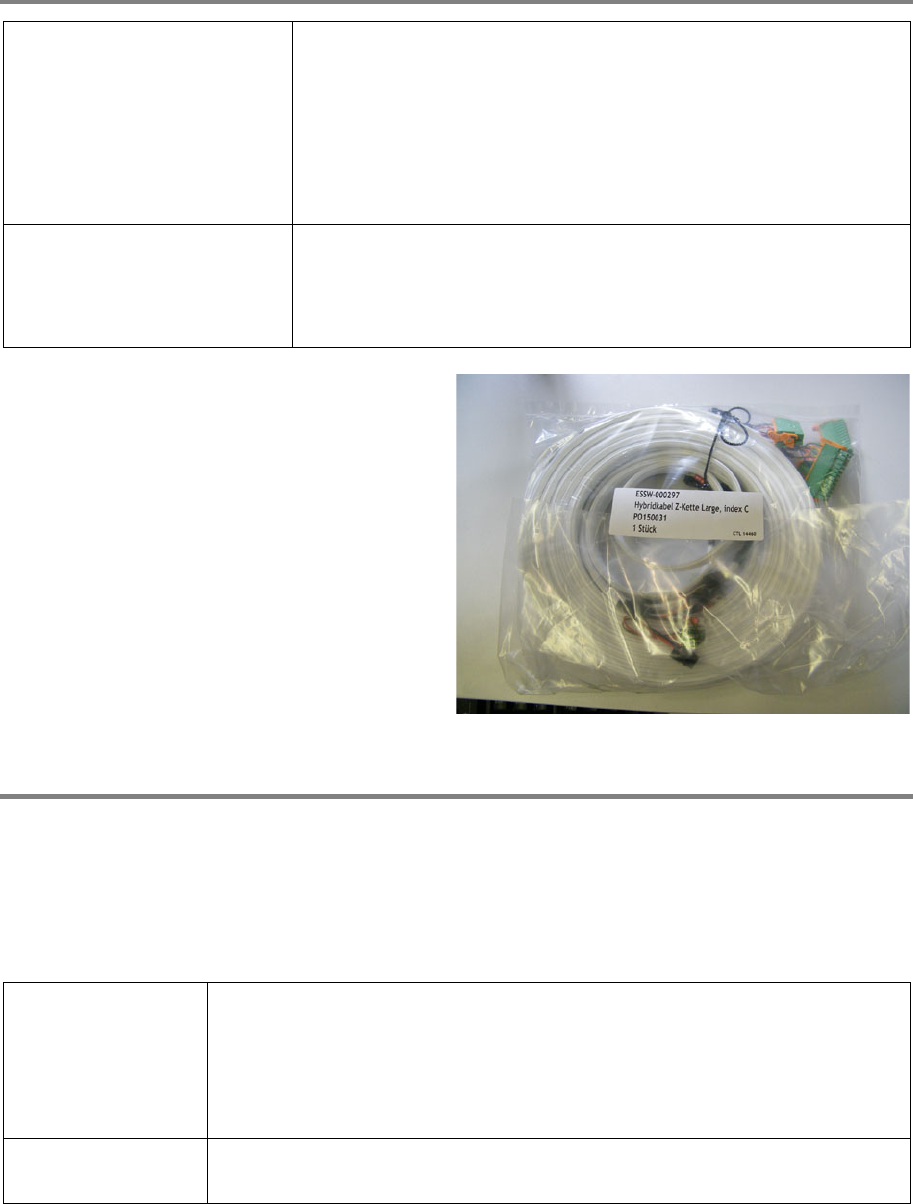
03124543
-01, hybrid cable Z
Time needed
Schedule around 3 hours for this task.
6.3.3 Prerequisites
For a safe and efficient maintenance, the following prerequisites have to be fulfilled:
Personnel:
• Any work with or at the equipment must be carried out by skilled and
trained personnel in accordance with the locally applicable
regulations.
• Inform all involved persons regarding the currently running
maintenance works.
Machine loading:
• While the working space is very limited, the stored items do not have
to be unloaded.
Z Axis 00197973-10 / 02 , 2016
6-20 © ASM SIPLACE Mat. Tower Storage Service Manual
Machine operating
condition:
• Shut down
Main electrical
power:
• Equipment disconnected from power supply system. The Main Switch
(switched off) locked by means of a padlock to secure the main switch
against unintentional switching on.
Compressed air /
Nitrogen (if used):
• Equipment disconnected from compressed air or nitrogen supply.
Access:
• Open both doors of the machine.
6.3.4 Exchange steps
Remove hybrid cable from terminal
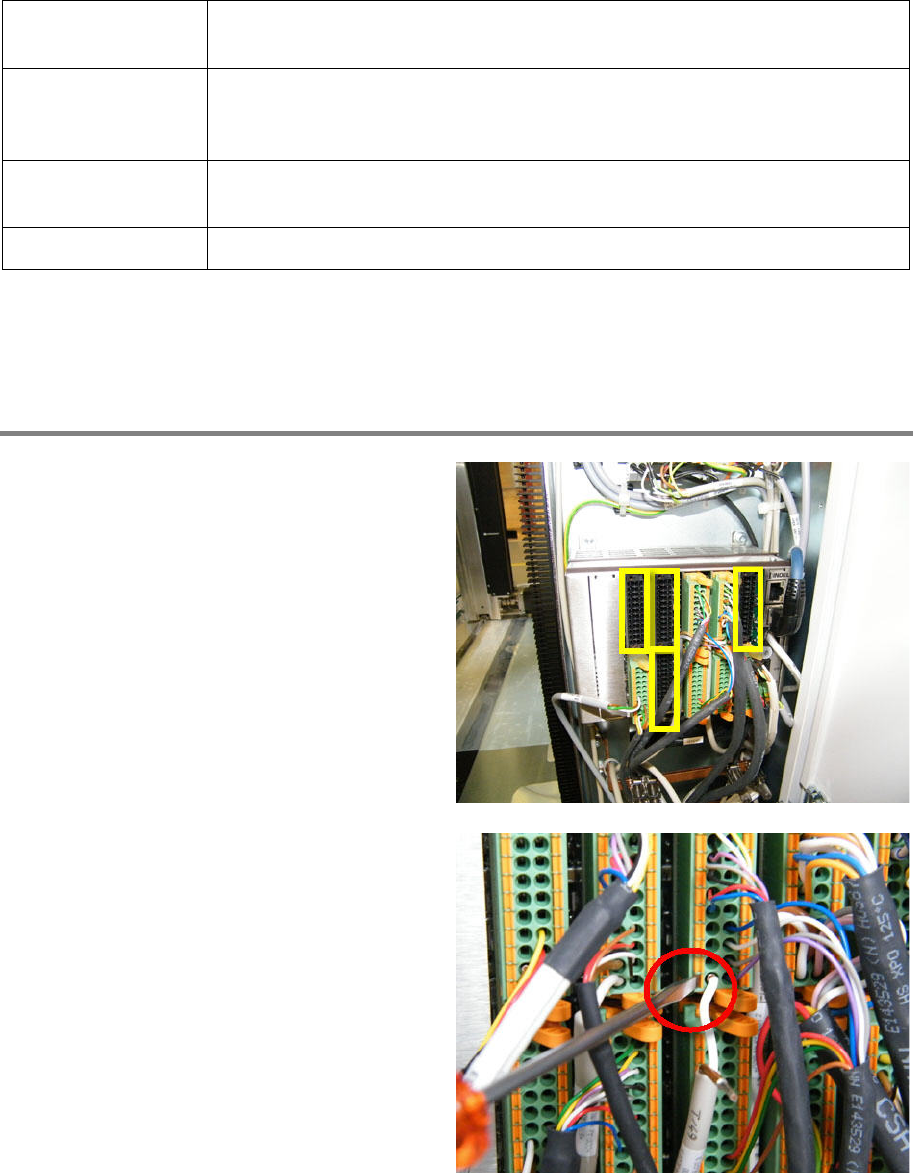
The following connectors have to be removed:
• Slot 1 X1
• Slot 4 X1 and X2
• Slot 5 X1
Remove the power supply cables (brown/white)
of all connectors to be removed, by means of the
screwdriver.
00197973-10 / 02 , 2016 Z Axis
SIPLACE Mat. Tower Storage Service Manual © ASM 6-21
Remove all cables of the connectors
to be
removed, which are not part of the hybrid cable.
Mark the cables for easy re
-mounting after the
exchange of the hybrid cable.
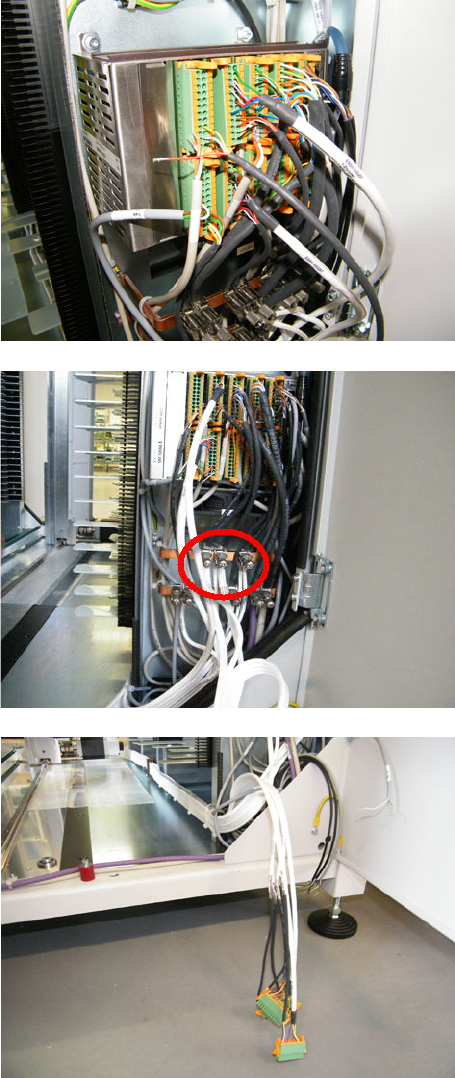
Loosen the shield terminals by hand and remove
the cables of the hybrid cable which has to be
exchanged. It is possible that other cables use
the same shield terminal, if so do not remove
them.
Loosen the four connectors and remove them.