00197973-10_SM_MaterialTower.pdf - 第111页
0019797 3 - 10 / 02 , 2016 Z Axis SIPLACE Mat. Towe r St ora ge Serv ice Manual © ASM 6- 29 Mount shi eld and p lug in a ll connect ors Mount the sh ield using screw and washer and tighten the screw. Plug in al l sensors…
Z Axis 00197973-10 / 02 , 2016
6-28 © ASM SIPLACE Mat. Tower Storage Service Manual
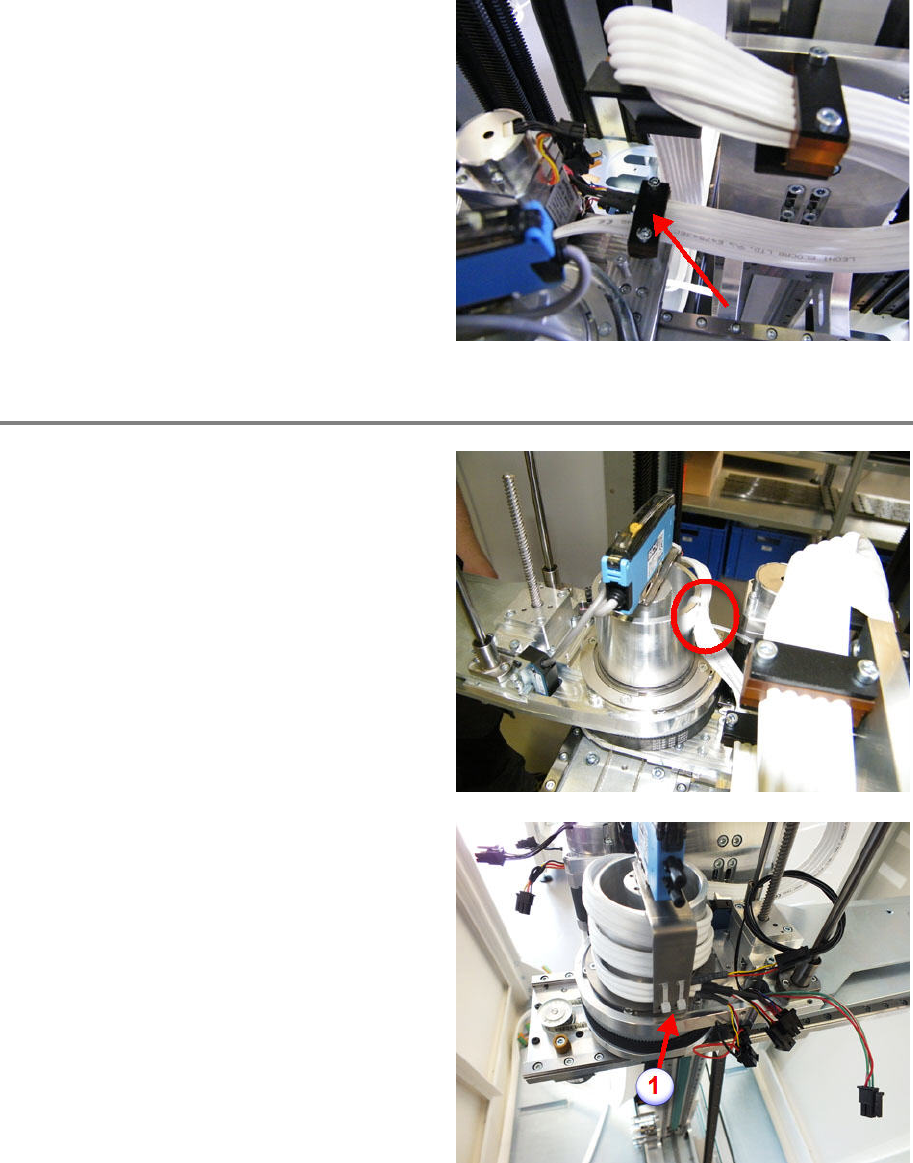
Mount the third clamp, make sure the notches of
the form clamping parts correspond to the
hybrid cable diameter. Only the wider cable
bundle is clamped by t
he third clamp. The
shrinking tubes must not be clamped but should
be very close to the clamp.
Pay attention to a smooth cable routing through
all three clamps and tighten the clamp fixing
screws.
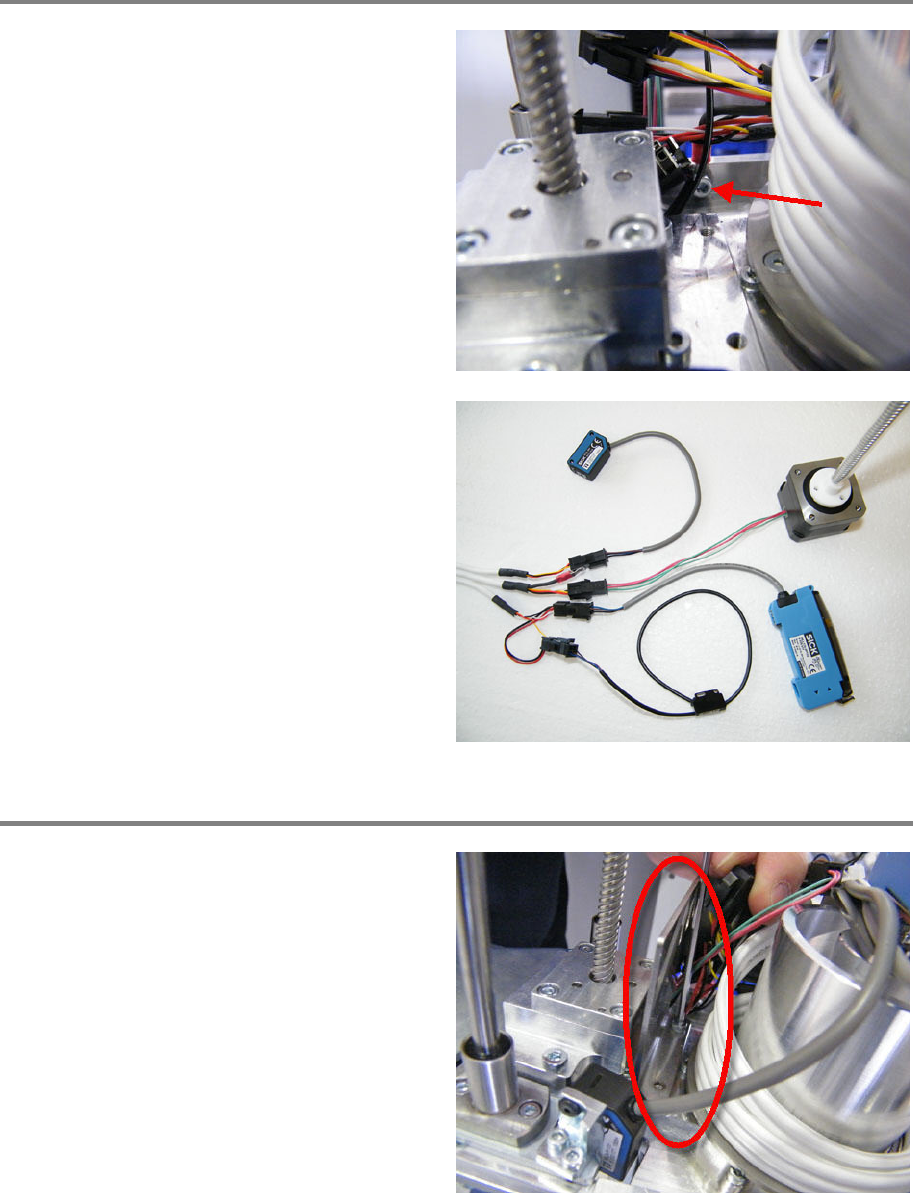
Mount cable on gripper
Fix the cable by using two cable ties.
Make sure the gripper can rotate without
collision and without stretching the cable.
Wrap the hybrid cable two and a half times
around the shaft. Loop from top to bottom.
Make sure the cable is not twisted.
Make sure the gripper
can rotate without
collision and without stretching the cable.
Fix the cable by using two cable ties (1).
00197973-10 / 02 , 2016 Z Axis
SIPLACE Mat. Tower Storage Service Manual © ASM 6-29
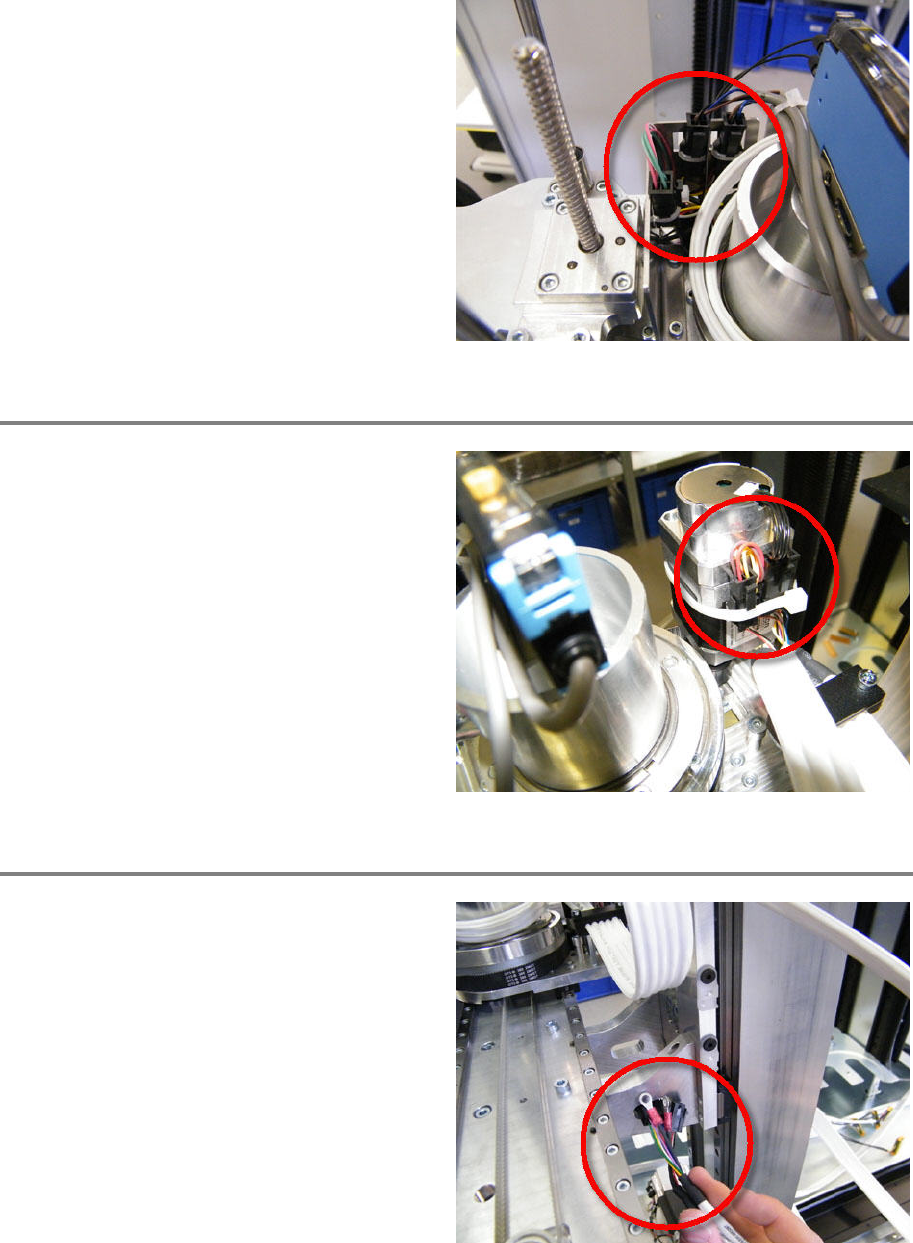
Mount shield and plug in all connectors
Mount the shield using screw and washer and
tighten the screw.
Plug in all sensors and actuators according to
the picture.
Mount sheet metal and fix connectors
Mount the sheet metal using two screws.
Make sure not to clamp any cable.
Z Axis 00197973-10 / 02 , 2016
6-30 © ASM SIPLACE Mat. Tower Storage Service Manual
Fix connectors and cables by using cable ties. Fix
the connectors on the hybrid cable side.
Connect the R motor
Fix the shield by using screw and washer and
tighten the screw.
Plug in the three connectors.
Fix the connectors by using a cable tie.
Connect Y axis motor
Slip in the cable.