00197973-10_SM_MaterialTower.pdf - 第117页
0019797 3 - 10 / 02 , 2016 Z Axis SIPLACE Mat. Towe r St ora ge Serv ice Manual © ASM 6- 35 Clamp the cabl es of the new hybrid cable with the shield terminals an d tight en the screws by hand. It is p ossible that ot he…
Z Axis 00197973-10 / 02 , 2016
6-34 © ASM SIPLACE Mat. Tower Storage Service Manual
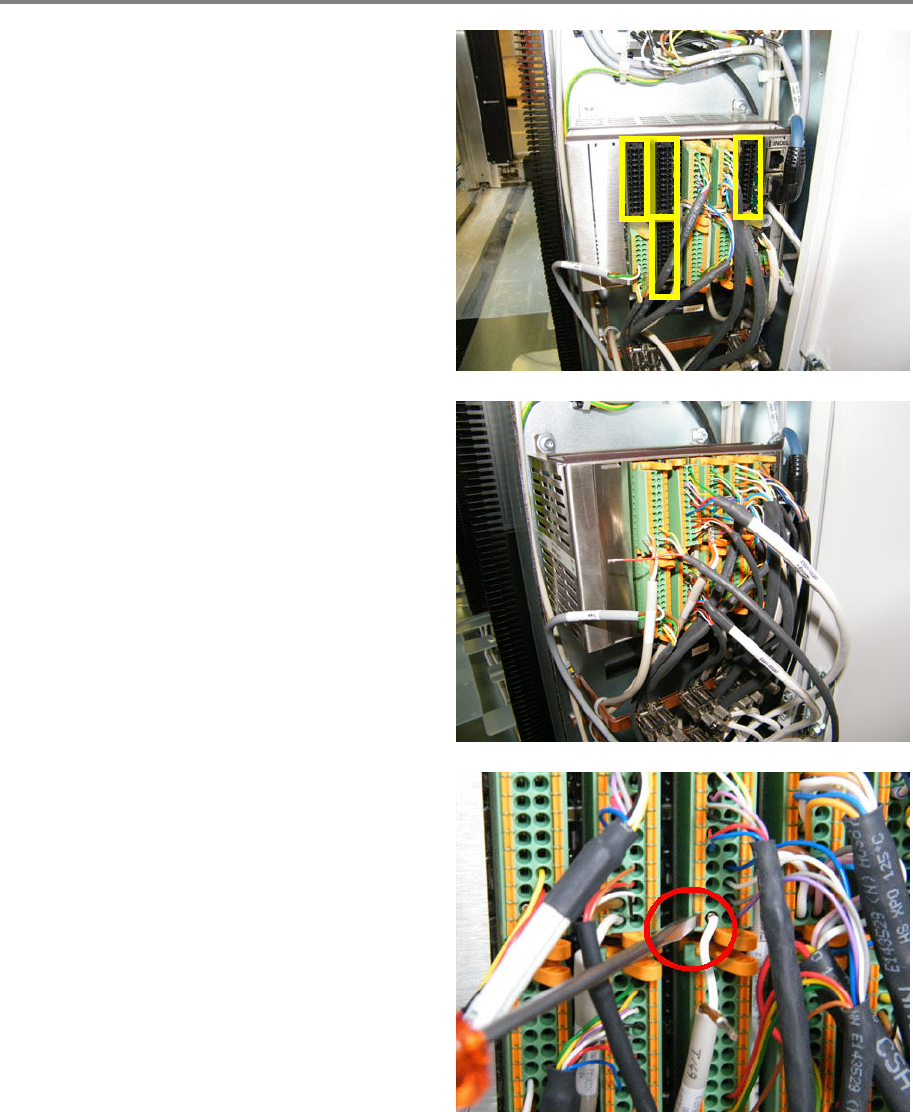
Connect hybrid cable to terminal
The following connectors have to be plug
ged in:
• Slot 1 X1
• Slot 4 X1 and X2
• Slot 5 X1
Plug in all four connectors (connectors and plug
in locations are labelled).
Re
-mount all cables of the plugged in
connectors, which are not part of the hybrid
cable (watch out for the correct pin position).
Mark the cables for easy re
-mounting after the
exchange of the hybrid cable.
Re
-mount all the power cables (48 V)
(brown/white) by means of a screwdriver (same
position as power cables of adjacent connector,
pin 22 and 24).
00197973-10 / 02 , 2016 Z Axis
SIPLACE Mat. Tower Storage Service Manual © ASM 6-35
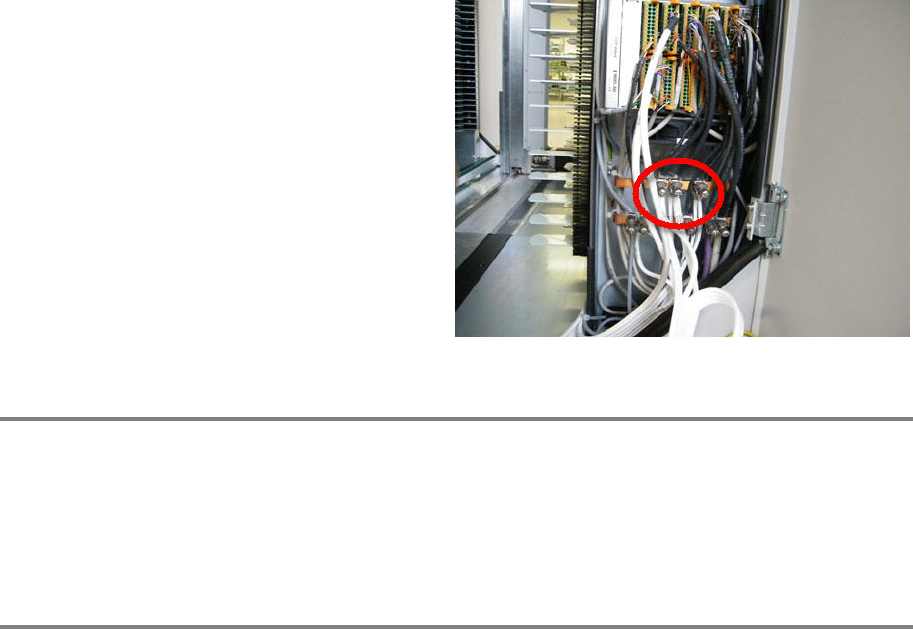
Clamp the cables of the new hybrid cable with
the shield terminals and tighten the screws by
hand. It is possible that other cables use the
same
shield terminal, if so re-connect them as
well.
Closing tasks
• Make sure all the cables are fitted correctly. They should not touch the door if closed.
• Make sure free movement is allowed for the hybrid cables along the whole driving range of
the X axis and the Z axis (no collision, no touching the chassis, no stretching of the hybrid
cable).
Finalize exchange steps
Remove all tools, attach all previously removed covers and close the doors of the machine.
Plug in the power connector and switch on the machine.
Initialize the machine by means of the software.