00197973-10_SM_MaterialTower.pdf - 第124页
Gripper 0019797 3 - 10 / 02 , 2016 7-6 © ASM SIPLACE Mat. Tower S tor ag e Service Ma nual Mount cable on gri pper Fix the cable by using two cable ti es. Make sure the gripper can rotate without colli sion and withou t …
00197973-10 / 02 , 2016 Gripper
SIPLACE Mat. Tower Storage Service Manual © ASM 7-5
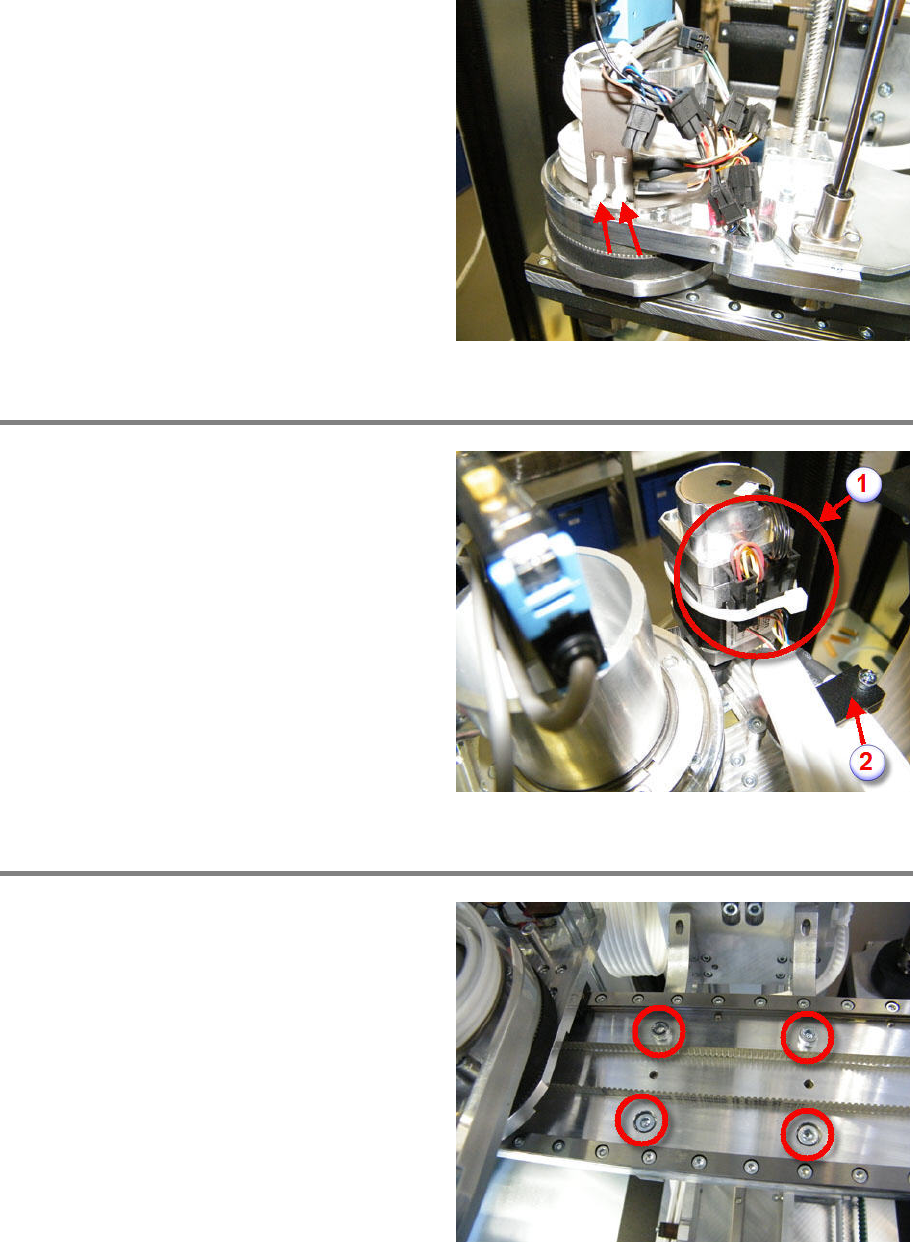
Cut off and remove the cable ties.
Slip out the cable (three loops).
Remove cable from R motor
Cut off the cable tie and remove it (1).
Remove the three connectors (1).
Loosen and remove the shield screw (1).
L
oosen and remove the cable clamp (2).
Exchange gripper with Y carriage
Loosen and remove the four fixing screws.
Exchange the gripper with th
e new one.
Screw in and tighten the four fixing screws.
Gripper 00197973-10 / 02 , 2016
7-6 © ASM SIPLACE Mat. Tower Storage Service Manual
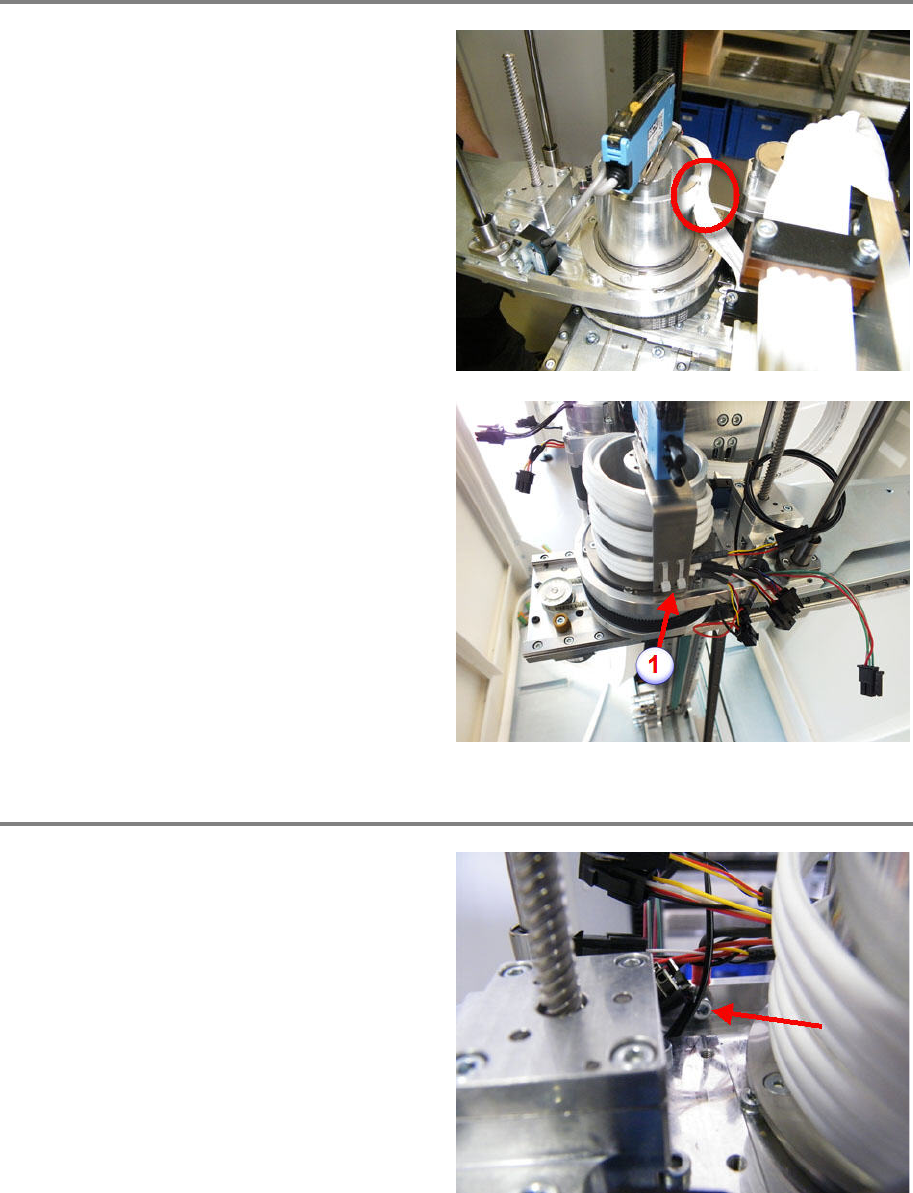
Mount cable on gripper
Fix the cable by using two cable ties.
Make sure the gripper can rotate without
collision and without stretching the cable.
Wrap the hybrid cable two and a half times
around the shaf
t. Loop from top to bottom.
Make sure the cable is not twisted.
Make sure the gripper can rotate without
collision and without stretching the cable.
Fix the cable by using two cable ties (1).
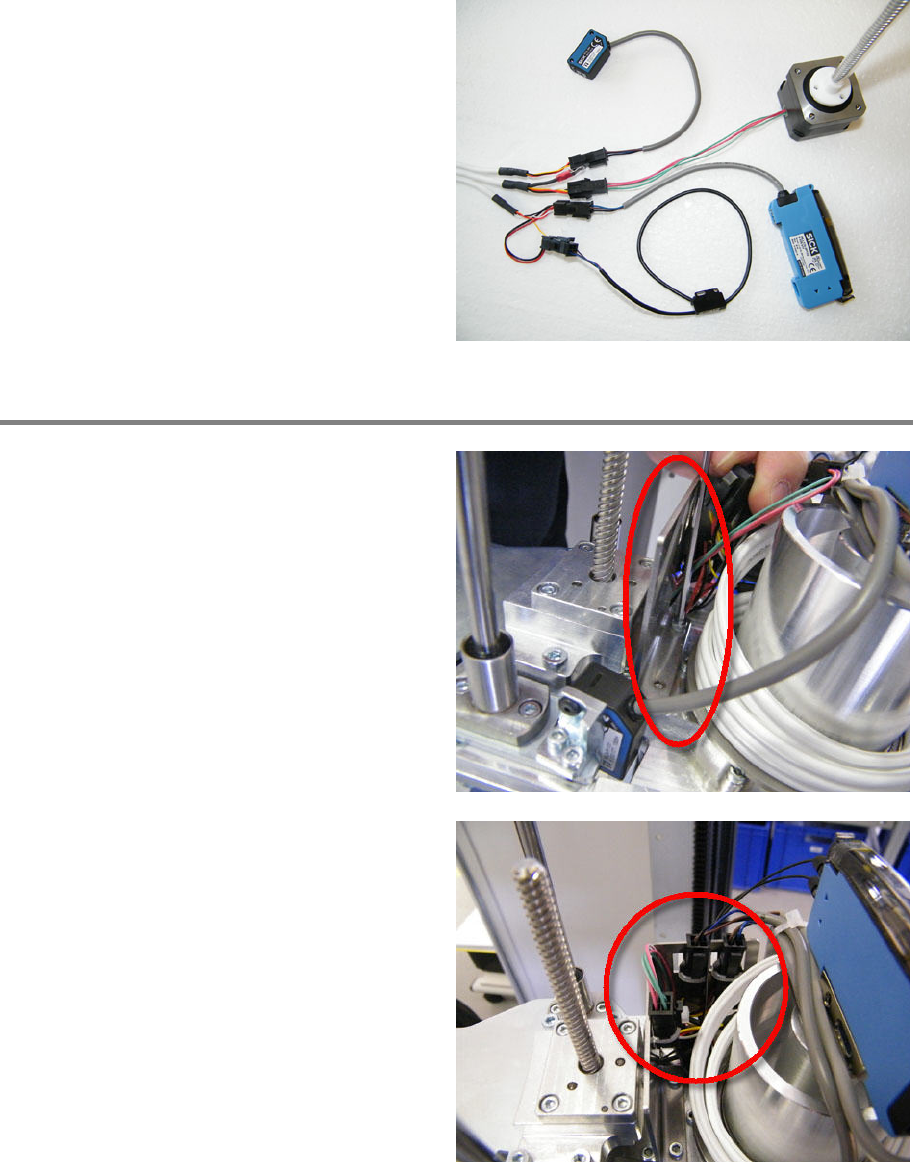
Mount shield and plug in all connectors
Mount the shield using screw and washer and
tighten the screw.
00197973-10 / 02 , 2016 Gripper
SIPLACE Mat. Tower Storage Service Manual © ASM 7-7
Plug in all sensors and actuators according to
the picture.
Mount sheet metal and fix connectors
Mount the sheet metal using two screws.
Make sure not to clamp any cable.
Fix connectors and cables by using cable ties. Fix
the connectors on the hybrid cable side.