00197973-10_SM_MaterialTower.pdf - 第126页
Gripper 0019797 3 - 10 / 02 , 2016 7-8 © ASM SIPLACE Mat. Tower S tor ag e Service Ma nual Connect the R motor Mount the cabl e clamp, make su re the n otches of the form cla mping parts correspond t o the hybrid cable d…
00197973-10 / 02 , 2016 Gripper
SIPLACE Mat. Tower Storage Service Manual © ASM 7-7
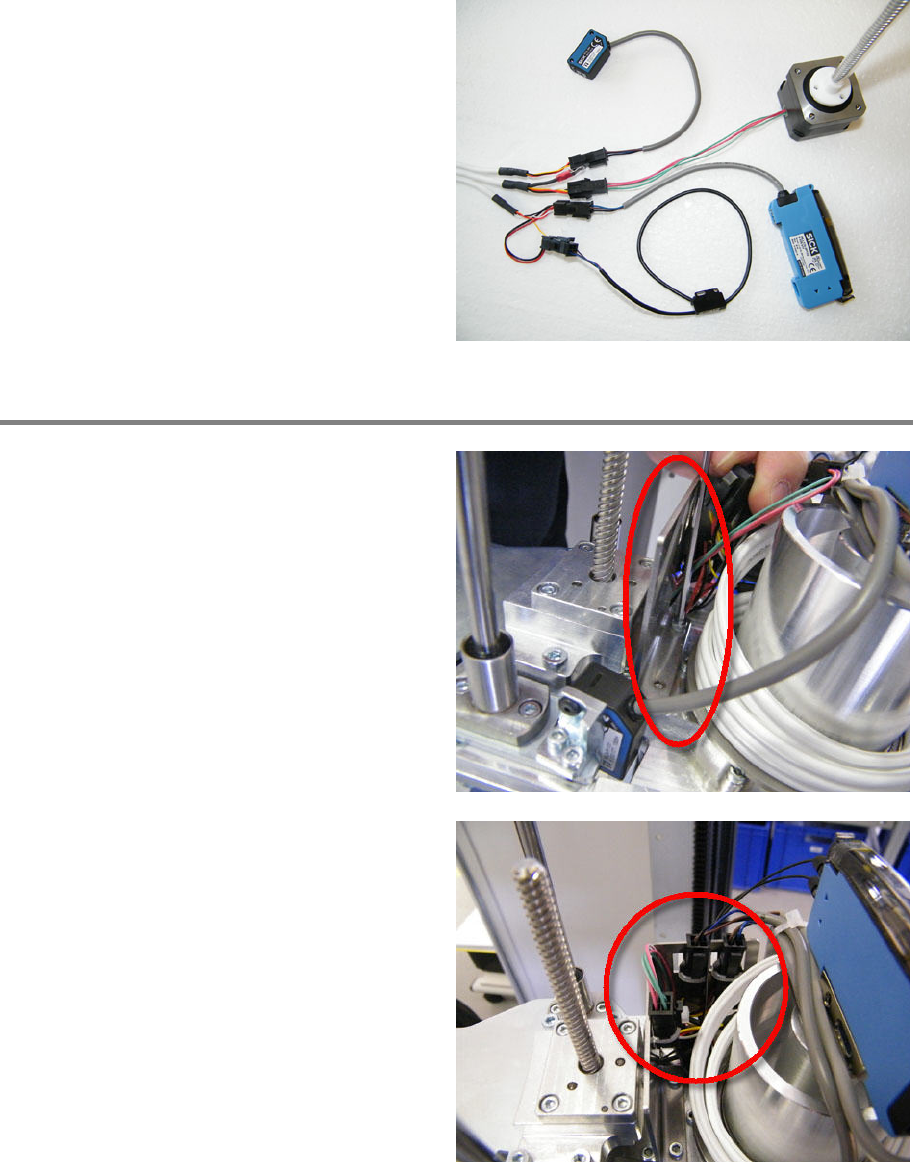
Plug in all sensors and actuators according to
the picture.
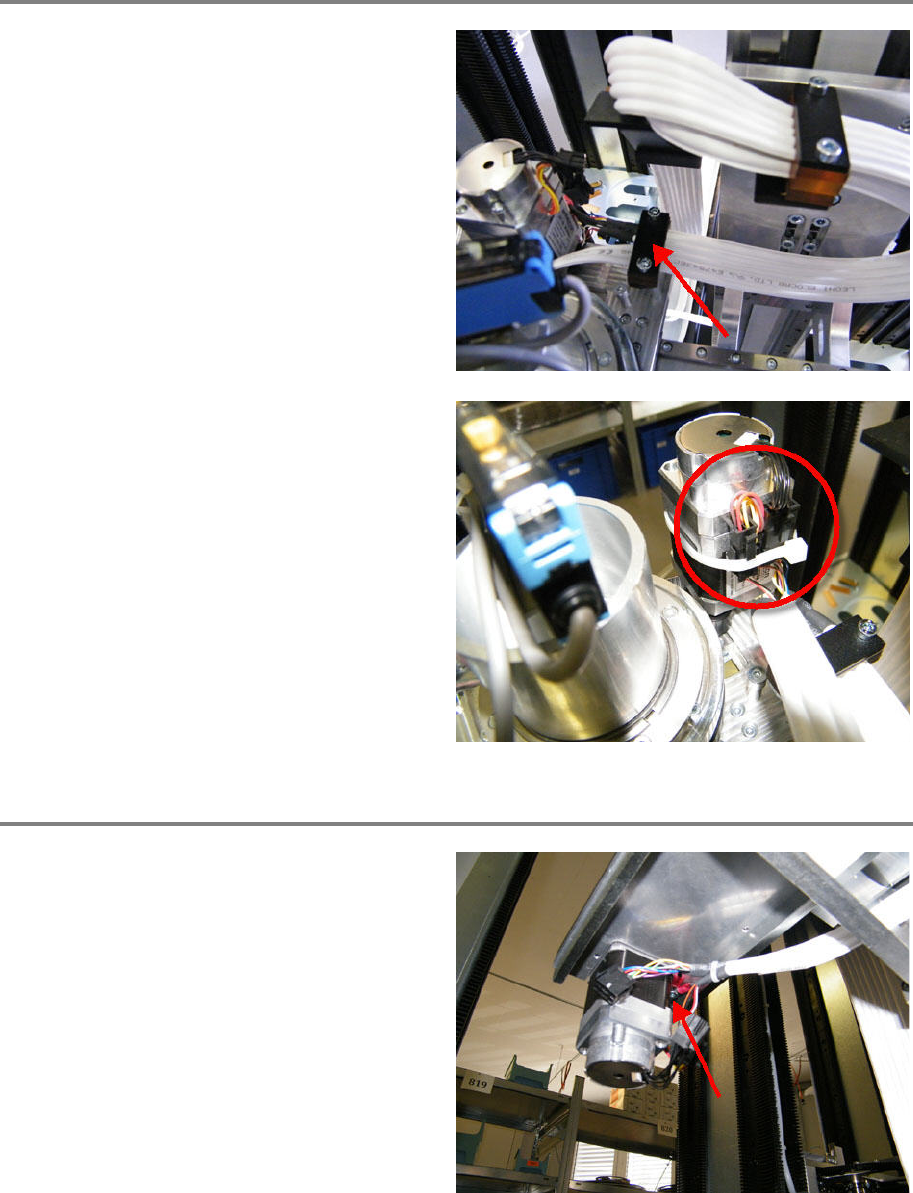
Mount sheet metal and fix connectors
Mount the sheet metal using two screws.
Make sure not to clamp any cable.
Fix connectors and cables by using cable ties. Fix
the connectors on the hybrid cable side.
Gripper 00197973-10 / 02 , 2016
7-8 © ASM SIPLACE Mat. Tower Storage Service Manual
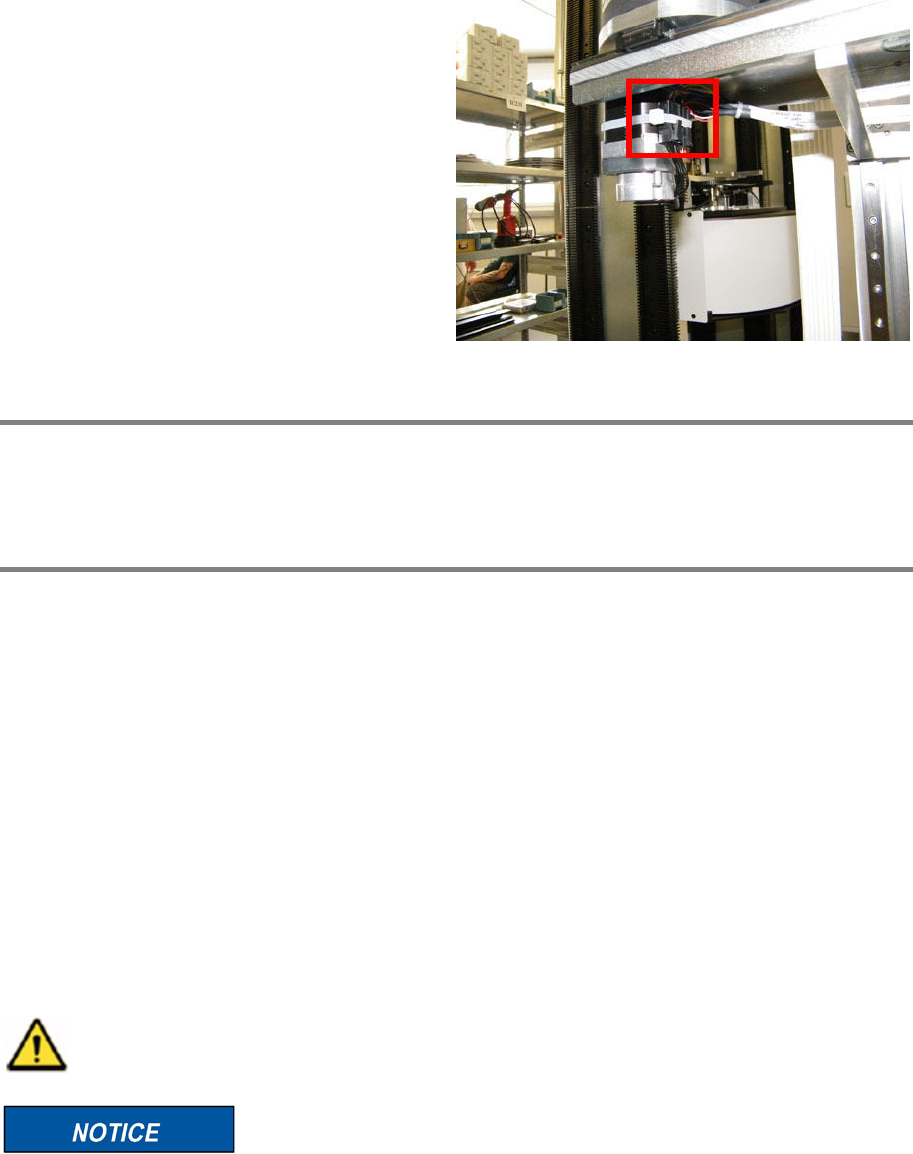
Connect the R motor
Mount the cable clamp, make su
re the notches
of the form clamping parts correspond to the
hybrid cable diameter. The shrinking tubes must
not be clamped but should be very close to the
clamp.
Pay attention to a smooth cable routing and
tighten the clamp fixing screws.
Fix the shield by using screw and washer and
tighten the screw.
Plug in the three connectors.
Fix the connectors by using a cable tie.
Connect Y axis motor
Fix the shield by using screw and washer.
Tighten the screw.
00197973-10 / 02 , 2016 Gripper
SIPLACE Mat. Tower Storage Service Manual © ASM 7-9
Plug in all connectors.
Fix the connectors by a cable tie.
Closing task
Make sure free movement is allowed for the gripper and Y carriage (no collision, no stretching of
the hybrid cable).
Finalize exchange steps
Remove all tools, attach all previously removed covers and close the doors of the machine.
Plug in the power connector and switch on the machine.
Initialize the machine by means of the software.
7.2 R-Belt (gripper rotation)
7.2.1 Introduction
This modification instruction describes how to change the belt of the gripper rotation axis on
SIPLACE Material Tower.
Spare part number: 03124537-01
Before starting the maintenance, read the Safety instructions carefully.
After this modification all stacks must be recalibrated. Therefore, SIPLACE Material Tower
must be emptied in advance by means of the software.