00197973-10_SM_MaterialTower.pdf - 第130页
Gripper 0019797 3 - 10 / 02 , 2016 7- 12 © ASM SIPLACE Mat. Tower St ora ge Ser vice Manu al Remove the three scre ws on the un derside of the X axis and take out the motor. Step 2 Remove the four s crews below the wh it…
00197973-10 / 02 , 2016 Gripper
SIPLACE Mat. Tower Storage Service Manual © ASM 7-11
Main electrical
power:
• Equipment disconnected from power supply system. The Main Switch
(switched off) locked by means of a padlock to secure the main switch
against unintentional switching on.
Compressed air /
Nitrogen (if used):
• Equipment disconnected from compressed air or nitrogen supply.
Access:
• Open both doors of the machine.
• Pull the Z axis towards you.
• Pull the gripper up (is a bit hard because the Z motor has a break) so
you have better access.
7.2.4 Exchange steps
Step 1
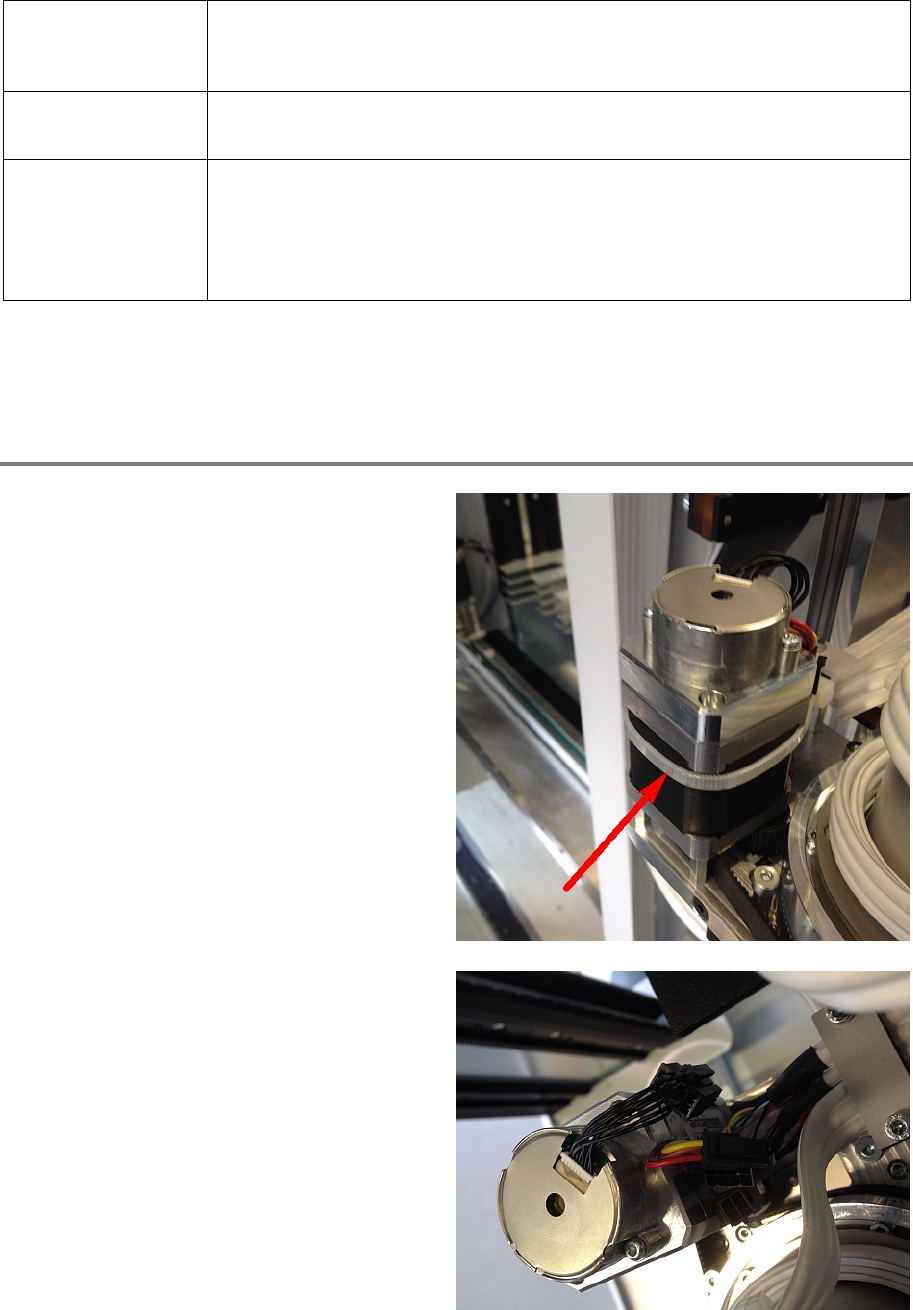
Cut the cable tie.
Disconnect all cables.
Gripper 00197973-10 / 02 , 2016
7-12 © ASM SIPLACE Mat. Tower Storage Service Manual
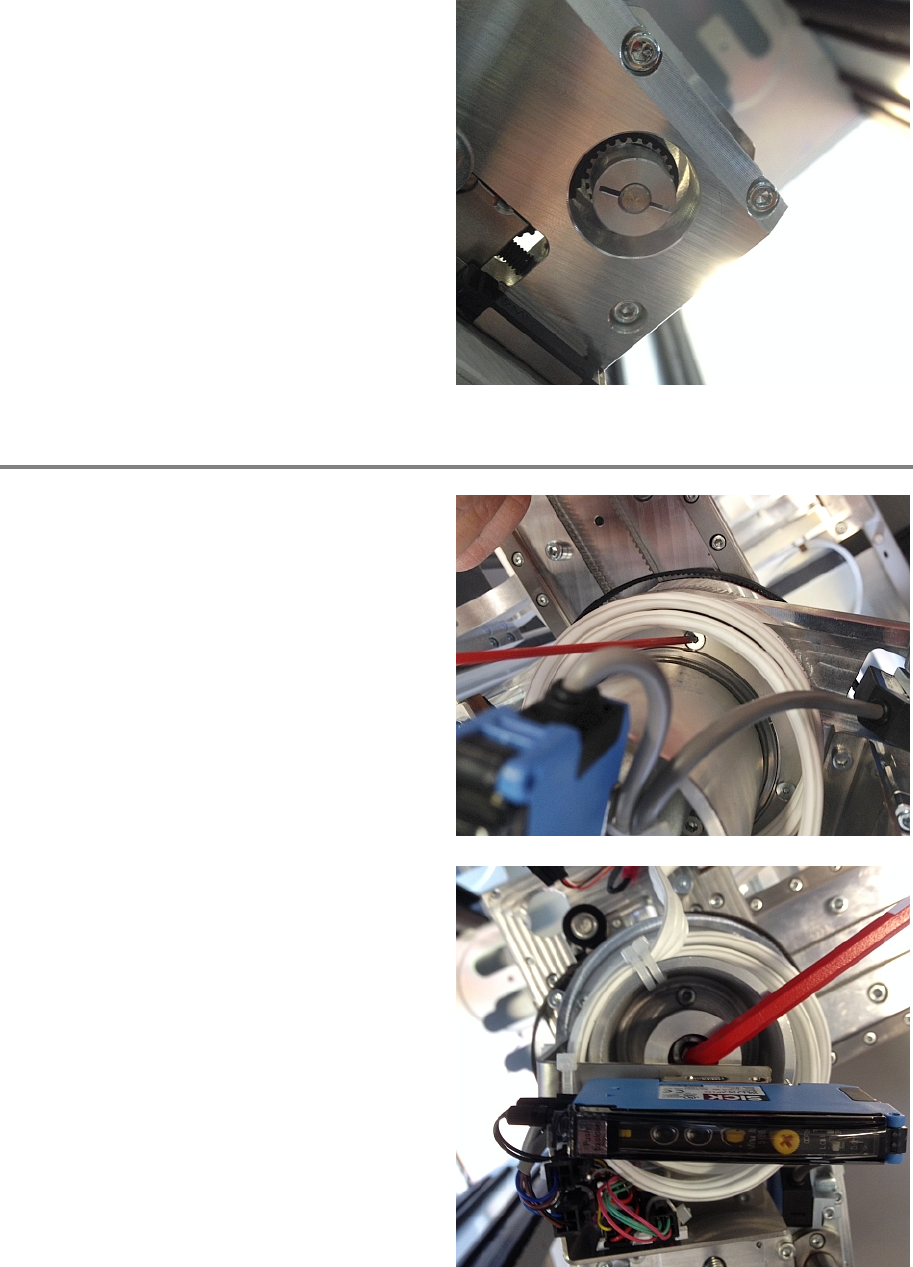
Remove the three screws on the underside of
the X axis and take out the motor.
Step 2
Remove the four screws below the white
transfer cables.
Safely hold the gripper with
one hand and
remove the fixation screw.
00197973-10 / 02 , 2016 Gripper
SIPLACE Mat. Tower Storage Service Manual © ASM 7-13
Step 3
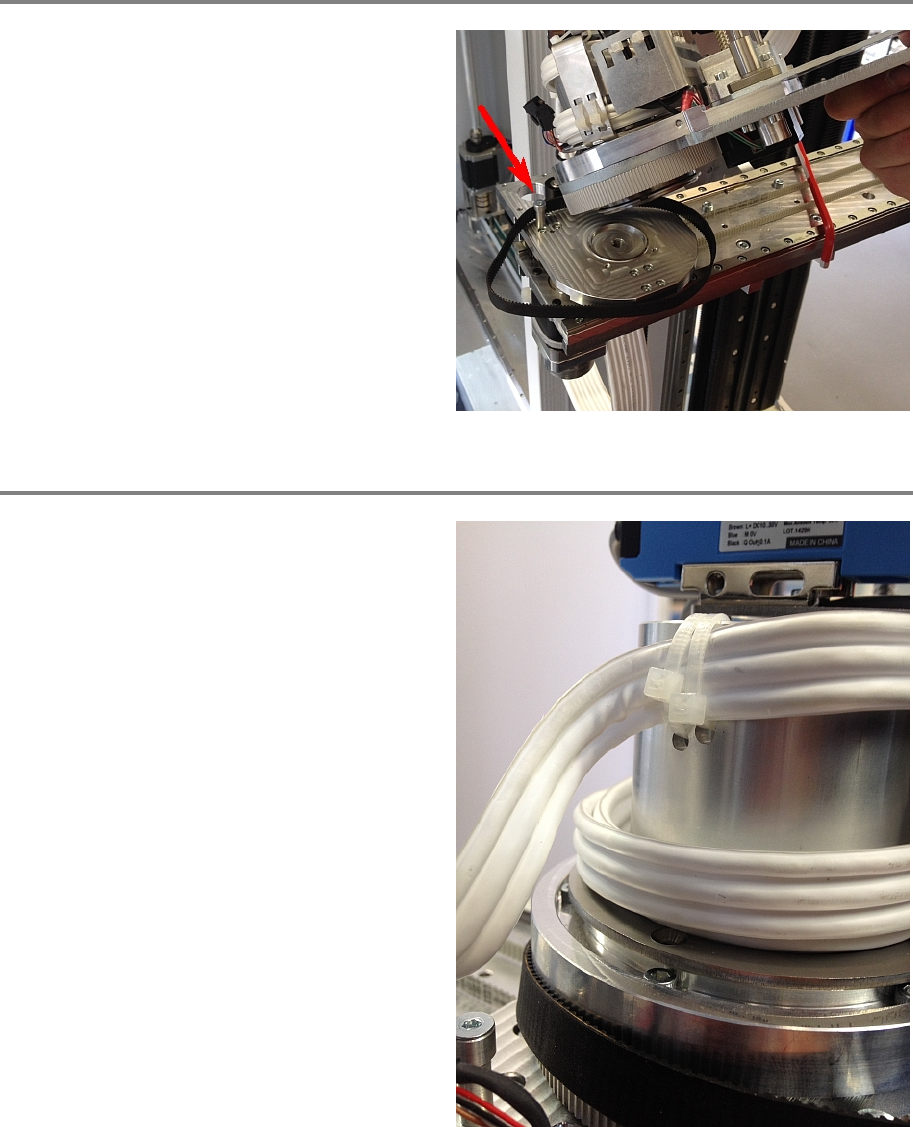
Exchange the old belt with the new one. Take
care to place it behind the deflection screw.
Step 4
Put the gripper back and hold it on its place.
Align the cable holder so that the holes for cable
fixation are directed backwards (to th
e Z axis).