00197973-10_SM_MaterialTower.pdf - 第139页
0019797 3 - 10 / 02 , 2016 Gripper SIPLACE Mat. Towe r St ora ge Serv ice Manual © ASM 7- 21 Rem ov e the three scre ws on the unders ide of the X axis and take out the motor. Step 2 Exchange the three distance screws, t…
Gripper 00197973-10 / 02 , 2016
7-20 © ASM SIPLACE Mat. Tower Storage Service Manual
Main electrical
power:
• Equipment disconnected from power supply system. The Main Switch
(switched off) locked by means of a padlock to secure the main switch
against unintentional switching on.
Compressed air /
Nitrogen (if used):
• Equipment disconnected from compressed air or nitrogen supply.
Access:
• Open both doors of the machine.
• Pull the Z axis towards you.
• Pull the gripper up (is a bit hard because the Z motor has a break) so
you have better access.
7.3.4 Exchange steps
Step 1
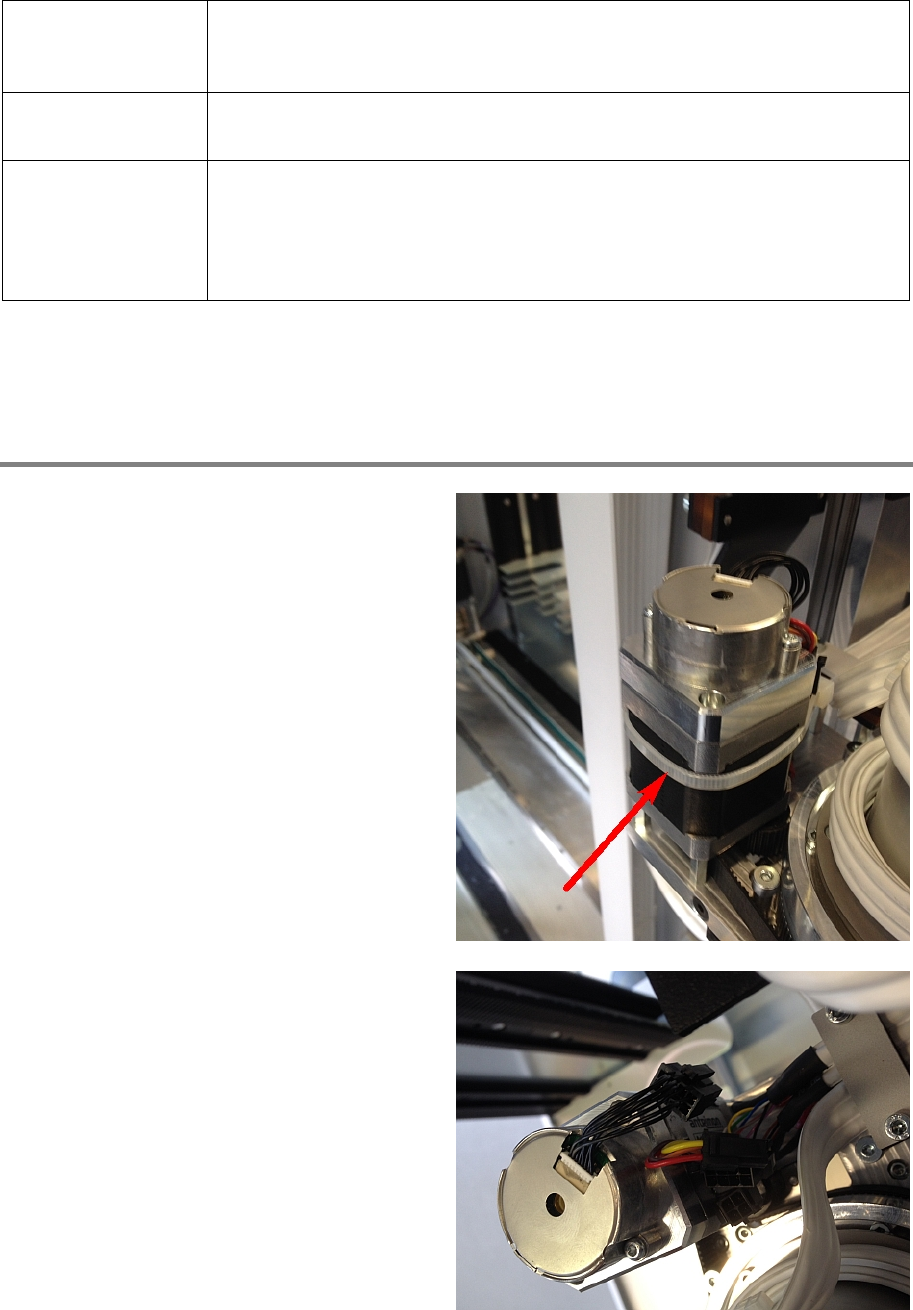
Cut the cable tie.
Disconnect all cables.
00197973-10 / 02 , 2016 Gripper
SIPLACE Mat. Tower Storage Service Manual © ASM 7-21
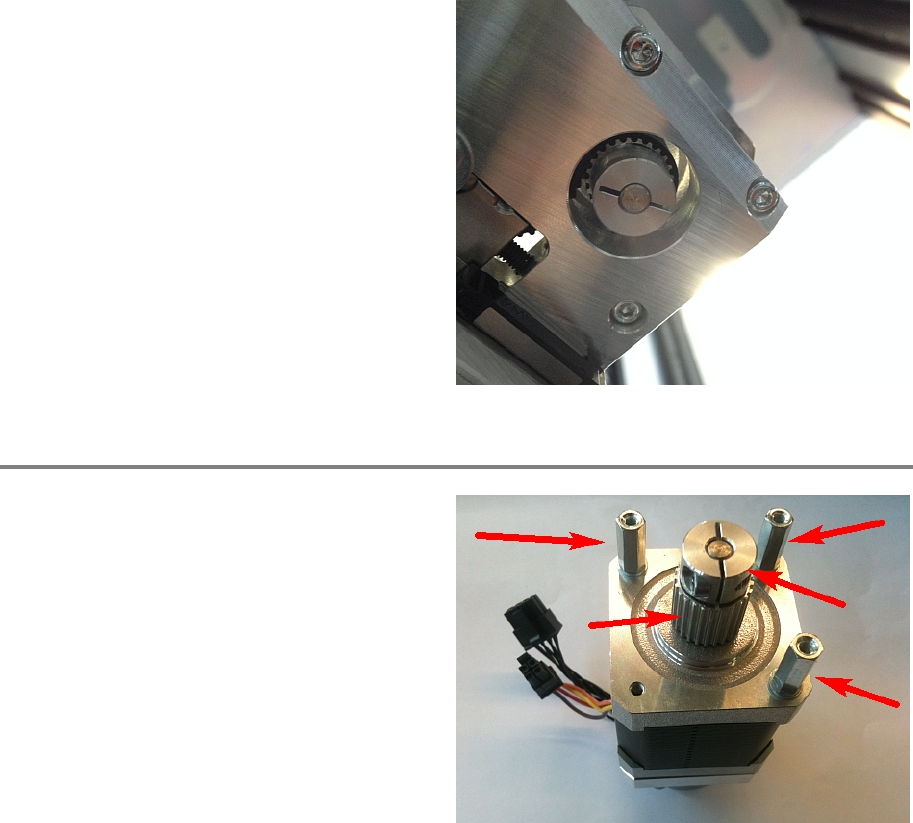
Remove
the three screws on the underside of
the X axis and take out the motor.
Step 2
Exchange the three distance screws, the pulley
and the fitting
to the new motor.
Gripper 00197973-10 / 02 , 2016
7-22 © ASM SIPLACE Mat. Tower Storage Service Manual
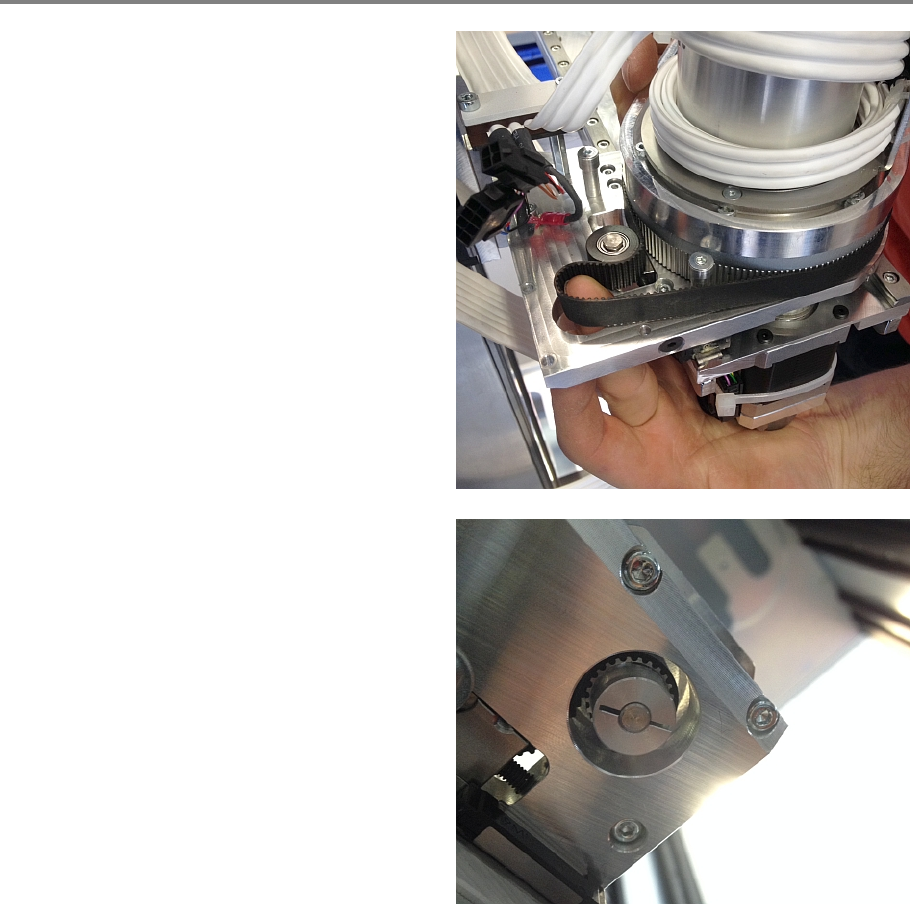
Step 3
Using your finger, check the belt can be fixed on
this position as shown in the picture. Mind the
teeth are on the i
nside.
Put the new motor through this belt gap on its
place and tighten all three screws on the
underside of the X axis.