00197973-10_SM_MaterialTower.pdf - 第160页
Gripper 0019797 3 - 10 / 02 , 2016 7- 42 © ASM SIPLACE Mat. Tower St ora ge Ser vice Manu al Step 5 It does not matt er which ca ble is connected to whic h contact. By turning the rear part of the connector anti - clockw…
00197973-10 / 02 , 2016 Gripper
SIPLACE Mat. Tower Storage Service Manual © ASM 7-41
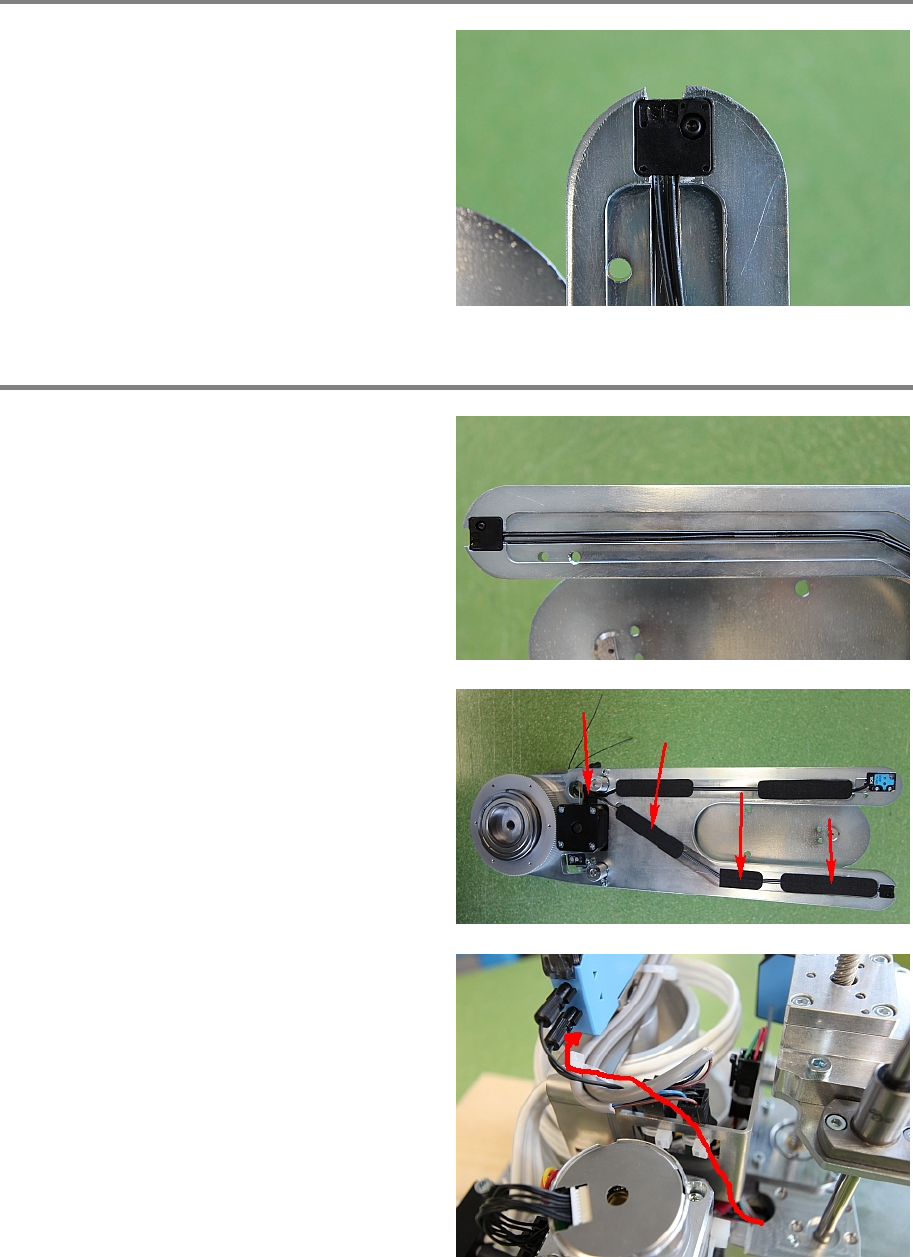
Step 3
Remove the black screw holding the sensor.
Take care not to loose it.
Exchange the old sensor with the new one and
fixate it with the black screw.
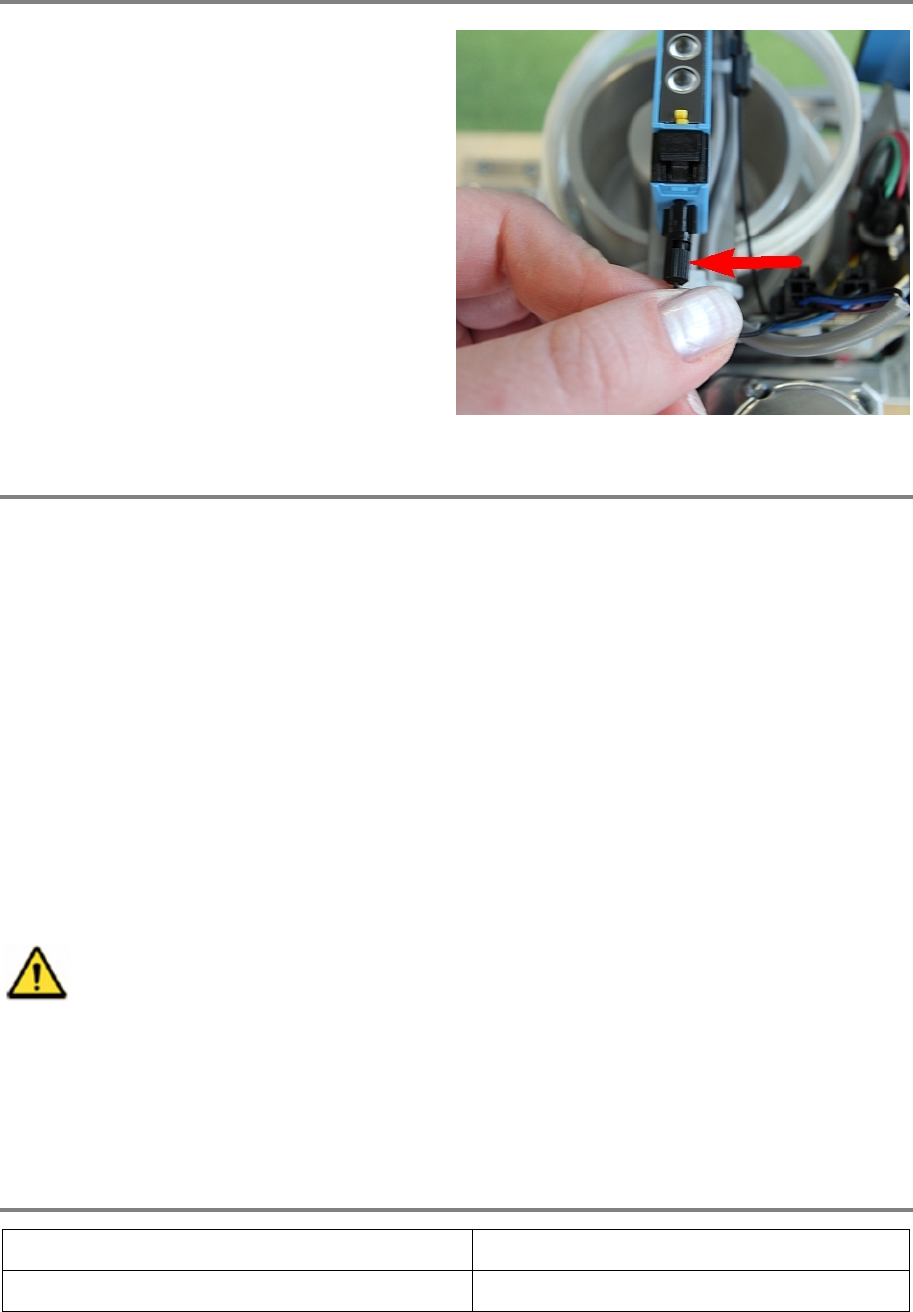
Step 4
The fibre
-optic cables must be fixed with the
sticky tape. For this, guide them side by side
through the channel.
Mount the sticky tape on top of the channel as
shown in the picture. At the end of the channel
the cables have to go through the hole. Take
care not to bend the cables in a radius less than
10 mm.
Guide the cables inside the bracket up to the
sensor.
Gripper 00197973-10 / 02 , 2016
7-42 © ASM SIPLACE Mat. Tower Storage Service Manual
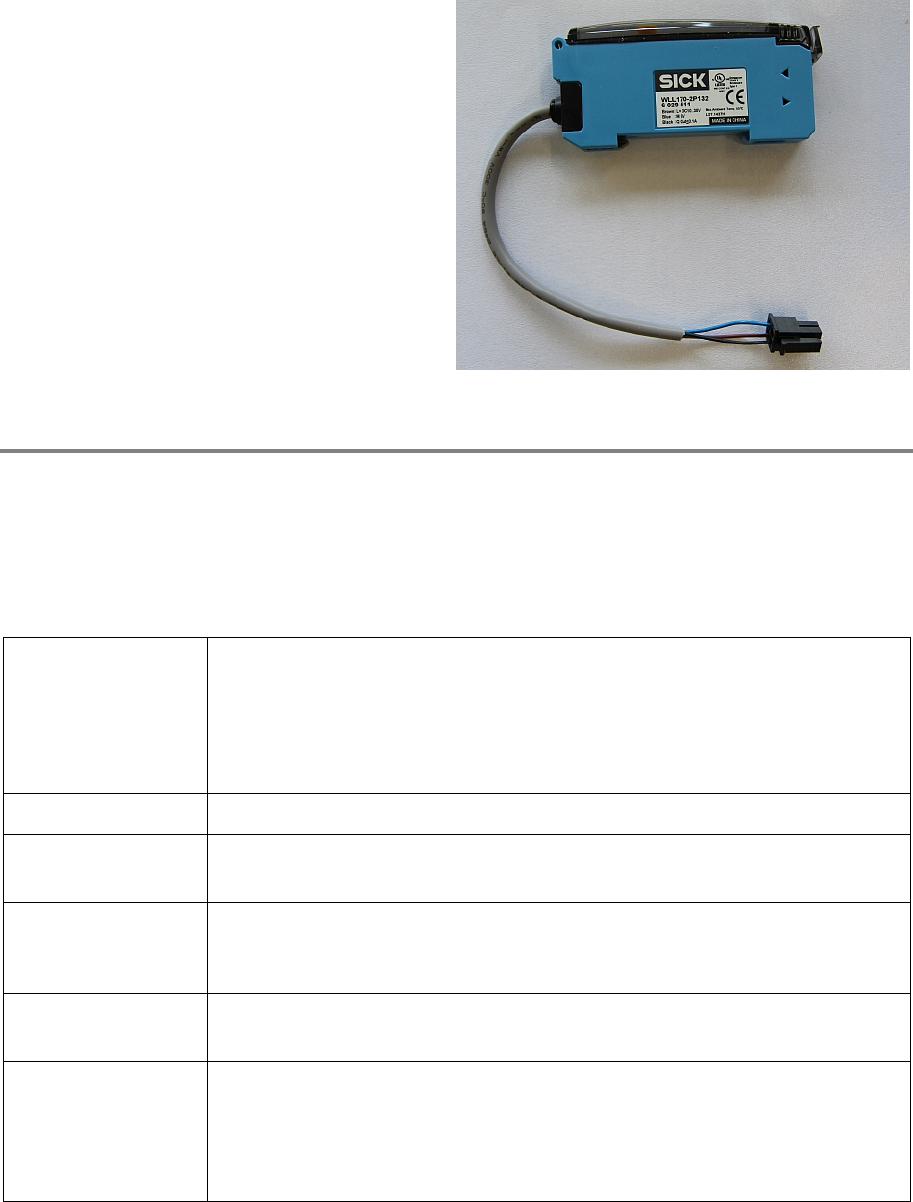
Step 5
It does not matter which cable is connected to
which contact.
By turning the rear part of the connector anti
-
clockwise, make sure it is open.
Connect both fibre
-optic cables by pushing
them inside the connector, hold them firmly
there and with your other
hand turning the rear
part of the connector clockwise for
approximately half a turn. Now the cable must
be fixed.
Step 6
Remove all tools and close the doors of the machine.
Plug in the power connector and switch on the machine.
Initialize the machine by means of the software.
7.8 Optosensor LL3_DE02
7.8.1 Introduction
This modification instruction describes how to exchange the optosensor LL3_DE02 on SIPLACE
Material Tower.
Spare part number: 03124548-01
Before starting the maintenance, read the Safety instructions carefully.
7.8.2 Tools, Material and Scheduling
For an effective and efficient maintenance, the following resources have to be provided:
Required Tools / Auxiliary Material / Spare parts
Tools: Small side cutter
Auxiliary Material: Cable ties
00197973-10 / 02 , 2016 Gripper
SIPLACE Mat. Tower Storage Service Manual © ASM 7-43
Spare parts:
0312454
8-01, Optosensor LL3_DE02
Time needed
Schedule around 10 minutes for this task.
7.8.3 Prerequisites
For a safe and efficient maintenance, the following prerequisites have to be fulfilled:
Personnel:
• Any work with or at the equipment must be carried out by skilled and
trained personnel in accordance with the locally applicable
regulations.
• Inform all involved persons regarding the currently running
maintenance works.
Machine loading:
• Stored items do not have to be unloaded.
Machine operating
condition:
• Shut down
Main electrical
power:
• Equipment disconnected from power supply system. The Main Switch
(switched off) locked by means of a padlock to secure the main switch
against unintentional switching on.
Compressed air /
Nitrogen (if used):
• Equipment disconnected from nitrogen.
Access:
• Open the door on the right side of the machine
• Pull the Z axis towards you
• Pull the gripper up (is a bit hard because the Z motor has a break) so
you have better access to the gripper