00197973-10_SM_MaterialTower.pdf - 第170页
Portal 00197 973 - 10 / 02 , 2016 8-6 © ASM SIPLACE Mat. Tower S tor ag e Service Ma nual Step 4 Remov e all tools and close the doo rs of the machine . Plug in the p ower connector and switch on the machine. Initialize …
00197973-10 / 02 , 2016 Portal
SIPLACE Mat. Tower Storage Service Manual © ASM 8-5
8.1.4 Exchange steps
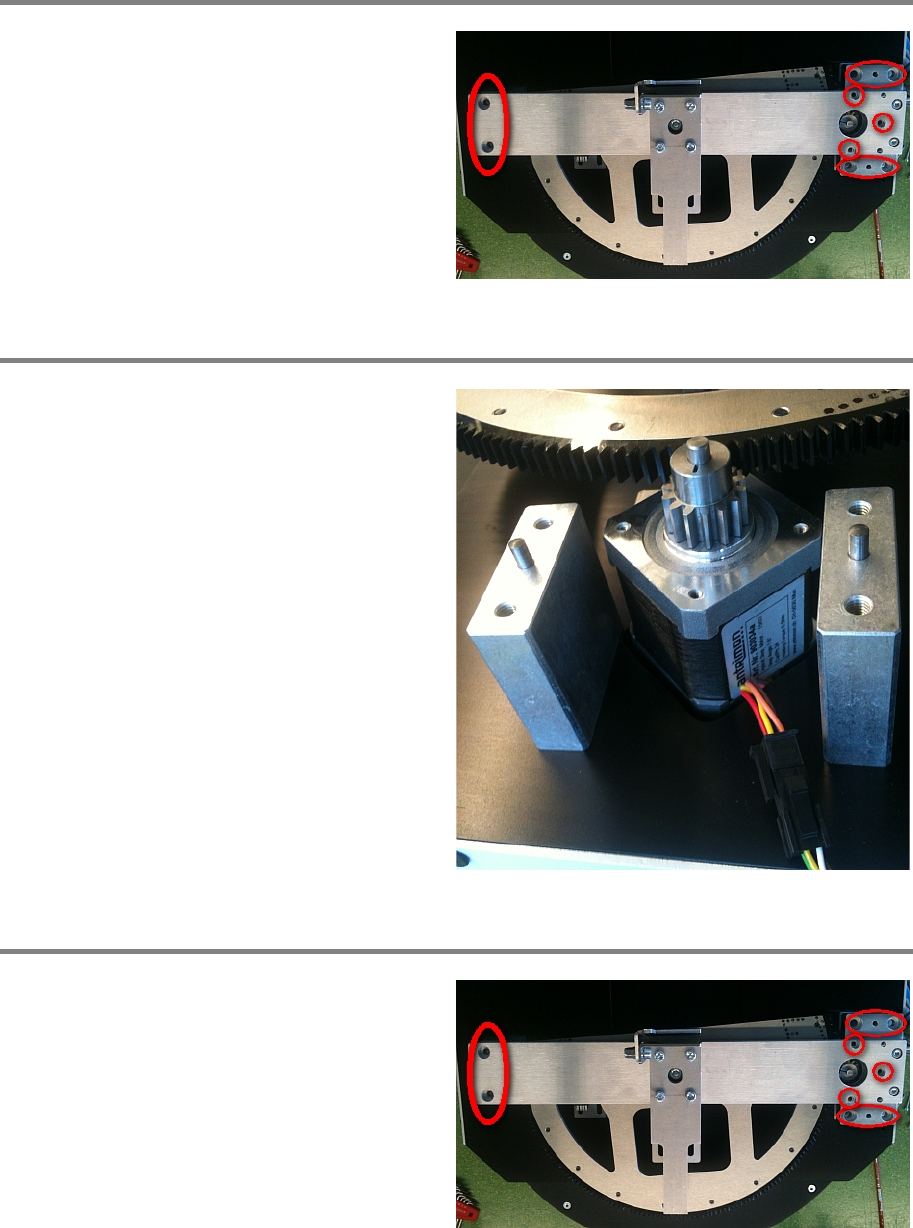
Step 1
Remove all screws marked in the picture.
Now you can lift the whole bar. As there are pins
fixating the bar, it needs a constantly uplifting
force to remove.
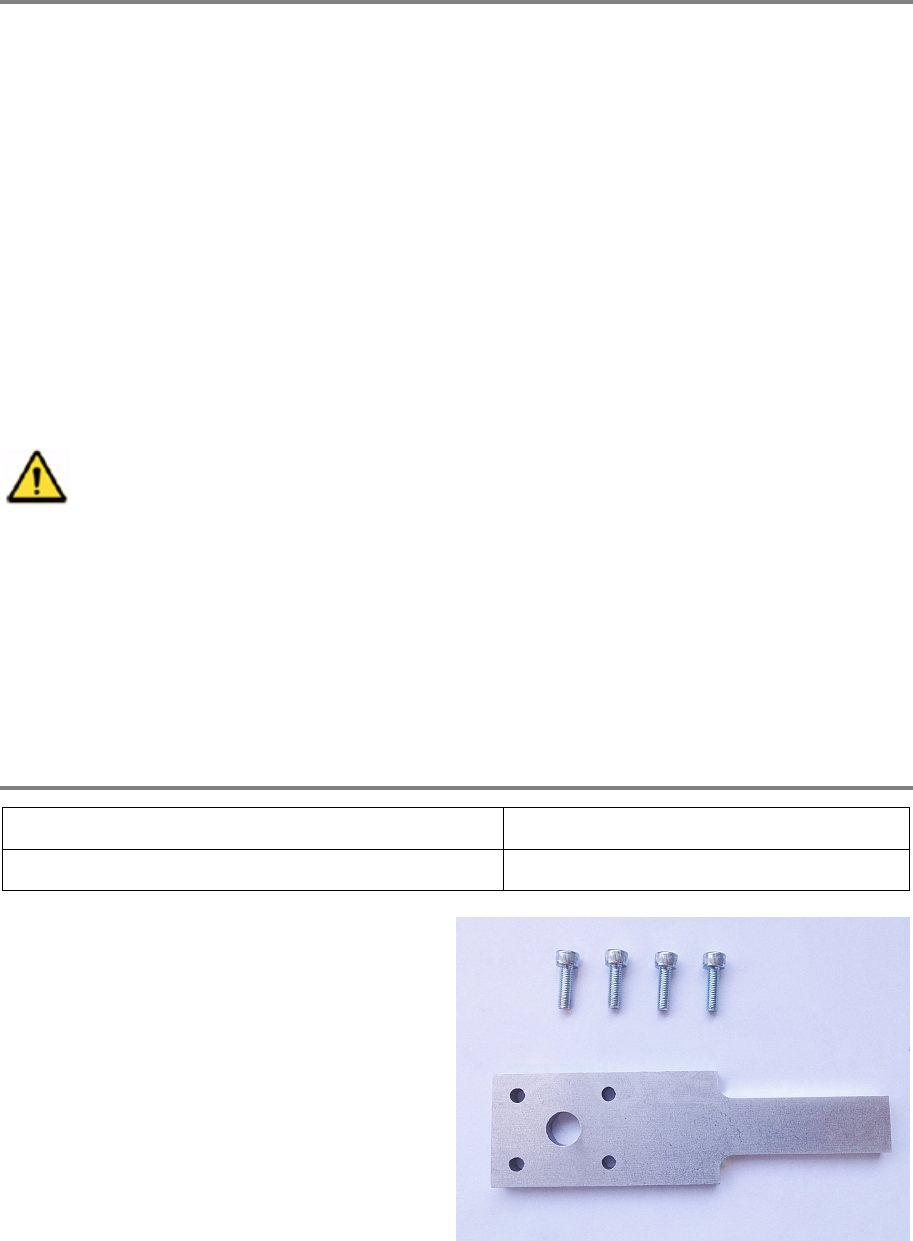
Step 2
Disconnect the moto
r and remove it.
Change the pulley and the fitting to the new
motor and put it correctly back in place.
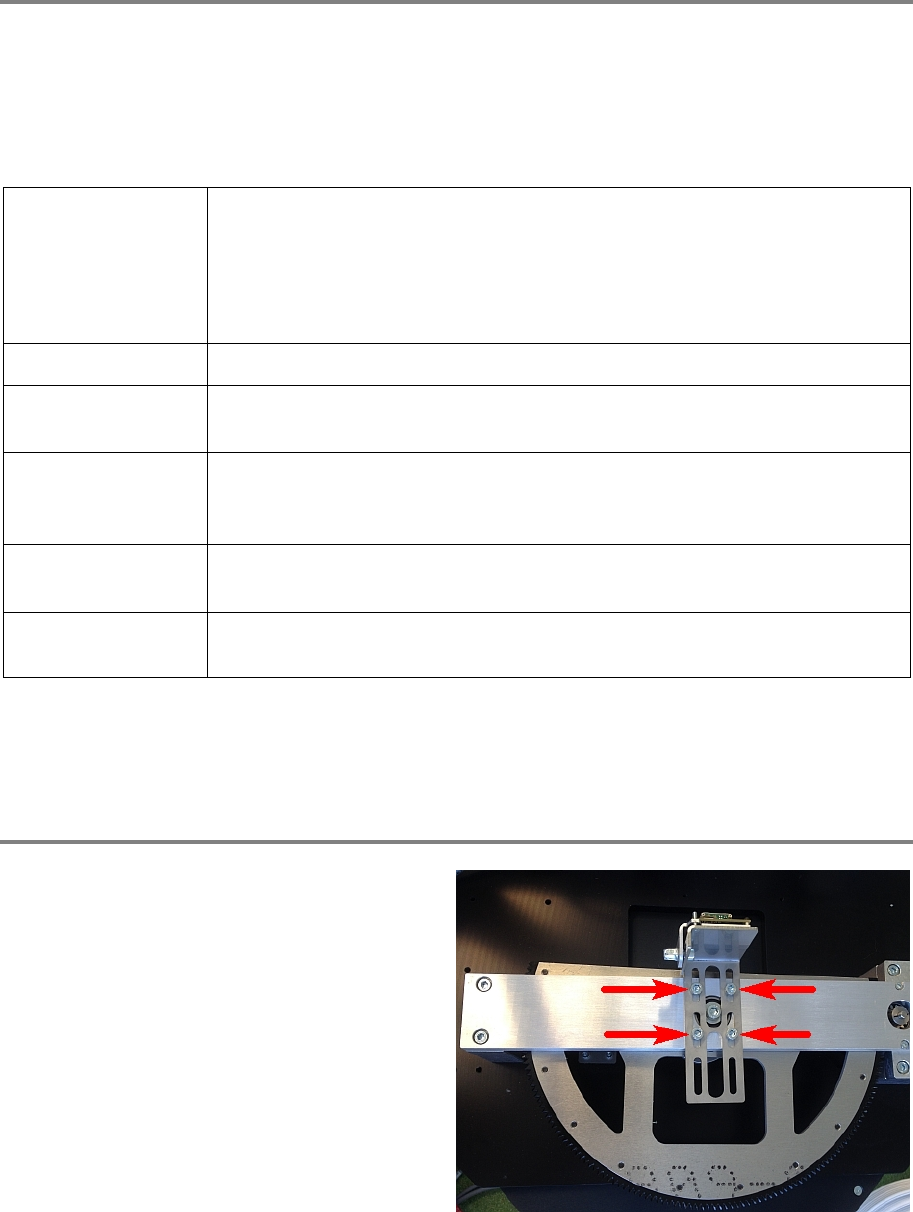
Step 3
Remount the bar by pressing it
down.
Tighten all screws as shown in the picture.
Portal 00197973-10 / 02 , 2016
8-6 © ASM SIPLACE Mat. Tower Storage Service Manual
Step 4
Remove all tools and close the doors of the machine.
Plug in the power connector and switch on the machine.
Initialize the machine by means of the software.
8.2 Retrofit XY-Z Sensor Calibration Tool
8.2.1 Introduction
This modification instruction describes how to assemble the retrofit of the new XY-Z sensor
calibration tool on SIPLACE Material Tower.
Spare part number: 03126681-01
This calibration is only available with software version 17.0 and higher.
Therefore, with software
version 17.0 and higher this calibration tool is mandatory as the
SIPLACE Material Tower calibration won't be possible without it!
Before starting the maintenance, read the Safety instructions carefully.
8.2.2 Tools, Material and Scheduling
For an effective and efficient maintenance, the following resources have to be provided:
Required Tools / Auxiliary Material / Spare parts
Tools: Allen key Nr. 4
Auxiliary Material: none
Spare parts:
03126681
-01, calibration tool
4 screws M 5 x 16mm
00197973-10 / 02 , 2016 Portal
SIPLACE Mat. Tower Storage Service Manual © ASM 8-7
Time needed
Schedule around 15 minutes for this task.
8.2.3 Prerequisites
For a safe and efficient maintenance, the following prerequisites have to be fulfilled:
Personnel:
• Any work with or at the equipment must be carried out by skilled and
trained personnel in accordance with the locally applicable
regulations.
• Inform all involved persons regarding the currently running
maintenance works.
Machine loading:
•
NO item must be unloaded.
Machine operating
condition:
• Shut down
Main electrical
power:
• Equipment disconnected from power supply system. The Main Switch
(switched off) locked by means of a padlock to secure the main switch
against unintentional switching on.
Compressed air /
Nitrogen (if used):
• Equipment disconnected from compressed air or nitrogen supply.
Access:
• Open the maintenance door on the right side. If the Z axis is not on the
rear, softly push it to the rear to gain access to the portal.
8.2.4 Exchange steps
Step 1
Either manually hold the barcode reader holder
in position or use tape to fixate it.
Remove the four screws of the holder.