00197973-10_SM_MaterialTower.pdf - 第178页
Portal 00197 973 - 10 / 02 , 2016 8- 14 © ASM SIPLACE Mat. Tower St ora ge Ser vice Manu al 8.4.4 Exchange steps Cover removal Remove the following covers: • Tall co ver left side of the portal • Small cove r below the p…

00197973-10 / 02 , 2016 Portal
SIPLACE Mat. Tower Storage Service Manual © ASM 8-13
8.4.3 Prerequisites
For a safe and efficient maintenance, the following prerequisites have to be fulfilled:
Personnel:
• Any work with or at the equipment must be carried out by skilled and
trained personnel in accordance with the locally applicable
regulations.
• Inform all involved persons regarding the currently running
maintenance works.
Machine loading:
• NO item must be unloaded.
Machine operating
condition:
• Shut down
Main electrical
power:
• Equipment disconnected from power supply system. The Main Switch
(switched off) locked by means of a padlock to secure the main switch
against unintentional switching on.
Compressed air /
Nitrogen (if used):
• Equipment disconnected from compressed air or nitrogen supply.
Access:
•
Open the maintenance door on the left side.
Portal 00197973-10 / 02 , 2016
8-14 © ASM SIPLACE Mat. Tower Storage Service Manual
8.4.4 Exchange steps
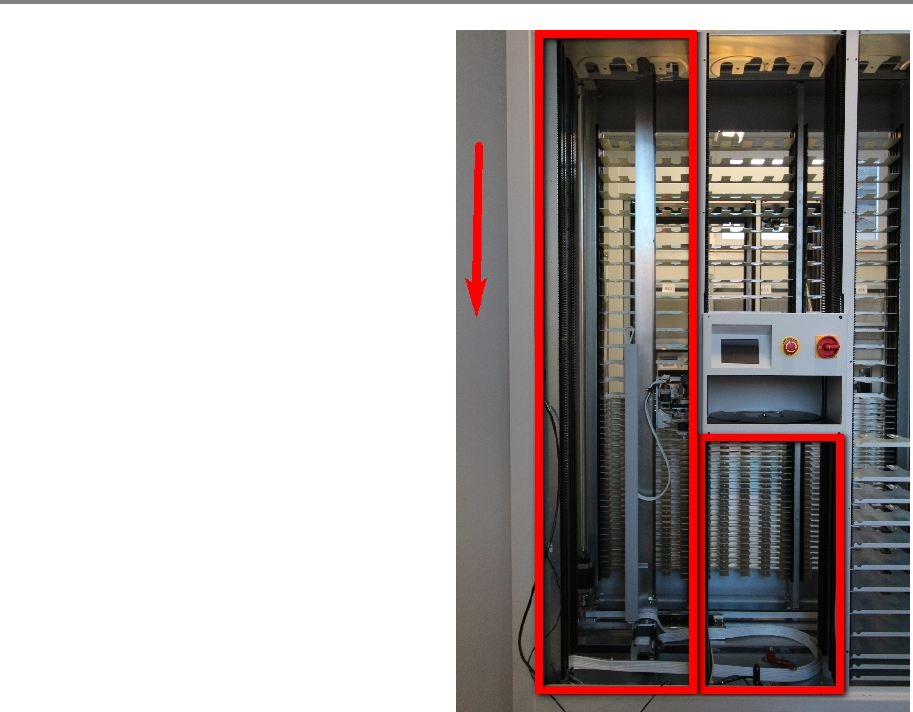
Cover removal
Remove the following covers:
• Tall cover left side of the portal
• Small cover below the portal
• Open both maintenance doors
00197973-10 / 02 , 2016 Portal
SIPLACE Mat. Tower Storage Service Manual © ASM 8-15
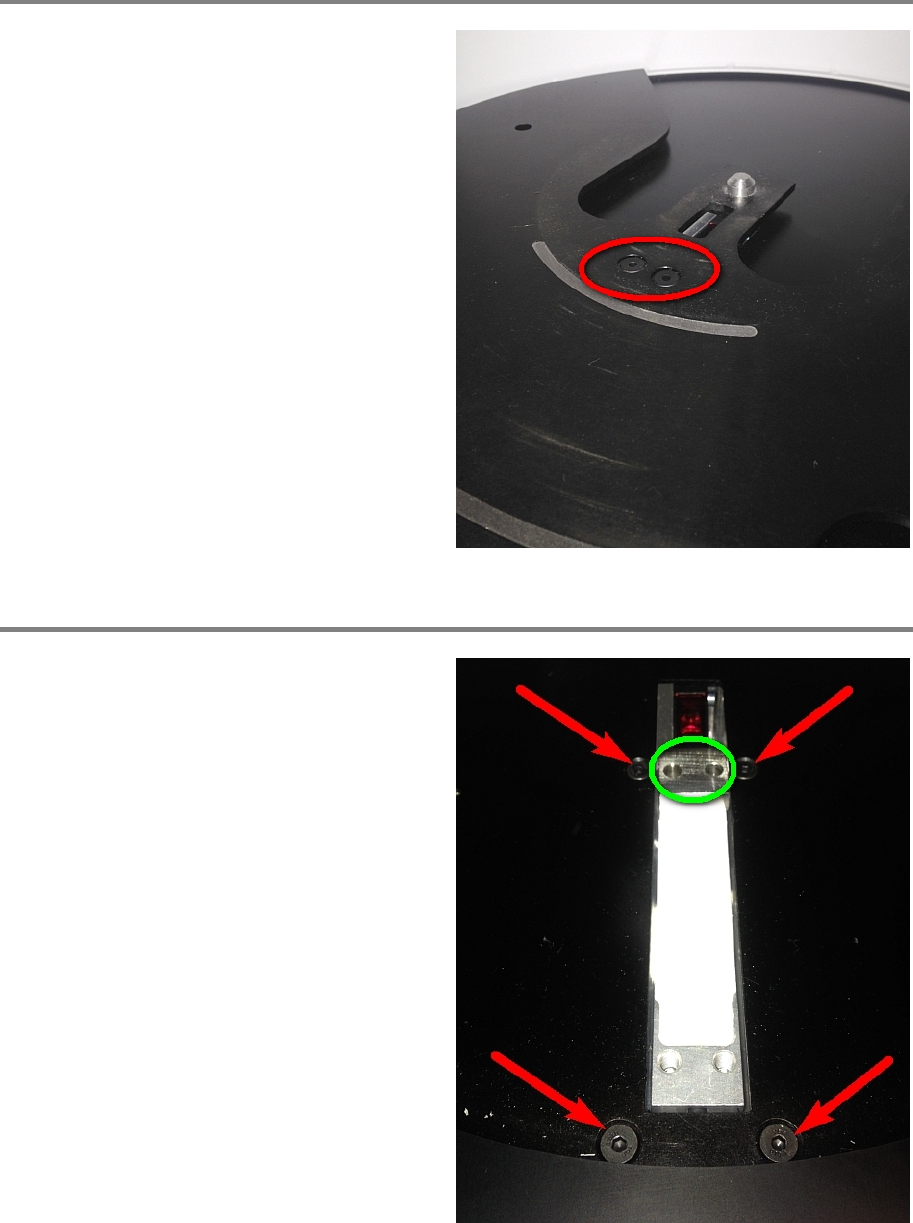
Step 1
Remove the reel support plate by loosening the
two screws.
Step 2
Remove the distance holder (marked green).
Remove the four screws holding the sensor
fixation.
From below the portal, carefully take out the
sensor fixation.