00197973-10_SM_MaterialTower.pdf - 第183页
0019797 3 - 10 / 02 , 2016 Portal SIPLACE Mat. Towe r St ora ge Serv ice Manual © ASM 8- 19 Step 7 Follow the cabl es and part for part cut the cable tie, remove the old cable and fix t he new cable by means of a cable t…
Portal 00197973-10 / 02 , 2016
8-18 © ASM SIPLACE Mat. Tower Storage Service Manual
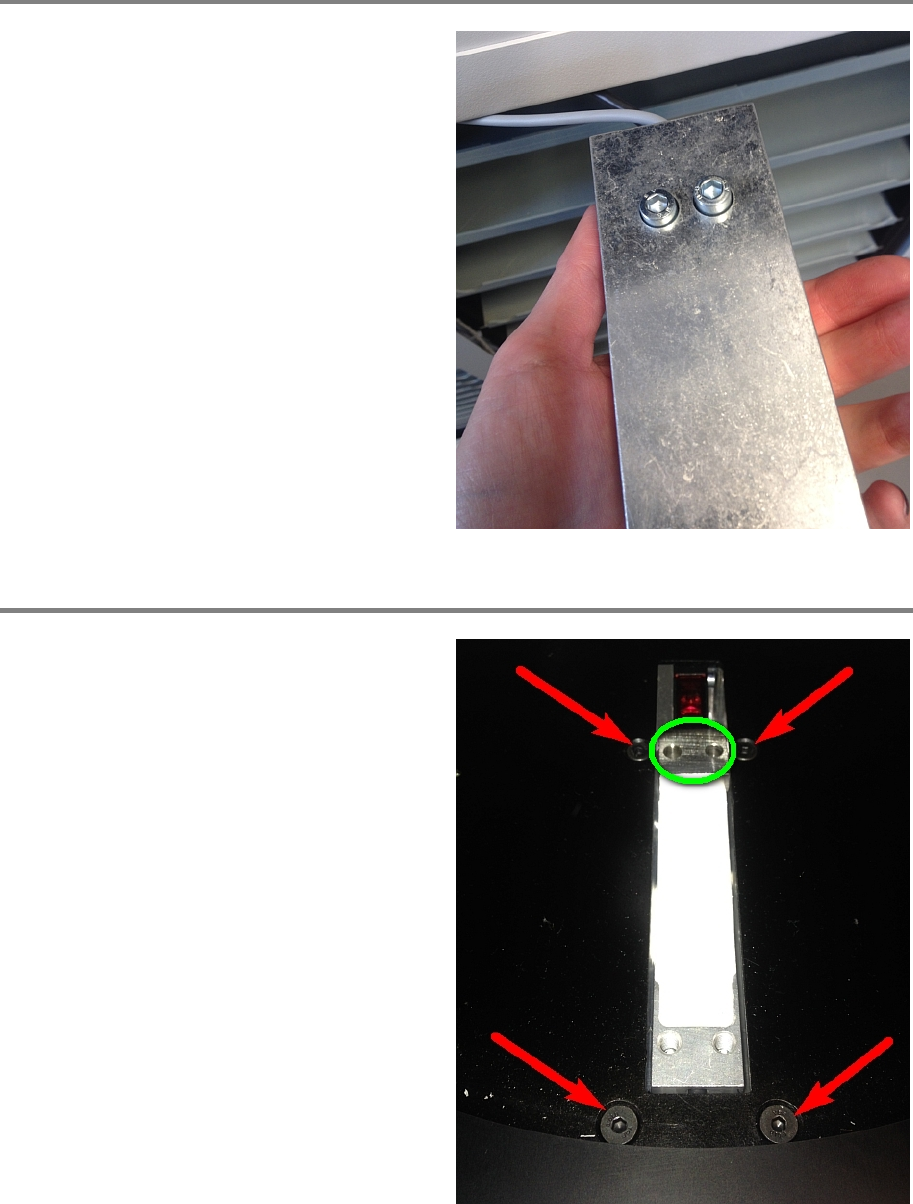
Step 5
Re
-attach the inner part and fix it with both
screws.
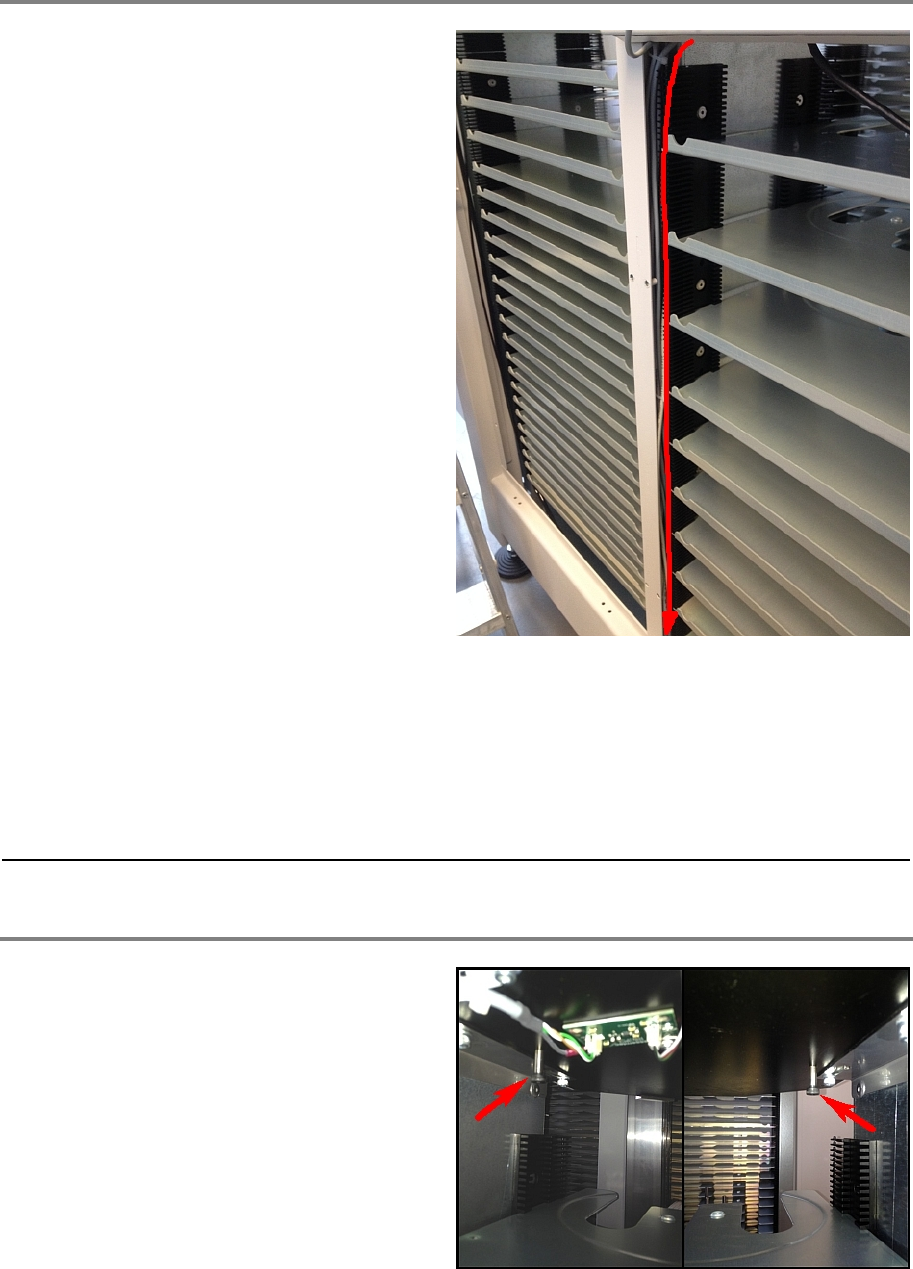
Step 6
From below the portal, hold he sensor fixation
and tighten the four screws.
Place the distance holder (marked green).
00197973-10 / 02 , 2016 Portal
SIPLACE Mat. Tower Storage Service Manual © ASM 8-19
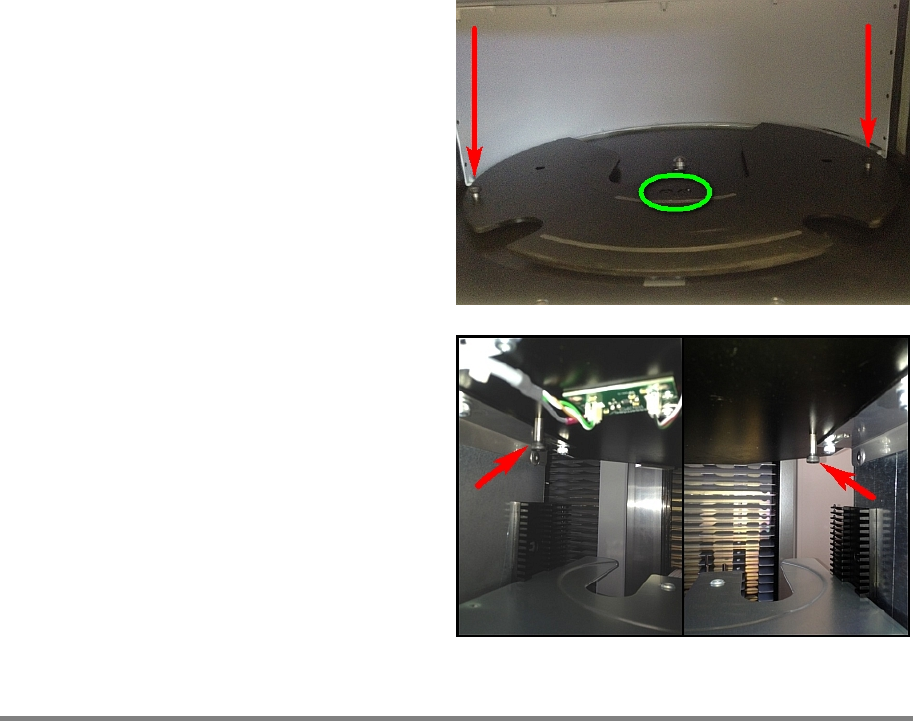
Step 7
Follow the cables and part for part cut the cable
tie, remove the old cable and fix the new cable
by means of a cable tie.
Connect the new cable correctly on the Indel COP.
brown 24V ReelDetector X1S1_24V: Connector 1
blue GND ReelDetector X1S1_GND: Connector 7
white ExtTeachReelDetector X1S1_GND: Connector 8
black ReelDetector X1S1_IN03: Connector 15
Step 8
Remove the two screws that are positioned
below the portal.
Portal 00197973-10 / 02 , 2016
8-20 © ASM SIPLACE Mat. Tower Storage Service Manual
Firmly fixate the reel support plate by using
these screws. Now tighten both screws (green
marked).
Remove the two fixation screws and put them
back at their home position below the portal.
Step 9
Remove all tools and close the doors of the machine.
Plug in the power connector and switch on the machine.
Initialize the machine by means of the software.