00197973-10_SM_MaterialTower.pdf - 第185页
0019797 3 - 10 / 02 , 2016 Portal SIPLACE Mat. Towe r St ora ge Serv ice Manual © ASM 8- 21 8.5 Barcode Reade r with support 8.5.1 Introducti on This mo dificatio n instru ctio n describes how to chan ge the barcode read…
Portal 00197973-10 / 02 , 2016
8-20 © ASM SIPLACE Mat. Tower Storage Service Manual
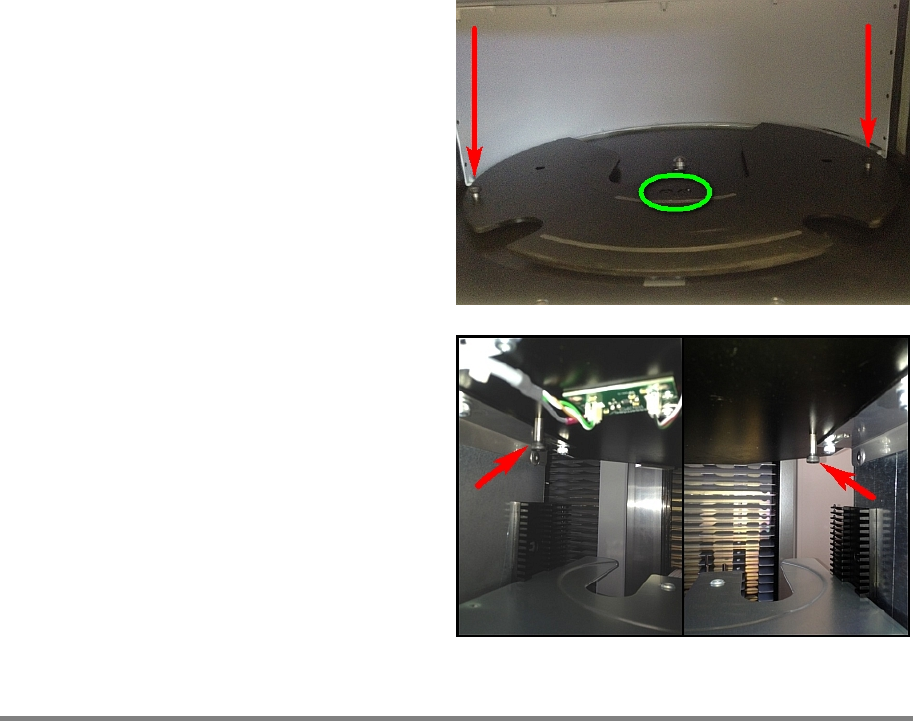
Firmly fixate the reel support plate by using
these screws. Now tighten both screws (green
marked).
Remove the two fixation screws and put them
back at their home position below the portal.
Step 9
Remove all tools and close the doors of the machine.
Plug in the power connector and switch on the machine.
Initialize the machine by means of the software.
00197973-10 / 02 , 2016 Portal
SIPLACE Mat. Tower Storage Service Manual © ASM 8-21
8.5 Barcode Reader with support
8.5.1 Introduction
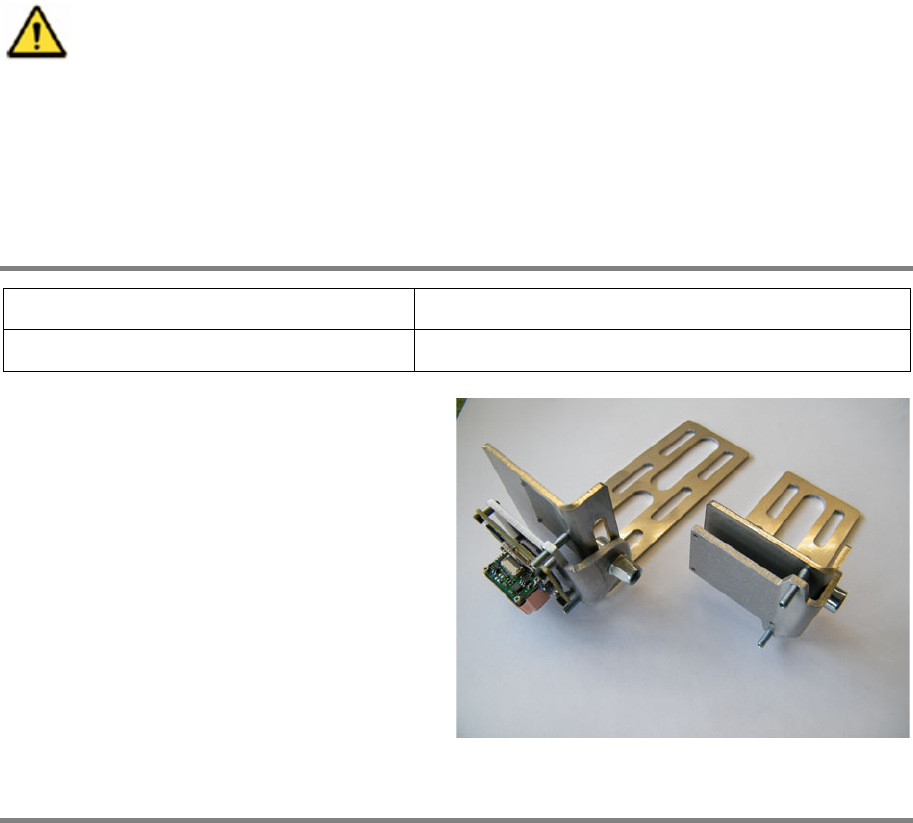
This modification instruction describes how to change the barcode reader with its support on
SIPLACE Material Tower.
Spare part number: 03124540-01
Before starting the maintenance, read the Safety instructions carefully.
8.5.2 Tools, Material and Scheduling
For an effective and efficient maintenance, the following resources have to be provided:
Required Tools / Auxiliary Material / Spare parts
Tools: Allen key nr. 1.5 and 4
Auxiliary Material: none
Spare parts:
03124540
-01 Barcode Reader Support
Remark: Two different barcode reader supports
are built in the machines, depending on the
serial number. No matter which one is in use.
Time needed
Schedule around 10 minutes for this task.
Portal 00197973-10 / 02 , 2016
8-22 © ASM SIPLACE Mat. Tower Storage Service Manual
8.5.3 Prerequisites
For a safe and efficient maintenance, the following prerequisites have to be fulfilled:
Personnel:
• Any work with or at the equipment must be carried out by skilled and
trained personnel in accordance with the locally applicable
regulations.
• Inform all involved persons regarding the currently running
maintenance works.
Machine loading:
• Stored items do not have to be unloaded.
• If shelves are positioned directly above the portal, it can be necessary
to unload their stored items and to remove them for better access to
the barcode reader.
Machine operating
condition:
• Shut down
Main electrical
power:
• Equipment disconnected from power supply system. The Main Switch
(switched off) locked by means of a padlock to secure the main switch
against unintentional switching on.
Compressed air /
Nitrogen (if used):
• Equipment disconnected from compressed air or nitrogen supply.
Access:
• Open both doors of the machine.
8.5.4 Exchange and setup steps
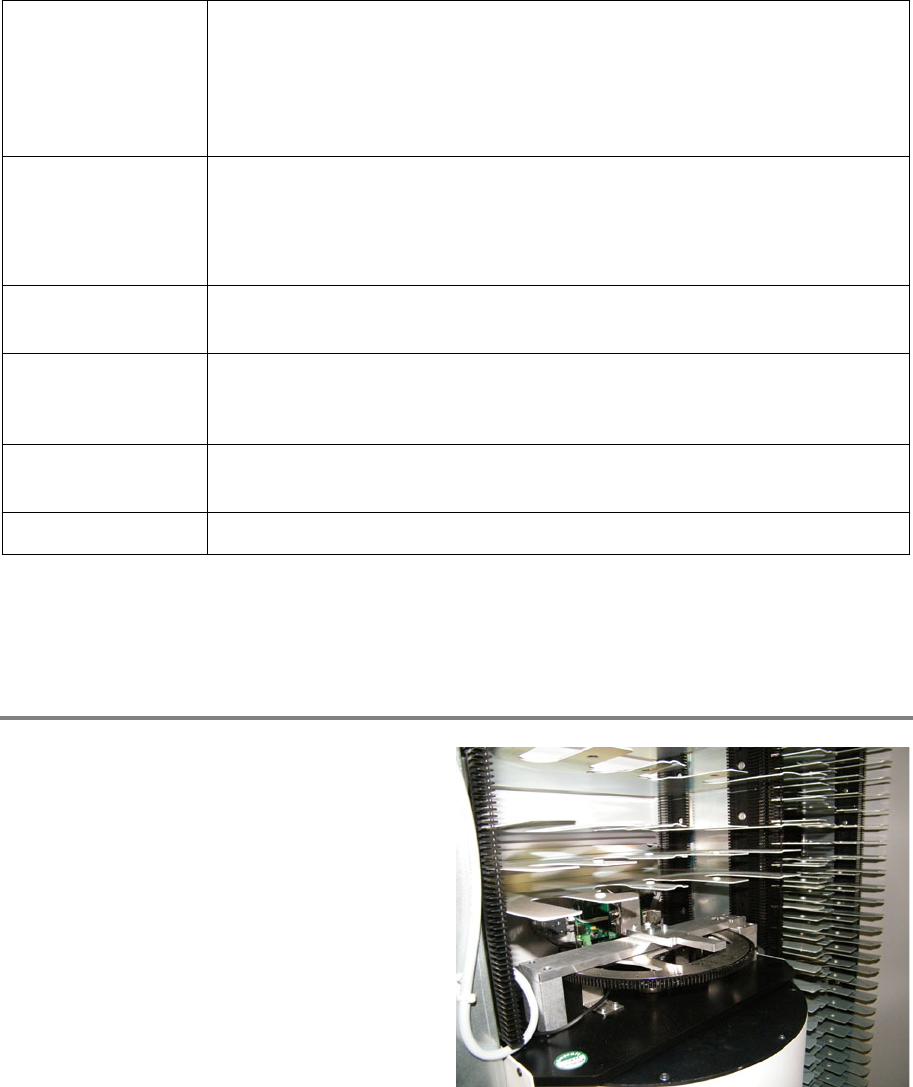
Check working space
Have a short look on the exchange procedure
below and check if there is enough space
around the portal to do the work (above or
below, depending o
n the exchange procedure).
If there is not enough space, unload the
obstructive items and remove their shelves.
Make a note of the exact position of shelves and
items for an exact refit after the exchange
procedure.