00197973-10_SM_MaterialTower.pdf - 第188页
Portal 00197 973 - 10 / 02 , 2016 8- 24 © ASM SIPLACE Mat. Tower St ora ge Ser vice Manu al Re - mount new barcod e reader with its su pport Place the new b arcode reader with its support as shown on the p icture. Place …
00197973-10 / 02 , 2016 Portal
SIPLACE Mat. Tower Storage Service Manual © ASM 8-23
If the refit of shelves and items does not meet the original positions, the machine crashes
and can be damaged.
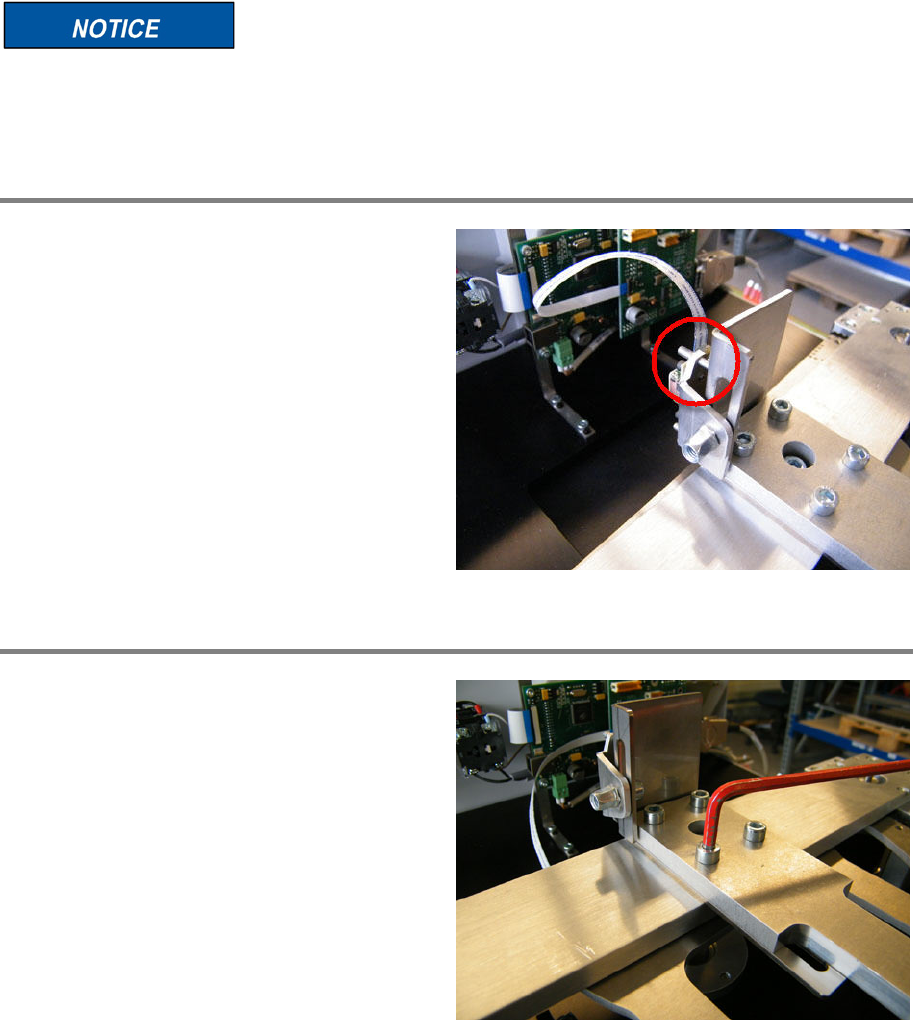
Unplug ribbon cable
Unplug the ribbon cable (see picture).
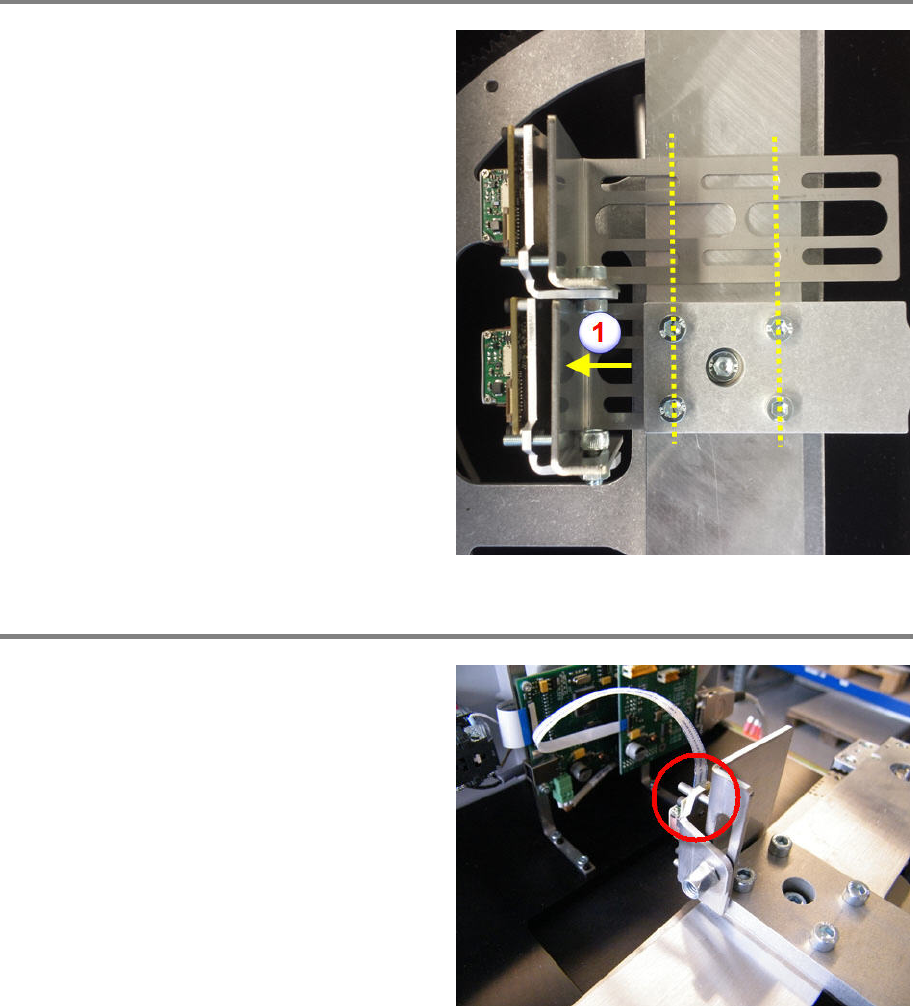
Loosen and remove fixing screws
Loosen and remove the four fixing screws.
Remove the calibration plate.
Remove the barcode reader with its support.
Portal 00197973-10 / 02 , 2016
8-24 © ASM SIPLACE Mat. Tower Storage Service Manual
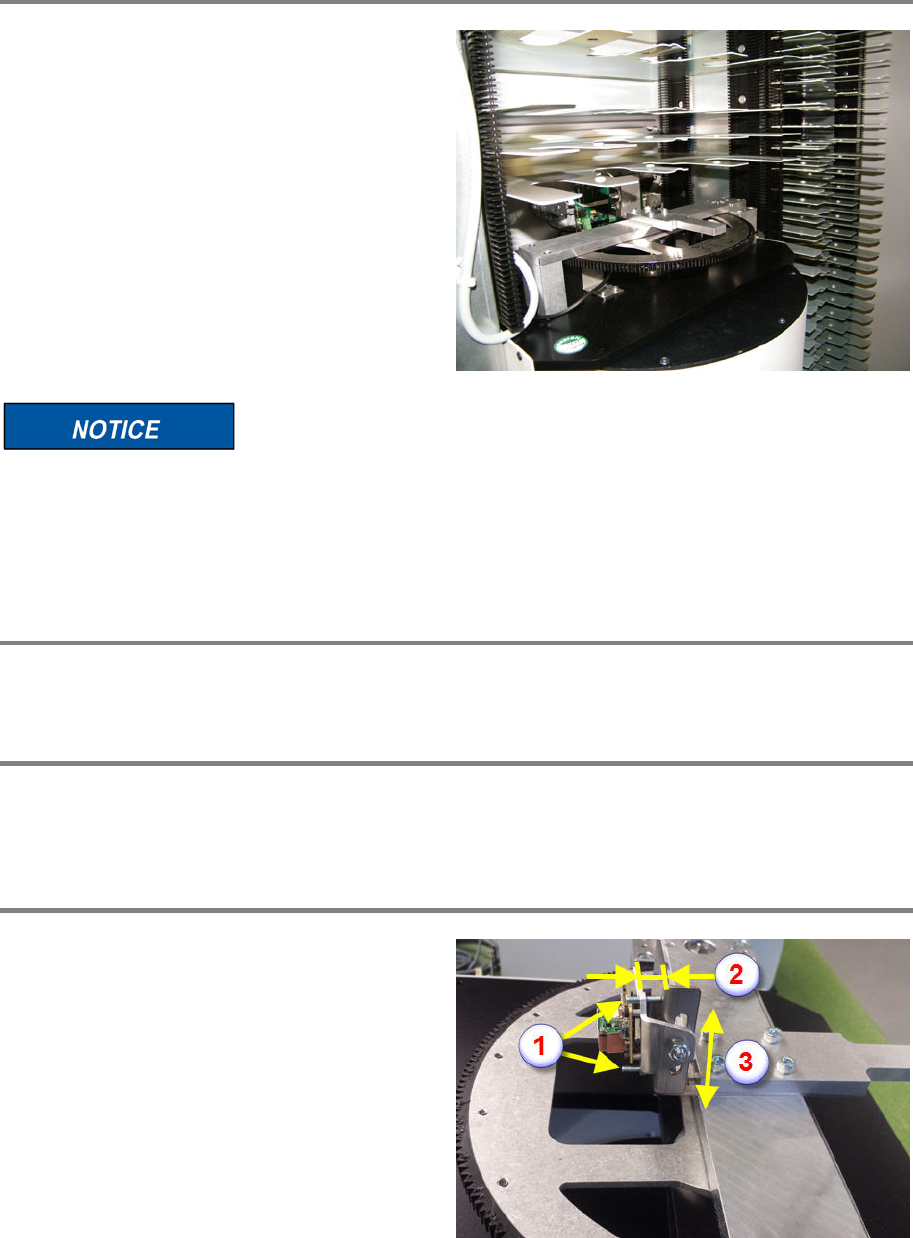
Re-mount new barcode reader with its support
Place the new barcode reader with its support as
shown on the picture.
Place the calibration plate on top.
Screw in the four fixing screws but do not
tighten them.
Pull the barcode reader support to the front up
to the stop (1).
Tighten the four fixing screws.
Plug in the ribbon cable
Plug in the ribbon cable (see picture).
00197973-10 / 02 , 2016 Portal
SIPLACE Mat. Tower Storage Service Manual © ASM 8-25
Refit shelves and items
Refi
t all the removed shelves and items to
exactly their original positions.
If the refit of shelves and items does not meet the original positions, the machine crashes
and can be damaged.
It is recommended to re
-calibrate the stack.
Finalize exchange steps
Remove all tools, attach all previously removed covers and close the doors of the machine.
Switch on the machine
Connect the system to the power supply system. Unlock the main switch and power up the
machine by switching on the main switch.
Adjust the barcode reader
By means of the two grub screws (1), adjust the
position of the barcode reader. The gap
between the support and the rocker (upper side)
has to be 6 mm (2) or 4 mm (lower side).
Before tightening the fixing screw, make sure
the rocker is ro
ughly in the middle of the slotted
hole (3).